
macuse
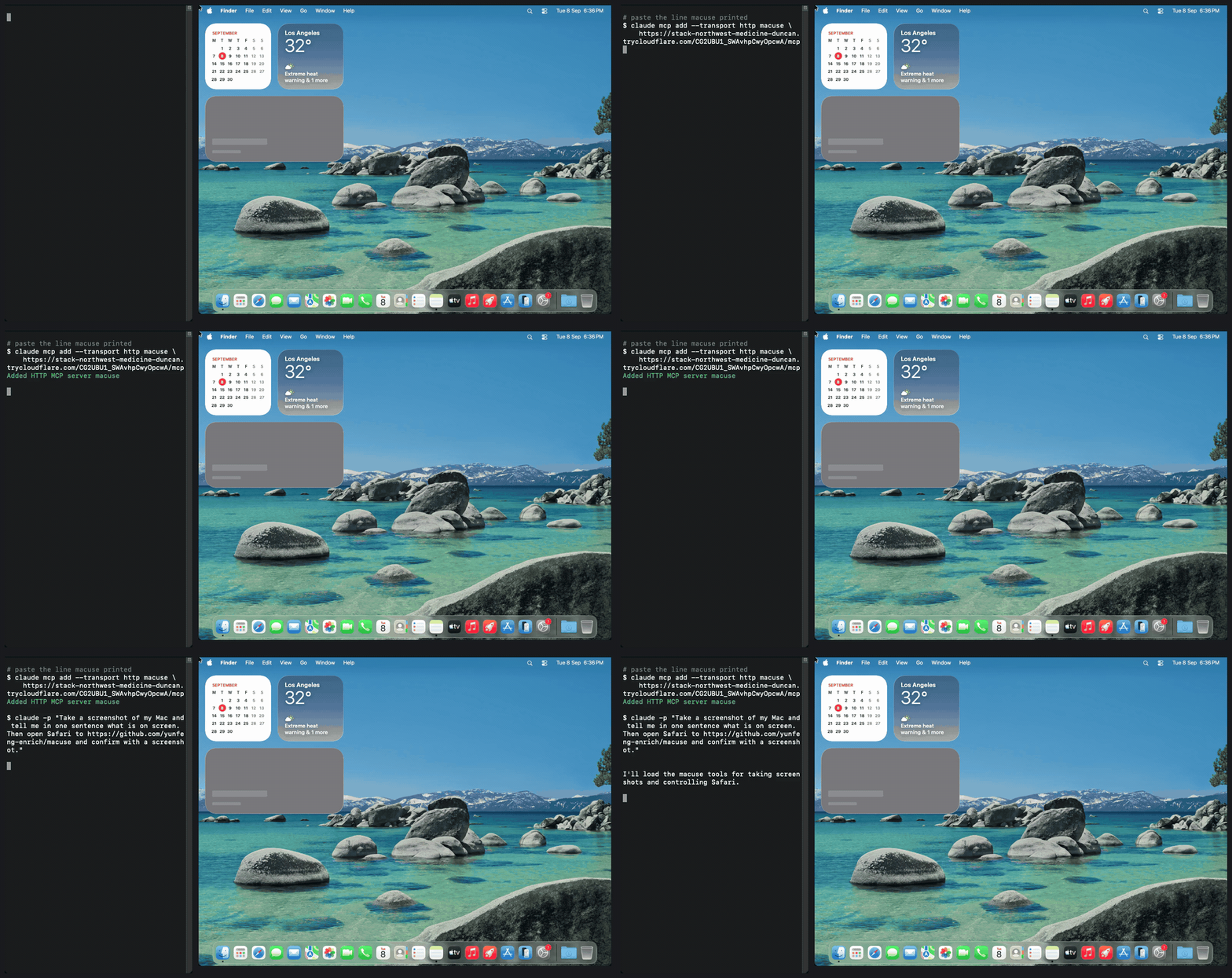
Left: Claude Code, anywhere. Right: a Mac running macuse up. The agent reaches it only through the printed URL.
Turn your Mac into a remote computer-use host. One command on the Mac, one paste into Claude Code or Codex, and the agent can see your screen, click, type, and open apps.
Built on CUA's computer-server for the macOS driver.
macuse adds the parts that make it safe to reach from outside: a bearer token, a tool
allowlist that hides shell and filesystem access by default, a Cloudflare quick tunnel,
keep-awake, and a permissions preflight.
Quick start
uvx macuse up
Or without uv installed:
curl -fsSL https://raw.githubusercontent.com/yunfeng-enrich/macuse/main/install.sh | sh
Either way macuse fetches cloudflared on first run and starts the server. It prints one line to paste into your agent, plus the one-line commands:
claude mcp add --transport http macuse https://<host>/<token>/mcp
codex mcp add macuse --url https://<host>/<token>/mcp
The token lives in the URL so no client needs custom headers. Authorization: Bearer <token>
against https://<host>/mcp works too.
Permissions
macOS grants Screen Recording and Accessibility per app, and the app is whichever
terminal launched macuse. The first run triggers both prompts. Screen Recording only
takes effect after that terminal is fully quit and reopened. Without it, screenshots
are black and window titles are empty. Check with:
macuse check
What is exposed
By default: screenshot, mouse, keyboard, clipboard, windows, app launch, and the accessibility tree. Not exposed unless you ask:
--allow-shelladdscomputer_run_command--allow-filesadds file read, write, and delete tools
Other flags: --no-tunnel for LAN or SSH-forwarded use, --width/--height to scale
screenshots and coordinates for the model, --port, --token.
Security
This is your real desktop on a public URL. The token is the only lock, and it is in the
URL, so treat the URL like a password. Both the hostname and the token are new on every
run, so a leaked URL stops working the moment you Ctrl-C. Keep the terminal visible while
an agent is connected. Pass --token only if you need a fixed one.
Status
Spike. Works end to end on macOS 15 with Claude Code over a Cloudflare tunnel. Not yet: signed menu bar app, persistent tunnel hostnames, per-app allowlists, Lume VM sandbox mode.
1 maintainer

Download files
Download the file for your platform. If you're not sure which to choose, learn more about installing packages.
Source Distribution
Built Distribution
Filter files by name, interpreter, ABI, and platform.
If you're not sure about the file name format, learn more about wheel file names.
Copy a direct link to the current filters
File details
Details for the file macuse-0.1.0.tar.gz.
File metadata
- Download URL: macuse-0.1.0.tar.gz
- Upload date:
- Size: 1.3 MB
- Tags: Source
- Uploaded using Trusted Publishing? No
- Uploaded via:
uv/0.8.22
File hashes
| Algorithm | Hash digest | |
|---|---|---|
| SHA256 |
d6e46db987e90cd2bae33cf1bb893f89559cdde758f986c5182b1dee827321da
|
|
| MD5 |
685fffc337b64fa784df3516c6dad06a
|
|
| BLAKE2b-256 |
2f34fd325c8127bcfaff519db3a81964e71d57cf3b12051b9b30fe8d83663ba6
|
File details
Details for the file macuse-0.1.0-py3-none-any.whl.
File metadata
- Download URL: macuse-0.1.0-py3-none-any.whl
- Upload date:
- Size: 10.8 kB
- Tags: Python 3
- Uploaded using Trusted Publishing? No
- Uploaded via:
uv/0.8.22
File hashes
| Algorithm | Hash digest | |
|---|---|---|
| SHA256 |
43753a723b0749c9a856bda10282c376a3b5c74116754e06068ef0443352a21b
|
|
| MD5 |
ad9dbff1530c0fe089da9587bfc875b4
|
|
| BLAKE2b-256 |
d7b0d2db5e947b80bc6ae1f0087b1d2c6d360c86e00d7997626ac9312f625526
|













