
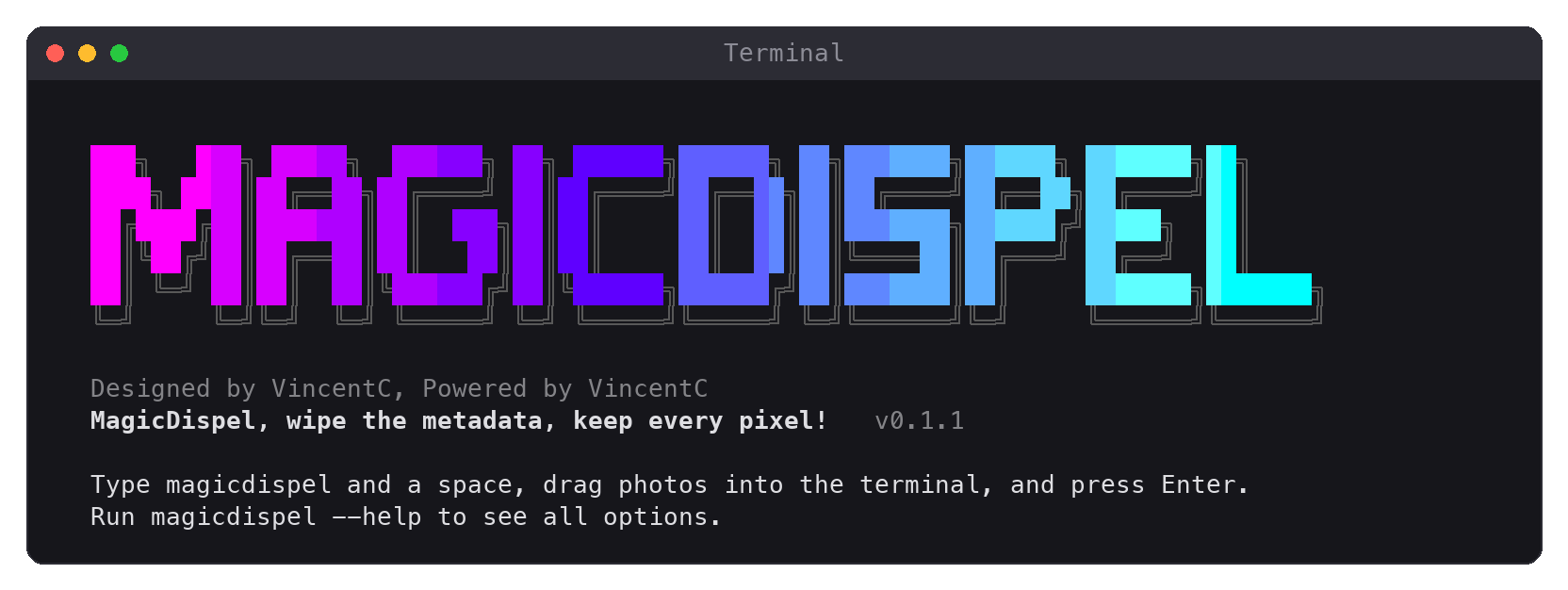
Remove private metadata from photos and videos on your own computer, without changing a single pixel.





A photo carries more than its pixels: where it was taken, when, on which phone, and sometimes hidden extras such as depth maps, portrait mattes and even the serial number of your display. A video may carry a GPS track of every second and its camera's serial number. MagicDispel saves a clean copy with none of that, and no pixel, video frame or sound sample is changed.
Quick start
macOS and Linux:
curl -LsSf https://raw.githubusercontent.com/v1nc3nt-continualab/magicdispel/main/install.sh | sh
Windows (PowerShell):
powershell -ExecutionPolicy ByPass -c "irm https://raw.githubusercontent.com/v1nc3nt-continualab/magicdispel/main/install.ps1 | iex"
Then type magicdispel and a space, drag photos or videos into the terminal, and press Enter.
A cleaned copy appears next to each original.
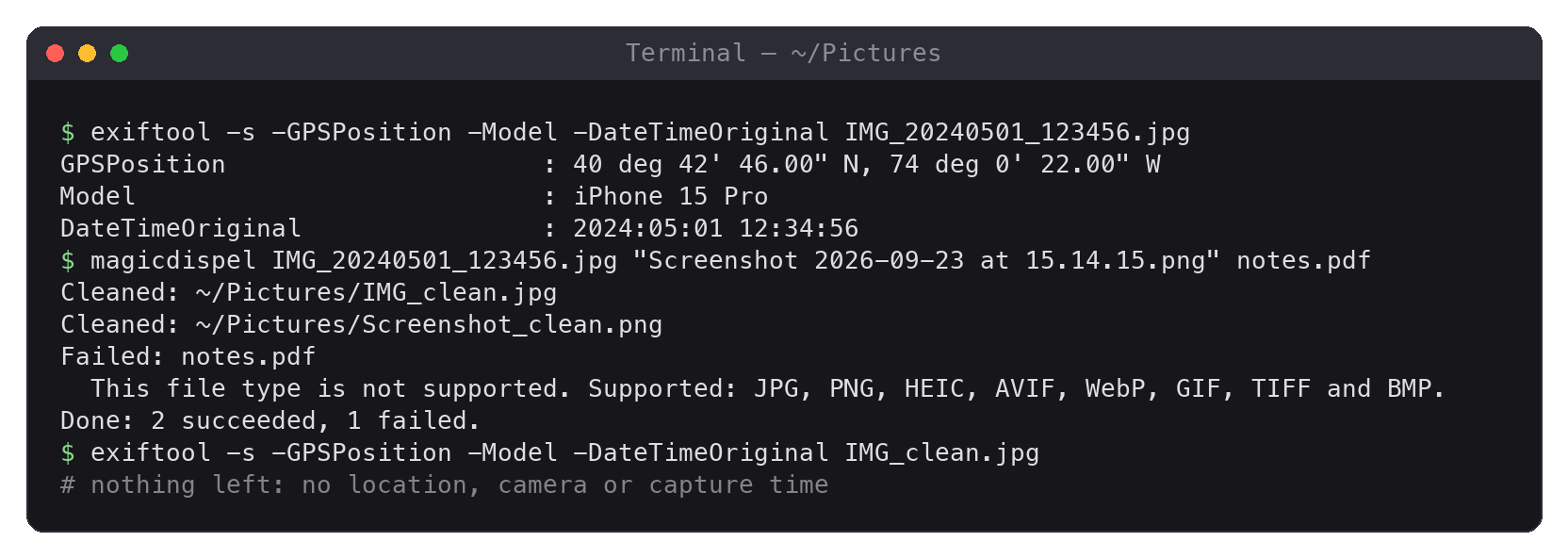
Why MagicDispel
- It rebuilds instead of deleting. Most tools delete the metadata they know about. MagicDispel writes a new file from only the parts needed to show the image, so metadata it has never heard of is left behind too. The parts it keeps must match their exact layout, so almost nothing can ride along inside them; the few exceptions are listed in the privacy details.
- Every pixel stays. Compressed image data is copied byte for byte, never recompressed. Color profiles, orientation, transparency, animation and HDR gain maps are kept, and so is the DPI of JPEG, PNG, TIFF and BMP files, so a photo looks the same, in HDR too. A video keeps every frame and every sound sample as they were, with its rotation, HDR, Dolby Vision and spatial video information.
- It finds what others miss. Depth maps and portrait mattes inside iPhone photos, thumbnails and previews that may show the uncropped original, C2PA manifests, data hidden after the end of the image, the dates and times in file names, the display model and serial number in screenshots' color profiles, and the GPS tracks, face data and camera serial numbers inside videos.
- It checks before it saves. Every result is read back on its own and compared with the original, frame by frame. ExifTool, if installed, gives an independent second opinion. If anything is off, nothing is saved.
- It stays on your computer. No uploads, telemetry or network access. Originals are never modified, and existing files are never overwritten. An original keeps all its metadata, so share only the copy.
Compared with the usual one-liner
Many guides suggest exiftool -all=. ExifTool is an excellent metadata editor, and with extra
options it can keep color data, but the one-liner and MagicDispel give very different results.
Tested on real photos with ExifTool 13.55 on macOS:
| Photo | exiftool -all= |
MagicDispel |
|---|---|---|
| iPhone portrait-mode HEIC | Removes the capture tags but keeps all 10 hidden images of the tested photo: depth map, portrait matte, skin, hair, teeth, glasses and sky mattes, style map and thumbnails, plus a 58 KB Apple property list | Removes every hidden image with its bytes and keeps only the HDR gain map. Looks identical |
| iPhone HDR JPEG | Also removes the HDR gain map, the HDR headroom and the color profile: the photo loses its HDR and its colors shift | Removes the private data; keeps the gain map, headroom and colors. Looks identical, in SDR and HDR |
| Mac screenshot | Also removes the color profile and the DPI: colors shift, and the image opens at twice its size | Removes the display's name, model and serial number from the profile; keeps colors and DPI. Looks identical |
"Looks identical" means identical renders in macOS ImageIO and ColorSync: pixels, sRGB, Display P3, HDR, gain maps, orientation and DPI.
For videos, guides suggest exiftool -all= or ffmpeg -map_metadata -1 -c copy. Tested on
public sample videos with ExifTool 13.55 and FFmpeg 8.1 on macOS:
| Video | exiftool -all= |
ffmpeg -map_metadata -1 -c copy |
MagicDispel |
|---|---|---|---|
| GoPro HERO8 | Keeps the GPS track (231 positions), the camera and lens serial numbers, the firmware, the model and the capture time | Removes them, and writes its own name as the encoder | Removes them all. Plays identically |
| iPhone Dolby Vision video | Keeps the capture time in the movie and track headers | Drops the Dolby Vision configuration, and rewrites the edit list: the clip's length and frame times change | Removes the private data, keeps Dolby Vision and the timing. Plays identically |
| Apple spatial video | Keeps the capture time | Rewrites the HEVC configuration and shifts the frames | Keeps the spatial video information. Plays identically |
"Plays identically" means that FFmpeg decodes identical frames, and that macOS AVFoundation sees the same video and sound tracks and shows the same frames.
How it works
- Identify the format from the file's contents, not its name; the copy's extension follows the contents too.
- Rebuild a new file from an allowlist: the image data and the few fields needed to show it, such as color, orientation and HDR, some of them written afresh. Everything else is left behind.
- Verify the result. It must parse on its own, decode to identical frames (for HEIC and videos, every image item and sample is compared byte for byte), and satisfy ExifTool when it is installed. The original must not have changed in the meantime.
- Save the copy next to the original under a new name, without ever overwriting a file.
Files that cannot be rebuilt safely, such as damaged files, RAW photos or unknown structures, are refused with an explanation instead of being passed through. Privacy and format details describe every check.
What is kept and removed
| Format | Kept | Removed |
|---|---|---|
| JPEG | image data, JFIF density, orientation, DPI, color space, ICC profile; HDR gain-map images (MPF), Apple HDR headroom and gain-map XMP | other EXIF and XMP, IPTC/Photoshop, comments, C2PA, thumbnails and preview images, maker notes, trailing data |
| PNG, APNG | image data, palette, transparency, color chunks (sRGB, gAMA, cHRM, cICP, HDR), DPI, animation, ICC profile, orientation | text, time stamps, C2PA, private chunks, anything after the end |
| HEIC, HEIF | image items and tiles, HDR gain maps (Apple and ISO), alpha, orientation, ICC profile, HDR XMP fields | EXIF, other XMP, Apple property lists, depth and calibration, portrait and semantic mattes, style maps, thumbnails, item descriptions and times, unused data |
| AVIF | as HEIF, including animations, which keep only what plays them | as HEIF, plus sequence times, names and user data |
| WebP | image data, alpha, animation, ICC profile, orientation | other EXIF, XMP, unknown chunks |
| GIF | images, palettes, frame timing, transparency, loop count, ICC profile | comments, text overlays, XMP, other extensions |
| TIFF | image data, decoding tags, DPI, orientation, page numbers, ICC profile | EXIF and GPS directories, XMP, IPTC, Photoshop, descriptions, private tags, sub-images |
| BMP | converted to lossless PNG with the same pixels, DPI and profile (an embedded one too) | everything else; 4-bit run-length files are refused |
| MP4, MOV | video and sound tracks with every sample, decoder settings, rotation, edit lists, color, HDR (HDR10, HLG, Dolby Vision), Apple spatial video, the scene illuminance iPhones show HDR video with, whether a video of 120 fps or more plays at full speed, track language codes | location, device, software and dates, timed metadata tracks (GPS, motion, faces, Live Photo data), timecode and chapter tracks, maker data (GoPro serial numbers, Samsung SEF data), unused media data, trailing data |
| RAW, PDF, stereo photos, audio files | not supported; RAW files built on TIFF (DNG, CR2, NEF...) and stereo JPEG and HEIC photos are recognized and refused |
ICC profiles keep their color data. Their date becomes a fixed placeholder (2000-01-01),
their description Clean, and device and creator fields, and reserved and vendor bits, are
cleared. Images up to 268 megapixels are checked, enough for 200-megapixel phone photos;
larger ones are refused, and so are animations (GIF, WebP, APNG, AVIF) on a canvas of more than
64 megapixels, or of more than four gigapixels in all their frames. Checking takes memory in
proportion: a 200-megapixel JPEG takes about 10 seconds and 1.4 GB, a PNG of that size 3.5 GB,
and a 268-megapixel WebP needs about 4 GB.
Videos are cleaned in a copy next to the original, mapped rather than read into memory: a
4.7 GB video took about five seconds on an Apple-silicon Mac. Photos are read into memory
whole, and a large GIF or PNG animation needs about five times its size. Fragmented and
encrypted videos, videos with
subtitles, Google's 360-degree videos, and codecs MagicDispel does not know are refused.
Apple's 180- and 360-degree videos keep their projection.
File names
A cleaned copy is named after its original with _clean added, but without the dates, times
and timestamps that screenshots, phone cameras and chat apps put in names:
| Original | Cleaned copy |
|---|---|
Screenshot 2026-09-23 at 15.14.15.png |
Screenshot_clean.png |
IMG_20240501_123456.jpg |
IMG_clean.jpg |
mmexport1714567890123.jpg |
mmexport_clean.jpg |
IMG_1234.HEIC |
IMG_1234_clean.HEIC |
VID_20240501_123456.mp4 |
VID_clean.mp4 |
Recognized are dates with a four-digit year (2026-09-23, 20240501, 2024年5月1日), times
with seconds (15.14.15, 123456) and Unix timestamps. The rest of a name stays: other
styles of dates and times (23-09-26, May 1, 2024, 15.14 without seconds), words,
places, coordinates and people's names. Rename a file first, or use --anonymous, when its
name may say too much.
Further copies get _clean_1, _clean_2... --keep-name keeps the original name, dates and
times included (_clean is still added), and --anonymous uses a random name such as
photo_3f9c...e1.jpg or video_3f9c...e1.mov instead. A name too long for the file system is
cut short at its end.
Usage
magicdispel photo.jpg "Screenshot 2026-09-23 at 15.14.15.png" portrait.heic IMG_1234.MOV
magicdispel --anonymous photo.jpg
magicdispel --check
| Option | |
|---|---|
--anonymous |
name copies photo_<random>.jpg or video_<random>.mov instead of after the original |
--keep-name |
keep the original's name, dates and times included |
--check |
show the version, and whether ExifTool's second check is on |
--version |
show the version |
-h, --help |
show all options |
Quote paths containing spaces, or drag the files into the terminal. A folder is not
processed: give the files in it (for example *.jpg). A file whose name starts with - goes
after --:
magicdispel -- -photo.jpg. Exit codes: 0 success or help, 1 one or more files not
cleaned, 2 invalid arguments, 130 interrupted. A failed file never stops the rest of a
batch.
More ways to install
With uv or pipx and Python 3.10 or newer:
uv tool install magicdispel
pipx install magicdispel
The one-line installers are short scripts you can read first:
install.sh and
install.ps1. They
install uv if needed, which brings its own Python when the system has none that fits. If
magicdispel is not found afterwards, open a new terminal window.
To update, run the installer again, or uv tool upgrade magicdispel (pipx upgrade magicdispel). To remove MagicDispel, run uv tool uninstall magicdispel (pipx uninstall magicdispel).
ExifTool is optional. When version 12.73 or newer is installed,
MagicDispel uses it to double-check every result: brew install exiftool,
sudo apt install libimage-exiftool-perl (older Debian and Ubuntu releases carry a version
too old to be used) or winget install --exact --id OliverBetz.ExifTool. If it is installed
somewhere unusual, set MAGICDISPEL_EXIFTOOL to its full path. magicdispel --check says
whether it is used.
Questions
Does it change my original photo or video?
No. MagicDispel only reads the original. The clean copy is a new file next to it, and no
existing file is ever overwritten. The original still holds all its metadata and sits next to
the copy: share only the _clean file, and remember that a synced or backed-up folder holds
both. While a photo or video is being cleaned, its copy is there as
magicdispel-<random>.unfinished with the original's extension.
Does anything leave my computer?
No. MagicDispel never uses the network. Only the installer downloads anything: uv, then
MagicDispel with Pillow and, if the system has no fitting Python, a Python. It also runs
uv tool update-shell, which adds uv's folder to your shell's startup files, unless
MAGICDISPEL_NO_MODIFY_PATH=1 is set.
Why is a cleaned HEIC or video about as large as the original? HEIC files and videos are cleaned in place, so every offset inside them stays valid: removed data is overwritten with zeros rather than cut out. It is gone, but its space remains.
Why was my file refused? When a file cannot be rebuilt safely, MagicDispel says why and saves nothing rather than guess. The file may be damaged, use a structure MagicDispel does not know, or be a RAW photo: export RAW photos as JPEG or HEIC first.
Can I still edit portrait effects afterwards? No. Depth maps and portrait mattes are removed, so Photos can no longer change the portrait blur or lighting of the copy. Likewise, a cleaned video loses the data only its maker's app reads, such as the Live Photo data that pairs a video with its photo in Photos, or Samsung's slow-motion sections, so those apps may no longer offer such effects. Keep the original if you may want to edit it later.
Does it make me anonymous? No. What the picture shows can still identify people and places: faces, signs, reflections, the view from a window. So can a match with a copy published before, or the account it is shared from. MagicDispel removes metadata; it does not change the picture.
How do I report a problem? Open an issue and fill in the form, without attaching private photos. If a file keeps private data after cleaning, report it privately instead, as SECURITY.md explains.
Development
python -m venv .venv
# Activate the environment for your shell.
python -m pip install -e ".[test]" build
python -m unittest discover -s tests -v
python -m build
The tests need only Pillow. When ExifTool is installed, they also add metadata the way other programs write it and let ExifTool double-check each result. No personal photos or videos are included.
Before and after any change to the cleaning code, run the regression harness over a folder of real sample photos and videos kept outside the repository:
python scripts/make_probes.py ~/magicdispel-corpus    # adds synthetic leak probes
python scripts/regression.py ~/magicdispel-corpus     # saves a run under runs/
python scripts/regression.py ~/magicdispel-corpus --baseline ~/magicdispel-corpus/runs/<run>.json
It checks that every output looks identical to its input (Pillow, and macOS ImageIO/ColorSync
when available; for videos, FFmpeg and macOS AVFoundation), that no probe marker survives,
and, against a baseline, that no sample changes outcome or gains metadata. Pure refactors should also pass --identical, and
--without-exiftool checks the path users without ExifTool take.
python scripts/fuzz.py 10000 --workers 8 --keep ~/fuzz-cases
damages small files of every format, and cleans them: a damaged file must be refused, and never crash the program, take more than eight seconds, or come out as a copy that cleans to something else. It reports what does, and saves those files.
.github/workflows/test.yml runs the tests on macOS, Windows and Linux with Python 3.10, 3.13
and 3.14, with and without ExifTool, once more with the oldest dependencies pyproject.toml
allows, and the install scripts on all three. release.yml publishes
a tagged version to PyPI once those pass. scripts/screenshot.py renders the images in this
README.
License and attribution
MagicDispel is designed by VincentC and MIT licensed. ExifTool, an optional companion, is developed by Phil Harvey and distributed separately under its own license. MagicDispel is not affiliated with ExifTool.
1 maintainer

Metadata
1 maintainer
Release files for magicdispel 0.2.3
For a detailed explanation of source distributions (sdists) and built distributions (wheels), please see the package formats documentation.
Source distribution (sdist)
| File | Size | Uploaded | |
|---|---|---|---|
| magicdispel-0.2.3.tar.gz | 217.7 kB | Details |
Built distribution (wheel)
| File | Interpreter | ABI | Platform | Reset |
|---|---|---|---|---|
| magicdispel-0.2.3-py3-none-any.whl | Python 3 | none | any | Details |
Total release size: 334.7 kB
Release files / magicdispel-0.2.3.tar.gz
| Download URL | magicdispel-0.2.3.tar.gz |
|---|---|
| Size | 217.7 kB |
| Tags | Source |
|
SHA-256 checksum How to use checksums |
ef957c8f067127369f326562ae489fb877a8c32c82cac1041dc50c979249263b
|
|
BLAKE2b-256 checksum How to use checksums |
8eb556b0d4d6fe4de7f684386b8ceeaf26d8a3a090e3d8dff49b484c085691cf
|
| Upload date | |
|
Uploaded using Trusted Publishing? What is trusted publishing? |
Yes |
| Uploaded via |
twine/7.0.0 CPython/3.13.14
|
Provenance
Provenance describes where a file came from. On PyPI, provenance is shared via attestations, which provide a verifiable record of the build or publishing details. View details, limitations and caveats.


PyPI Publish Attestation
PyPI verified that this artifact, at this checksum, originated from the publisher listed below.
Signed by GitHub Actions, verified by PyPI on Sep 29, 2026.
Transparency logRelease files / magicdispel-0.2.3-py3-none-any.whl
| Download URL | magicdispel-0.2.3-py3-none-any.whl |
|---|---|
| Size | 117.0 kB |
| Tags | Python 3 |
|
SHA-256 checksum How to use checksums |
7290d8a07852fa2c72ad26897ad5ab1040468362de02f87631d0208c1ca6f38f
|
|
BLAKE2b-256 checksum How to use checksums |
d4e556ab4e7d2b8f0e9cd643f96f79834cd5b81bd7dfcbc0da0c73af6ad267b1
|
| Upload date | |
|
Uploaded using Trusted Publishing? What is trusted publishing? |
Yes |
| Uploaded via |
twine/7.0.0 CPython/3.13.14
|
Provenance
Provenance describes where a file came from. On PyPI, provenance is shared via attestations, which provide a verifiable record of the build or publishing details. View details, limitations and caveats.
PyPI Publish Attestation
PyPI verified that this artifact, at this checksum, originated from the publisher listed below.
Signed by GitHub Actions, verified by PyPI on Sep 29, 2026.
Transparency log













