
Magnelio


Magnelio is a Python library for full-wave 3D electromagnetic field simulation. Its standard workflow is broadband S-parameter extraction over waveguide ports on arbitrary 3D geometry; the workhorse solver is a time-domain Finite Integration Technique (FIT-TD) engine.
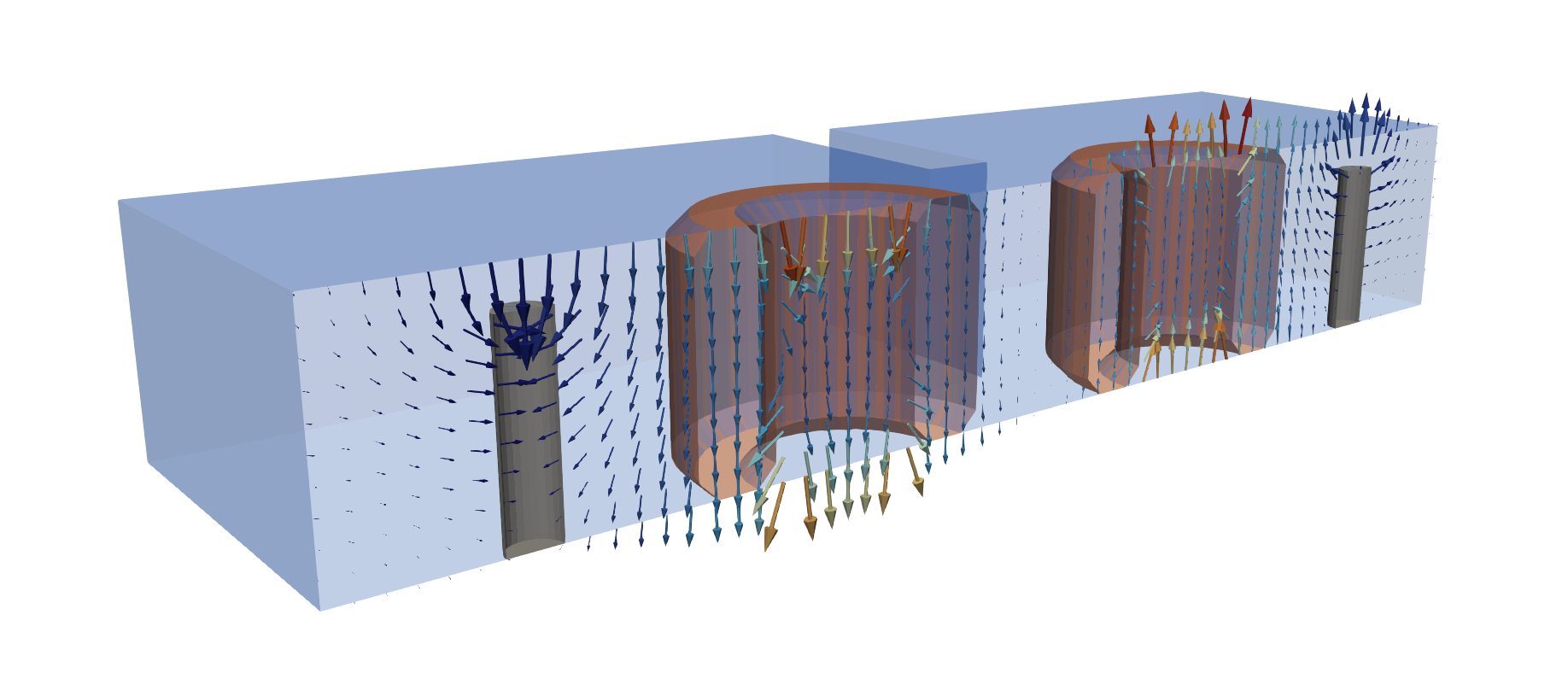
Performance is a design goal, not an afterthought: no field update ever loops over cells in Python. The time-stepping kernels are fused and fully vectorised on three tiers — custom CUDA kernels on the GPU, Numba-compiled multi-threaded kernels on the CPU, and pure array stencils as the portable fallback — so a step runs at compiled-C speed, and models with hundreds of geometric primitives and correspondingly large grids stay tractable.
Features
- FIT time-domain leapfrog solver on a structured non-uniform hexahedral grid, with conformal (sub-cell) material matrices
- NumPy (CPU) and CuPy (CUDA GPU) backends —
backend="auto"uses the GPU when available, with CUDA-graph stepping - Waveguide ports with exact discrete transparent boundaries (DTBC): TEM / QTEM / TE / TM / hybrid modes, multi-mode, declared on the model before meshing; lumped (RLC-backed) ports
- Boundary conditions: PEC, PMC, CPML, periodic, and symmetry planes — declared once on the model, carried by the mesh
- Materials: isotropic and diagonal-anisotropic, pole-residue dispersion for ε(ω)/μ(ω) with built-in vector fitting, conductor losses (perturbative or SIBC wall model), surface roughness (Hammerstad, Huray)
- Geometry: CSG primitives + Boolean operators (
a - b,a + b,a & b), chainable transforms, and profile-based construction (loft, sweep, revolve, shell) via pythonocc-core - Circuit elements embedded in the field solution: thin wires and lumped RLC networks
- Field monitors (time/frequency domain, flux, wall loss), plane-wave source (TF/SF), 3D eigenmode solver
- Interactive 3D viewer of geometry and mesh: a Jupyter widget with an axis-aligned cutting plane that opens every solid and shows the grid cells on the cut; the same call opens a window in a script
- Antennas: near-to-far-field transform recorded on a Huygens box the monitor places by itself, with image theory for ground planes and symmetry planes — directivity, gain, realized gain, radiated power and efficiency, drawn as polar cuts or a 3D pattern surface
- Project store on disk: streamed results, bit-exact resume,
post-processing on the stored data (HDF5);
export_paraview()writes a ready-to-open ParaView session (coloured per-solid geometry, a cut with normalised field glyphs, the symmetry planes mirrored) - Interop: Touchstone (
.sNp) export andscikit-rfadapter
Installation
From conda-forge, which is the route to take:
conda install -c conda-forge magnelio
New to conda-forge? miniforge3 is the smallest way in; the Anaconda distribution works too.
There is a PyPI package as well:
pip install magnelio
It installs and imports, but it cannot build a mesh from geometry: that needs pythonocc-core (the Python bindings to Open CASCADE Technology), which is published on conda-forge only. Since a model normally starts with geometry, pip is the fallback for environments where conda is not an option, not the way to run simulations.
The CUDA backend is optional on either route: install a cupy matching
your CUDA version and backend="auto" picks the GPU up. Without it the
solver runs on the CPU.
Working from a source checkout is described in
CONTRIBUTING.md.
Quick Start
S-parameters of a WR-90 rectangular waveguide section:
import magnelio as mio
from magnelio import geo, ports

a, b, L = 22.86e-3, 10.16e-3, 40.0e-3   # WR-90 cross-section, length
f_max = 25.0e9

air = mio.Material.air()
model = mio.GeometryModel(background=air)   # walls: PEC by default
model.add(geo.Brick(origin=(0, 0, 0), size=(a, b, L), material=air))
model.add_port(ports.PortWaveguide(name="port1", plane="zmin", n_modes=3))
model.add_port(ports.PortWaveguide(name="port2", plane="zmax", n_modes=3))

mesh = mio.Mesh.from_geometry(
    model, mio.MeshControl(min_nodes_per_wavelength=15), f_max=f_max,
)

analysis = mio.AnalysisScatteringTD(mesh=mesh, f_max=f_max)
print(analysis.solve_ports()["port1"])   # mode table before the run

result = analysis.run(
    excited=[(p, m) for p in ("port1", "port2") for m in range(3)],
)
result.plot_s(("port2", "port1"), ("port1", "port1"))   # |S| over frequency
s21 = result.S("port2", "port1")         # complex S21 on result.f_axis
result.to_touchstone("wr90")             # -> wr90.s6p, 2 ports × 3 modes
Fourteen executable tutorials — from a first parallel-plate line to a
dielectric-resonator filter — live in
examples/tutorials/; they are the source of
the documentation's tutorial series.
Documentation
docs/ holds the Sphinx documentation: the tutorial series,
an API reference for the public surface (the core namespace and the
domain namespaces, generated from the docstrings) and the technical
method chapters — every numerical method with its literature source.
Build it locally with:
pip install -e .[docs]
sphinx-build -b html docs docs/_build/html
Questions and feedback
Questions, ideas, things that were harder than they should have been, and models you built with Magnelio all go to GitHub Discussions — the lowest-threshold channel there is, and the one the author reads first. Nothing is too small: a confusing error message or a tutorial step that did not work as described is exactly the kind of feedback that shapes the next release.
Reporting bugs
Wrong results, crashes and refused valid input belong in the issue tracker. The bug form asks for the version, the backend and a short script — a script that reproduces the behaviour is what turns a report into a test case.
known-bugs.md is a different thing and not the place to file: it is
the developer's record of investigated defects, with the measurements
that pin them down, kept in the repository so a code comment can point
at an entry.
Security-relevant findings take a private route — see
SECURITY.md.
Development
Magnelio is being built in an AI-assisted workflow ("vibe coding"): the code is written in collaboration with LLM coding agents, with method selection, validation targets and reviews set by the author. Every numerical method is anchored to published literature in the documentation's method chapters, and the test and validation suite — not the authoring process — is the arbiter of correctness.
License
Magnelio is free software, released under the GNU Lesser General
Public License v3.0 or later (LGPL-3.0-or-later) — see COPYING
and COPYING.LESSER. You may use it from proprietary code; changes
to magnelio itself must be published under the same license when
distributed.
1 maintainer

Metadata
1 maintainer
Release files for magnelio 0.9.0
For a detailed explanation of source distributions (sdists) and built distributions (wheels), please see the package formats documentation.
Source distribution (sdist)
| File | Size | Uploaded | |
|---|---|---|---|
| magnelio-0.9.0.tar.gz | 4.4 MB | Details |
Built distribution (wheel)
| File | Interpreter | ABI | Platform | Reset |
|---|---|---|---|---|
| magnelio-0.9.0-py3-none-any.whl | Python 3 | none | any | Details |
Total release size: 5.7 MB
Release files / magnelio-0.9.0.tar.gz
| Download URL | magnelio-0.9.0.tar.gz |
|---|---|
| Size | 4.4 MB |
| Tags | Source |
|
SHA-256 checksum How to use checksums |
96861f5977168d1ed351933eacc14b1568da2e917543218cdb3415866c84d1e3
|
|
BLAKE2b-256 checksum How to use checksums |
51e5cbb66b4aec96c68cee7653d2bfcc23322da882f97a4726dee937f852b2fd
|
| Upload date | |
|
Uploaded using Trusted Publishing? What is trusted publishing? |
Yes |
| Uploaded via |
twine/7.0.0 CPython/3.13.14
|
Provenance
Provenance describes where a file came from. On PyPI, provenance is shared via attestations, which provide a verifiable record of the build or publishing details. View details, limitations and caveats.


PyPI Publish Attestation
PyPI verified that this artifact, at this checksum, originated from the publisher listed below.
Signed by GitHub Actions, verified by PyPI on Oct 8, 2026.
Transparency logRelease files / magnelio-0.9.0-py3-none-any.whl
| Download URL | magnelio-0.9.0-py3-none-any.whl |
|---|---|
| Size | 1.3 MB |
| Tags | Python 3 |
|
SHA-256 checksum How to use checksums |
c8d8005835cab30cbb75103d9a1fef51d3e1cb4877eaeb4521bce06c6646b2b6
|
|
BLAKE2b-256 checksum How to use checksums |
99b08c0d9d41caa698f13d109f25606e9ad20d58d2b35d4ef4e4ce4f35e11ed2
|
| Upload date | |
|
Uploaded using Trusted Publishing? What is trusted publishing? |
Yes |
| Uploaded via |
twine/7.0.0 CPython/3.13.14
|
Provenance
Provenance describes where a file came from. On PyPI, provenance is shared via attestations, which provide a verifiable record of the build or publishing details. View details, limitations and caveats.
PyPI Publish Attestation
PyPI verified that this artifact, at this checksum, originated from the publisher listed below.
Signed by GitHub Actions, verified by PyPI on Oct 8, 2026.
Transparency log













