
 Magnetstein: NMR spectra analysis tool
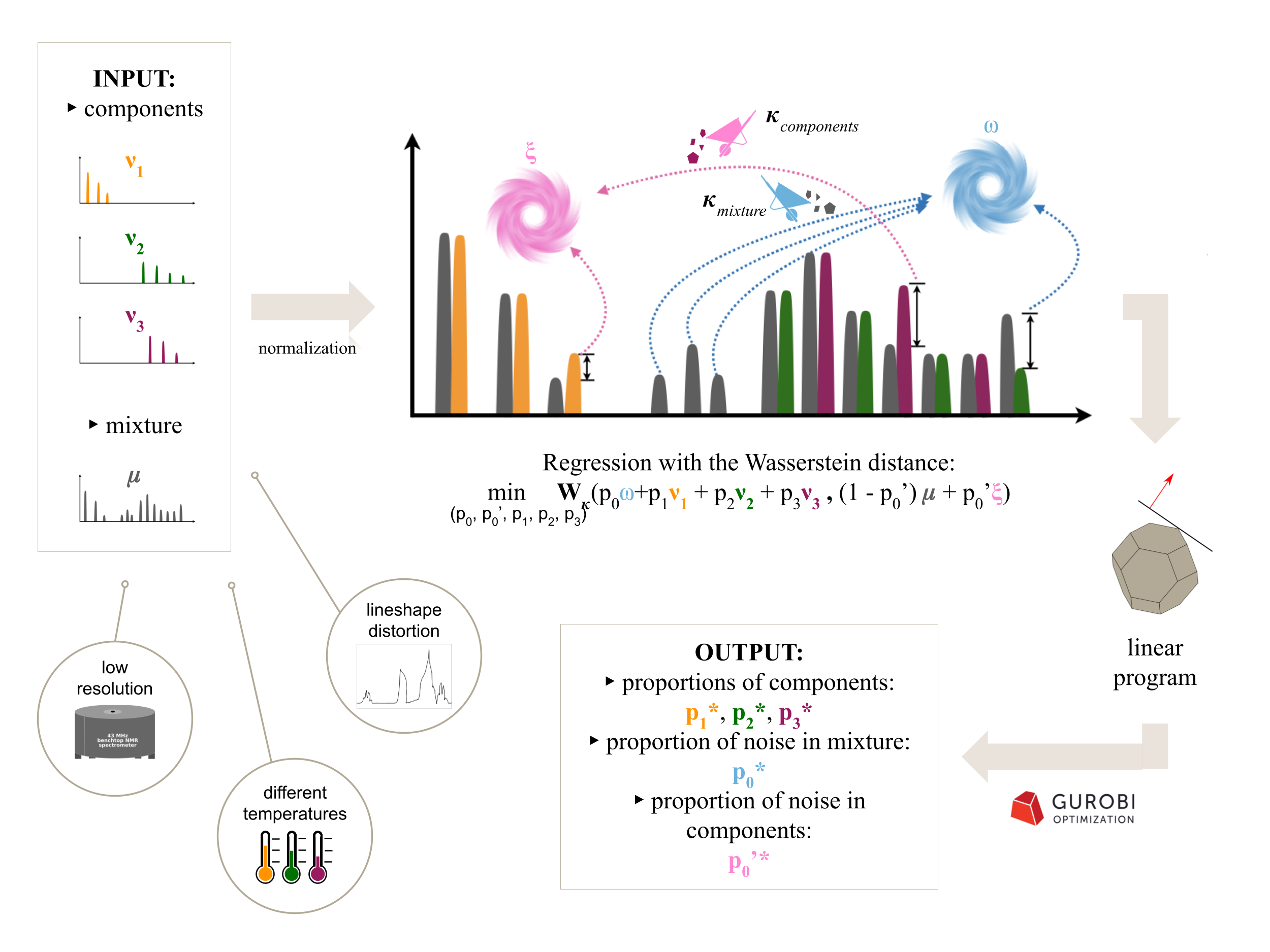
This repository contains software tools which allow to compare nuclear magnetic resonance (NMR) spectra and solve quantification task, i.e. estimate amounts of components in a mixture using the Wasserstein distance. Find out more here.
Magnetstein is a modification of the algorithm from a Python3 package dedicated for mass spectrometry, called masserstein (available here).
You can read a popular science article (Polish only) about Magnetstein here.
If you encounter any difficulties during installation or usage of these programs, or if you have any suggestions regarding their functionality, please post a GitHub issue or send an email to b.domzal@mimuw.edu.pl.
About the method
When to use Magnetstein
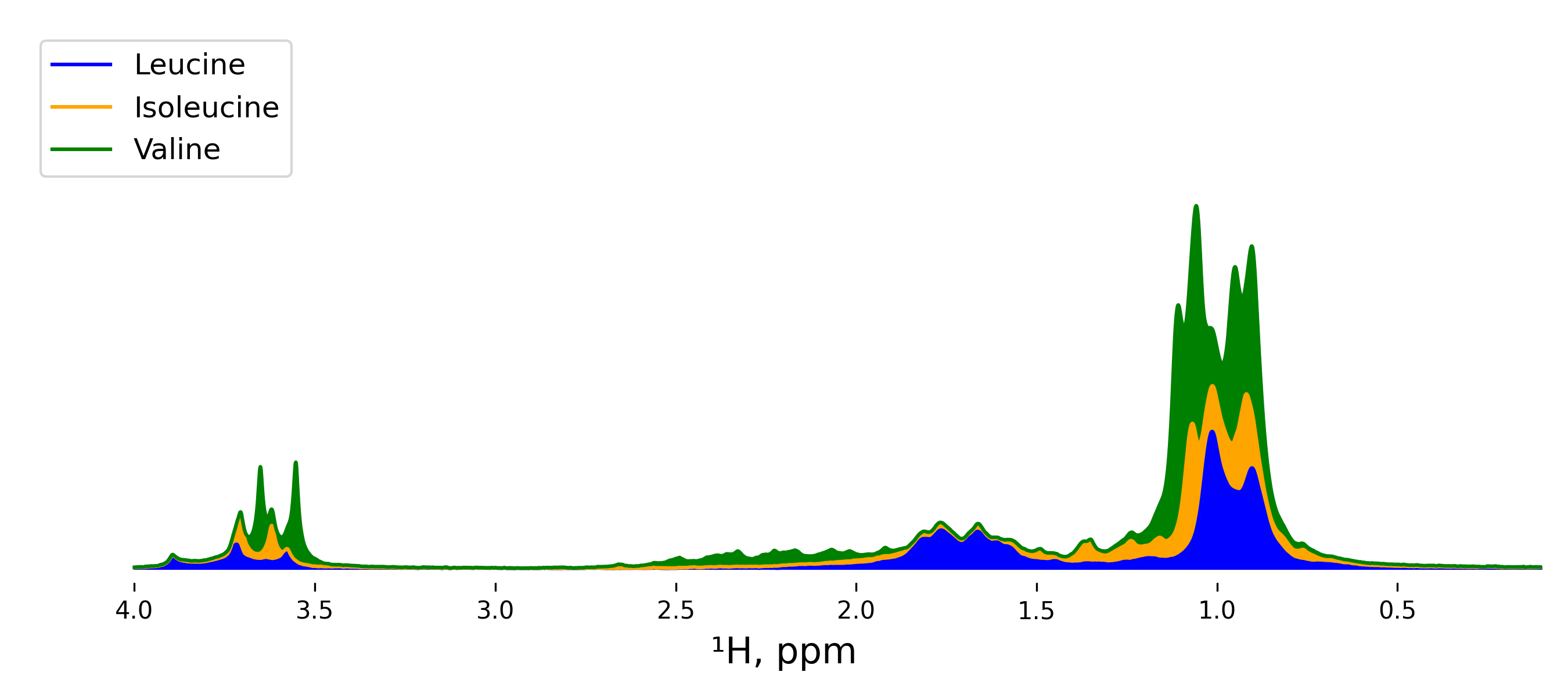
The method demonstrates its full potential when:
- peaks shift (i.e. the positions of peaks are different in spectrum of a mixture as opposed to spectra of single components),
- peaks coming from different components overlap with each other,
- lineshapes are distorted,
- resolution is low or differs between spectra,
- spectra contain peaks coming from different solvents,
- there are contaminations and/or noise.
In such circumstances, the Magnetstein algorithm gains an advantage over other tools due to the special properties of the Wasserstein metric that is the core concept of the method. The metric makes the algorithm robust to changes in peak locations and shapes, and to ambiguity in assigning signal to particular components due to overlap. The additional refinements make it possible for the algorithm to remove noise from the data.
What to use as an input
The input should consist of the two crucial parts:
- spectrum of a mixture,
- library, i.e. a set of spectra of individual components expected to be present in the mixture.
Note that if provided library is overspecified (i.e. contains spectra of components that are not present in the mixture), the algorithm is going to estimate the proportions of these excessive components as zeros. On the other hand, if library is underspecified (i.e. some of the components present in the mixture are not present in the library), the algorithm is going to treat signal coming from missing components as noise. Then, the output of the algorithm will contain, i.a., the joint proportion of the missing components and the actual noise.
How to interpret and set the values of the parameters
The user can optionally define the values of two parameters: $\kappa_{mixture}$ (a.k.a. MTD, Maximum Transport Distance) and $\kappa_{components}$ (a.k.a. MTD_th). These are so-called denoising penalties that can be interpreted as soft tolerance thresholds for shifting of the signal along the horizontal axis for the spectrum of the mixture and for the spectra in the library, respectively. Another interpretation is viewing $\kappa_{mixture}$ as a certain measure of reliability of the mixture's spectrum. The higher its value, the less likely the algorithm is to remove noise from the spectrum. Similarly, $\kappa_{components}$ reflects our confidence in the purity of the spectra in the library.
If you are unsure about how to set the parameters, we recommend using default values $\kappa_{mixture}=0.25$ and $\kappa_{components}=0.22$. We checked experimentally that such settings produced accurate results for many datasets.
How to interpret the output
The main output of the algorithm is the list of values:
$$p = \Big(p_{1}, p_{2}, \dots, p_{k}\Big),$$
where $p_{i}$ is the proportion of the $i$-th component in the mixture. By proportions here we mean the relative amounts of components. Note that $p_{1} + p_{2} + \dots + p_{k}$ does not necessarily equal to 1 due to the presence of noise and contamination. The quantity $p_{0} := 1 - p_{1} - p_{2} - \dots - p_{k}$ is Magnetstein's estimation of the relative amount of the signal coming from the contamination in the mixture's spectrum. Similarly, the quantity $p'_{0}$, also returned by the algorithm, is the Magnestein's estimation of the relative amount of the signal coming from the contamination in the library.
How to report the results
In order to make the results reproducible, one needs to provide: 1) input data (i.e. mixture's spectrum and library); 2) information about the parameters settings, i.e. chosen values of $\kappa_{mixture}$ and $\kappa_{components}$. This is enough to rerun the analysis.
Web application
If you don't have programming experience, instead of this Python package you can use our web application. You can read more about it here.
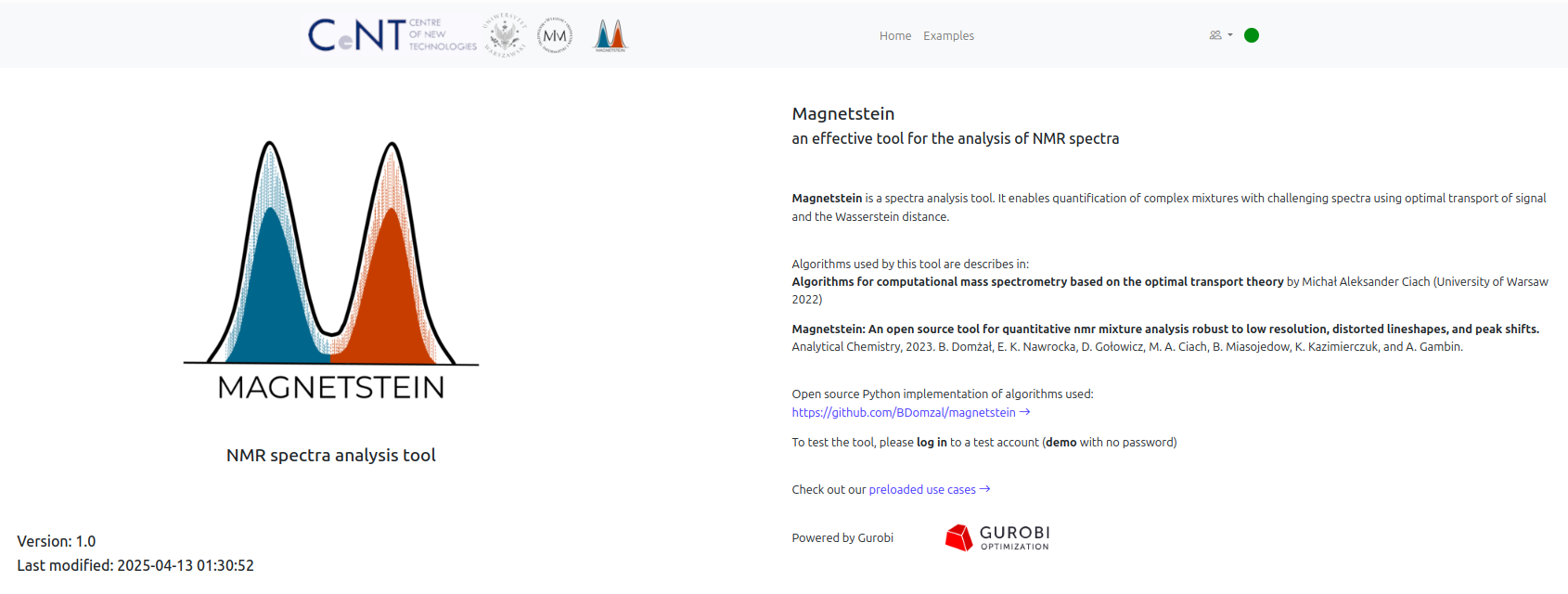
If you prefer to use the Python package, proceed to Installation section.
Installation
To be able to use the software provided in this repository, you will need to have a working Python3 distribution installed on your computer.
To use Magnetstein, clone this repository. In the commandline, this can be done by typing:
git clone https://github.com/BDomzal/magnetstein.git
The above command will create a folder magnetstein in your current working directory. Go to this directory by typing
cd magnetstein/
in the commandline. Then, install the package by running the setup.py file:
python3 setup.py install --user
This will install the magnetstein package for the current user.
You will also need to have the following packages installed (all available via pip):
numpyscipyPuLP
(For example: if you would like to install pulp, you need to type
pip install PuLP
in the commandline.)
If you are a researcher, we recommend using Gurobi (available for academics at no cost) as your solver in Magnetstein. For more information on license and installation, see Gurobi website. Gurobi is a default solver. If you prefer to use Magnetstein without Gurobi, set solver=LpSolverDefault in estimate_proportions function. Note that using Magnetstein with unreliable solver can result in long computation time and, in some cases, incorrect results.
Example: quantification for a single mixture
See estimation.ipynb in folder examples/ to find out how to estimate amounts of components in a single NMR mixture. If you need more example data, check out this repository.
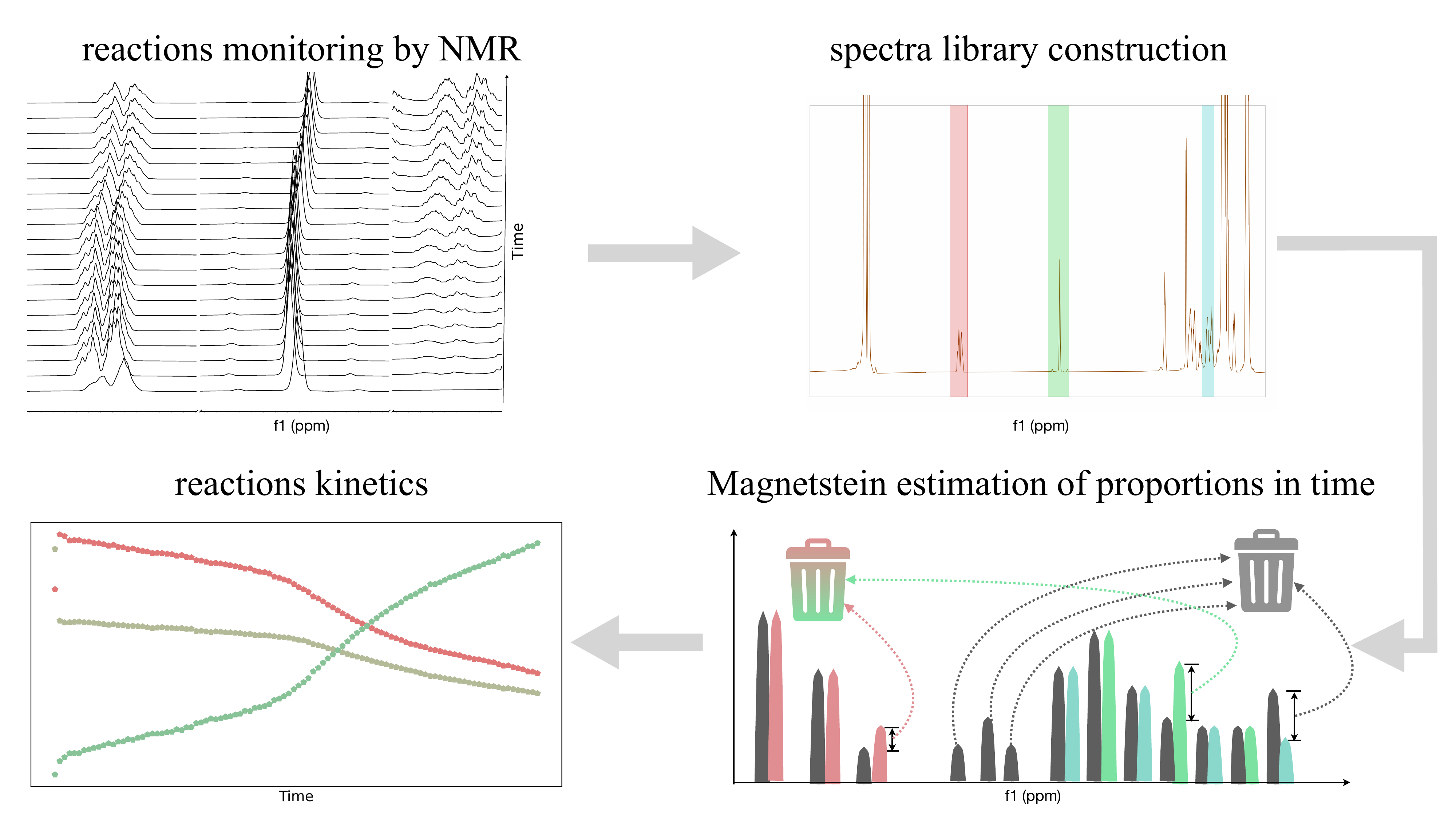
Monitoring chemical reactions
Magnetstein enables also the analysis of multiple mixtures, for example obtained from reaction monitoring. This utility is available via function estimate_proportions_in_time. To see examples, visit this repository. Read more about it here.
Visualisations
See visualization_package/visualization_examples.ipynb.
Acknowledgements
Powered by © Gurobi.
Citing
If you use tools from this package, please cite one of the following papers:
Domżał, B., Nawrocka, E.K., Gołowicz, D., Ciach, M.A., Miasojedow, B., Kazimierczuk, K., & Gambin, A. (2023). Magnetstein: An Open-Source Tool for Quantitative NMR Mixture Analysis Robust to Low Resolution, Distorted Lineshapes, and Peak Shifts. Analytical Chemistry. DOI: 10.1021/acs.analchem.3c03594.
Domżał, B., Grochowska-Tatarczak, M., Malinowski, P., Miasojedow, B., Kazimierczuk, K., & Gambin, A. (2025). NMR Reaction Monitoring Robust to Spectral Distortions. Analytical Chemistry. DOI: 10.1021/acs.analchem.5c00800.
Moszyński, A., Goldstein, A., Domżał, B., Startek, M., Kazimierczuk, K., & Gambin, A. (2025). Magnetstein: Web application for quantitative NMR mixture analysis. SoftwareX. DOI: 10.1016/j.softx.2025.102329.
1 maintainer

Metadata
1 maintainer
Release files for magnetstein 2.0.1
For a detailed explanation of source distributions (sdists) and built distributions (wheels), please see the package formats documentation.
Source distribution (sdist)
| File | Size | Uploaded | |
|---|---|---|---|
| magnetstein-2.0.1.tar.gz | 32.8 kB | Details |
Built distribution (wheel)
| File | Interpreter | ABI | Platform | Reset |
|---|---|---|---|---|
| magnetstein-2.0.1-py3-none-any.whl | Python 3 | none | any | Details |
Total release size: 60.8 kB
Release files / magnetstein-2.0.1.tar.gz
| Download URL | magnetstein-2.0.1.tar.gz |
|---|---|
| Size | 32.8 kB |
| Tags | Source |
|
SHA-256 checksum How to use checksums |
ae6670d2e5519a83d5d966248ab47abb4bc73b6f03271d18f8459d32876cd43d
|
|
BLAKE2b-256 checksum How to use checksums |
4899ee3a36be9a5126bb878a255546212c4e6bd66506a2b2cd36d74cddb77493
|
| Upload date | |
|
Uploaded using Trusted Publishing? What is trusted publishing? |
No |
| Uploaded via |
twine/6.2.0 CPython/3.14.6
|
Release files / magnetstein-2.0.1-py3-none-any.whl
| Download URL | magnetstein-2.0.1-py3-none-any.whl |
|---|---|
| Size | 28.1 kB |
| Tags | Python 3 |
|
SHA-256 checksum How to use checksums |
3df656a11601a36e78cf3de1f98cc50d99728c9412e0ef140e8708cfdfcbc4d1
|
|
BLAKE2b-256 checksum How to use checksums |
af75a6b36d0f0e2bf2570ac610de4a160fc9ac66fb9daad490df5bf8fd162354
|
| Upload date | |
|
Uploaded using Trusted Publishing? What is trusted publishing? |
No |
| Uploaded via |
twine/6.2.0 CPython/3.14.6
|














