





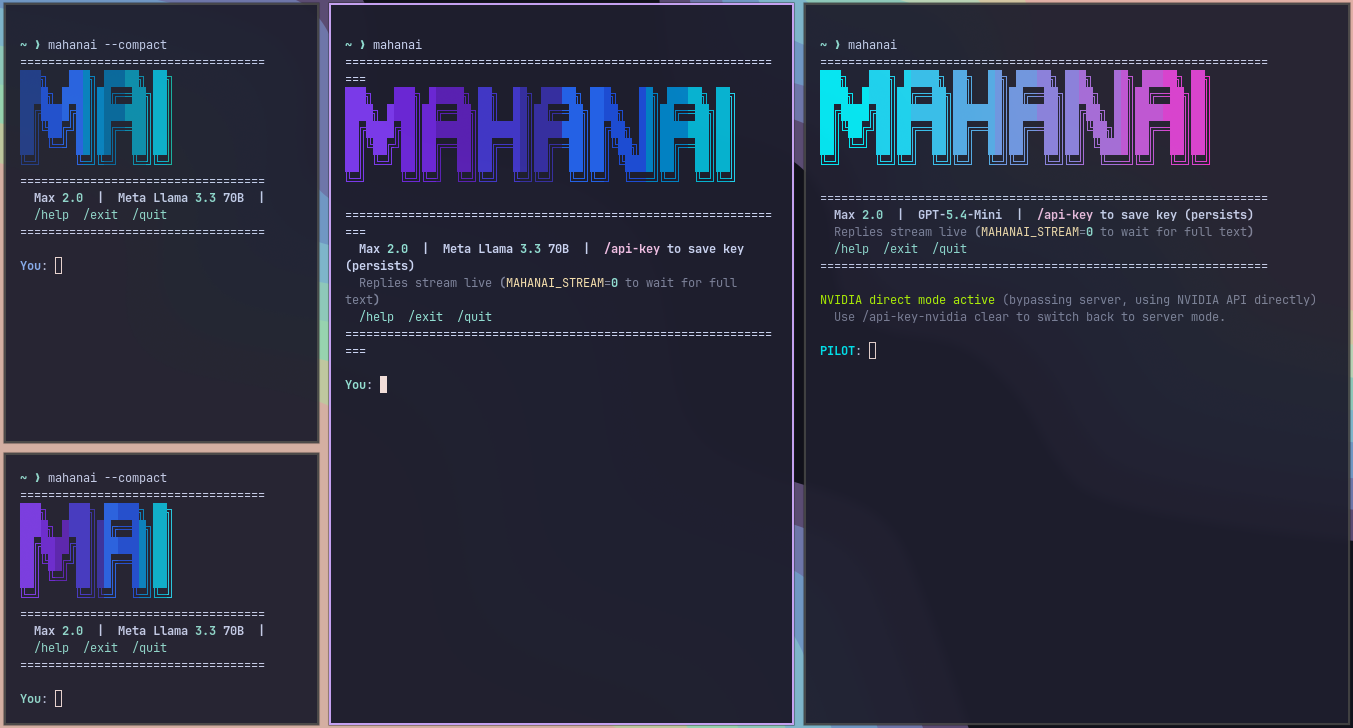
What is MahanAI?
MahanAI is a terminal AI agent you install with pip. It gives you a powerful chat interface, agentic tool use (run commands, read/write files, search the web), and a local gateway server that makes all your configured AI providers available as a single unified API endpoint — so any tool that speaks OpenAI or Anthropic format can point at it.
On top of that: a plugin system (.mmd files) with a GitHub-backed store, custom themes (.mai files), conversation branching, effort levels, plan mode, and 60+ slash commands.
New in Max 3.0
- Modern terminal composer — a three-line input bar, cyan prompt marker, and a clean model/effort/workspace status line
- Clipboard image input — paste multiple images directly into the prompt; image tokens can be removed with one Backspace
- Compact GitHub repository tokens — pasted repository references render as
◉ owner/repo, remain atomic while editing, and send the original URL to the model - Persistent default model —
/set-def-modelopens the model selector and saves the choice for future sessions - Expanded OpenAI models — GPT-5.5 plus GPT-5.6 Sol, Terra, and Luna in Direct and Indirect modes
- Improved Codex login — successful browser authentication opens the bundled MahanAI confirmation page
Install
pip install mahanai
mahanai
That's it. An onboarding wizard runs on first launch to help you pick a model, set up API keys, and connect GitHub for the plugin marketplace.
If you want a guided bootstrap that installs uv, installs Python through uv, installs mahanai, and launches it, use one of the included get-started scripts:
./scripts/get-started.sh
powershell -ExecutionPolicy Bypass -File .\scripts\get-started.ps1
If you use PowerShell Core, swap powershell for pwsh.
On macOS, you can also double-click scripts/get-started.command from Finder.
Highlights
- Gateway server — expose all your providers behind one OpenAI/Anthropic-compatible endpoint; works with Cursor, Continue, LM Studio, Claude Code, and more
- Plugin store — install community
.mmdplugins with/store install, publish your own with/store upload - Custom themes — write
.maitheme files with gradients, color aliases, and display name overrides - Multi-model — Claude (via Claude Code), NVIDIA NIM, OpenAI Codex, Ollama, and any OpenAI-compatible endpoint
- Multimodal prompts — paste multiple clipboard images alongside text in the terminal composer
- Repository-aware input — GitHub links collapse into editable
◉ owner/repotokens without changing what the model receives - Agentic tools — shell commands, file read/write/edit, web search, Python REPL, URL fetch — all with approval prompts and inline diffs
- Interact mode — enable once with
/interactto let MahanAI control your computer with screenshots, mouse, and keyboard; Wayland helpers are used first, with X11 as a fallback; remove it later with/interact remove - Plan mode & effort levels —
/plan onto outline before acting;/effort highfor deeper reasoning - Conversation branching — save and restore conversation states to explore multiple paths
- Searchable chat history — search saved chats by keyword with
/history search <query> - Shell history awareness — inject your recent bash/zsh history into context with
/shell-history inject - Cost tracking —
/costshows session token usage and estimated spend - Desktop notifications — get pinged when a long generation finishes
Gateway Server
Start a local HTTP server that routes requests to the right backend automatically:
mahanai --server                          # OpenAI-compatible on port 8080
mahanai --server --type anthropic         # Anthropic-compatible
mahanai --server --port 9000 --api-key sk-gaming
Point any OpenAI-compatible client at http://localhost:8080 and use model IDs like claude-sonnet-4-6, meta/llama-3.3-70b-instruct, gpt-5.6-sol-indirect, gpt-5.6-terra-indirect, gpt-5.6-luna-indirect, or your Ollama model name — MahanAI routes and converts formats automatically, including SSE streaming end-to-end.
A browser-based chat UI is also available at http://localhost:8080 when the server is running.
Models
Switch models interactively with /models or quick-switch with /mode claude / /mode default.
| Provider | How to connect |
|---|---|
| Claude (Opus, Sonnet, Haiku) | Install Claude Code and sign in |
| NVIDIA NIM (Llama 3.3 70B) | /api-key-nvidia your-key |
| OpenAI Codex (GPT-5.5; GPT-5.6 Sol, Terra, Luna; earlier GPT-5 models) | /codex-login (browser OAuth, no API key needed) |
| GitHub plugin store | /store login (OAuth when configured, PAT fallback otherwise) |
| Ollama | /add-ollama name localhost 11434 |
| Any OpenAI-compatible API | /custom http://your-server/v1 model-name |
Default model on first launch: Claude Haiku 4.5
Plugins
Plugins are .mmd files that register new slash commands. They can delegate to Claude Code, MahanAI itself, or the shell, and they can now also embed default .mai themes or launch Tk windows from a trigger.
# Install from the store
/store install mahancreate/maifoundation.example.mahmod

# Load a local plugin
/plugin-load path/to/my-plugin.mmd

# Browse the store
/store browse
/store search compact
Publishing your own plugin is one command:
/store upload path/to/my-plugin.mmd
This creates a public GitHub repo, pushes the .mmd file, and tags it so it shows up in /store browse.
GitHub auth for the store works in two modes:
- Set
MAHANAI_GITHUB_CLIENT_IDand run/store loginfor browser/device-flow OAuth - Leave it unset and
/store loginfalls back to a GitHub personal access token prompt
Plugin Extras
You can embed a default theme directly inside a plugin with newdeftheme(...):
newdeftheme(
theme.name = example-neon
theme.pretty.name = Example Neon

sky = #5B8DEF
mint = #34D399

ascii-art.default.color = gradient("sky -> mint")
message.ai.color        = color("sky")
message.user.color      = color("mint")
)
When the plugin is loaded, that theme is registered into /themes like any other .mai theme.
You can also open a Tk window from a plugin command with pytknwd(...):
add command("/example-window"){
    pytknwd(
root = tk.Tk()
root.title("Hello")
tk.Label(root, text="Window from MMD").pack()
root.mainloop()
    )
}
See example-mahanai-mahmod.mmd for a full example that includes both features.
Themes
Four built-in themes (midnight, light, midnight-cb, light-cb) plus full custom theme support via .mai files:
/themes midnight          # switch theme
/theme-load mytheme.mai   # load a custom theme
A .mai theme file looks like this:
theme.name        = my-theme
theme.pretty.name = My Custom Theme

blue = #5B8DEF
gold = #F5C842

ascii-art.default.color = gradient("blue -> gold")
message.ai.color        = color("blue")
message.user.color      = color("gold")
message.ai.name         = text("assistant")
Project Config (.mahanairc)
Place a .mahanairc in any project directory and MahanAI loads it automatically — pre-loading context files, auto-installing plugins, and activating dev kit extras scoped to that workspace.
load(location="context.md" type=context)
load(location="plugins/my-plugin.mmd" type=mmd)
load(python-dev-kit)
Key Commands
| Command | Description |
|---|---|
/models |
Interactive model picker |
/set-def-model |
Select and persist the default model for future sessions |
/effort <low|medium|high|very-high> |
Set reasoning depth |
/plan on|off |
Outline approach before every response |
/auto on|off |
Autonomous mode (skip approval prompts) |
/interact |
Enable computer control with screenshots, mouse, and keyboard; Wayland first, X11 fallback |
/interact remove |
Disable computer control and remove the feature |
/branch save <name> |
Snapshot conversation state |
/branch load <name> |
Restore a snapshot |
/cost |
Show session token usage and cost |
/memory add <text> |
Save a persistent memory |
/history search <query> |
Search saved chat sessions |
/shell-history inject |
Add recent shell history to context |
/store browse |
Browse the plugin store |
/cmd |
Fuzzy-search all 60+ commands |
/init |
Generate a MAHANAI.md workspace context file |
Full command reference: mahancreate.github.io/mahanai
API Keys
| Provider | How |
|---|---|
| NVIDIA NIM | /api-key your-key or MAHANAI_API_KEY=... |
| NVIDIA direct | /api-key-nvidia your-key |
| Claude | Handled by Claude Code — no extra config |
| OpenAI Codex | /codex-login (browser OAuth) |
| GitHub plugin store | /store login (OAuth if MAHANAI_GITHUB_CLIENT_ID is set, otherwise PAT) |
Keys are stored in ~/.config/mahanai/config.json (Linux/macOS) or %APPDATA%\MahanAI\config.json (Windows).
Environment Variables
| Variable | Purpose |
|---|---|
MAHANAI_API_KEY |
Override saved server API key |
MAHANAI_MODEL |
Override default model |
MAHANAI_STREAM |
Set to 0 to disable streaming |
MAHANAI_CONFIG_DIR |
Override config directory |
MAHANAI_GITHUB_CLIENT_ID |
Enable GitHub OAuth for /store login |
NO_COLOR |
Disable terminal colors |
License
MIT © The MahanAI Foundation
1 maintainer

Metadata
1 maintainer
Release files for mahanai 9.0.1
For a detailed explanation of source distributions (sdists) and built distributions (wheels), please see the package formats documentation.
Source distribution (sdist)
| File | Size | Uploaded | Provenance | Actions |
|---|---|---|---|---|
| mahanai-9.0.1.tar.gz | 119.3 kB | Without provenance | Details for mahanai-9.0.1.tar.gz |
Built distribution (wheel)
| File | Interpreter | ABI | Platform | Actions Reset |
|---|---|---|---|---|
| mahanai-9.0.1-py3-none-any.whl | Python 3 | none | any | Details for mahanai-9.0.1-py3-none-any.whl |
Total release size: 231.7 kB
Release files / mahanai-9.0.1.tar.gz
| Download URL | mahanai-9.0.1.tar.gz |
|---|---|
| Size | 119.3 kB |
| Tags | Source |
|
SHA-256 checksum How to use checksums |
ba3dd9c6d23d7d3094e337708142270b3eb5569a6e4cfad262796b9fab116f07
|
|
BLAKE2b-256 checksum How to use checksums |
945a72bfa6a96eaef3b59ed72b2f4d15b8f858ee57620d057738043a5541fec8
|
| Upload date | |
|
Uploaded using Trusted Publishing? What is trusted publishing? |
No |
| Uploaded via |
twine/6.1.0 CPython/3.13.13
|
Release files / mahanai-9.0.1-py3-none-any.whl
| Download URL | mahanai-9.0.1-py3-none-any.whl |
|---|---|
| Size | 112.5 kB |
| Tags | Python 3 |
|
SHA-256 checksum How to use checksums |
e38c7dfac960bc59de8dfa9b2a5a6c36acb621c97f63cbf272de6a6858820bba
|
|
BLAKE2b-256 checksum How to use checksums |
2bf3e97a9b76180355b0795a905d2e7736785a41cfec6f2756db540afc89cb54
|
| Upload date | |
|
Uploaded using Trusted Publishing? What is trusted publishing? |
No |
| Uploaded via |
twine/6.1.0 CPython/3.13.13
|
Security for mahanai 9.0.1
Provenance
Provenance describes where a file came from. On PyPI, provenance is shared via attestations, which provide a verifiable record of the build or publishing details. View details, limitations and caveats.
No provenance found
None of the files in this release were uploaded with provenance metadata.
A note on package security
PyPI is a repository for distributing packages, not a service for auditing them. While third-party security researchers and our staff do their best to detect and remove malicious packages, PyPI cannot guarantee the quality, security or suitability of any given package.
To learn more about protecting yourself from malicious actors, visit our package security documentation.














