
MAIA is a Kubernetes-based collaborative platform for Medical AI, with integration in the clinical workflow of AI.

Project description
MAIA Toolkit




















MAIA Toolkit is the main tool for deploying and managing MAIA, a platform for collaborative research in medical AI.
MAIA is a Kubernetes-based platform designed to facilitate collaborative medical AI research. It supports the entire AI development lifecycle, including data preparation, model training, active learning, deployment, and evaluation. MAIA offers a secure and scalable environment with tools and services that are easy to use and flexible, enabling deployment and management of AI models across various environments, from local workstations to cloud-based clusters. Developed by the Biomedical Imaging Division at KTH Royal Institute of Technology in Stockholm, Sweden, MAIA aims to streamline the development and deployment of AI models in medical research.
MAIA serves two main purposes:
-
Clinical Research Environment: MAIA provides a standardized and scalable platform for developing, training, and deploying AI models in medical research. It offers a secure and collaborative environment for researchers to work on AI projects, share data, and collaborate on research projects. Furthermore, MAIA specifically focuses on the final model deployment, enabling researchers to deploy their models in real-world clinical settings.
-
Educational Environment: MAIA provides a platform for teaching and learning medical AI. It offers a hands-on learning experience for students and researchers to develop, train, and deploy AI models in a real-world setting.
The toolkit provides a set of scripts and tools to deploy and manage the MAIA platform as a Kubernetes cluster.
Citation
If you use the MAIA platform in your work, please cite the following paper:
Bendazzoli, S., Persson, S., Astaraki, M. et al. MAIA: a collaborative medical AI platform for integrated healthcare innovation. npj Artif. Intell. 1, 45 (2025). https://doi.org/10.1038/s44387-025-00042-6
Installation
To install the MAIA Toolkit, run:
pip install maia-toolkit
Deploy for MicroK8s
To deploy and configure the MAIA platform on a MicroK8s cluster, follow the instructions in the MAIA-MicroK8s file.
MAIA Architecture
MAIA is built on top of Kubernetes, a popular open-source container orchestration platform. The platform is designed to be modular and extensible, allowing users to customize and extend its functionality to suit their needs. MAIA is composed of three different layers, each serving a specific purpose:
MAIA Core:
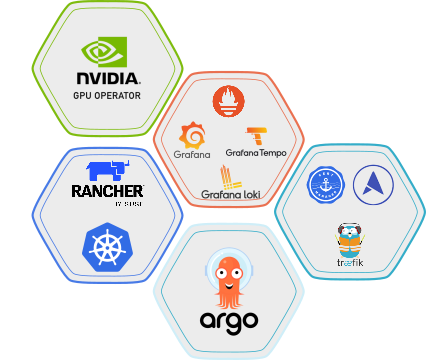
The MAIA Core layer includes the core components that provide the basic functionality of the platform.
The core components of MAIA include:
- ArgoCD: A GitOps continuous delivery tool for Kubernetes that allows users to deploy applications and manage the cluster's configuration using Git repositories.
- Traefik: A reverse proxy and load balancer that allows users to access the services deployed on the Kubernetes cluster.
- Cert-Manager: A Kubernetes add-on that automates the management and issuance of TLS certificates.
- MetalLB: A load balancer implementation for bare metal Kubernetes clusters.
- Kubernetes Dashboard: A web-based UI for managing the Kubernetes cluster, including viewing the cluster's status, deploying applications, and managing the cluster's configuration.
- Rancher: A Kubernetes management platform that allows users to manage the Kubernetes cluster, deploy applications, and monitor the cluster's status.
- Grafana: A monitoring and observability platform that allows users to monitor the cluster's status, including the CPU, Memory, and GPU usage.
- Loki: A log aggregation system that allows users to collect, store, and query logs from the Kubernetes cluster.
- Prometheus: A monitoring and alerting toolkit that allows users to monitor the cluster's status and set up alerts based on predefined rules.
- Tempo: A distributed tracing system that allows users to trace requests through the Kubernetes cluster.
- NVIDIA GPU Operator: A Kubernetes operator that allows users to deploy NVIDIA GPU drivers and device plugins on the Kubernetes cluster.
MAIA Admin:
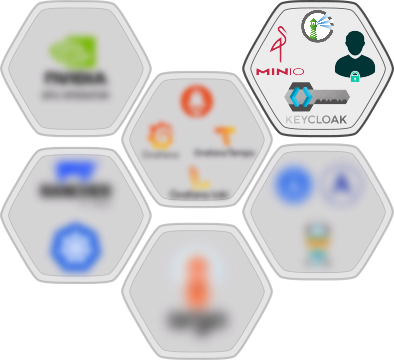
The MAIA Admin layer includes the administrative components that provide the administrative functionality of the MAIA platform.
The admin components of MAIA include:
- MinIO Operator: A Kubernetes operator that allows users to deploy MinIO, a high-performance object storage server, on the Kubernetes cluster.
- Login App: A Django app that allows users to log in to the MAIA API using OpenID Connect authentication.
- Keycloak: An open-source identity and access management tool that allows users to manage the users and roles associated with the MAIA API.
- Harbor: A container image registry that allows users to store and distribute container images.
- MAIA Dashboard: A web-based dashboard that allows users to register projects, request resources, and access the different MAIA services deployed on the Kubernetes cluster.
MAIA Namespaces:
The MAIA Namespaces layer is designed to be project-specific, allowing users to create isolated environments for their projects.
This layers is designed to provide the external interfaces for the users to interact with the platform, making the MAIA platform remotely accessible to the users.
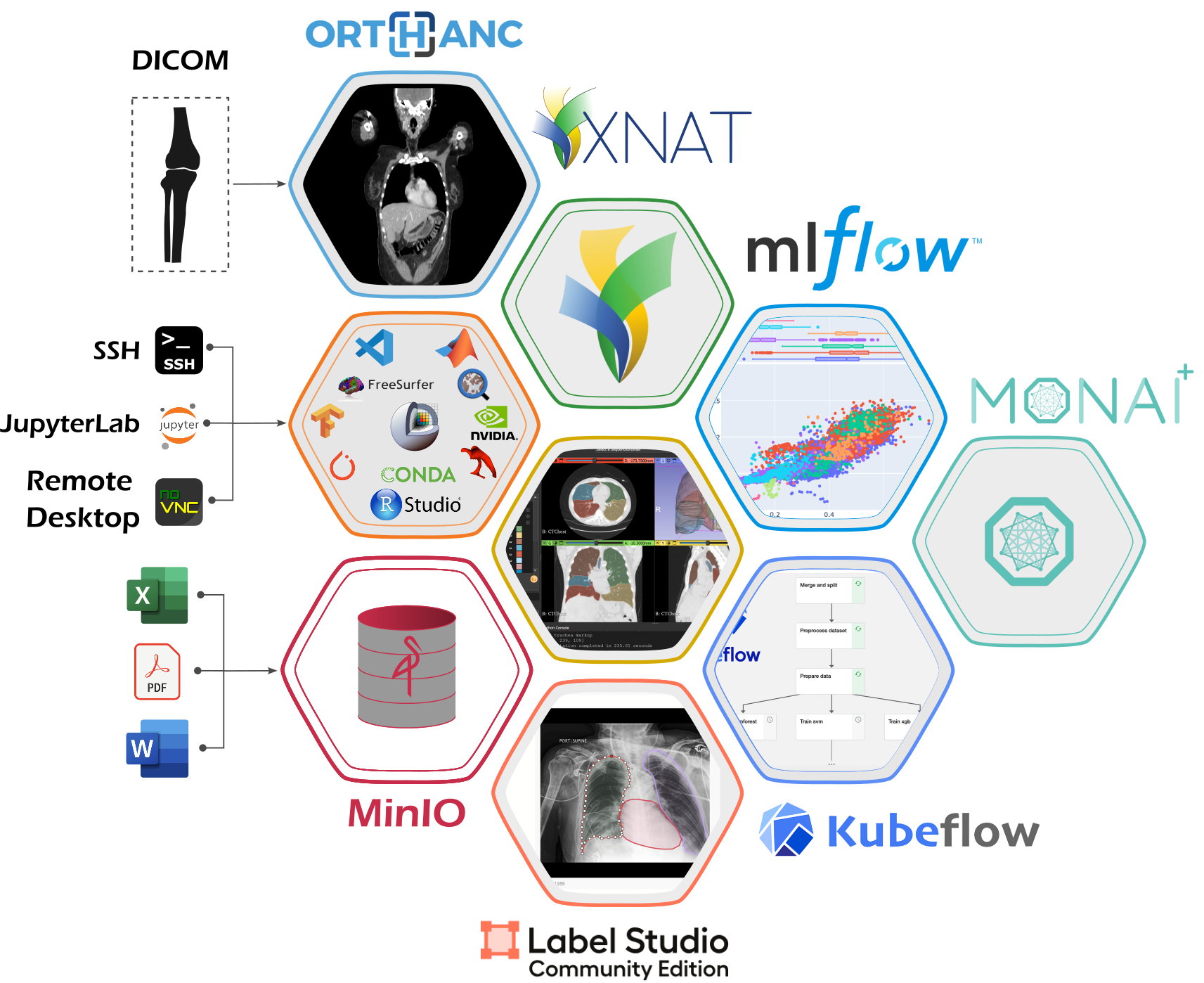
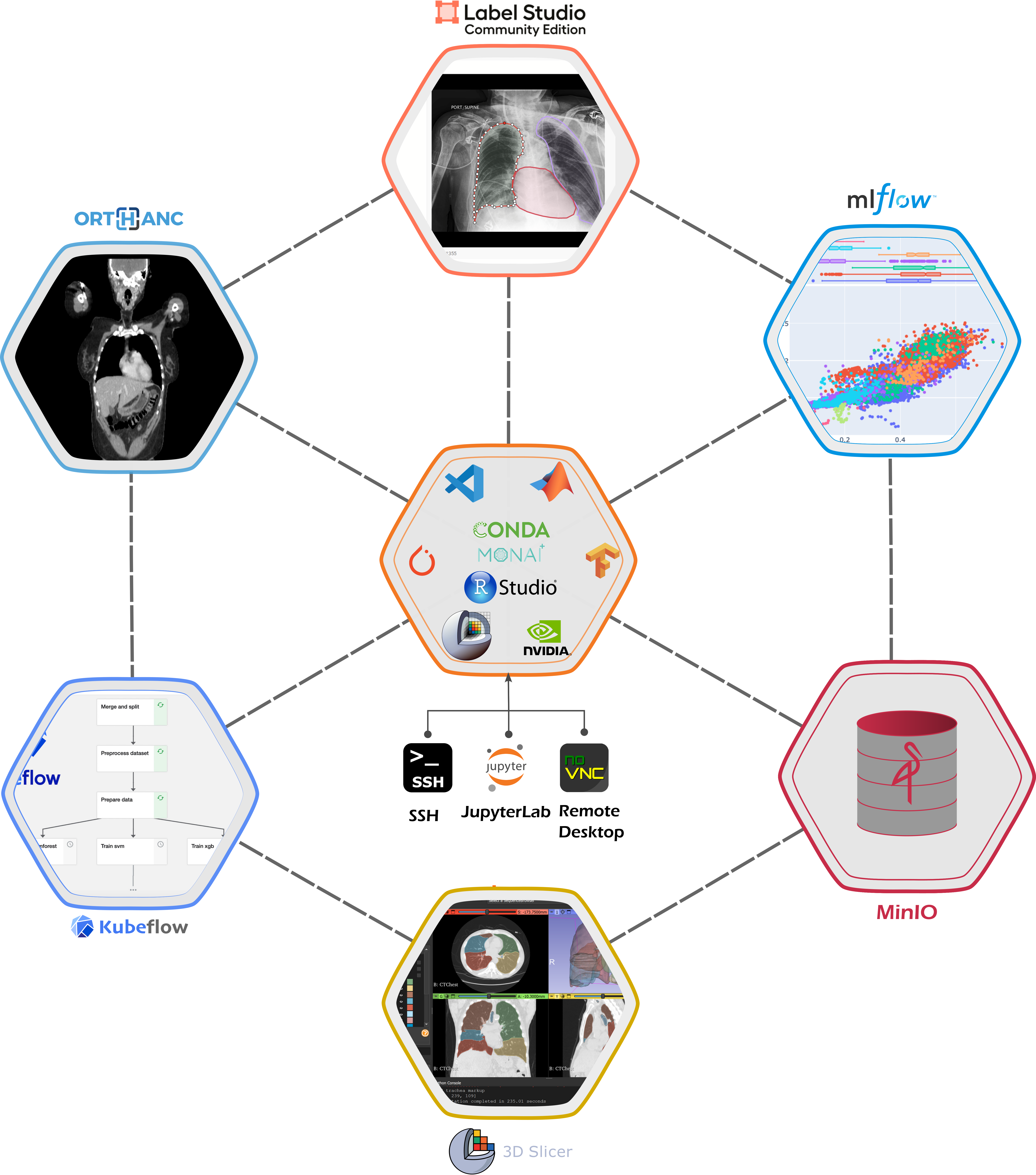
The MAIA platform provides a range of applications and tools that you can use to develop your projects, grouped into a MAIA Workspace.
Workspace Credentials Configuration
The MAIA Workspace supports customizable user credentials. You can set your preferred username and password by creating a .env file in your home directory with MAIA_USERNAME and MAIA_PASSWORD variables. For detailed information, see the Workspace Credentials Documentation.
The MAIA Workspace includes:
- Jupyter Notebook: A web-based interactive development environment for Python, R, and other programming languages.
- Remote Desktop: A remote desktop to access your workspace.
- SSH: Secure Shell access to your workspace.
- Visual Studio Code: A powerful code editor with support for debugging, syntax highlighting, and more.
- RStudio: An integrated development environment for R.
- 3D Slicer: A medical image analysis software for visualization and analysis of medical images.
- FreeSurfer: A software suite for the analysis and visualization of structural and functional neuroimaging data.
- QuPath: A software for digital pathology image analysis.
- ITK-SNAP: A software for segmentation of anatomical structures in medical images.
- MatLab: A high-level programming language and interactive environment for numerical computation, visualization, and programming.
- Anaconda: A distribution of Python and R programming languages for scientific computing.
Additionally, the MAIA platform provides access to a range of cloud services and tools, including:
- MinIO: An object storage server for storing large amounts of data.
- MLFlow: An open-source platform for managing the end-to-end machine learning lifecycle.
- Orthanc: An open-source DICOM server for medical imaging.
- OHIF: An open-source platform for viewing and annotating medical images.
- XNAT [Experimental] : An open-source platform for managing and sharing medical imaging data.
- Label Studio: An open-source platform for data labeling and annotation.
- KubeFlow: An open-source platform for deploying machine learning workflows on Kubernetes.
- MONAI Deploy [Experimental]: An open-source platform for deploying deep learning models for medical imaging in clinical production settings.
Release history Release notifications | RSS feed


Download files
Download the file for your platform. If you're not sure which to choose, learn more about installing packages.
Source Distribution
Built Distribution
Filter files by name, interpreter, ABI, and platform.
If you're not sure about the file name format, learn more about wheel file names.
Copy a direct link to the current filters
File details
Details for the file maia_toolkit-2.0.0a0.tar.gz.
File metadata
- Download URL: maia_toolkit-2.0.0a0.tar.gz
- Upload date:
- Size: 119.0 kB
- Tags: Source
- Uploaded using Trusted Publishing? No
- Uploaded via: twine/6.1.0 CPython/3.13.7
File hashes
| Algorithm | Hash digest | |
|---|---|---|
| SHA256 |
c2420d94ae9ec7fa95f7250822c1a1bc78064c0c4de2ddef385777ba48791667
|
|
| MD5 |
7038b9292d6b666158912cc93b22fa9e
|
|
| BLAKE2b-256 |
1bb5b56b5ec35a082b684ae3f21716b026e2d54737dc06c015f35c2a9da6a8b9
|
File details
Details for the file maia_toolkit-2.0.0a0-py3-none-any.whl.
File metadata
- Download URL: maia_toolkit-2.0.0a0-py3-none-any.whl
- Upload date:
- Size: 114.6 kB
- Tags: Python 3
- Uploaded using Trusted Publishing? No
- Uploaded via: twine/6.1.0 CPython/3.13.7
File hashes
| Algorithm | Hash digest | |
|---|---|---|
| SHA256 |
ce21980f4f5d628898ac5084c4672b519b91dcc1e14aaf0a71bf934f93fd7bc9
|
|
| MD5 |
83b4d644f19c71d0b184ece36a2a011f
|
|
| BLAKE2b-256 |
6b13624cc222d19d936793bf112483c63a09c4bd829d842a08d9b6ec764af835
|






