
makefolio
A modern, fast static site generator built for professional portfolio websites.
Built with Python, Jinja2, and Markdown. Generates clean, responsive HTML with dark mode, scroll animations, and SEO out of the box.




Features
- Markdown + YAML frontmatter content authoring with zero boilerplate
- Four content types — projects, experience, education, and standalone pages
- Dark / Light theme with toggle and
localStoragepersistence - Scroll-reveal animations via IntersectionObserver
- Animated skill bars and stat counters
- Responsive mobile menu with hamburger toggle
- SVG social icons — GitHub, GitLab, LinkedIn, Twitter/X, Email, and 10+ more
- Open Graph & Twitter Card meta tags on every page
- Sitemap.xml auto-generation
- Reading time estimates on content pages
- Tag collection across projects
- Extensible theme system with Jinja2 templates
- Hot-reload dev server with file watching
- Clean URLs (extensionless routing)
Installation
| Method | Command |
|---|---|
| pip | pip install makefolio |
| uv | uv pip install makefolio |
| From source | git clone https://github.com/martian56/makefolio.git && cd makefolio && uv pip install -e ".[dev]" |
Requirements: Python 3.11+
Quick Start
# 1. Scaffold a new portfolio
makefolio init my-portfolio

# 2. Enter the project directory
cd my-portfolio

# 3. Build the static site
makefolio build

# 4. Start the dev server with hot reload
makefolio serve
Your site is now live at http://localhost:8000.
Creating Content
makefolio new project    --name my-project    # Portfolio project
makefolio new experience --name my-role       # Work experience entry
makefolio new education  --name my-degree     # Education entry
makefolio new page       --name contact       # Standalone page
Each command creates a Markdown file with the correct frontmatter template, ready to edit.
Project Structure
my-portfolio/
├── content/
│   ├── config.yaml          # Site config, social links, skills, nav
│   ├── about.md             # Standalone pages
│   ├── projects/            # Portfolio project entries
│   ├── experience/          # Work experience (sorted by start_date)
│   └── education/           # Education entries (sorted by start_date)
├── themes/
│   └── default/
│       ├── templates/       # Jinja2 HTML templates
│       └── static/          # CSS, JS assets
├── static/                  # Custom static files (copied to build/)
└── build/                   # Generated output
Configuration
Edit content/config.yaml to customize your site:
site:
  title: "Jane Doe"
  description: "Full-Stack Engineer"
  author: "Jane Doe"
  url: "https://janedoe.dev"
  theme: "light"                # "light" or "dark" default
  greeting: "Hello, I'm"       # Hero section greeting
  headline: "Software Engineer" # Gradient text under name

social:
  github: "janedoe"
  linkedin: "janedoe"
  email: "jane@example.com"
  # twitter, gitlab, website, medium, devto, dribbble,
  # behance, instagram, youtube, stackoverflow, codepen,
  # keybase, telegram

skills:
  - name: "Python"
    level: 95
  - name: "React"
    level: 88

nav:
  - name: "About"
    url: "/about"
  - name: "Projects"
    url: "/projects"
  - name: "Experience"
    url: "/experience"
  - name: "Education"
    url: "/education"
Content Frontmatter
Project — content/projects/my-project.md
---
title: "My Project"
date: 2024-06-15
tags: ["python", "react", "docker"]
featured: true
description: "Short description for cards"
---

Your project write-up in Markdown...
Experience — content/experience/my-role.md
---
title: "Senior Engineer"
company: "Acme Corp"
position: "Senior Engineer"
location: "Remote"
start_date: 2023-01-15
end_date: ""
current: true
---

Role description in Markdown...
Education — content/education/my-degree.md
---
title: "B.Sc. Computer Science"
institution: "MIT"
degree: "Bachelor's"
field: "Computer Science"
location: "Cambridge, MA"
start_date: 2019-09-01
end_date: 2023-05-15
gpa: "3.9"
---

Additional details in Markdown...
Built With





Development
# Install dev dependencies
uv pip install -e ".[dev]"

# Format (Ruff)
uv run ruff format src/

# Lint (Ruff)
uv run ruff check src/

# Type check (ty)
uv run ty check src/

# Run tests with coverage
uv run pytest --cov=src/makefolio --cov-report=term
Contributing
Contributions are welcome! Please open an issue for bugs or feature ideas, then submit a pull request.
- Fork the repository
- Create a feature branch (
git checkout -b feat/my-feature) - Commit your changes using Conventional Commits (
feat:,fix:,docs:, etc.) - Push to your branch and open a PR
Contributors

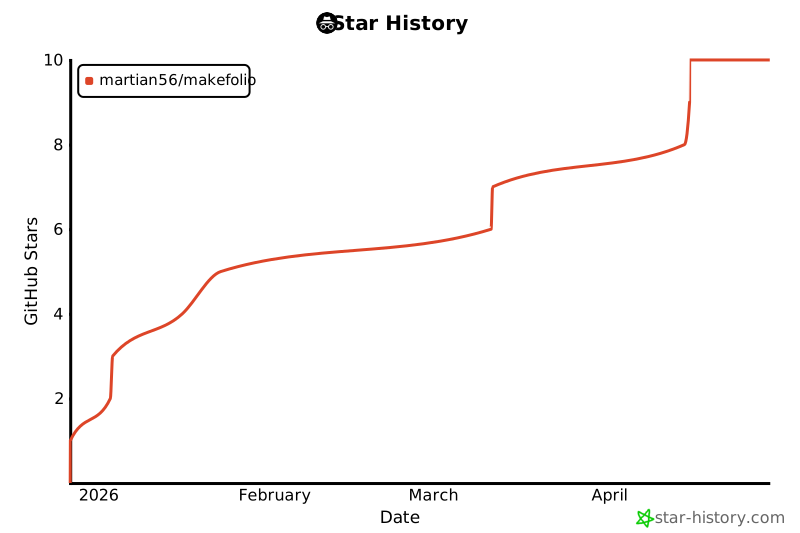
Star History
License
This project is licensed under the MIT License — see the LICENSE file for details.
1 maintainer

Metadata
1 maintainer
Release files for makefolio 0.1.3
For a detailed explanation of source distributions (sdists) and built distributions (wheels), please see the package formats documentation.
Source distribution (sdist)
| File | Size | Uploaded | |
|---|---|---|---|
| makefolio-0.1.3.tar.gz | 31.0 kB | Details |
Built distribution (wheel)
| File | Interpreter | ABI | Platform | Reset |
|---|---|---|---|---|
| makefolio-0.1.3-py3-none-any.whl | Python 3 | none | any | Details |
Total release size: 65.6 kB
Release files / makefolio-0.1.3.tar.gz
| Download URL | makefolio-0.1.3.tar.gz |
|---|---|
| Size | 31.0 kB |
| Tags | Source |
|
SHA-256 checksum How to use checksums |
e5951cfd3a09373db5df6e79b8cbffa0afb04edafe27d23357433b4a3a80f745
|
|
BLAKE2b-256 checksum How to use checksums |
0f8beae7397ca2d472016939e74c5d3a3e7936f1eee82f9f5f5abae2368eeddb
|
| Upload date | |
|
Uploaded using Trusted Publishing? What is trusted publishing? |
No |
| Uploaded via |
twine/6.2.0 CPython/3.12.3
|
Release files / makefolio-0.1.3-py3-none-any.whl
| Download URL | makefolio-0.1.3-py3-none-any.whl |
|---|---|
| Size | 34.6 kB |
| Tags | Python 3 |
|
SHA-256 checksum How to use checksums |
122221a996234ed771412380ab84a6a5f2bc70f1c454d885092a8b91205de0c5
|
|
BLAKE2b-256 checksum How to use checksums |
90811f6966eb8dacf0a5ef534b0d1393148d5e0f3798b4532566c8545a737994
|
| Upload date | |
|
Uploaded using Trusted Publishing? What is trusted publishing? |
No |
| Uploaded via |
twine/6.2.0 CPython/3.12.3
|














