
Local-first music discovery CLI inspired by Prawo Mamonia.

Project description
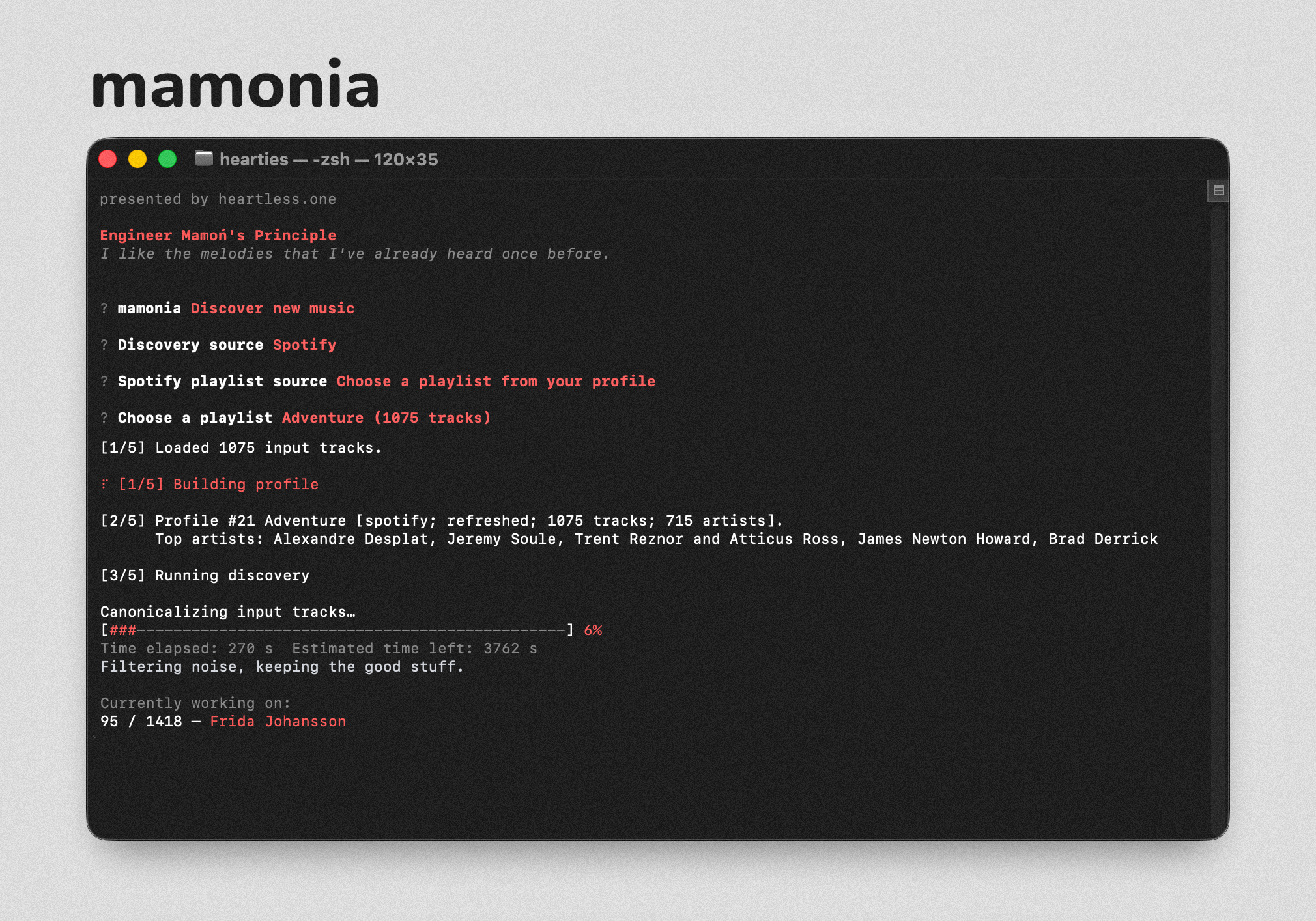
A music discovery tool built on the idea that your taste matters more than an algorithm. Inspired by Engineer Mamoń's Principle / Prawo inżyniera Mamonia.
mamonia learns what you enjoy from the music you already listen to. It starts from playlists and libraries you already like, builds a reusable profile of your taste, then explores artist networks and music databases to find fresh releases you might dig.
It runs through a clean, guided menu - no terminal flags to memorize, no .env or .json wrangling.
Your data stays on your machine. No tracking. No mystery.
Open it up, point it at a playlist, and discover something new. Simple as that.
How it works:
Give mamonia a Spotify or Tidal playlist (or even a .txt or .csv file).
Based on this, the tool will:
- Learn your taste — examine the artists you listen to, look them up across multiple music databases
- Explore connections — find collaborators, similar artists, and shared fan communities
- Discover candidates — find releases from everyone connected to the artists you love
- Handle variants intelligently — mamonia knows how to pick up the difference between deluxe editions, remasters, and regional versions
- Create a playlist on Spotify or Tidal, or save it as
.csv,.txt, or.json - Respect your time frame — focusing on the last 6 months, last year, or any era you choose
- Remember what it has already found — won't recommend the same thing twice
Everything is stored locally in SQLite: your taste profile, what's already been recommended, cached data, everything. Nothing goes to the cloud.
Where your data lives:
- Windows:
%LOCALAPPDATA%\Mamonia - macOS:
~/Library/Application Support/Mamonia - Linux:
${XDG_STATE_HOME}/mamonia(or~/.local/state/mamonia)
This is where your taste profile, recommendation history, cache, and API credentials are kept — safely, locally, just for you.
Install
pip install mamonia
Then run:
mamonia
A guided menu will walk you through the rest.
Setup
You'll need API keys from Spotify, Last.fm, Tidal, and ListenBrainz.
When mamonia runs for the first time, you can enter them - they're saved securely in your user directory.
For all CLI commands and options, see the CLI Reference. For full documentation, see docs/README.md.
License
MIT
Something not working as expected? Open an issue and let us know what happened and what you tried.
Release history Release notifications | RSS feed


Download files
Download the file for your platform. If you're not sure which to choose, learn more about installing packages.
Source Distribution
Built Distribution
Filter files by name, interpreter, ABI, and platform.
If you're not sure about the file name format, learn more about wheel file names.
Copy a direct link to the current filters
File details
Details for the file mamonia-0.1.24.tar.gz.
File metadata
- Download URL: mamonia-0.1.24.tar.gz
- Upload date:
- Size: 354.2 kB
- Tags: Source
- Uploaded using Trusted Publishing? No
- Uploaded via: twine/6.2.0 CPython/3.13.11
File hashes
| Algorithm | Hash digest | |
|---|---|---|
| SHA256 |
020f43a3a6bb615539ead46fe65d3f906c39f2d005f5410190d96bbc6440c81f
|
|
| MD5 |
81e66c9e6b7eed61c9f015e5e44005cc
|
|
| BLAKE2b-256 |
94473d39ca66b62281f56bd0d1f1155946d0a556ac5c5c9a074d3b5696b92ee8
|
File details
Details for the file mamonia-0.1.24-py3-none-any.whl.
File metadata
- Download URL: mamonia-0.1.24-py3-none-any.whl
- Upload date:
- Size: 281.0 kB
- Tags: Python 3
- Uploaded using Trusted Publishing? No
- Uploaded via: twine/6.2.0 CPython/3.13.11
File hashes
| Algorithm | Hash digest | |
|---|---|---|
| SHA256 |
bb9c9b879d47d7c7290162eec672ee701ac883c384b0f256972a7cb37bafa4b0
|
|
| MD5 |
8cb8f58d15fd025446237b53bf34550d
|
|
| BLAKE2b-256 |
65a85f39ca6db20a6eaa7d727869a63da11e9486e6fb8deae75d9707df94d342
|






