
2D Turbulence Simulation (SciPy / CuPy)
A Direct Numerical Simulation (DNS) code for 2D homogeneous incompressible turbulence
It supports:
- SciPy / NumPy for CPU runs
- CuPy (optional) for GPU acceleration on CUDA devices (e.g. RTX 3090)
DNS solver
The solver includes:
- PAO-style random-field initialization
- 3/2 de-aliasing in spectral space
- Crank–Nicolson time integration
- CFL-based adaptive time stepping (Δt updated from the current flow state)
cupystorm GUI (PySide6)
Run an cupystorm window that:
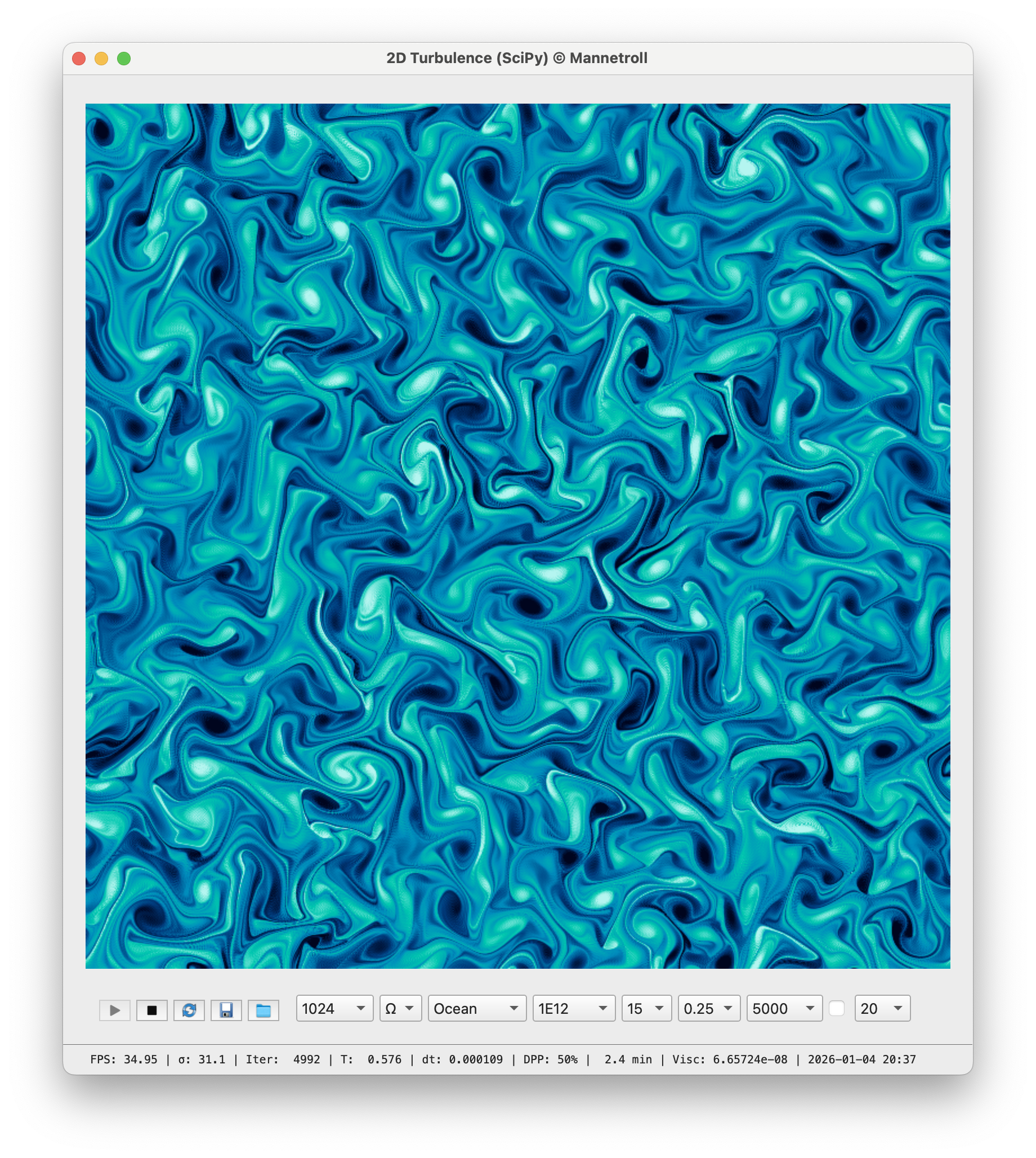
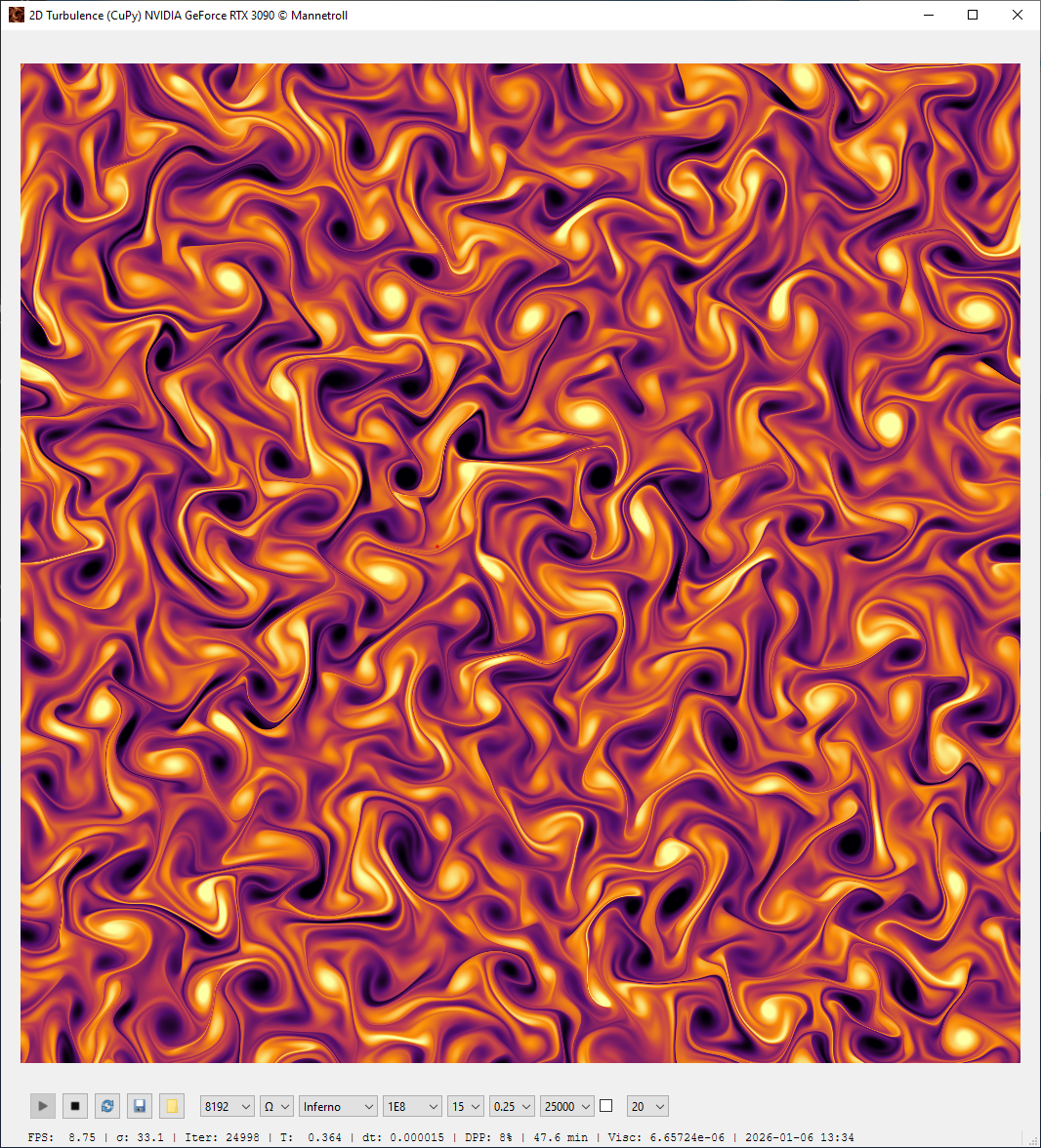
- Displays the flow field as a live image (fast Indexed8 palette rendering)
- Lets you switch displayed variable:
- U, V (velocity components)
- K (kinetic energy)
- Ω (vorticity)
- φ (stream function)
- Lets you switch colormap (several built-in palettes)
- Lets you change simulation parameters on the fly:
- Grid size N
- Reynolds number Re
- Initial spectrum peak K0
- CFL number CFL
- Max steps / auto-reset limit
- GUI update interval (how often to refresh the display)
Keyboard shortcuts
Single-key shortcuts (application-wide) for fast control:
- H: stop
- G: start
- Y: reset
- V: cycle variable
- C: cycle colormap
- N: cycle grid size
- R: cycle Reynolds number
- K: cycle K0
- L: cycle CFL
- S: cycle max steps
- U: cycle update interval
Saving / exporting
From the GUI you can:
- Save the current frame as a PNG image
- Dump full-resolution fields to a folder as PGM images:
- u-velocity, v-velocity, kinetic energy, vorticity
Display scaling
To keep the GUI responsive for large grids, the displayed image is automatically upscaled/downscaled depending on N. The window is resized accordingly when you change N.
Installation
Using uv
From the project root:
$ uv sync
$ uv run -- turbulence
$ uv run -- sim
The DNS with SciPy (1024 x 1024)
Full CLI
$ python -m scipyturbo.turbo_simulator N Re K0 STEPS CFL BACKEND
Where:
- N — grid size (e.g. 256, 512)
- Re — Reynolds number (e.g. 10000)
- K0 — peak wavenumber of the energy spectrum
- STEPS — number of time steps
- CFL — target CFL number (e.g. 0.75)
- BACKEND — "cpu", "gpu", or "auto"
Examples:
# CPU run (SciPy with 4 workers)
$ python -m scipyturbo.turbo_simulator 256 10000 10 1001 0.75 cpu

# Auto-select backend (GPU if CuPy + CUDA are available)
$ python -m scipyturbo.turbo_simulator 256 10000 10 1001 0.75 auto
Enabling GPU with CuPy (CUDA 13)
On a CUDA machine (e.g. RTX 3090):
-
Check that the driver/CUDA are available:
$ nvidia-smi -
Install CuPy into the uv environment:
$ uv sync --extra cuda $ uv run -- turbulence $ uv run -- sim -
Verify that CuPy sees the GPU:
$ uv run python -c "import cupy as cp; x = cp.arange(5); print(x, x.device)" -
Run in GPU mode:
$ uv run python -m scipyturbo.turbo_simulator 256 10000 10 1001 0.75 gpu
Or let the backend auto-detect:
$ uv run python -m scipyturbo.turbo_simulator 256 10000 10 1001 0.75 auto
The DNS with CuPy (8192 x 8192) Dedicated GPU memory 18/24 GB
Profiling
cProfile (CPU)
$ python -m cProfile -o turbo_simulator.prof -m scipyturbo.turbo_simulator
Inspect the results:
$ python -m pstats turbo_simulator.prof
# inside pstats:
turbo_simulator.prof% sort time
turbo_simulator.prof% stats 20
GUI profiling with SnakeViz
Install SnakeViz:
$ uv pip install snakeviz
Visualize the profile:
$ snakeviz turbo_simulator.prof
Memory & CPU profiling with Scalene (GUI)
Install Scalene:
$ uv pip install "scalene==1.5.55"
Run with GUI report:
$ scalene -m scipyturbo.turbo_simulator 256 10000 10 201 0.75 cpu
Memory & CPU profiling with Scalene (CLI only)
For a terminal-only summary:
$ scalene --cli --cpu -m scipyturbo.turbo_simulator 256 10000 10 201 0.75 cpu
one-liner CPU/SciPy
$ curl -LsSf https://astral.sh/uv/install.sh | sh
$ uv cache clean mannetroll-cupyxturbo
$ uv run --python 3.13 --with mannetroll-cupyxturbo==0.1.4 -- turbulence
one-liner GPU/CuPy
$ uv run --python 3.13 --with mannetroll-cupyxturbo[cuda]==0.1.4 -- turbulence
License
Copyright © 2026 mannetroll
1 maintainer

Release files for mannetroll-cupyxturbo 0.1.4
For a detailed explanation of source distributions (sdists) and built distributions (wheels), please see the package formats documentation.
Source distribution (sdist)
| File | Size | Uploaded | |
|---|---|---|---|
| mannetroll_cupyxturbo-0.1.4.tar.gz | 1.5 MB | Details |
Built distribution (wheel)
| File | Interpreter | ABI | Platform | Reset |
|---|---|---|---|---|
| mannetroll_cupyxturbo-0.1.4-py3-none-any.whl | Python 3 | none | any | Details |
Total release size: 3.0 MB
Release files / mannetroll_cupyxturbo-0.1.4.tar.gz
| Download URL | mannetroll_cupyxturbo-0.1.4.tar.gz |
|---|---|
| Size | 1.5 MB |
| Tags | Source |
|
SHA-256 checksum How to use checksums |
8956d8692b1292c655e1919a03f96a54527bea283796e9b73a1703fa772cd1fa
|
|
BLAKE2b-256 checksum How to use checksums |
9c3a088112d2d3ade6826ca08f6d9a7868cbcff61998ecb0ab9f115e388100a4
|
| Upload date | |
|
Uploaded using Trusted Publishing? What is trusted publishing? |
No |
| Uploaded via |
twine/6.2.0 CPython/3.13.9
|
Release files / mannetroll_cupyxturbo-0.1.4-py3-none-any.whl
| Download URL | mannetroll_cupyxturbo-0.1.4-py3-none-any.whl |
|---|---|
| Size | 1.5 MB |
| Tags | Python 3 |
|
SHA-256 checksum How to use checksums |
a2c93968b96d3b2cad0a98e9e42fe2d411361f13c38a8c2566bd332f322cb7ce
|
|
BLAKE2b-256 checksum How to use checksums |
4ab1ad1ed85afe3e1bae08b32bc64a367db62f999ca574747c1465b125bda5eb
|
| Upload date | |
|
Uploaded using Trusted Publishing? What is trusted publishing? |
No |
| Uploaded via |
twine/6.2.0 CPython/3.13.9
|














