
Finding just the snippets in man page you care about

Project description
Updates for the AI era!
You can now intelligently mansnip into your context window by setting an environment variable like this:
$ MANSNIP_LLM=1 mansnip ...
This will do a variety of things (try it yourself) that optimize for minimal token-length when using an llm.
Compare various approaches for finding the documentation for bash's complete command:
$ man bash | token-count                            # whole page
73392
$ man bash | grep -C 3 complete | token-count       # naive approach with a bunch of garbage input
8833
$ mansnip bash complete | token-count               # mansnip without llm feature
2908
$ MANSNIP_LLM=1 mansnip bash complete | token-count # with new llm compaction!
1624
That's a 98% reduction! Sweet.
There's also a ready-to-go MCP server for it in mcp-server.py.
Just pip install mansnip
My classic 2020 pitch below!
"As seen on YouTube!" (click image, it's only 1min 45sec)
Don't you hate wasting time navigating through manpages with the leading pager's clunky search tools?
Ever try to find things like the "declare" built-in in bash(1) only to slodge through the results using the 'n' key going 'nope, nope, nope'?
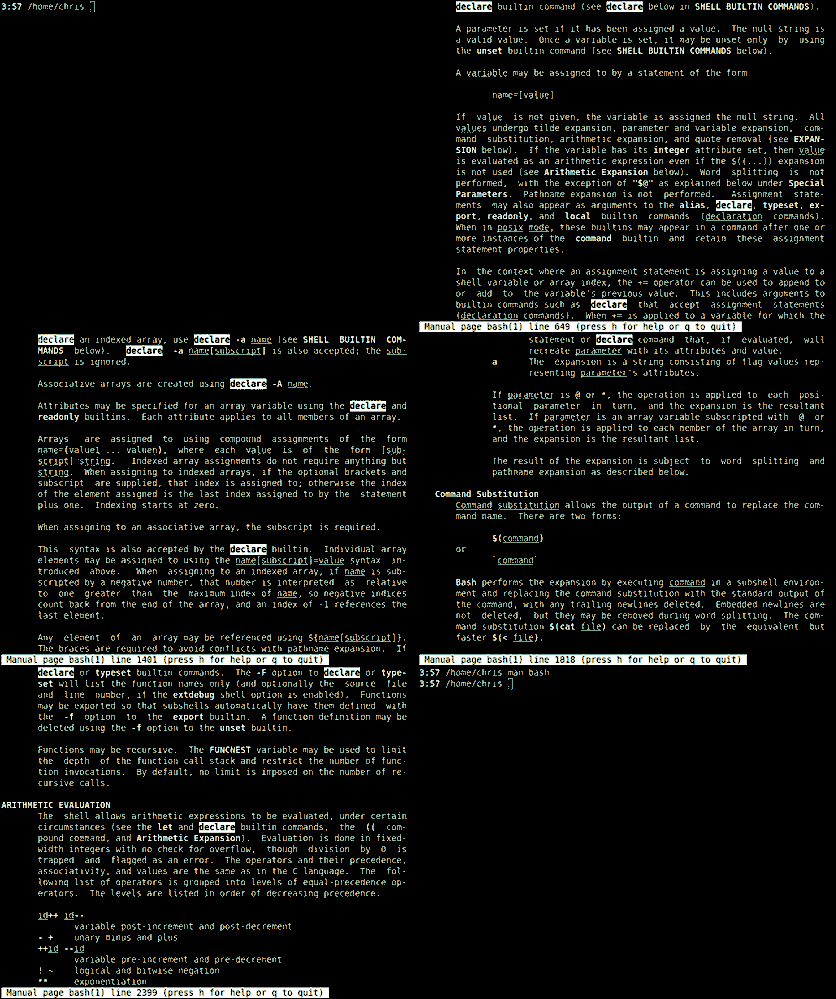
Stop wasting time with the old way of manually stumbling through manuals. Say goodbye to these problems once and for all!
Finally there's a better way!
Introducting Mansnip!
Mansnip is a revolutionary way to navigate through manpages, a tool that no terminal should be without!
It intelligently searches through manpages and outputs the snippets relevant to your query as self-contained browsable sections. Simply use it the way you use man, at the command line, followed by your search term(s).
Watch how mansnip can immediately find bash(1)'s declare without any extra effort:
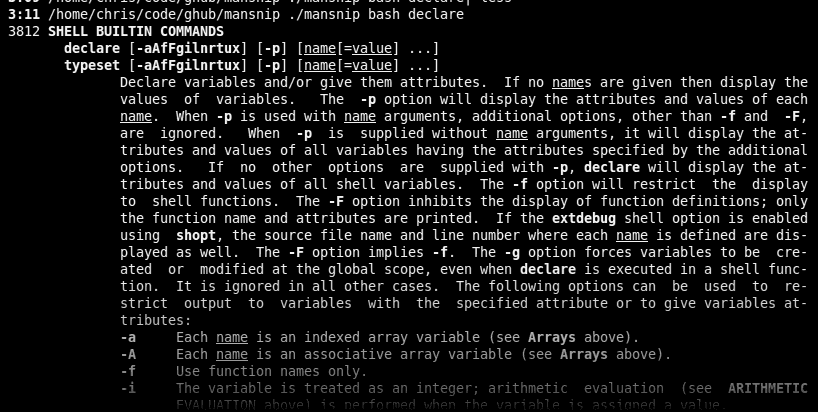
Mansnip works on any manpage.
With mansnip you'll just zip through documentation, saving precious time so you can write GitHub readmes like you're trying to sell Ginsu steak knives.
See how mansnip obediently shows everything with a "-z" option in the 25,888 lines of the zshall manpage on a single screen, all at once, in an easy-to-read manner.
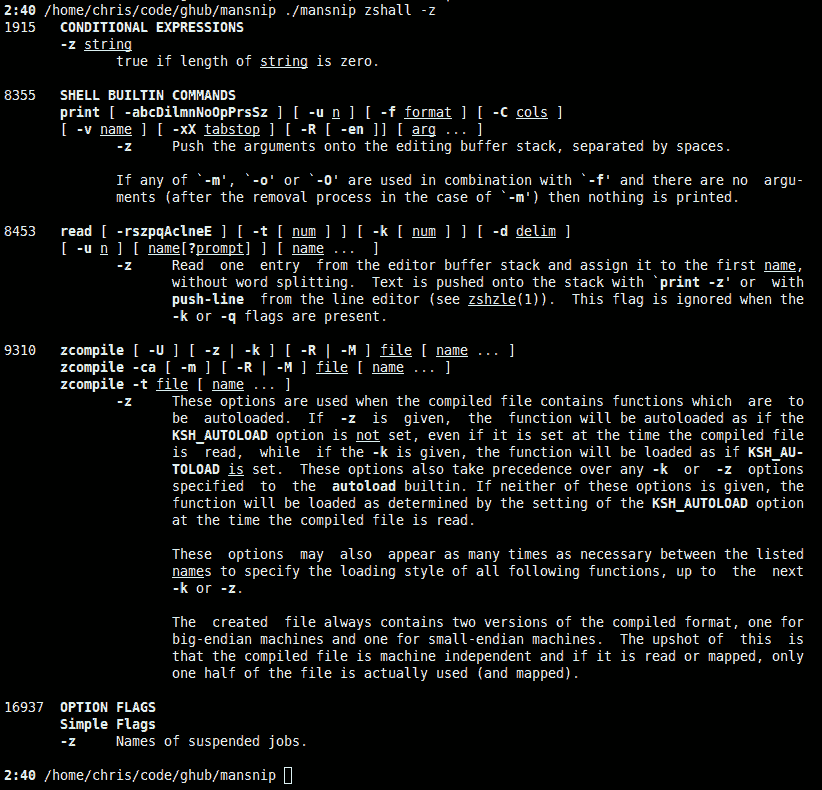
But wait, there's more! You'll also get the line number and hierarchical context totally free!
We're still not finished yet!
You'll also get to install it easily through pypi.
Here's how do it
$ pip3 install mansnip-kristopolous
Act now, servers are standing by.

FADE TO BLACK
END SCENE
Want more? Here's some background


Download files
Download the file for your platform. If you're not sure which to choose, learn more about installing packages.
Source Distribution
Built Distribution
Filter files by name, interpreter, ABI, and platform.
If you're not sure about the file name format, learn more about wheel file names.
Copy a direct link to the current filters
File details
Details for the file mansnip-0.5.3.tar.gz.
File metadata
- Download URL: mansnip-0.5.3.tar.gz
- Upload date:
- Size: 8.7 kB
- Tags: Source
- Uploaded using Trusted Publishing? No
- Uploaded via: twine/6.1.0 CPython/3.13.11
File hashes
| Algorithm | Hash digest | |
|---|---|---|
| SHA256 |
5628b91ab6ca258bfc3a4da50fb9035664c5d823da90a3e28a53d8e6ce194d98
|
|
| MD5 |
e76eee7785e2da50b74e2ab50f1de83a
|
|
| BLAKE2b-256 |
9198a392d04ce99798359829fccdfda9879e9faa0a398c1631214605ecec9e21
|
File details
Details for the file mansnip-0.5.3-py3-none-any.whl.
File metadata
- Download URL: mansnip-0.5.3-py3-none-any.whl
- Upload date:
- Size: 9.0 kB
- Tags: Python 3
- Uploaded using Trusted Publishing? No
- Uploaded via: twine/6.1.0 CPython/3.13.11
File hashes
| Algorithm | Hash digest | |
|---|---|---|
| SHA256 |
747f2fbbd56c64ce6175a81cf05302155bce907cacc3e92d0b8fbe850aad6b1d
|
|
| MD5 |
333372a0dd52edf0e40cb3a4dd2f19dc
|
|
| BLAKE2b-256 |
54be5d4078ed5b141186c9eb78f732d2c622b49c914217d2389aa3a703b73d80
|






