
Map Poster Creator
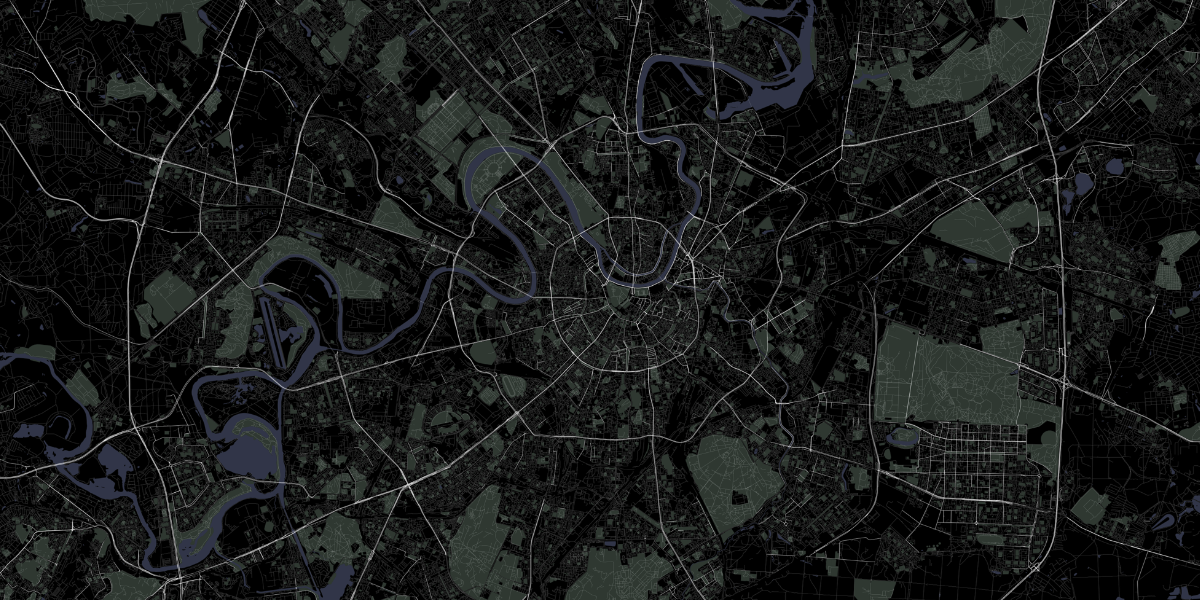
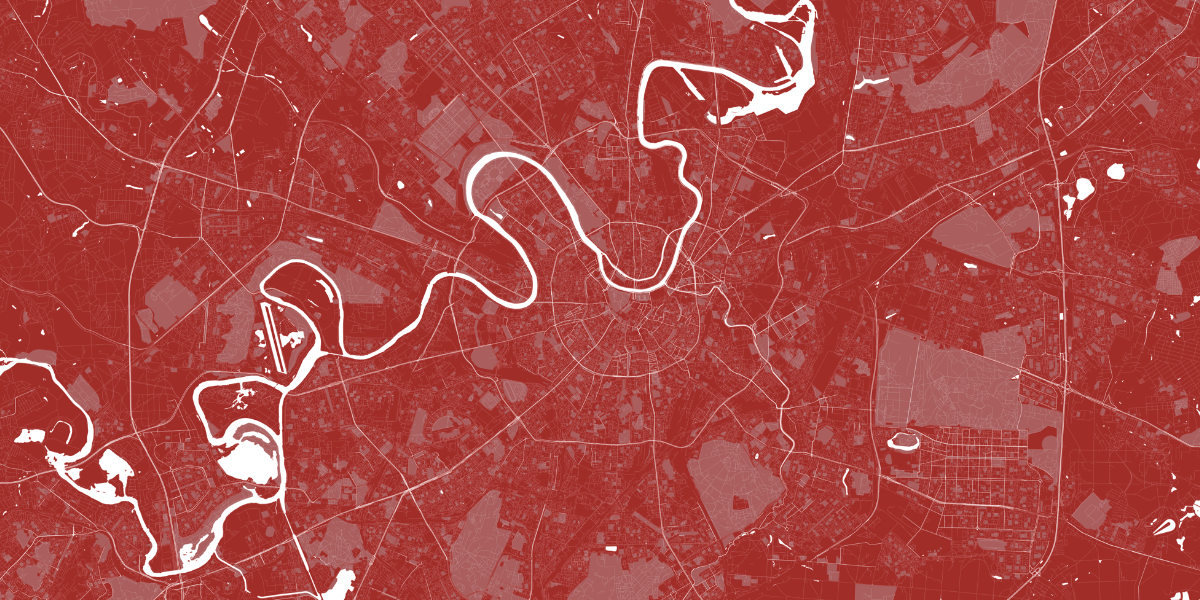
Map Poster Creator - script for creating beautiful road maps of any cities, zones, sections according to OSM data. You can add green areas, roads, rivers, ponds, lakes to the map. There are several ready-made color schemes, but you can easily add your own colors.
The project is provided as-is.
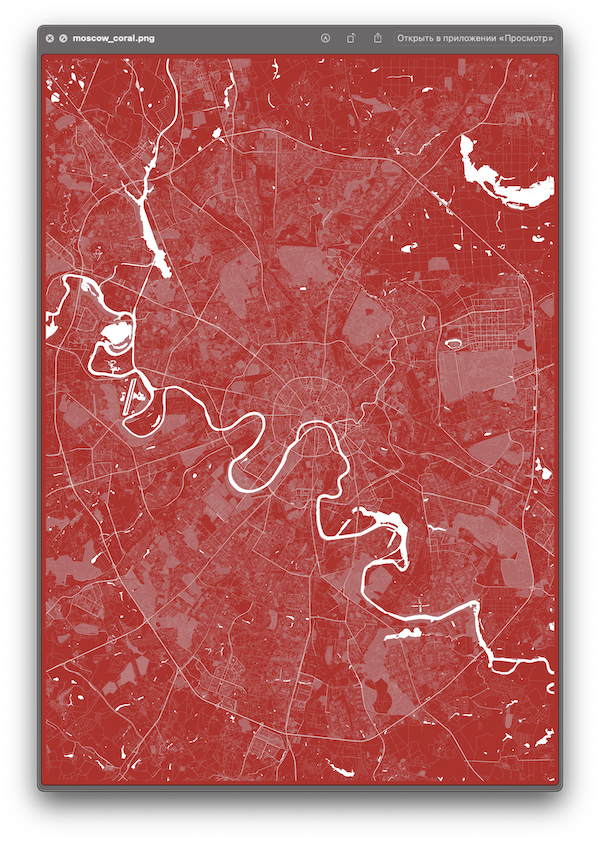
Valriable Colors
white
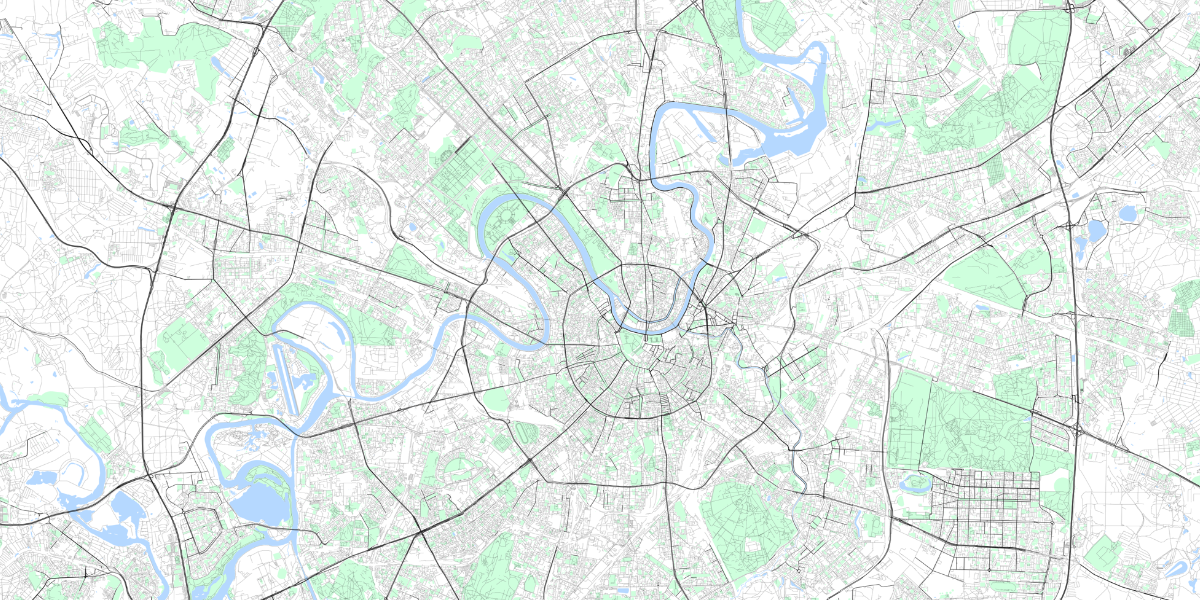
black
coral
Install:
pip install map-poster-creator
Deps
Linux
apt-get install libgeos-dev
Windows
thanks Lamroy95 for Windows instruction
- Manually download and install two python packages (GDAL and Fiona):
- Download GDAL .whl file for your version of python (Python 3.8 - ...cp38....whl)
- Download Fiona .whl file
- Install GDAL:
pip install path\to\gdal.whl - Install Fiona:
pip install path\to\fiona.whl - Finally, install map-poster-creator:
pip install map-poster-creator
- Or just use Docker =)
MacOS
brew install geos
Usage:
- Create geojson file with one poly. https://geojson.io/
- Download shp archive for region https://download.geofabrik.de/ eq:
central-fed-district-latest-free.shp.zip - Unpack
*.free.shp.ziparchive to some folderPATH_TO_SHP_DIR
$ mapoc poster create --shp_path PATH_TO_SHP_DIR --geojson PATH_TO_GEOJSON --colors white black coral
$ mapoc poster create -h
usage: Map Poster Creator poster create [-h] --shp_path SHP_PATH --geojson GEOJSON [--colors COLORS [COLORS ...]] [--output_prefix OUTPUT_PREFIX]

Make Poster

optional arguments:
  -h, --help            show this help message and exit
  --shp_path SHP_PATH   Path to shp folder.type "mapoc misc shp" to download
  --geojson GEOJSON     Path to geojson file with boundary polygon.type "mapoc misc geojson" to create and download
  --colors COLORS [COLORS ...]
                        Provide colors. eq "--colors white black coral". Default: "white". Available colors: black, white, red, coral
  --output_prefix OUTPUT_PREFIX
                        Output file prefix. eq. "{OUTPUT_PREFIX}_{COLOR}.png". Default: "map"
$ mapoc misc -h
usage: Map Poster Creator misc [-h] {shp,geojson} ...

Misc services

optional arguments:
  -h, --help     show this help message and exit

misc management commands:
  misc

  {shp,geojson}  Additional help for available commands
Colors
Add new color scheme
Add a new color scheme or rewrite available color scheme.
usage: mapoc color add [-h] --name NAME --facecolor FACECOLOR --water WATER --greens GREENS --roads ROADS

List available colors

optional arguments:
  -h, --help            show this help message and exit
  --name NAME           Name of color scheme. eq. "blue"
  --facecolor FACECOLOR
                        MatPlot face hex color. eq. "#ffffff"
  --water WATER         MatPlot water hex color. eq. "#ffffff"
  --greens GREENS       MatPlot greens hex color. eq. "#ffffff"
  --roads ROADS         MatPlot roads hex color. eq. "#ffffff"
Example:
$ mapoc color add --name "coffee" --facecolor "#433633" --water "#5c5552" --greens "#8f857d" --roads "#decbb7"
List available color schemes
$ mapoc color list
TODO
- Add configurable settings for poster size and quality.
- Add Docker image
1 maintainer

Metadata
1 maintainer
Release files for map-poster-creator 0.8
For a detailed explanation of source distributions (sdists) and built distributions (wheels), please see the package formats documentation.
Source distribution (sdist)
| File | Size | Uploaded | |
|---|---|---|---|
| map_poster_creator-0.8.tar.gz | 10.0 kB | Details |
Built distribution (wheel)
| File | Interpreter | ABI | Platform | Reset |
|---|---|---|---|---|
| map_poster_creator-0.8-py3-none-any.whl | Python 3 | none | any | Details |
Total release size: 20.7 kB
Release files / map_poster_creator-0.8.tar.gz
| Download URL | map_poster_creator-0.8.tar.gz |
|---|---|
| Size | 10.0 kB |
| Tags | Source |
|
SHA-256 checksum How to use checksums |
e37f94e0cf3253e4bb14f3db549b9bab002dcfdf3abe7b2af45a33820444512e
|
|
BLAKE2b-256 checksum How to use checksums |
224be13673e0f240ea2c54448a6801ad1ac182c93900efbe1691946cb14e8218
|
| Upload date | |
|
Uploaded using Trusted Publishing? What is trusted publishing? |
No |
| Uploaded via |
twine/3.4.1 importlib_metadata/4.0.1 pkginfo/1.7.0 requests/2.25.1 requests-toolbelt/0.9.1 tqdm/4.60.0 CPython/3.9.5
|
Release files / map_poster_creator-0.8-py3-none-any.whl
| Download URL | map_poster_creator-0.8-py3-none-any.whl |
|---|---|
| Size | 10.7 kB |
| Tags | Python 3 |
|
SHA-256 checksum How to use checksums |
5a0570e95903e1678b23d3946e0a2772934133a94897800fc4db97380e86a2e2
|
|
BLAKE2b-256 checksum How to use checksums |
8ad65516d035fa6109dd344f35993b5c394e5371a168511d24ba69278ecc3d9e
|
| Upload date | |
|
Uploaded using Trusted Publishing? What is trusted publishing? |
No |
| Uploaded via |
twine/3.4.1 importlib_metadata/4.0.1 pkginfo/1.7.0 requests/2.25.1 requests-toolbelt/0.9.1 tqdm/4.60.0 CPython/3.9.5
|














