
mapboxgl_notebook
MapboxGL for ipython notebook with multilayer support and flexibility.
If you were looking for multilayer mapboxgl ipython module, this repository is a right place.
This project was created with taking into account:
- Multi layer support from the very beginning.
- Small amount of python, html and javascript code.
- Support of mapboxgl expressions.
- High flexibility to create new types of layers.
Installation: download code, install with pip from github or from pypi:
pip install mapboxgl_notebook
Examples:
import os
from mapboxgl_notebook.map import MapboxMap
from mapboxgl_notebook.sources import GeoJSONSource
from mapboxgl_notebook.layers import PointCircleLayer, LineStringLineLayer, PolygonFillLayer
from mapboxgl_notebook.properties import Paint
from mapboxgl_notebook.interactions import ClickInteraction, HoverInteraction
access_token = os.environ.get('MAPBOX_ACCESS_TOKEN')

# Data from dictionary
data = {
    'type': 'FeatureCollection',
    'features':  [
        {
            'type': 'Feature',
            'geometry': {
                'type': 'Point',
                'coordinates': [103.8198, 1.3521]
            },
            'properties': {
                'id': 1,
                'name': 'My first point'
            }
        },
        {
            'type': 'Feature',
            'geometry': {
                'type': 'Point',
                'coordinates': [103.8290, 1.3531]
            },
            'properties': {
                'id': 2,
                'name': 'My second point'
            }
        }
    ]
}
# Definition of source
source = GeoJSONSource(data, source_id='points')
# Layer (geojson type Point, mapboxgl type Circle)
layer = PointCircleLayer(source)
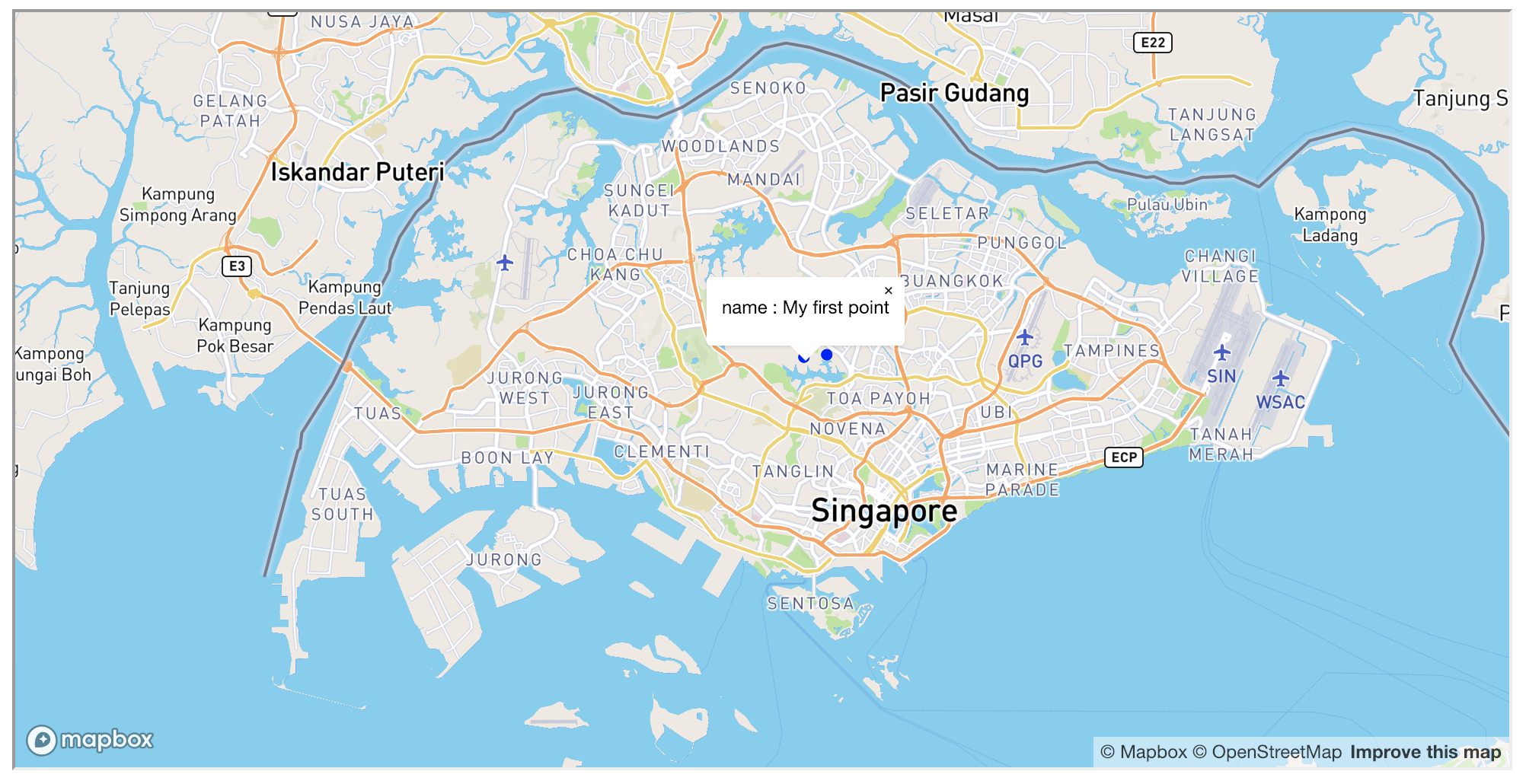
# Hover interaction (popup with property name)
hover = HoverInteraction(layer, properties=['name'])
# Map rendering
mapbox_map = MapboxMap(
    access_token=access_token,
    sources=[source],  # can be list of sources
    layers=[layer],  # can be list of layers
    interactions=[hover]
)
mapbox_map.show()
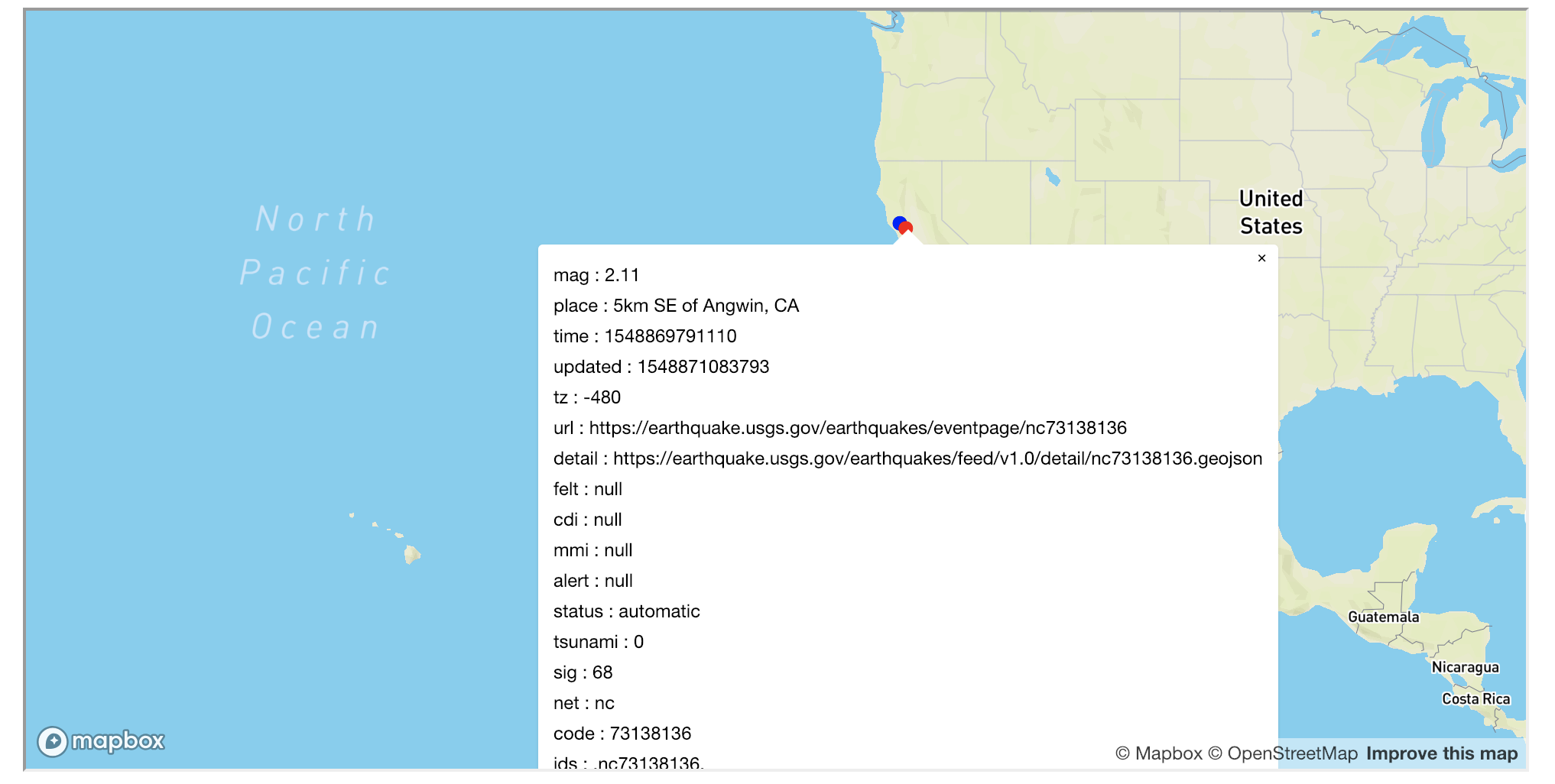
# Same as above but with Click interaction instead of hover
layer = PointCircleLayer(source)
click = ClickInteraction(layer, properties=['name'])
mapbox_map = MapboxMap(
    access_token=access_token,
    sources=[source],
    layers=[layer],
    interactions=[click]
)
mapbox_map.show()
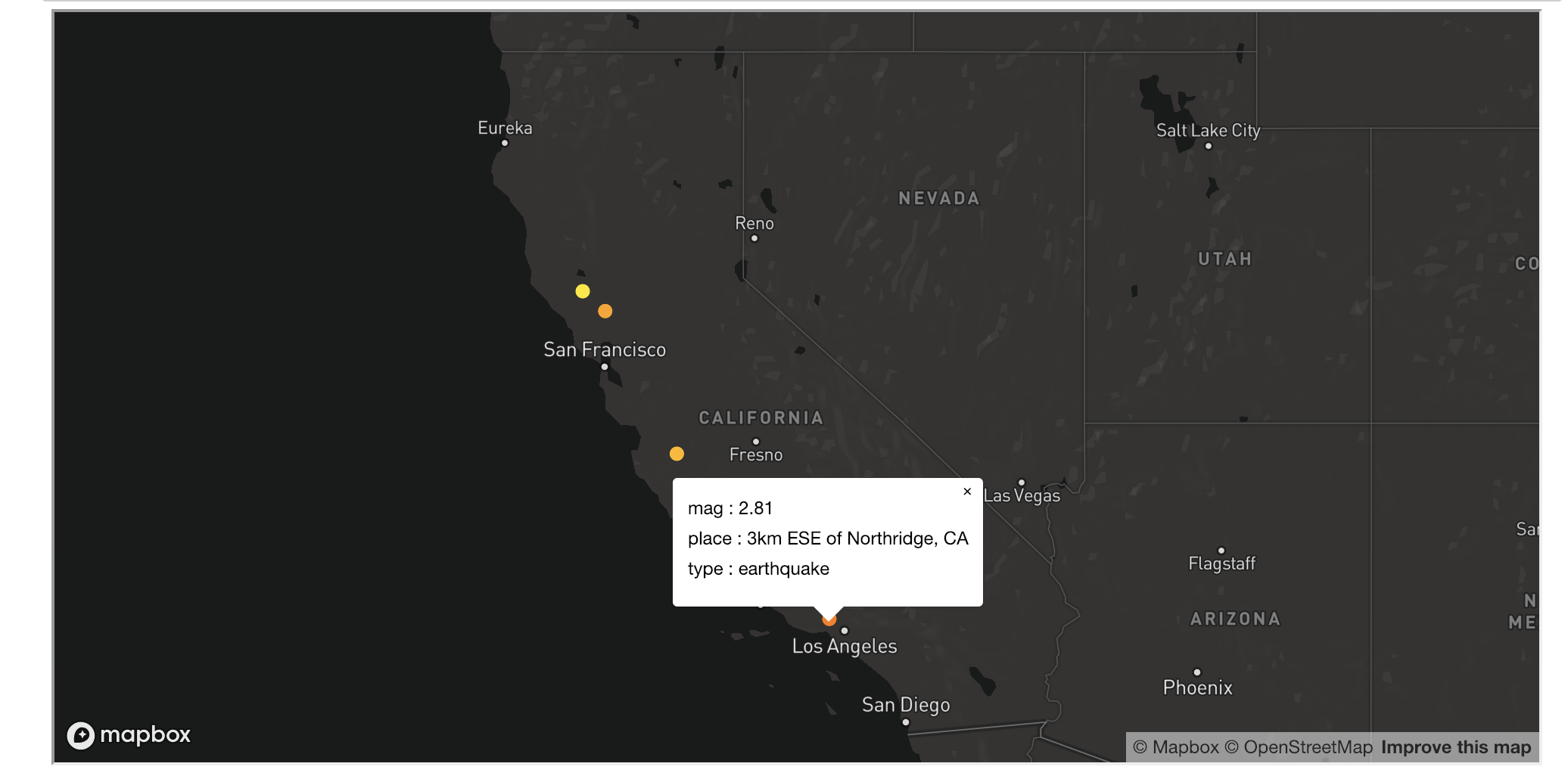
# Data-driven properties directly with mapbox gl expressions (picture can be different - real world dataset!)
data_url = 'https://earthquake.usgs.gov/earthquakes/feed/v1.0/summary/all_hour.geojson'
source = GeoJSONSource(data_url, source_id='earthquakes')
paint = Paint(
    circle_color=[
            'interpolate', ["linear"],
            ['get', 'mag'],
            1.3, '#0000ff',
            2, '#ff0000'
    ]
)
layer = PointCircleLayer(source, paint=paint)
interaction = ClickInteraction(layer, properties=['place', 'mag', 'type'])
mapbox_map = MapboxMap(
    style='mapbox://styles/mapbox/dark-v9',  # lets use another style
    center=[0,0],
    zoom=1,
    access_token=access_token,
    sources=[source],
    layers=[layer],
    interactions=[interaction]
)
mapbox_map.show()
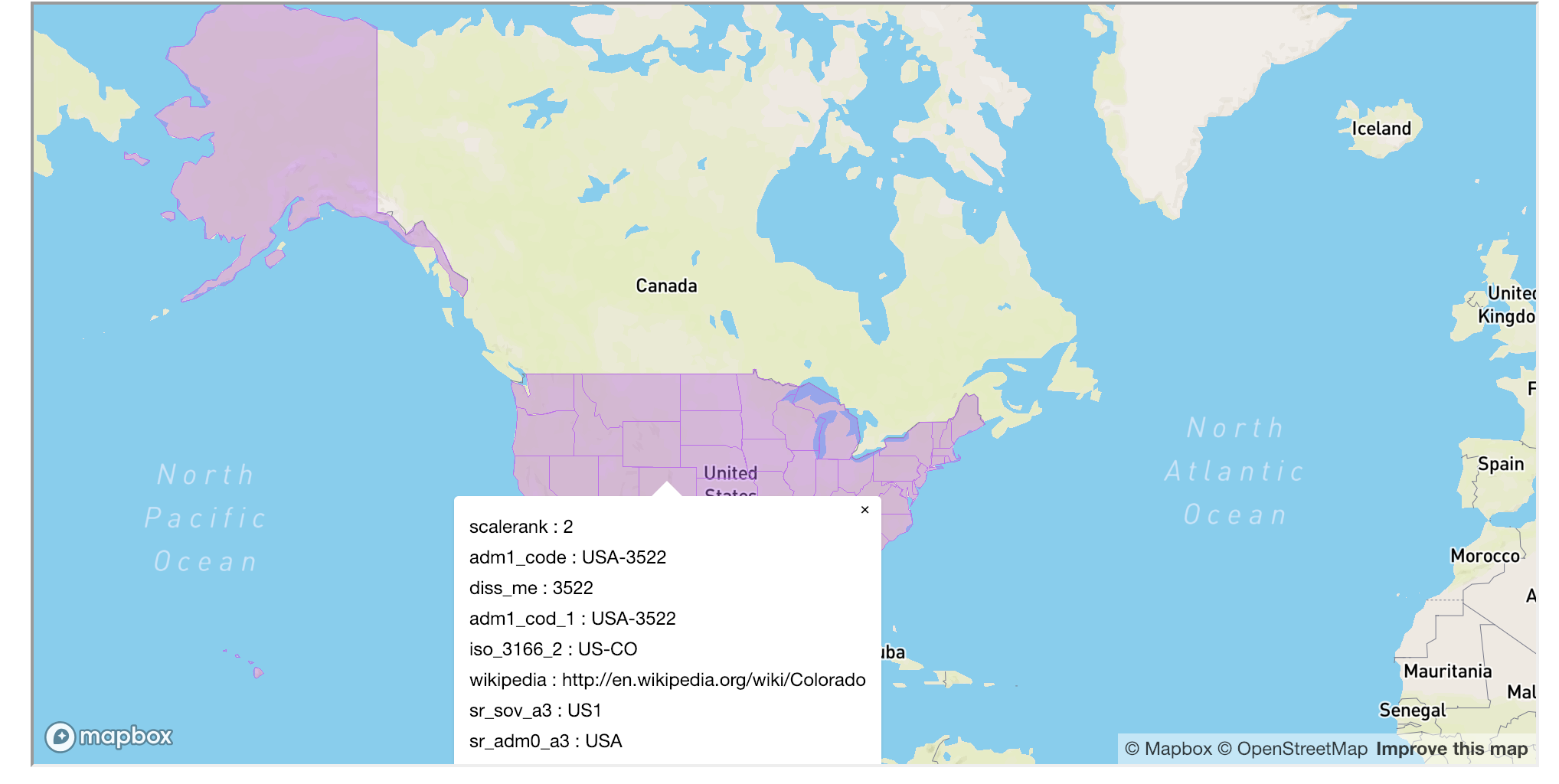
# Polygon layer
data_url = 'https://d2ad6b4ur7yvpq.cloudfront.net/naturalearth-3.3.0/ne_110m_admin_1_states_provinces_shp.geojson'
source = GeoJSONSource(data_url, source_id='states')
paint = Paint(
    fill_color='rgba(200, 100, 240, 0.4)',
    fill_outline_color='rgba(200, 100, 240, 1)'
)
layer = PolygonFillLayer(source, paint=paint)
interaction = ClickInteraction(layer)
mapbox_map = MapboxMap(
    center=[0,0],
    zoom=1,
    access_token=access_token,
    sources=[source],
    layers=[layer],
    interactions=[interaction]
)
mapbox_map.show()
# How to place one layer below another:
import os
from mapboxgl_notebook.map import MapboxMap
from mapboxgl_notebook.sources import GeoJSONSource
from mapboxgl_notebook.layers import PointCircleLayer, LineStringLineLayer, PolygonFillLayer
from mapboxgl_notebook.properties import Paint
from mapboxgl_notebook.interactions import ClickInteraction, HoverInteraction
access_token = os.environ.get('MAPBOX_ACCESS_TOKEN')

# Data from dictionary
data = {
    'type': 'FeatureCollection',
    'features':  [
        {
            'type': 'Feature',
            'geometry': {
                'type': 'Point',
                'coordinates': [103.8798, 1.3831]
            },
            'properties': {
                'id': 1,
                'text_for_layer_1': 'Hello point 1 layer 1',
                'text_for_layer_2': 'Hello point 1 layer 2'
            }
        },
        {
            'type': 'Feature',
            'geometry': {
                'type': 'Point',
                'coordinates': [103.8290, 1.3531]
            },
            'properties': {
                'id': 2,
                'text_for_layer_1': 'Hello point 2 layer 2',
                'text_for_layer_2': 'Hello point 2 layer 2'
            }
        }
    ]
}
# Definition of source
source = GeoJSONSource(data, source_id='points')
# Layer (geojson type Point, mapboxgl type Circle)
layer = PointCircleLayer(source, layer_id='layer_points')
layer2 = PointCircleLayer(
    source,
    paint=Paint(circle_radius=10, circle_color='#00ff00'),
    below_layer_id='layer_points'
)
# Hover interaction (popup with property name)
hover = HoverInteraction(layer, properties=['text_for_layer_1'])
hover2 = HoverInteraction(layer2, properties=['text_for_layer_2'])
# Map rendering
mapbox_map = MapboxMap(
    access_token=access_token,
    sources=[source],  # can be list of sources
    layers=[layer, layer2],  # can be list of layers
    interactions=[hover, hover2]
)
mapbox_map.show()
1 maintainer

Metadata
1 maintainer
Release files for mapboxgl-notebook 0.7
For a detailed explanation of source distributions (sdists) and built distributions (wheels), please see the package formats documentation.
Source distribution (sdist)
| File | Size | Uploaded | |
|---|---|---|---|
| mapboxgl_notebook-0.7.tar.gz | 9.5 kB | Details |
Built distribution (wheel)
| File | Interpreter | ABI | Platform | Reset |
|---|---|---|---|---|
| mapboxgl_notebook-0.7-py3-none-any.whl | Python 3 | none | any | Details |
Total release size: 21.6 kB
Release files / mapboxgl_notebook-0.7.tar.gz
| Download URL | mapboxgl_notebook-0.7.tar.gz |
|---|---|
| Size | 9.5 kB |
| Tags | Source |
|
SHA-256 checksum How to use checksums |
2f51595d1f169df6e705d6f84d72b435a078009ff8b1c403d8ebf40a8d01c177
|
|
BLAKE2b-256 checksum How to use checksums |
aafdd5d296ff9a2827a7d5920ee1c5e3d407652f380bf946b5ab20bca1c2f804
|
| Upload date | |
|
Uploaded using Trusted Publishing? What is trusted publishing? |
No |
| Uploaded via |
twine/1.12.1 pkginfo/1.5.0.1 requests/2.21.0 setuptools/40.4.3 requests-toolbelt/0.9.1 tqdm/4.28.1 CPython/3.6.6
|
Release files / mapboxgl_notebook-0.7-py3-none-any.whl
| Download URL | mapboxgl_notebook-0.7-py3-none-any.whl |
|---|---|
| Size | 12.1 kB |
| Tags | Python 3 |
|
SHA-256 checksum How to use checksums |
a30796b189b98ec9c7923788bbbc2783952eab11a37f6a53f192b0f33f9ac9b2
|
|
BLAKE2b-256 checksum How to use checksums |
5386446c153a91d2a99ebc4c0fbdf160c2143d92c2e743f61dfaaa6460411fdd
|
| Upload date | |
|
Uploaded using Trusted Publishing? What is trusted publishing? |
No |
| Uploaded via |
twine/1.12.1 pkginfo/1.5.0.1 requests/2.21.0 setuptools/40.4.3 requests-toolbelt/0.9.1 tqdm/4.28.1 CPython/3.6.6
|














