

Generate wordlists using pattern logic and expressions
Installation • Documentation • Usage • Contributing

Installation
| Method | Notes |
|---|---|
pipx install mapchar |
pip may be used in place of pipx |
git clone https://github.com/pwnfo/mapchar.git && cd mapchar && pip install . |
Clone and install directly from GitHub |
Documentation
For a complete guide, feature explanations, and advanced examples, please visit the documentation.

General usage
To generate a wordlist from a simple expression:
mapchar '/l{2,4}'
To combine files with generators:
mapchar '^:^' names.txt pass.txt
Outputs can be manipulated, filtered, and saved.
General Options:
  -h, --help            show this help message and exit
  -v, --version         show version information and exit
  -S, --stats           show pattern statistics and exit
  -q, --quiet           suppress non-essential output
  -n, --non-interactive
                        skip the confirmation prompt before execution

Generation Options:
  -d, --delimiter <string>
                        string inserted between generated entries
  -b, --write-buffer <size>
                        output buffer size
  -w, --workers <1-64>  number of worker processes (default: 1)
  -k, --flush-threshold <size>
                        flush output after reaching this byte threshold (default: 512KB)

Input Options:
  -f, --file <path>     load patterns from file
  -s, --start <word>    start writing output from <word>
  -e, --end <word>      stop writing output at <word>

Output Options:
  -o, --output <path>   write output to a file
  -z, --compress <format>
                        compress output (supported: gzip, bzip2, lzma)
  -l, --compresslevel <level>
                        compression level for the selected format
Expression basics
- Literal characters produce themselves.
- Built-in classes and bracketed classes
[...]produce one item per position. - Concatenation combines positions: each position picks one value from its token and concatenates.
Example:
$ mapchar '/l{2,3}'
# output: aa, ab, ac, ..., ZY, ZZ
Character classes
| Symbol | Meaning |
|---|---|
/l |
letters (a–z, A–Z) |
/a |
lowercase letters (a–z) |
/A |
uppercase letters (A–Z) |
/d |
digits (0–9) |
/D |
non-zero digits (1–9) |
/h |
lowercase hexadecimal (0–9, a–f) |
/H |
uppercase hexadecimal (0–9, A–F) |
/s |
space |
/o |
octal digits (0–7) |
/p |
special characters |
/b |
newline (\n) |
Example: /l/l generates all two-letter combinations (upper and lower case).
Custom classes and unions
[abc]selects one character froma,b, orc.- Use
|to separate full-word alternatives inside classes:[admin|root|123]insertsadminORrootOR123at that point.
- Use
||to separate top-level expressions:mapchar 'admin/d||guest/d'chains two independent patterns.
Statistics
You can analyze a pattern before generating it using the -S/--stats flag. This shows token counts, estimated size, and range filtering details.
mapchar -S '/l{3}||/d{3}'
Quantifiers
{N}— repeat exactly N times{min,max}— repeat between min and max times (inclusive)?— optional (0 or 1 time)
Examples:
$ mapchar '[XYZ]{3}'         # XXX, XXY, ..., ZZZ
$ mapchar '[XYZ]{2,5}'       # XY, XZ, ..., XYZXY
$ mapchar 'Ryan?/d'          # Rya0, Rya1, ..., Ryan9
$ mapchar '[XYZ]?Ryan'       # Ryan, XRyan, YRyan, ZRyan
Numeric ranges
#[1-10]→ generates 1,2,3,4,5,6,7,8,9,10#[1-10:2]→ generates 1,3,5,7,9#[2-10:2]→ generates 2,4,6,8,10
These numeric ranges can be used in any position of an expression.
Files and placeholders
Use ^ in an expression as a placeholder for the next file argument. Each ^ consumes one file and iterates over its lines:
$ mapchar '^/d' names.txt
# output: Bob0, Bob1, ..., Ana0, Ana1, ...

$ mapchar '^-^' names.txt years.txt
# output: Bob-1990, Ana-1991, Ryan-1992, ...
Prefix a filename with // to treat it as an inline expression instead of a file path.
Value bindings
Use <@name=expr> to evaluate an expression once per output line and store it, then reuse it with <@name>.
Unlike concatenation, this introduces a dependency, so no cartesian product is created between the definition and its references.
$ mapchar '<@d=/d>-<@d>'
# output: 0-0, 1-1, ..., 9-9

$ mapchar '<@x=^>:<@x>' words.txt
# output: foo:foo, bar:bar, ...

$ mapchar '<@n=/d{2}>_<@n>'
# output: 00_00, 01_01, ..., 99_99
Compression
Mapchar supports on-the-fly compression when writing output files.
# gzip (fast, balanced)
mapchar '/l{5}' -z gzip -o wordlist.txt.gz

# lzma (best compression)
mapchar '/l{5}' -z lzma -o wordlist.txt.xz

# bzip2 (middle ground)
mapchar '/l{5}' -z bzip2 -o wordlist.txt.bz2
Escaping special characters
Use \ to escape special characters.
$ mapchar '\/d/d'
# output: /d/0, /d/1, ..., /d/9
Contributing
We welcome contributions to Mapchar! Whether it's adding new features, improving documentation, or fixing bugs, your help is appreciated.
Feel free to open an issue or submit a pull request on our GitHub repository at pwnfo/mapchar.
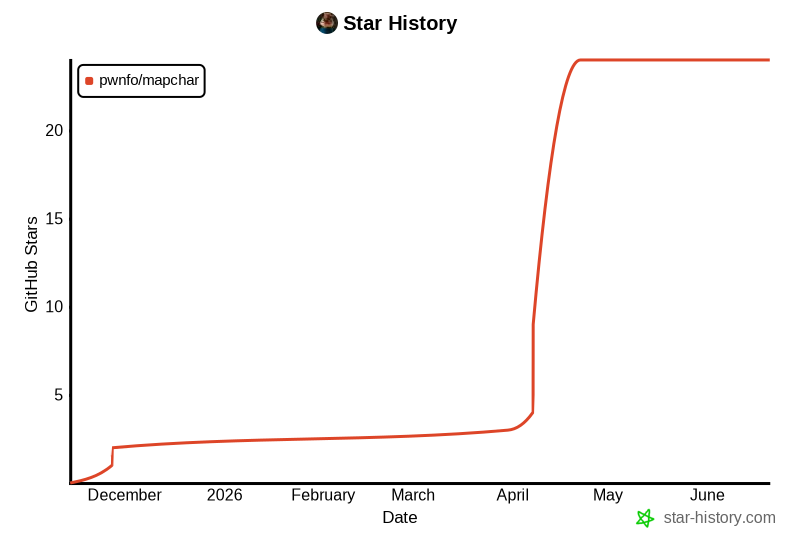
Star History
License
MIT © Ryan R. <pwnfo@proton.me>
1 maintainer

Metadata
1 maintainer
Release files for mapchar 8.1.1
For a detailed explanation of source distributions (sdists) and built distributions (wheels), please see the package formats documentation.
Source distribution (sdist)
| File | Size | Uploaded | Provenance | Actions |
|---|---|---|---|---|
| mapchar-8.1.1.tar.gz | 26.1 kB | Without provenance | Details for mapchar-8.1.1.tar.gz |
Built distribution (wheel)
| File | Interpreter | ABI | Platform | Actions Reset |
|---|---|---|---|---|
| mapchar-8.1.1-py3-none-any.whl | Python 3 | none | any | Details for mapchar-8.1.1-py3-none-any.whl |
Total release size: 55.9 kB
Release files / mapchar-8.1.1.tar.gz
| Download URL | mapchar-8.1.1.tar.gz |
|---|---|
| Size | 26.1 kB |
| Tags | Source |
|
SHA-256 checksum How to use checksums |
e19e1edfbad8eeb4d2ff270be0fbed3e3fd72e9b15228a9d90911a156d5ef0e1
|
|
BLAKE2b-256 checksum How to use checksums |
c8faa7170a1ac9b2df105e59e42e4456499be5cbced4d1e92a18e450bd2e17cc
|
| Upload date | |
|
Uploaded using Trusted Publishing? What is trusted publishing? |
No |
| Uploaded via |
poetry/2.1.2 CPython/3.13.5 Linux/6.12.90+deb13.1-amd64
|
Release files / mapchar-8.1.1-py3-none-any.whl
| Download URL | mapchar-8.1.1-py3-none-any.whl |
|---|---|
| Size | 29.7 kB |
| Tags | Python 3 |
|
SHA-256 checksum How to use checksums |
e604e30ea97b27ace0f8ec39180df0499c286b34504a9b6a232398618f189994
|
|
BLAKE2b-256 checksum How to use checksums |
5a53238188d5f05f4c2374ccddbcf418bb5820e406f510302bdbfbd087769fdd
|
| Upload date | |
|
Uploaded using Trusted Publishing? What is trusted publishing? |
No |
| Uploaded via |
poetry/2.1.2 CPython/3.13.5 Linux/6.12.90+deb13.1-amd64
|
Security for mapchar 8.1.1
Provenance
Provenance describes where a file came from. On PyPI, provenance is shared via attestations, which provide a verifiable record of the build or publishing details. View details, limitations and caveats.
No provenance found
None of the files in this release were uploaded with provenance metadata.
A note on package security
PyPI is a repository for distributing packages, not a service for auditing them. While third-party security researchers and our staff do their best to detect and remove malicious packages, PyPI cannot guarantee the quality, security or suitability of any given package.
To learn more about protecting yourself from malicious actors, visit our package security documentation.














