
MCP server — generate styled map images via mapnetwork.app

Project description
mapnetwork-mcp
MCP server for MapNetwork — generate styled map images (PNG / SVG) for any location on Earth, directly from Claude or any MCP-compatible AI assistant.
Features
- Generate maps from a place name, coordinates, or a list of markers
- 11 color themes (white, darkBlue, darkGreen, popArt, lightBlue, lightGreen, beige, magenta, gray, black, brawn)
- Overlay walking / driving routes on the map
- PNG or SVG output, saved to your Downloads folder
- Re-download a previously generated map in a different theme or format without regenerating
- Open any generated map in the MapNetwork web editor for manual customization
Example Usage
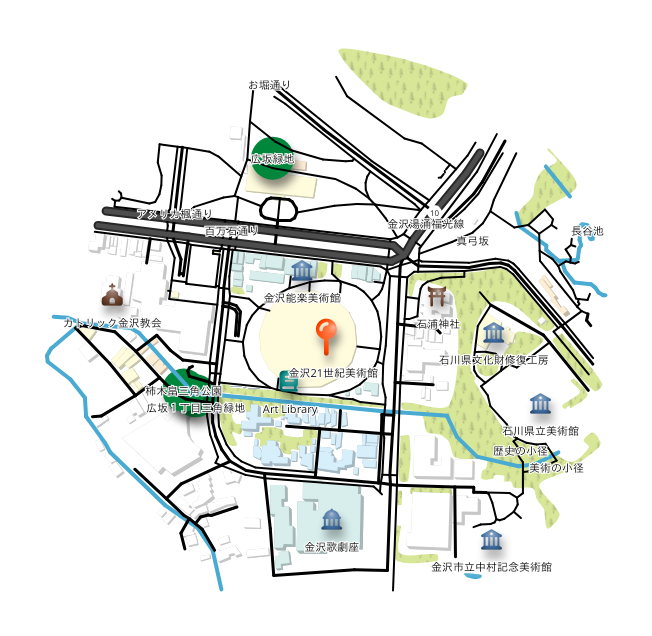
Prompt: "Generate a map around the 21st Century Museum of Contemporary Art, Kanazawa."
Here is the map it generated:
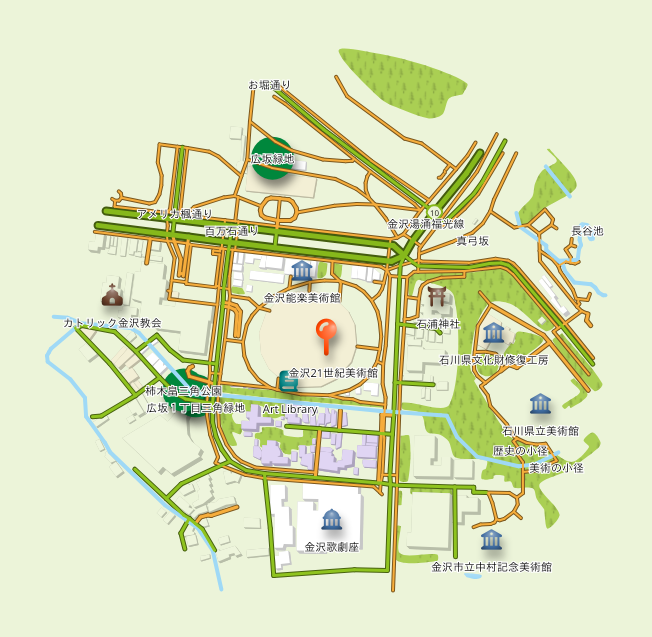
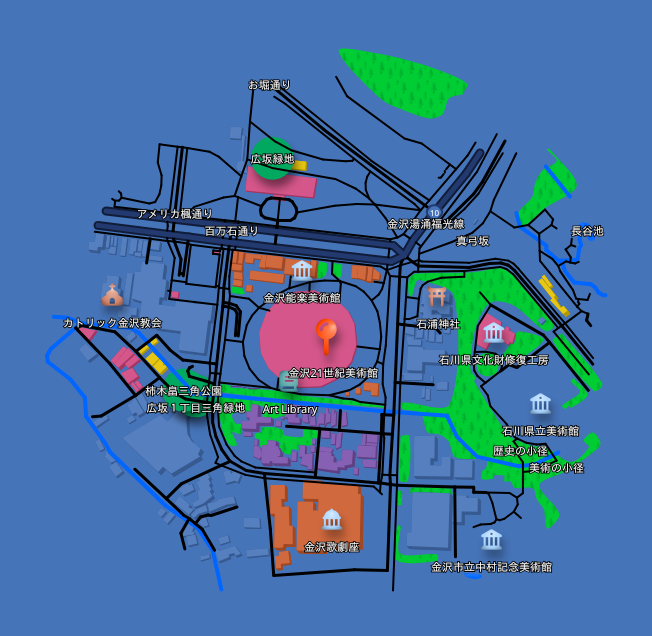
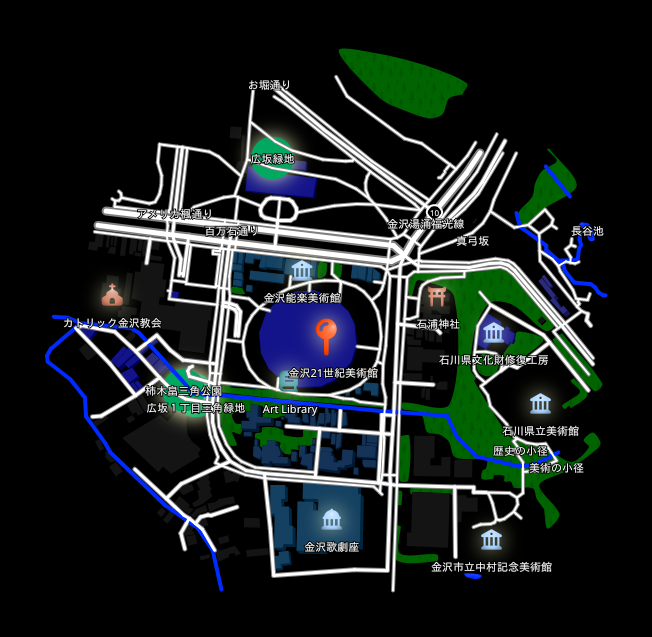
Prompt: "Redownload that map in a few different color themes."
The same map, redownloaded in different color themes:
| Dark Blue Style | Light Green Style | Pop Art Style | Black Style |
|---|---|---|---|
 |
 |
 |
 |
Installation
Claude Desktop
Using the .mcpb extension file (recommended)
The easiest way to install is via the .mcpb extension file available on the Releases page.
- Download the latest
.mcpbfile from the Releases page. - Open Claude Desktop and go to Settings → Extensions.
- Drag the downloaded
.mcpbfile onto the Extensions panel to install.
Manual configuration
Add the following to your claude_desktop_config.json:
{
  "mcpServers": {
    "mapnetwork": {
      "command": "uvx",
      "args": ["mapnetwork-mcp"],
      "alwaysAllow": ["generate_map", "compute_route", "redownload_map"]
    }
  }
}
If you use pip instead of uvx:
pip install mapnetwork-mcp
{
  "mcpServers": {
    "mapnetwork": {
      "command": "mapnetwork-mcp"
    }
  }
}
Tools
| Tool | Description |
|---|---|
generate_map |
Generate a styled map image for a location and save it to Downloads |
compute_route |
Compute a walking or driving route between two locations |
redownload_map |
Re-download a previously generated map in a different color theme or format |
Example prompts
Japanese
- "渋谷駅周辺の地図を作って"
- "赤坂駅から赤坂氷川神社までの徒歩ルートを地図にして"
- "東京駅・日本橋駅・京橋駅を1枚の地図に表示して"
- "その地図を darkBlue テーマでSVG画像で出し直して"
English
- "Generate a map around Shibuya Station"
- "Show a walking route from Akasaka Station to Akasaka Hikawa Shrine on a map"
- "Put Tokyo Station, Nihonbashi Station, and Kyobashi Station on a single map"
- "Redownload that map as an SVG in the darkBlue theme"
Links
- Web UI: https://mapnetwork.app
- API docs: https://mapnetwork.app/openapi.json
mcp-name: io.github.toruproject/mapnetwork-mcp
Release history Release notifications | RSS feed


Download files
Download the file for your platform. If you're not sure which to choose, learn more about installing packages.
Source Distribution
Built Distribution
Filter files by name, interpreter, ABI, and platform.
If you're not sure about the file name format, learn more about wheel file names.
Copy a direct link to the current filters
File details
Details for the file mapnetwork_mcp-1.1.0.tar.gz.
File metadata
- Download URL: mapnetwork_mcp-1.1.0.tar.gz
- Upload date:
- Size: 1.9 MB
- Tags: Source
- Uploaded using Trusted Publishing? No
- Uploaded via: twine/6.2.0 CPython/3.14.0
File hashes
| Algorithm | Hash digest | |
|---|---|---|
| SHA256 |
a0772789653c5f2408da1c6833b3441ebe3d38707bbb2bcaa38c0321d6fb54a4
|
|
| MD5 |
eddb684644d4e2986d2b829c5bb67b7f
|
|
| BLAKE2b-256 |
a263960d45f8936491ade6d84012d5579495f9f19e6acbf5e032794e08d7a1f9
|
File details
Details for the file mapnetwork_mcp-1.1.0-py3-none-any.whl.
File metadata
- Download URL: mapnetwork_mcp-1.1.0-py3-none-any.whl
- Upload date:
- Size: 10.3 kB
- Tags: Python 3
- Uploaded using Trusted Publishing? No
- Uploaded via: twine/6.2.0 CPython/3.14.0
File hashes
| Algorithm | Hash digest | |
|---|---|---|
| SHA256 |
67187e8c11a92707dcc7e76a241c19b034bc9998cec0d4dbd988795d3aaa9d2e
|
|
| MD5 |
cbd06562ce802b7f3f8d879992c42de8
|
|
| BLAKE2b-256 |
f051a5315872e72d6df59f06ce3b708869220bdb3c2221957cdda00078336504
|






