
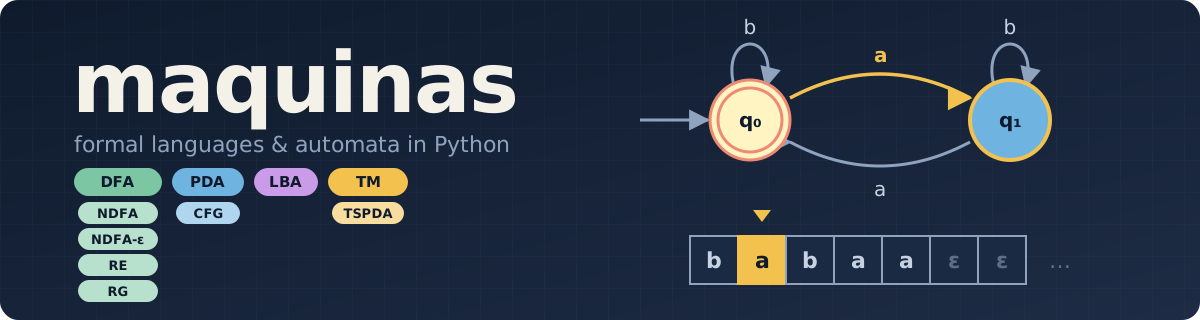


maquinas is a Python library to build, run and visualize computing machines and grammars. It is designed for teaching Formal Language Theory: define a machine as a readable table, check which strings it accepts, and draw or animate it step by step.
| Language class | Machines and grammars |
|---|---|
| Regular | DFA, NDFA, NDFA-ε, regular expressions, regular grammars, minimization |
| Context free | Pushdown automata, context free grammars (Earley and CYK parsers) |
| Context sensitive | Linear bounded automata |
| Recursively enumerable | Turing machines, two-stack pushdown automata |
It also loads JFLAP files, ships with the machines of the JFLAP book as a ready-to-use collection, and has a command line tool.
Installation
maquinas needs Python 3.12 or newer and Graphviz
for drawing (apt install graphviz, brew install graphviz, ...).
With uv (recommended)
Add it to a uv project:
uv init my-automata
cd my-automata
uv add maquinas
uv run python
Try the command line tool without installing anything:
uvx maquinas --help
Or install it as a tool, so maquinas is always on your PATH:
uv tool install maquinas
For notebooks, add Jupyter to the project and launch it:
uv add --dev jupyterlab
uv run jupyter lab
With pip
python -m venv .venv
source .venv/bin/activate
pip install maquinas
Quickstart
Write the transition table, load it and test some strings:
from maquinas.io import load_fa

# Strings with an even number of a's
even_a = load_fa("""
         | a  | b  |
-> q0 ]  | q1 | q0 |
   q1    | q0 | q1 |
""")

even_a.accepts("abab")   # True
even_a.accepts("ab")     # False
even_a.print_summary()
In the table, -> marks the initial state and ] the accepting ones. Then look at it:
even_a.draw()                               # display it in a notebook
even_a.save_image("even_a.png")             # save an image (.svg, .png, .pdf, ...)
even_a.save_animation("abab", "run.gif")    # animate it reading a string (.gif, .png, .webp)
even_a.save_animation("abab", "run.svg")    # or a small, vector animation
In a notebook, Simulation(m, "abab").run() (from maquinas.simulation) lets you
step through the run interactively.
Examples
Regular expressions
A regular expression becomes an equivalent NDFA-ε:
from maquinas.regular.RE import RegularExpression as RE

r = RE("(a*ba*ba*)* + a*")    # an even number of b's
m = r.ndfa_e()
m.accepts("abba")             # True
m.accepts("ab")               # False
DFAs, NDFAs and NDFA-ε can also be built directly from their states and transitions:
from maquinas.regular.dfa import DeterministicFiniteAutomaton as DFA

m = DFA(Q=["q_0", "q_1"], sigma=["a", "b"], q_0="q_0", A=["q_0"],
        delta=[(("q_0", "a"), "q_1"), (("q_0", "b"), "q_0"),
               (("q_1", "a"), "q_0"), (("q_1", "b"), "q_1")])
Pushdown automata
Each cell lists transitions pop/push→state:
from maquinas.io import load_pda

anbn = load_pda("""
       |     ε     |          a          |    b    |
->q_0  |           | Z₀/AZ₀→q_0,A/AA→q_0 | A/ε→q_1 |
  q_1  | Z₀/Z₀→q_2 |                     | A/ε→q_1 |
  q_2] |           |                     |         |
""")

anbn.accepts("aabb")   # True
anbn.accepts("aab")    # False
With one pop/push pair per stack, the same function loads a two-stack pushdown automaton,
which can recognize languages like aⁿbⁿcⁿ:
anbncn = load_pda("""
        |        ε        |                a                 |      b      |       c       |
 ->q_0  |                 | Z₀/AZ₀,Z₀/AZ₀→q_0, A/AA,A/AA→q_0 | A/ε,A/A→q_1 |               |
   q_1  |                 |                                  | A/ε,A/A→q_1 | Z₀/Z₀,A/ε→q_2 |
   q_2  | Z₀/Z₀,Z₀/Z₀→q_3 |                                  |             | Z₀/Z₀,A/ε→q_2 |
   q_3] |                 |                                  |             |               |
""")

anbncn.accepts("aabbcc")   # True
Turing machines and linear bounded automata
Each cell is read/write→state:move (L, R or N); 𝖁 is the blank:
from maquinas.io import load_tm

anbn = """
        |     a     |     b     |     X     |     Y     |     𝖁     |
 ->q_0  | a/X→q_1:R |           |           | Y/Y→q_3:R |           |
   q_1  | a/a→q_1:R | b/Y→q_2:L |           | Y/Y→q_1:R |           |
   q_2  | a/a→q_2:L |           | X/X→q_0:R | Y/Y→q_2:L |           |
   q_3  |           |           |           | Y/Y→q_3:R | 𝖁/𝖁→q_4:L |
   q_4] |           |           |           |           |           |
"""

tm = load_tm(anbn)
tm.accepts("aabb")    # True

lba = load_tm(anbn, lba=True, most_left="left", sigma=["a", "b"])
lba.accepts("aabb")   # True
Grammars and parsing
Context free grammars are parsed with Earley (default) or CYK, and their parse trees can be drawn:
from maquinas.contextfree.cfg import ContextFreeGrammar as CFG

g = CFG(r"""
E → E \+ T | T
T → T \* F | F
F → "id" | \( E \)
""")

g.accepts("id+id*id")                  # True
roots, chart, forest = g.parse("id+id*id")
g.print_chart("id+id*id")
trees = list(g.extract_trees(forest))
g.save_trees_img(trees, filename="tree")
Regular grammars work the same way:
from maquinas.regular.rg import RegularGrammar as RG

g = RG("S → aS | bA; A → cA | ε")   # a*bc*
g.accepts("aabcc")                   # True
Collections
The machines from the book JFLAP: An Interactive Formal Languages and Automata Package (Rodger & Finley) come built in, each with sample strings it accepts and rejects:
from maquinas.collections import jflap

jflap.names("regular")      # ['ex0.1a', 'ex1.1a', 'ex1.3a', ...]
m = jflap.load("ex1.1a")
m.metadata.accepted         # ['b', 'ab', 'aab', 'bbb', 'aaab']
Your own .jff files load with maquinas.io.load_jflap.
Themes
Summaries, drawings and animations share color themes (ayu, catppuccin, gotham, solarized and tender, each with a dark version):
from maquinas.themes import set_theme

set_theme("catppuccin", dark=True)
Command line
The maquinas command loads a machine, grammar or regular expression from a file (its
kind comes from the extension or --type):
maquinas even_a.fa summary                  # print the summary
maquinas even_a.fa accepts abab ab          # check strings (exit code 1 if any is rejected)
maquinas even_a.fa draw -o even_a.svg       # save an image
maquinas even_a.fa animate abab -o run.gif  # save an animation
maquinas even_a.fa                          # interactive shell
Documentation
- Full documentation: https://maquinas.readthedocs.io/
- More examples: the notebooks repository
Development
git clone https://gitlab.com/ivanvladimir/maquinas.git
cd maquinas
uv sync --extra dev
uv run pytest
Build the documentation with uv run --group docs sphinx-build docs/source docs/build.
License
maquinas is distributed under the GNU General Public License v3 or later.
1 maintainer

Metadata
1 maintainer
Release files for maquinas 0.4.0.0
For a detailed explanation of source distributions (sdists) and built distributions (wheels), please see the package formats documentation.
Source distribution (sdist)
| File | Size | Uploaded | Provenance | Actions |
|---|---|---|---|---|
| maquinas-0.4.0.0.tar.gz | 250.6 kB | Without provenance | Details for maquinas-0.4.0.0.tar.gz |
Built distribution (wheel)
| File | Interpreter | ABI | Platform | Actions Reset |
|---|---|---|---|---|
| maquinas-0.4.0.0-py3-none-any.whl | Python 3 | none | any | Details for maquinas-0.4.0.0-py3-none-any.whl |
Total release size: 496.8 kB
Release files / maquinas-0.4.0.0.tar.gz
| Download URL | maquinas-0.4.0.0.tar.gz |
|---|---|
| Size | 250.6 kB |
| Tags | Source |
|
SHA-256 checksum How to use checksums |
b736c00435de34eeb1a42c3e2a0631a8bd4c3b0693bd8e528c169e9a25551499
|
|
BLAKE2b-256 checksum How to use checksums |
23d131221208855af4d317a5c8826a92f667379fa71ff8c8a9c8cd7587062d7e
|
| Upload date | |
|
Uploaded using Trusted Publishing? What is trusted publishing? |
No |
| Uploaded via |
uv/0.11.2 {"installer":{"name":"uv","version":"0.11.2","subcommand":["publish"]},"python":null,"implementation":{"name":null,"version":null},"distro":{"name":"Ubuntu","version":"24.04","id":"noble","libc":null},"system":{"name":null,"release":null},"cpu":null,"openssl_version":null,"setuptools_version":null,"rustc_version":null,"ci":null}
|
Release files / maquinas-0.4.0.0-py3-none-any.whl
| Download URL | maquinas-0.4.0.0-py3-none-any.whl |
|---|---|
| Size | 246.1 kB |
| Tags | Python 3 |
|
SHA-256 checksum How to use checksums |
42d71ea7ddb98b4c557a25ae80c4f96b1d051ead7d9f0c5cbe10b95dc527a9a6
|
|
BLAKE2b-256 checksum How to use checksums |
f640424788dfd2b88f50137ca3a25d0adedfe6100472d3aef5b2f1b0746fc2e5
|
| Upload date | |
|
Uploaded using Trusted Publishing? What is trusted publishing? |
No |
| Uploaded via |
uv/0.11.2 {"installer":{"name":"uv","version":"0.11.2","subcommand":["publish"]},"python":null,"implementation":{"name":null,"version":null},"distro":{"name":"Ubuntu","version":"24.04","id":"noble","libc":null},"system":{"name":null,"release":null},"cpu":null,"openssl_version":null,"setuptools_version":null,"rustc_version":null,"ci":null}
|
Security for maquinas 0.4.0.0
Provenance
Provenance describes where a file came from. On PyPI, provenance is shared via attestations, which provide a verifiable record of the build or publishing details. View details, limitations and caveats.
No provenance found
None of the files in this release were uploaded with provenance metadata.
A note on package security
PyPI is a repository for distributing packages, not a service for auditing them. While third-party security researchers and our staff do their best to detect and remove malicious packages, PyPI cannot guarantee the quality, security or suitability of any given package.
To learn more about protecting yourself from malicious actors, visit our package security documentation.














