

A reactive Python notebook that's reproducible, git-friendly, and deployable as scripts or apps.
Docs · Discord · Examples · Gallery · YouTube
English | 繁體中文 | 简体中文 | 日本語 | Español






Marimo Agents
Marimo Agents is an experimental extension of Marimo pioneering agentic notebooks, allowing you to run notebooks with AI agents as first-class cells.
To use it, you need to install the marimo-agents package:
pip install marimo-agents
But why?
Research agents are a great way to explore data and hypotheses. In a chat interface, though, the messages are in an immutable order, since each "message" in a "conversation" is dependent on the previous ones. This means that queries made by a user and data collected by an agent must remain in the same order in a chat.
However, in research, you may find that some queries lead to nowhere, or you may want to reorganize evidence you collect from different queries to the agent to form a cohesive narrative from your data. This is exactly what the notebook interface enables. Further, agentic notebooks allow for you to interleave markdown annotations and your own python code with agent calls for a richer data exploration and analysis workflow.
Usage
An Agent is at its core a function that takes in a Prompt and returns a Response.
You can define and register an agent as follows (note that marimo-agents shares the same namespace as marimo, so your marimo import is preserved):
import marimo

__generated_with = "0.0.4"
app = marimo.App(width="medium")


@app.cell
def _():
    import marimo as mo
    agent = mo.ai.agents.Agent(
      name="My Agent",
      # This can be a LangChain chain, LangGraph invocation, or any callable that takes in a prompt and returns a response
      run_fn=lambda prompt: f"You said: {prompt}!",
    )
    mo.ai.agents.register_agent(agent)

@app.cell
async def _():
    await mo.ai.agents.run_agent("What is the capital of France?")
This will render as:
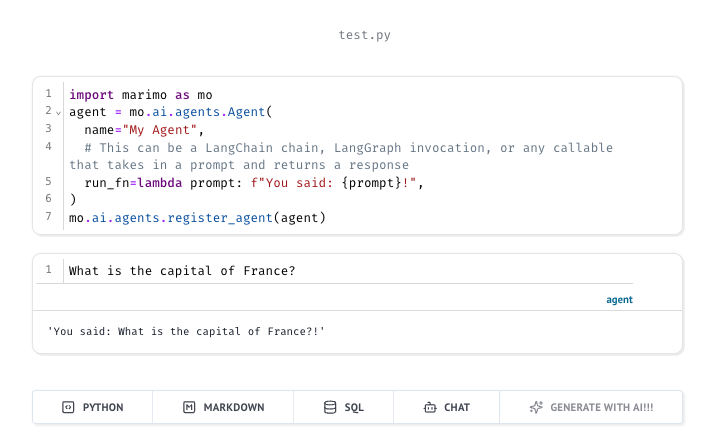
You will notice that the await mo.ai.agents.run_agent() cell is rendered specially in the UI as just a plain text input.
An option has also been added to the New Cell list at the bottom to immediately add a new agent cell.
Generating Chat Suggestions
You can also generate chat suggestions for your agent by providing a suggestions_fn to the Agent constructor.
In the above example using:
import asyncio
async def suggestions_fn():
  await asyncio.sleep(3)
  return [
    mo.ai.agents.Suggestion(
      id="1",
      title="What is the capital of Greece?",
      description="Since you asked about Europe, here's a related question",
      type=mo.ai.agents.SuggestionType.PROMPT_IDEA
    ),
  ]
agent = mo.ai.agents.Agent(
  name="My Agent",
  run_fn=lambda prompt: f"You said: {prompt}!",
  # This can be generated by a LangChain chain, LangGraph invocation, or any callable that takes in a prompt and returns a list of suggestions
  suggestions_fn=suggestions_fn
)
This will render as:
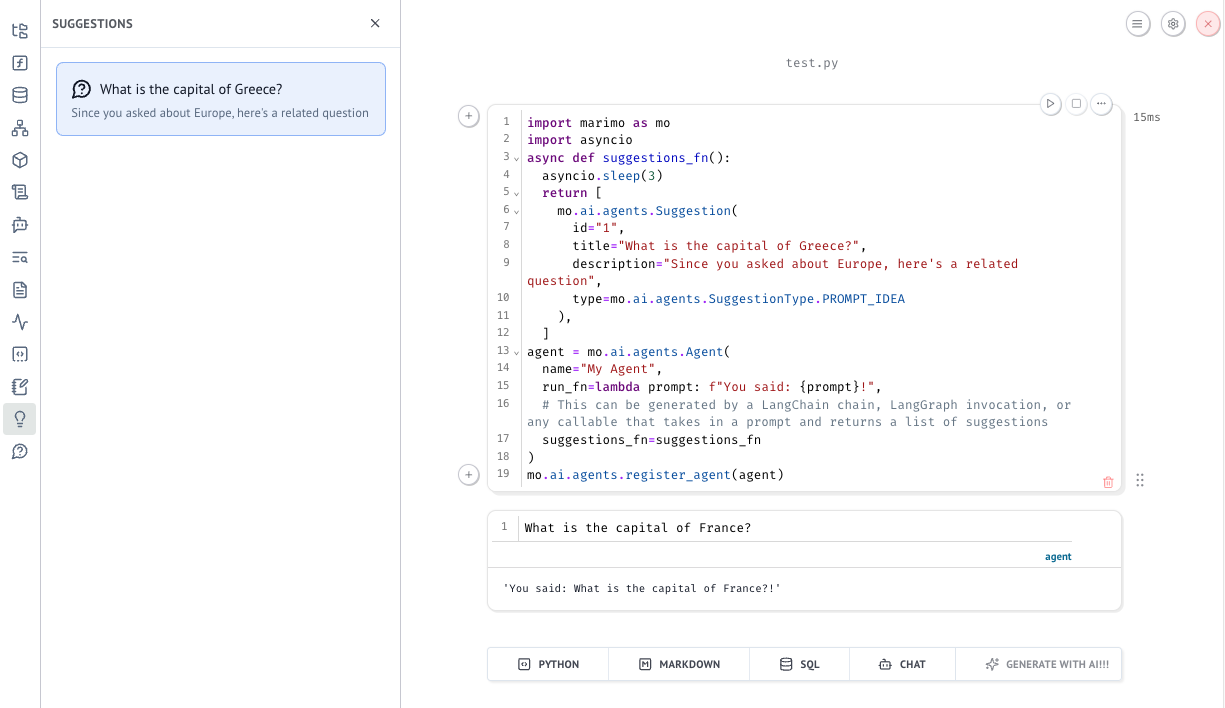
The suggestions are rendered in a new panel to the right of the agent cell. These are generated as a background task, so they can happen after the agent cell has returned its response.
Other Fork Modifications 🔧
This fork includes additional server configuration options for enhanced security and control in shared environments:
UI Restrictions
Disable Panels: Hide specific panels from the sidebar and navigation menus.
# In .marimo.toml
[server]
disabled_panels = ["chat", "secrets", "feedback", "files"]
# Via CLI
marimo edit --disabled-panels "chat,secrets,feedback"
Available panels to disable: files, errors, variables, outline, dependencies, tracing, packages, documentation, snippets, datasources, scratchpad, chat, agents, secrets, logs, suggestions, feedback.
Disable Terminal: Completely disable terminal access in the UI.
# In .marimo.toml
[server]
disable_terminal = true
# Via CLI
marimo edit --disable-terminal
Disable Package Installation: Hide package installation features while keeping package viewing.
# In .marimo.toml
[server]
disable_package_installation = true
# Via CLI
marimo edit --disable-package-installation
Original README
marimo is a reactive Python notebook: run a cell or interact with a UI element, and marimo automatically runs dependent cells (or marks them as stale), keeping code and outputs consistent. marimo notebooks are stored as pure Python (with first-class SQL support), executable as scripts, and deployable as apps.
Highlights.
- 🚀 batteries-included: replaces
jupyter,streamlit,jupytext,ipywidgets,papermill, and more - ⚡️ reactive: run a cell, and marimo reactively runs all dependent cells or marks them as stale
- 🖐️ interactive: bind sliders, tables, plots, and more to Python — no callbacks required
- 🐍 git-friendly: stored as
.pyfiles - 🛢️ designed for data: query dataframes, databases, warehouses, or lakehouses with SQL, filter and search dataframes
- 🤖 AI-native: generate cells with AI tailored for data work
- 🔬 reproducible: no hidden state, deterministic execution, built-in package management
- 🏃 executable: execute as a Python script, parameterized by CLI args
- 🛜 shareable: deploy as an interactive web app or slides, run in the browser via WASM
- 🧩 reusable: import functions and classes from one notebook to another
- 🧪 testable: run pytest on notebooks
- ⌨️ a modern editor: GitHub Copilot, AI assistants, vim keybindings, variable explorer, and more
pip install marimo && marimo tutorial intro
Try marimo at our online playground, which runs entirely in the browser!
Jump to the quickstart for a primer on our CLI.
A reactive programming environment
marimo guarantees your notebook code, outputs, and program state are consistent. This solves many problems associated with traditional notebooks like Jupyter.
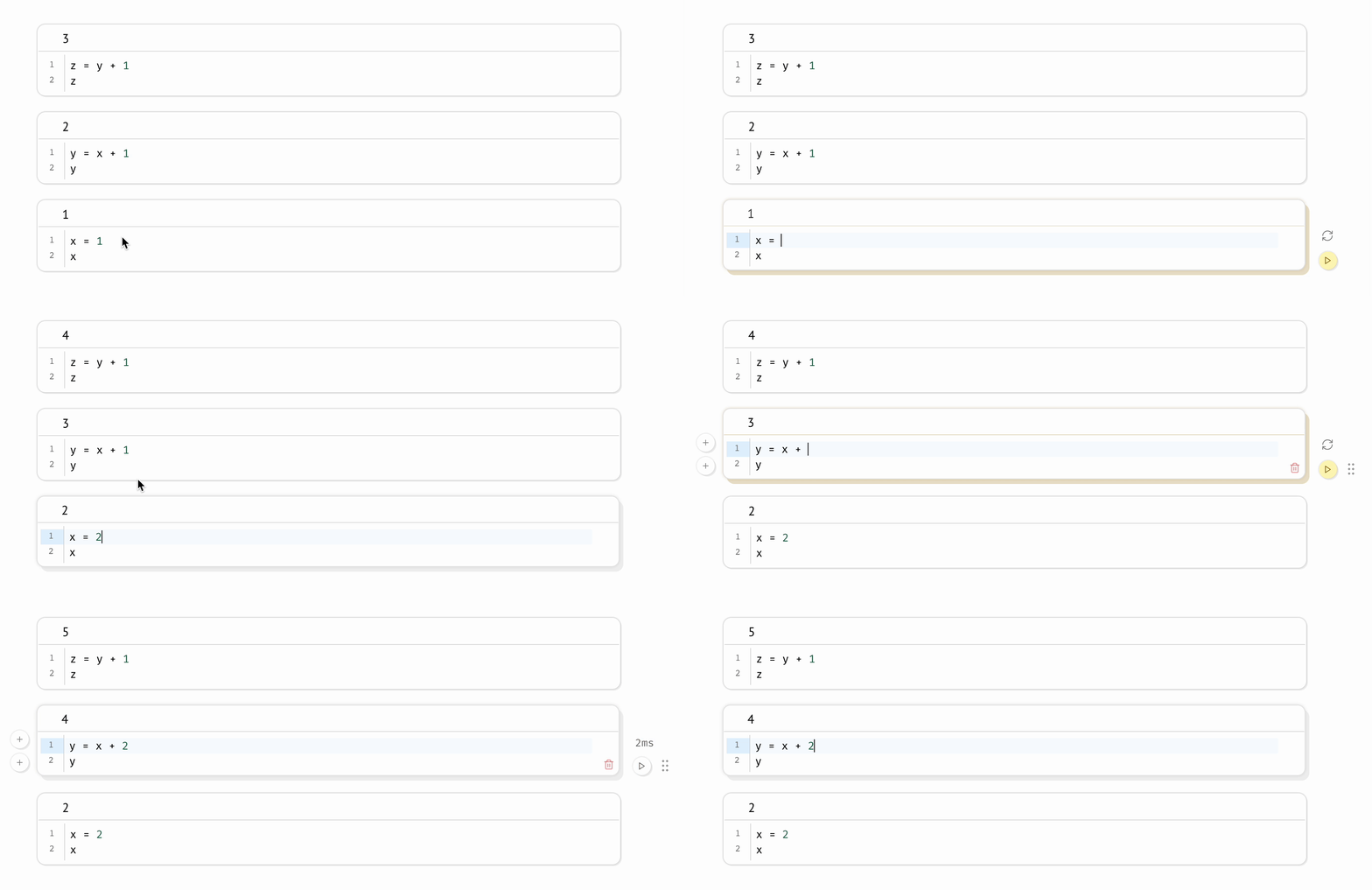
A reactive programming environment. Run a cell and marimo reacts by automatically running the cells that reference its variables, eliminating the error-prone task of manually re-running cells. Delete a cell and marimo scrubs its variables from program memory, eliminating hidden state.
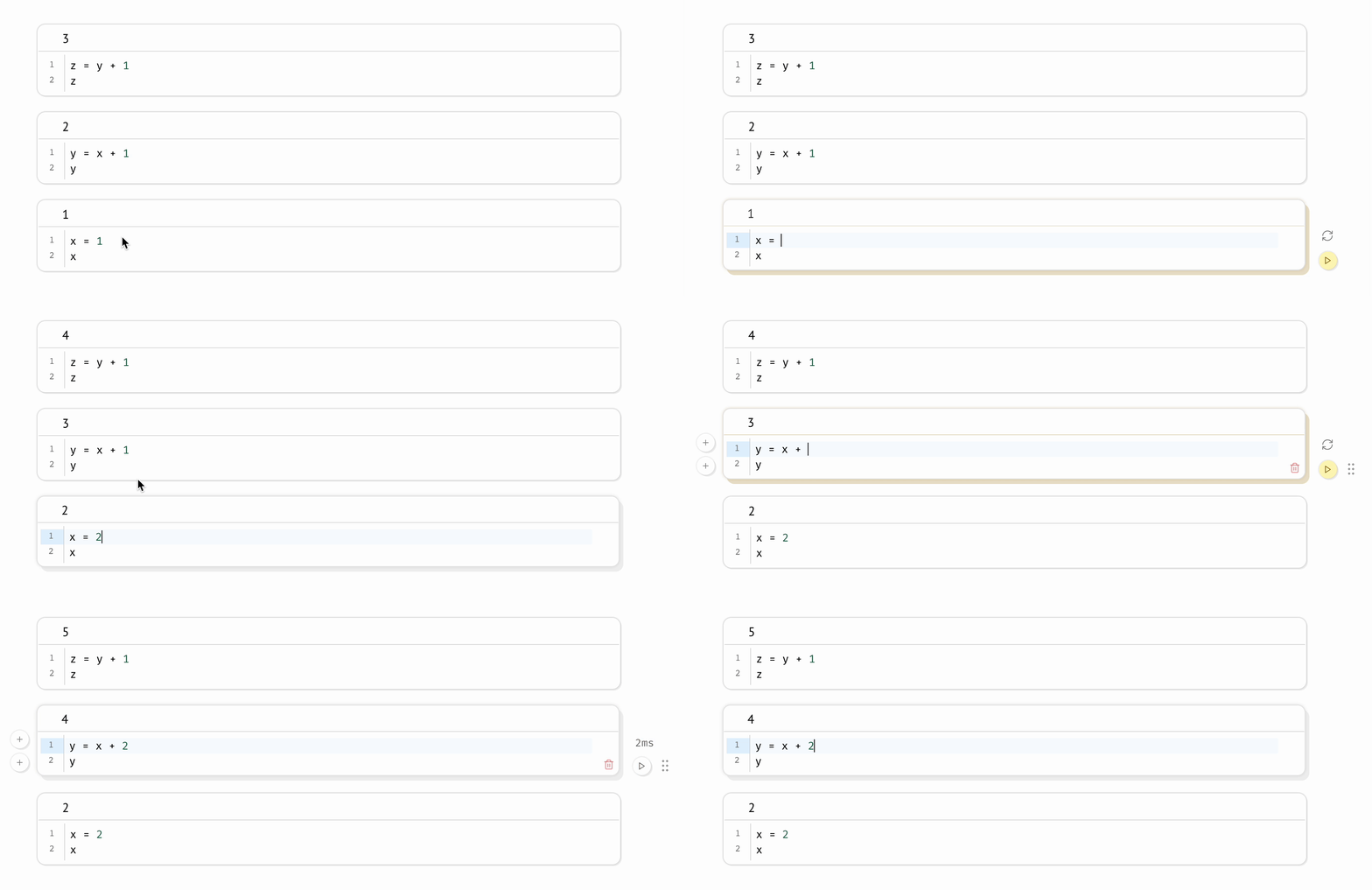
Compatible with expensive notebooks. marimo lets you configure the runtime to be lazy, marking affected cells as stale instead of automatically running them. This gives you guarantees on program state while preventing accidental execution of expensive cells.
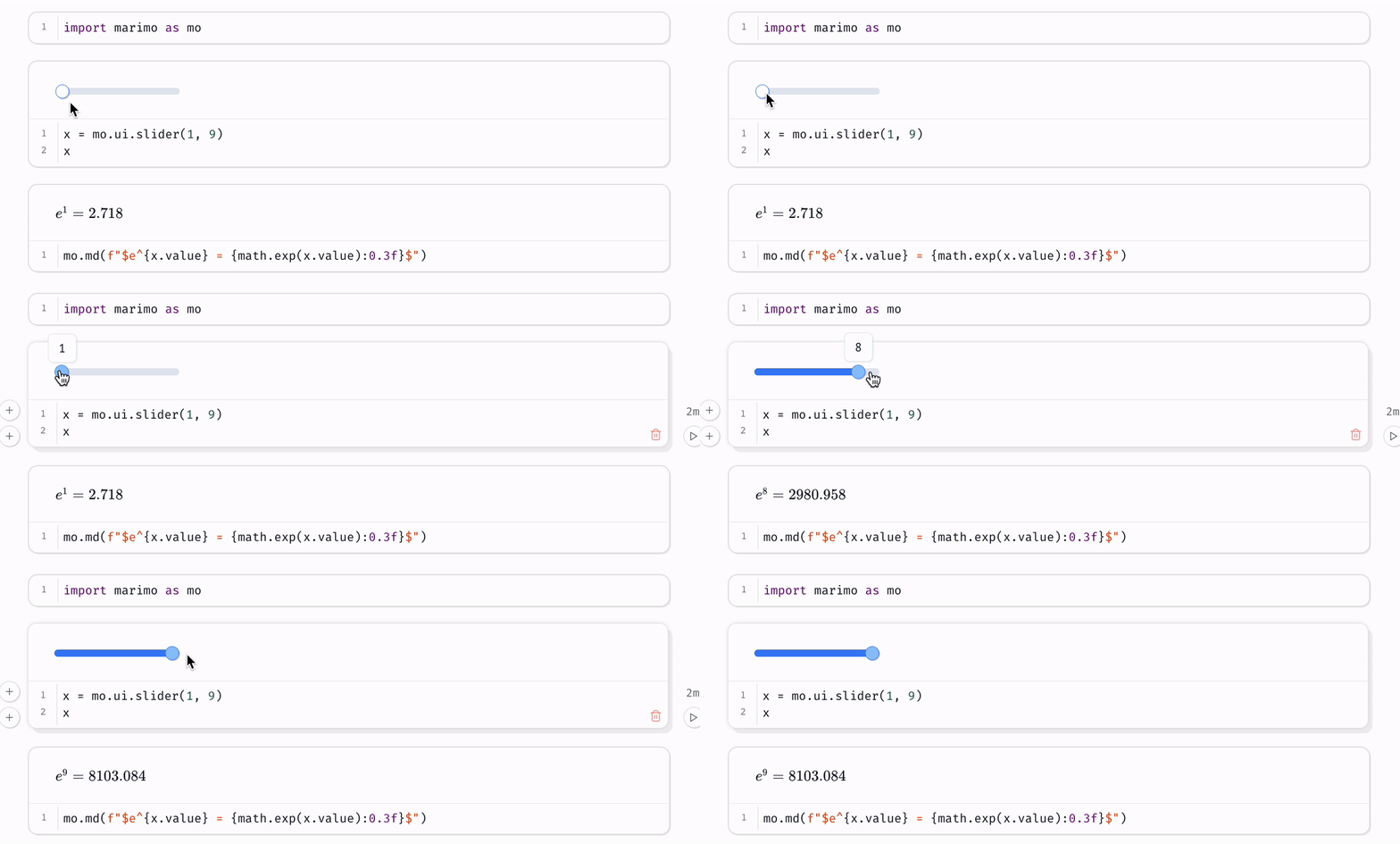
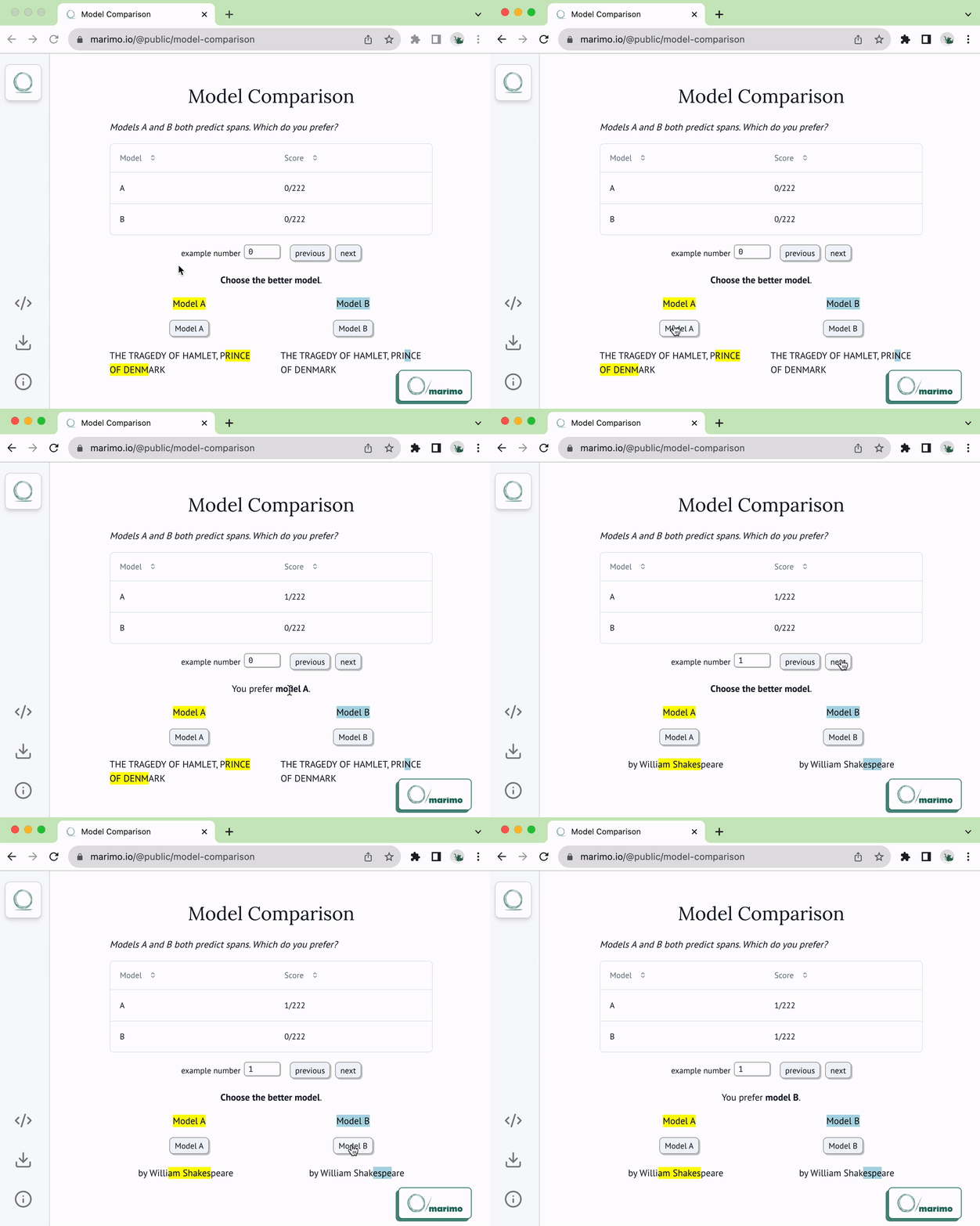
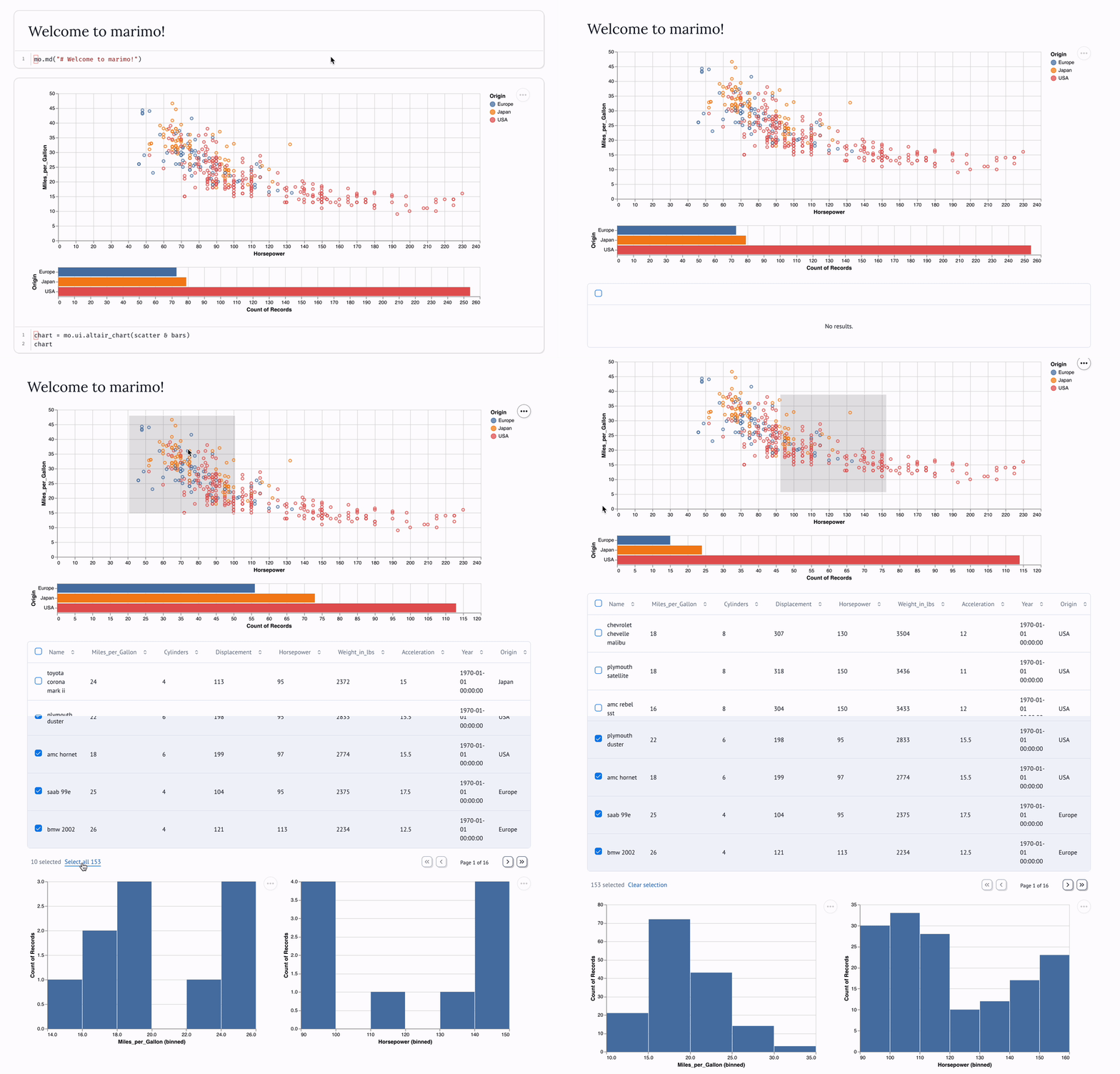
Synchronized UI elements. Interact with UI elements like sliders, dropdowns, dataframe transformers, and chat interfaces, and the cells that use them are automatically re-run with their latest values.
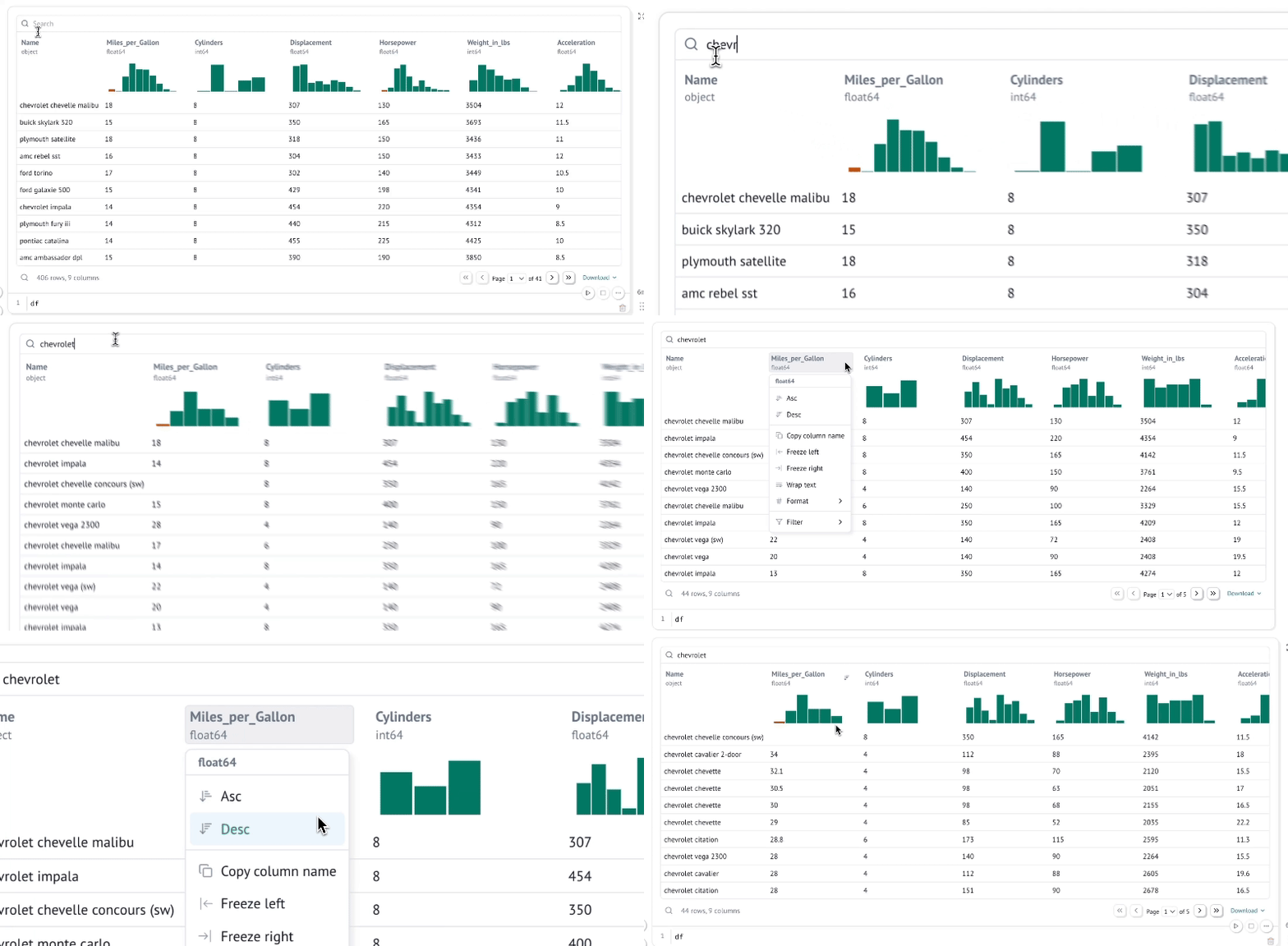
Interactive dataframes. Page through, search, filter, and sort millions of rows blazingly fast, no code required.
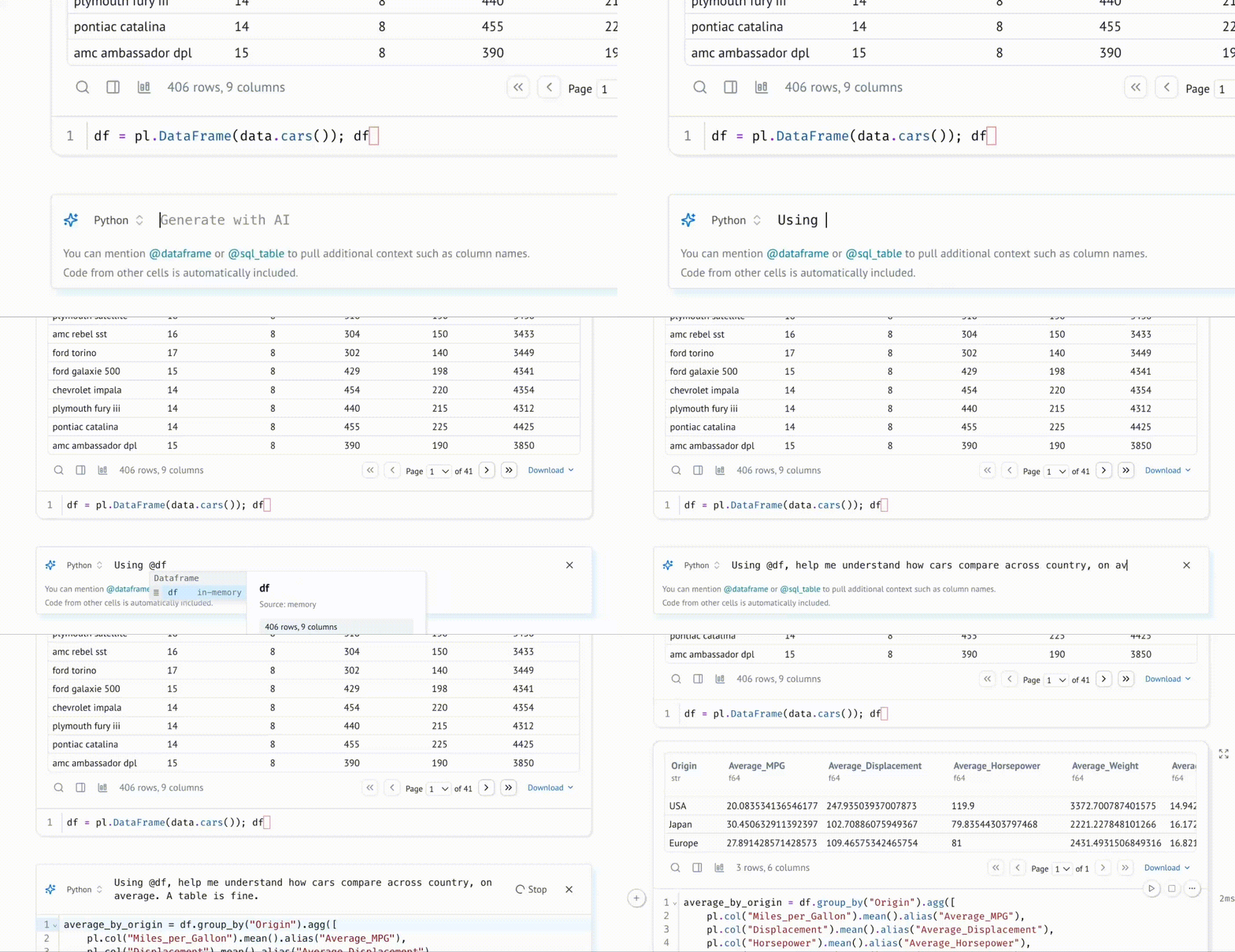
Generate cells with data-aware AI. Generate code with an AI assistant that is highly specialized for working with data, with context about your variables in memory; zero-shot entire notebooks. Customize the system prompt, bring your own API keys, or use local models.
Query data with SQL. Build SQL queries that depend on Python values and execute them against dataframes, databases, lakehouses, CSVs, Google Sheets, or anything else using our built-in SQL engine, which returns the result as a Python dataframe.
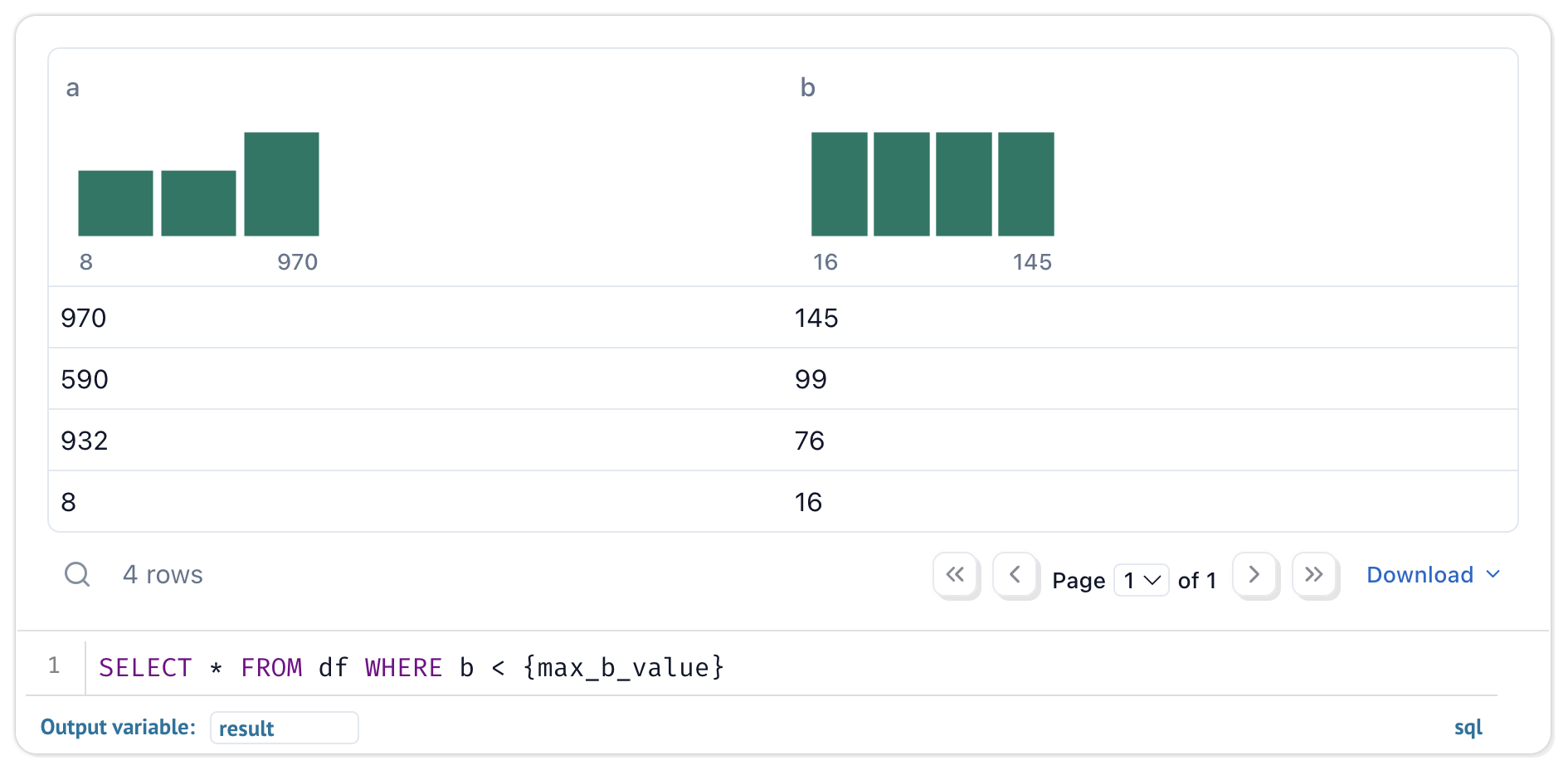
Your notebooks are still pure Python, even if they use SQL.
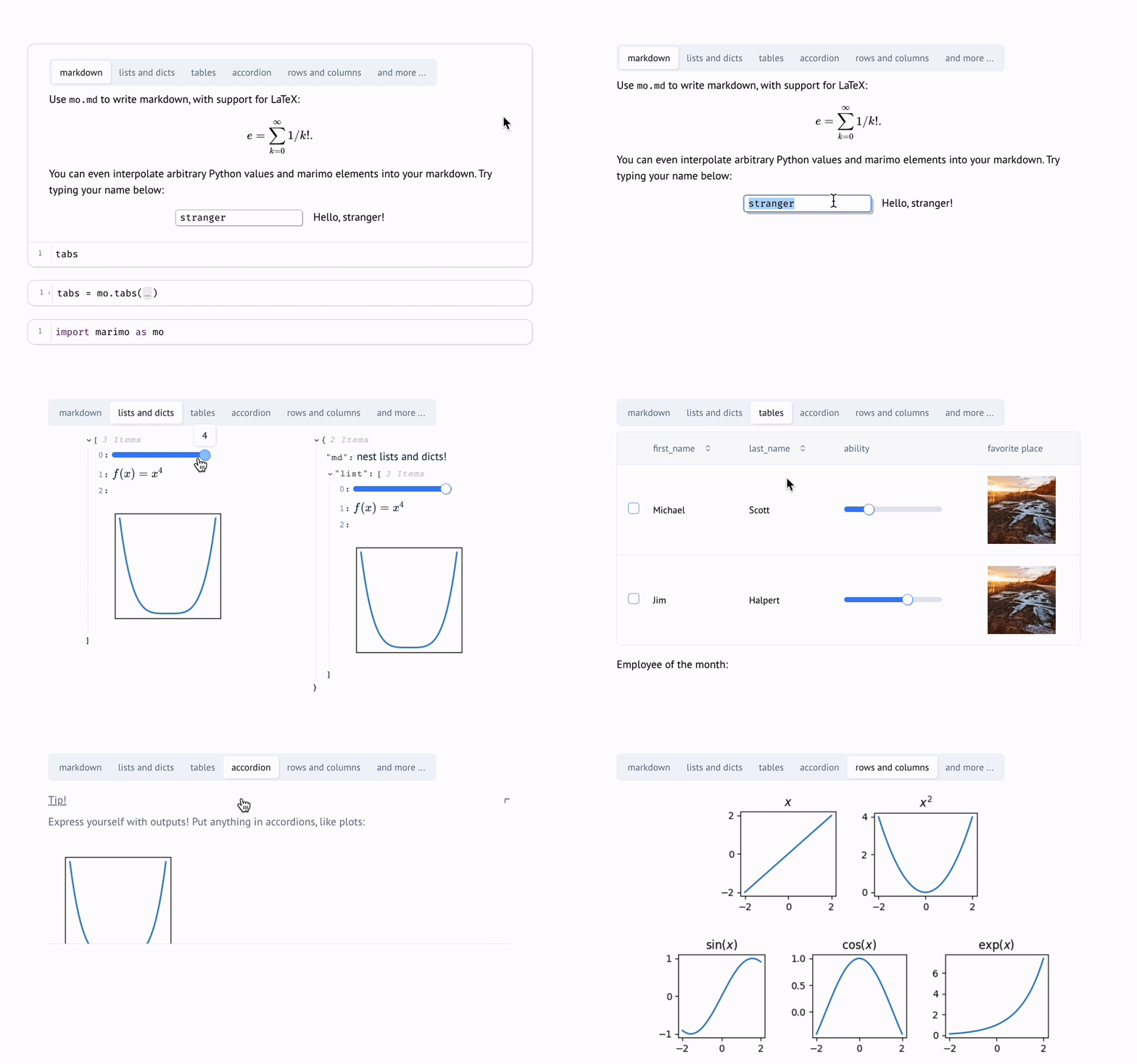
Dynamic markdown. Use markdown parametrized by Python variables to tell dynamic stories that depend on Python data.
Built-in package management. marimo has built-in support for all major package managers, letting you install packages on import. marimo can even serialize package requirements in notebook files, and auto install them in isolated venv sandboxes.
Deterministic execution order. Notebooks are executed in a deterministic order, based on variable references instead of cells' positions on the page. Organize your notebooks to best fit the stories you'd like to tell.
Performant runtime. marimo runs only those cells that need to be run by statically analyzing your code.
Batteries-included. marimo comes with GitHub Copilot, AI assistants, Ruff code formatting, HTML export, fast code completion, a VS Code extension, an interactive dataframe viewer, and many more quality-of-life features.
Quickstart
The marimo concepts playlist on our YouTube channel gives an overview of many features.
Installation. In a terminal, run
pip install marimo  # or conda install -c conda-forge marimo
marimo tutorial intro
To install with additional dependencies that unlock SQL cells, AI completion, and more, run
pip install marimo[recommended]
Create notebooks.
Create or edit notebooks with
marimo edit
Run apps. Run your notebook as a web app, with Python code hidden and uneditable:
marimo run your_notebook.py
Execute as scripts. Execute a notebook as a script at the command line:
python your_notebook.py
Automatically convert Jupyter notebooks. Automatically convert Jupyter notebooks to marimo notebooks with the CLI
marimo convert your_notebook.ipynb > your_notebook.py
or use our web interface.
Tutorials. List all tutorials:
marimo tutorial --help
Share cloud-based notebooks. Use molab, a cloud-based marimo notebook service similar to Google Colab, to create and share notebook links.
Questions?
See the FAQ at our docs.
Learn more
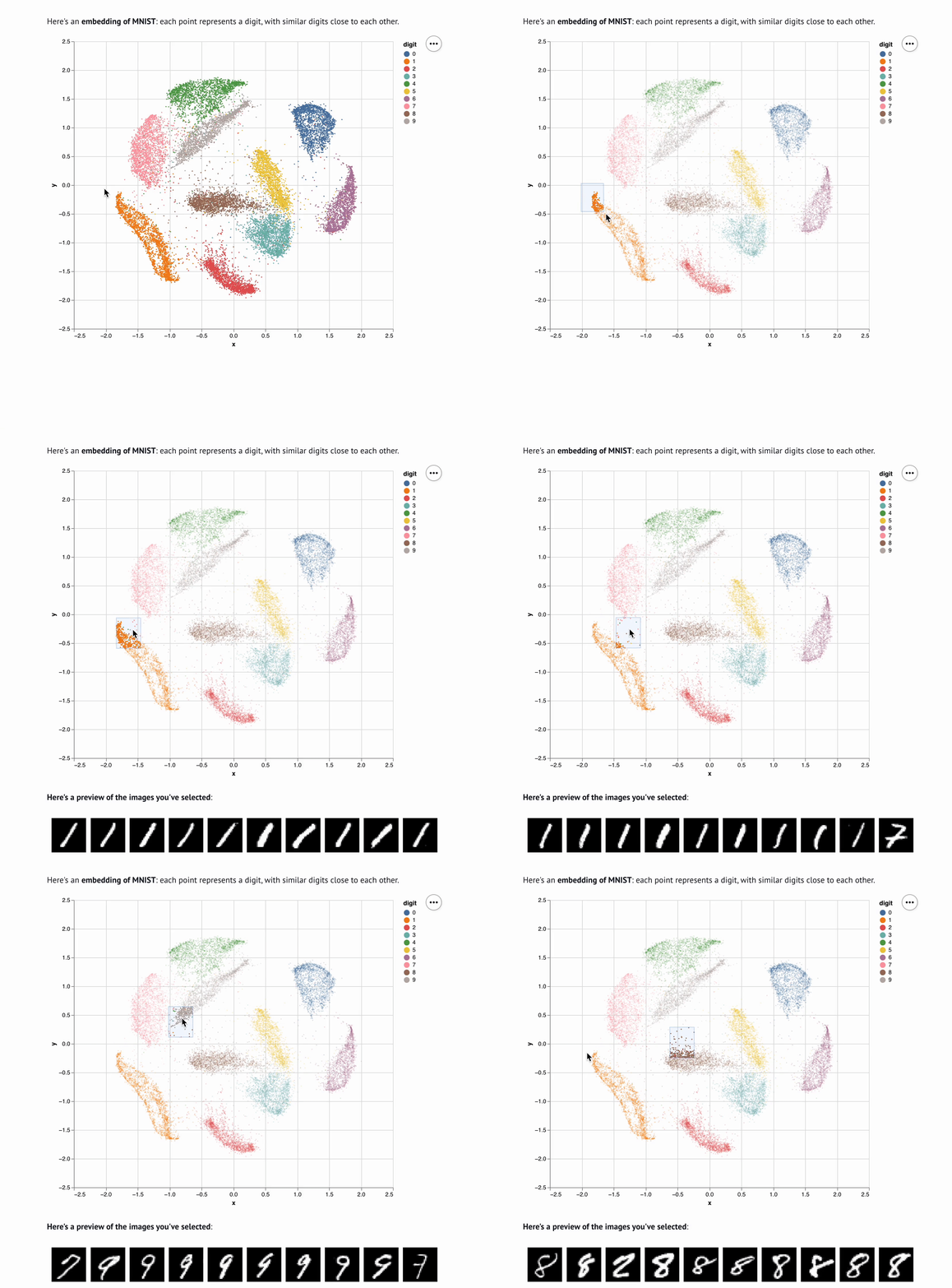
marimo is easy to get started with, with lots of room for power users. For example, here's an embedding visualizer made in marimo (video):
Check out our docs, usage examples, and our gallery to learn more.
|
|
|
|
| Tutorial | Inputs | Plots | Layout |

|
|
|
|
Contributing
We appreciate all contributions! You don't need to be an expert to help out. Please see CONTRIBUTING.md for more details on how to get started.
Questions? Reach out to us on Discord.
Community
We're building a community. Come hang out with us!
- 🌟 Star us on GitHub
- 💬 Chat with us on Discord
- 📧 Subscribe to our Newsletter
- ☁️ Join our Cloud Waitlist
- ✏️ Start a GitHub Discussion
- 🦋 Follow us on Bluesky
- 🐦 Follow us on Twitter
- 🎥 Subscribe on YouTube
- 🕴️ Follow us on LinkedIn
A NumFOCUS affiliated project. marimo is a core part of the broader Python ecosystem and is a member of the NumFOCUS community, which includes projects such as NumPy, SciPy, and Matplotlib.

Inspiration ✨
marimo is a reinvention of the Python notebook as a reproducible, interactive, and shareable Python program, instead of an error-prone JSON scratchpad.
We believe that the tools we use shape the way we think — better tools, for better minds. With marimo, we hope to provide the Python community with a better programming environment to do research and communicate it; to experiment with code and share it; to learn computational science and teach it.
Our inspiration comes from many places and projects, especially Pluto.jl, ObservableHQ, and Bret Victor's essays. marimo is part of a greater movement toward reactive dataflow programming. From IPyflow, streamlit, TensorFlow, PyTorch, JAX, and React, the ideas of functional, declarative, and reactive programming are transforming a broad range of tools for the better.

1 maintainer

Metadata
1 maintainer
Release files for marimo-agents 0.16.5.2
For a detailed explanation of source distributions (sdists) and built distributions (wheels), please see the package formats documentation.
Source distribution (sdist)
| File | Size | Uploaded | |
|---|---|---|---|
| marimo_agents-0.16.5.2.tar.gz | 34.4 MB | Details |
Built distribution (wheel)
| File | Interpreter | ABI | Platform | Reset |
|---|---|---|---|---|
| marimo_agents-0.16.5.2-py3-none-any.whl | Python 3 | none | any | Details |
Total release size: 69.3 MB
Release files / marimo_agents-0.16.5.2.tar.gz
| Download URL | marimo_agents-0.16.5.2.tar.gz |
|---|---|
| Size | 34.4 MB |
| Tags | Source |
|
SHA-256 checksum How to use checksums |
10d191ef6c0eaa28c10f0194d02bd2456049eae273891affdbbefc24c1e9709e
|
|
BLAKE2b-256 checksum How to use checksums |
6d0a2efc7e3948334ef30ea89a82fbcd47a5b6fa7e8ff31935000554fa63202f
|
| Upload date | |
|
Uploaded using Trusted Publishing? What is trusted publishing? |
No |
| Uploaded via |
python-httpx/0.28.1
|
Release files / marimo_agents-0.16.5.2-py3-none-any.whl
| Download URL | marimo_agents-0.16.5.2-py3-none-any.whl |
|---|---|
| Size | 34.9 MB |
| Tags | Python 3 |
|
SHA-256 checksum How to use checksums |
7364887e6f9d3adf4b0964807af9ddd34b5769c6611bc5f7e6a1e47d46c5ee98
|
|
BLAKE2b-256 checksum How to use checksums |
3f315a2ac86ebe96ee1f422b6f40480345afd016df8b018ba931f81c498e20a2
|
| Upload date | |
|
Uploaded using Trusted Publishing? What is trusted publishing? |
No |
| Uploaded via |
python-httpx/0.28.1
|














