

Mark2TeX
A Dockerized pipeline with an interactive TUI for LaTeX-quality documents — no TeX installation required.







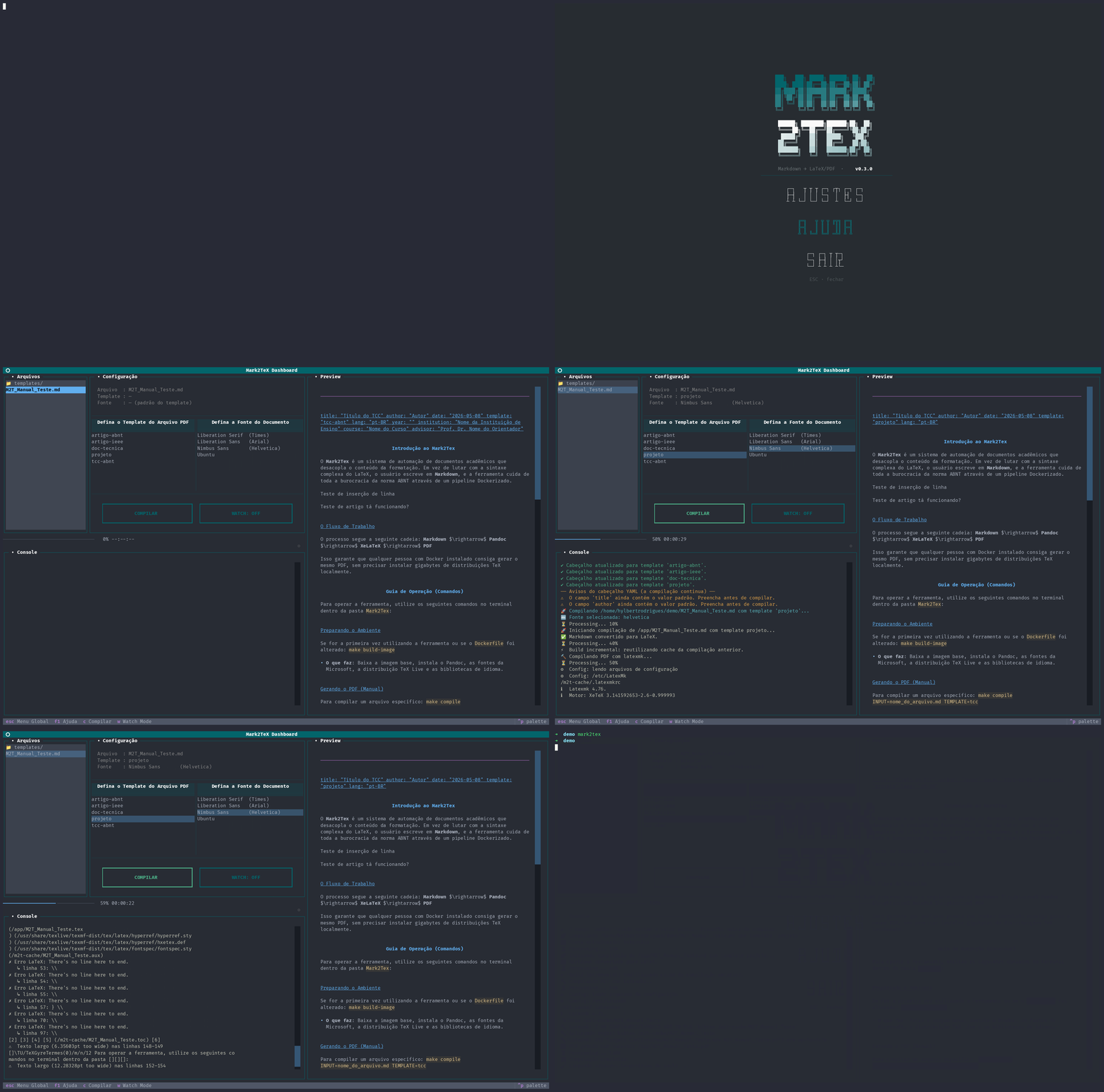
What is Mark2TeX?
Mark2TeX is a command-line tool that converts Markdown files into publication-ready PDFs using Pandoc, XeLaTeX, and pre-built LaTeX templates — all inside a Docker container. You write plain text; Mark2TeX handles the typography.
Why Mark2TeX instead of writing LaTeX directly?
| LaTeX | Mark2TeX | |
|---|---|---|
| Learning curve | Steep | Write plain Markdown |
| Environment setup | 4 GB+ TeX distribution | Only Docker |
| Error messages | Cryptic logs | Human-readable translations |
| Live feedback | Manual re-run | Watch mode auto-recompiles |
Quickstart
Why
pipx? Mark2TeX is a CLI tool, not a library.pipxinstalls Python CLI tools in isolated environments automatically — without polluting your system Python or requiring a manualvenv. If you don't havepipxyet:# Ubuntu / Debian sudo apt install pipx && pipx ensurepath # macOS brew install pipx && pipx ensurepath # Windows (PowerShell) python -m pip install --user pipx python -m pipx ensurepathRestart your terminal after running
ensurepath.
# 1 — install (requires Python 3.10+ and Docker)
pipx install mark2tex

# 2 — check your environment (recommended on first install)
mark2tex check

# 3 — open the TUI dashboard (Docker image is pulled automatically)
mark2tex
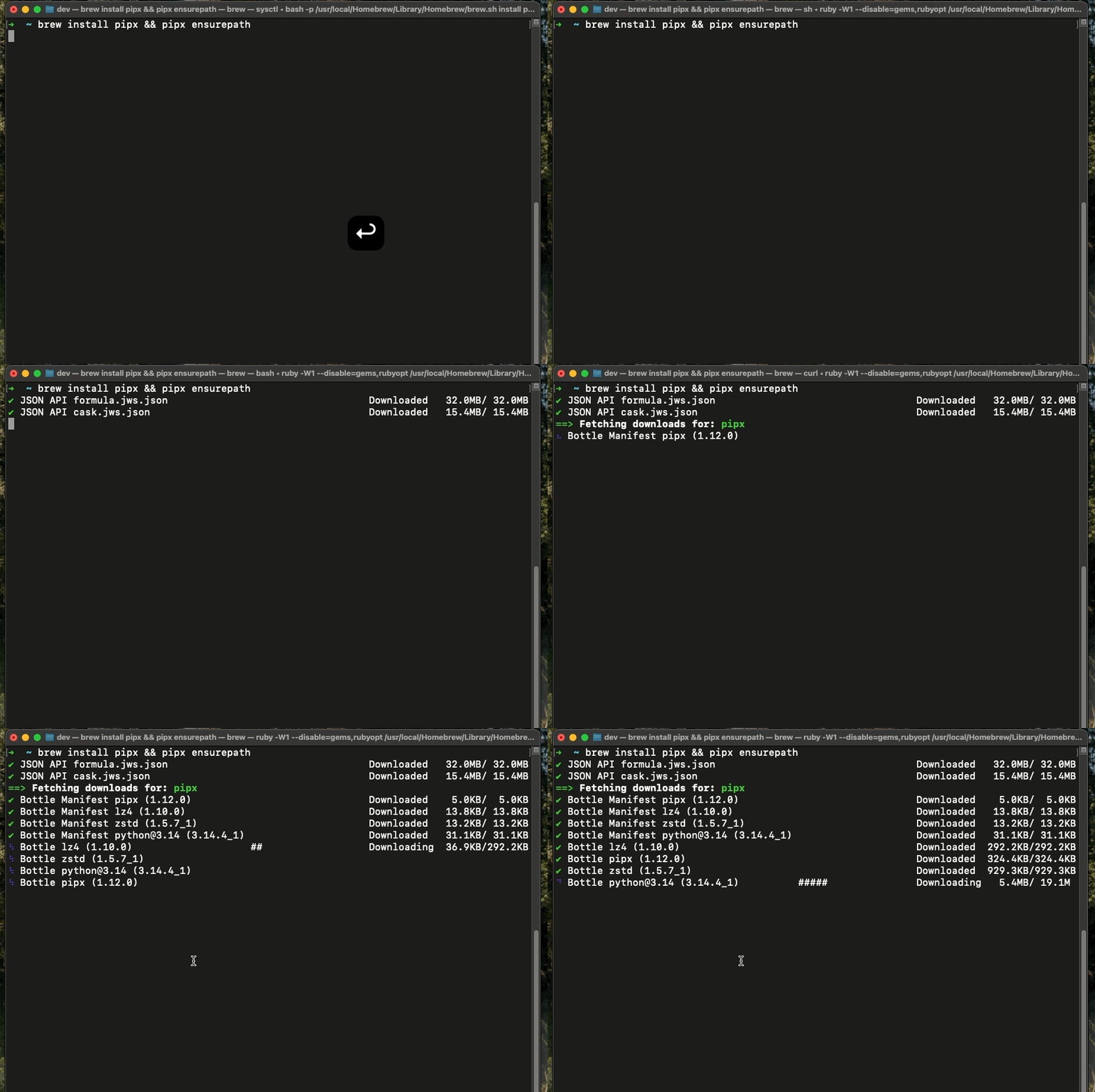
First run: Mark2TeX automatically pulls the
mark2teximage from Docker Hub with a Rich visual progress bar — one bar per image layer showing download speed, file size, and estimated time remaining. Requires an active internet connection; may take a few minutes depending on your speed. Subsequent runs reuse the cached image.No internet? If Docker Hub is unreachable, Mark2TeX falls back to building the image locally from the bundled
Dockerfile(spinner shown during build steps). You can also runmake build-imagemanually at any time.
Welcome screen: On the very first launch, a welcome screen guides you through the workflow. Click "Initialise project here" to copy a ready-to-edit example
.mdfile directly into your current directory — no need to leave the app. You can also runmark2tex initfrom the terminal at any time to do the same thing.
CLI Commands
| Command | Description |
|---|---|
mark2tex |
Open the interactive TUI dashboard (default) |
mark2tex check |
Run a full system health check |
mark2tex init [--template NAME] |
Copy a template + example into the current directory |
mark2tex restore <file> |
Restore a .md file to its state before YAML injection |
mark2tex clean [file] |
Wipe the latexmk build cache — all docs or a specific one |
mark2tex uninstall |
Remove Docker images, user data, and config dirs — run before pipx uninstall mark2tex |
mark2tex doctor |
Alias for check (deprecated — use check) |
mark2tex check — System Health Report
Runs six probes and prints a visual report:
──────────────── Mark2TeX — System Check  v0.2.2 ────────────────

✅   Mark2TeX          0.2.2
✅   Docker binary     /usr/bin/docker
✅   Docker daemon     active
✅   Image mark2tex    mark2tex:latest (1 143 MB)
⚠️   Pandoc            not found (optional)
                          Pandoc is bundled in the Docker image — host installation not required.
✅   Python            3.12.3
✅   Disk space        145.0 GB free (320.1 GB used / 465.1 GB total)  ·  image: 1 143 MB

─────────────────────────────────────────────────────────────────
  5 OK  ·  1 warning  ·  0 errors

  Review the warnings above before compiling.
Exit code 0 when no errors are found; exit code 1 when at least one error probe fails — making it scriptable in CI pipelines.
TUI at a Glance
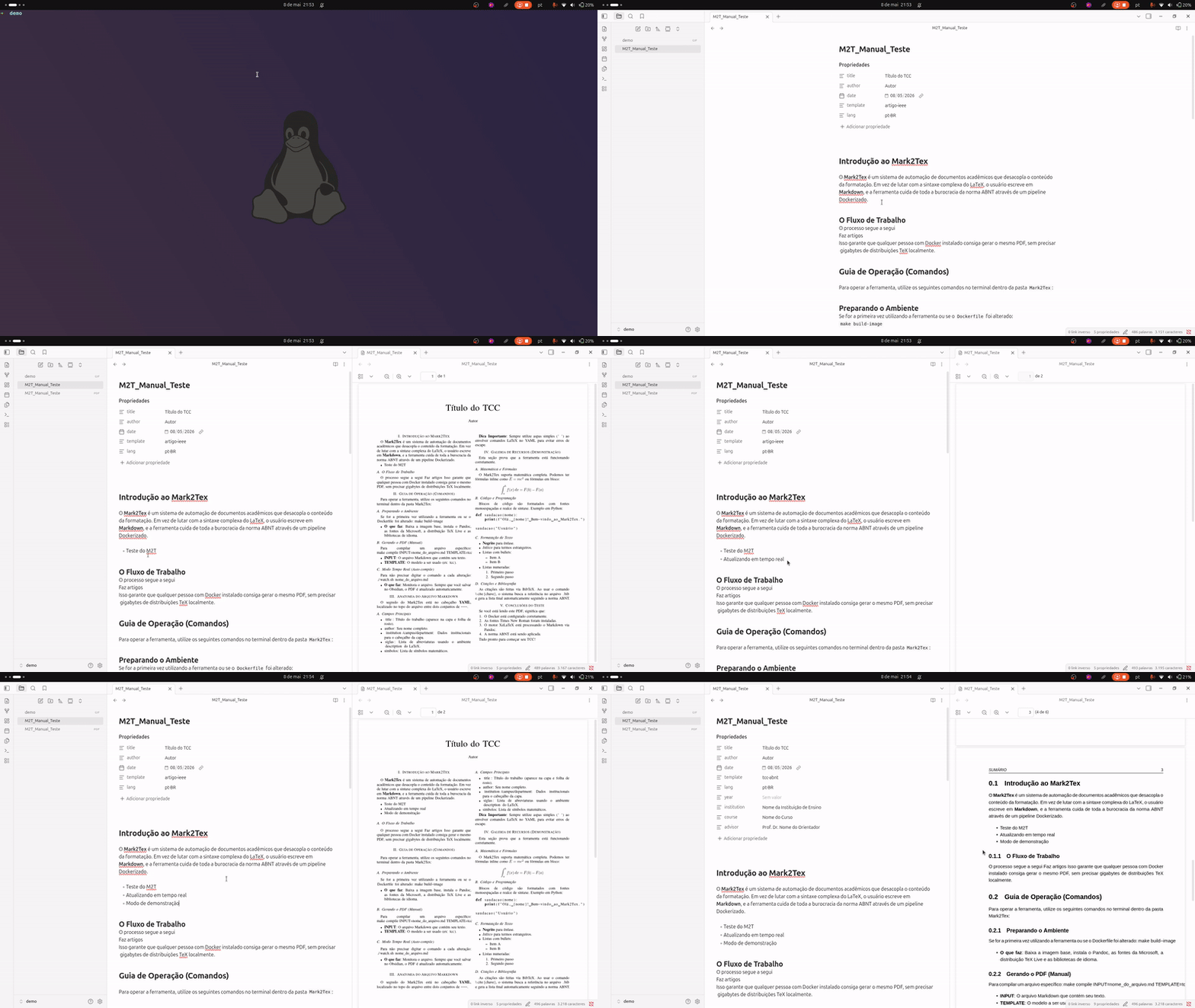
- Select a
.mdfile from the left panel. - Choose a template (
tcc-abnt,artigo-ieee,doc-tecnica,projeto). - Optionally pick a font (
Liberation Serif,Liberation Sans,Nimbus Sans,Ubuntu). - Press
cto compile orwto toggle Watch Mode. - Preview the Markdown file
- Monitor real-time console output
Keyboard shortcuts
| Key | Action |
|---|---|
c |
Compile |
w |
Toggle Watch Mode |
Enter |
Enter folder / select file |
F1 / ? |
Help |
Esc / q |
Global menu |
Features
- Dockerized builds — zero local LaTeX installation; identical output on every machine.
- Interactive TUI — file browser, template selector, real-time log console, and progress bar built with Textual.
- Directory navigation — the file panel opens at the current working directory. Subdirectories are listed before
.mdfiles; pressEnteron a folder to enter it. A../entry at the top of the list navigates back to the parent folder. - First-run onboarding — welcome screen shown on the first launch with a built-in "Initialise project here" button that copies an example
.mdinto your current directory without leaving the app. - Watch mode — automatic recompilation on every file save; temp/swap files (
.swp,.bak,~) are ignored; debounce of 1.5 s prevents double-triggers on two-stage saves (e.g. Obsidian). - Incremental builds — latexmk persists intermediate files (
.aux,.fdb_latexmk,.fls) in an OS-standard user cache directory. Re-compilation after a single-line edit takes ~6 s instead of ~18 s on a 15-page document. - Compile timeout — a 5-minute timeout (overridable via
MARK2TEX_TIMEOUT) prevents hanging builds from locking the UI indefinitely. - Exclusive worker — pressing
ctwice or a Watch Mode trigger during a running build cancels the previous worker before starting a new one, eliminating interleaved log output. - Frontmatter validator — before each compilation the YAML frontmatter is checked for missing required fields, unfilled placeholder values, template mismatches, and invalid
langcodes. Warnings appear in the TUI console; critical errors abort the build early. - Template swap — switching templates in the TUI surgically updates
template:anddate:in the frontmatter, adds missing fields with placeholders, and removes fields exclusive to the old template — all without touching the values you already filled in. - Human-readable logs — raw XeLaTeX output is parsed and translated into plain-language messages.
- Font selection — choose between Liberation Sans (Arial-compatible), Nimbus Sans (Helvetica), Liberation Serif (Times-compatible), and Ubuntu per document.
- Bibliography support — BibTeX via Pandoc + XeLaTeX; just drop a
referencias.bibalongside your.md. BibTeX is only invoked when actual citation markers are present in the source. - System health check —
mark2tex checkdiagnoses your environment before you compile. - Rich image pull progress — per-layer progress bars with speed and ETA when pulling the Docker image on first run.
- YAML frontmatter injection — files without a YAML header are highlighted in amber in the TUI; a confirmation modal injects the frontmatter automatically before compilation. A backup is saved to
~/.local/share/mark2tex/backups/and can be restored at any time withmark2tex restore <file>. - Build cache management —
mark2tex clean [file]removes the latexmk cache for all documents or a specific one. - ABNT-oriented workflow — templates built around Brazilian academic standards, with
polyglossiafor correct pt-BR hyphenation andsetspacefor ABNT-required 1.5 line spacing.
Available Templates
| Template | Purpose |
|---|---|
tcc-abnt |
Undergraduate thesis (ABNT) |
artigo-ieee |
IEEE conference paper |
artigo-abnt |
ABNT journal article |
doc-tecnica |
Technical documentation |
projeto |
Project proposal |
Roadmap
- System health check (
mark2tex check) - First-run onboarding with Rich progress for Docker image pull
- Welcome screen with guided workflow and "Initialise project here" button
-
mark2tex init— scaffold a template into the current directory - Auto-inject YAML frontmatter for files without it (with backup & restore)
- Directory tree traversal in the file panel (subdirs +
../navigation) - Frontmatter validator — missing fields, placeholders, template mismatch, lang validation
- Template swap — preserve user values when switching templates in the TUI
- Incremental latexmk builds with OS-standard user cache
- Compile timeout with
MARK2TEX_TIMEOUToverride - Exclusive compilation worker (cancel-and-restart)
-
mark2tex clean— wipe latexmk build cache - Watch Mode race-condition fix (abort stale container before new Pandoc run)
- Additional ABNT templates (dissertation, presentation)
See open issues to follow along or suggest features.
Contributing
Mark2TeX grows with the help of the community. All skill levels are welcome — from fixing typos to designing new templates.
- Read the Contributing Guide.
- Read the Code of Conduct.
- Open an issue before large changes so we can discuss direction.
- Fork, branch, implement, and open a pull request.
We are grateful for every contribution. ✨
License
Mark2TeX is released under the MIT License.
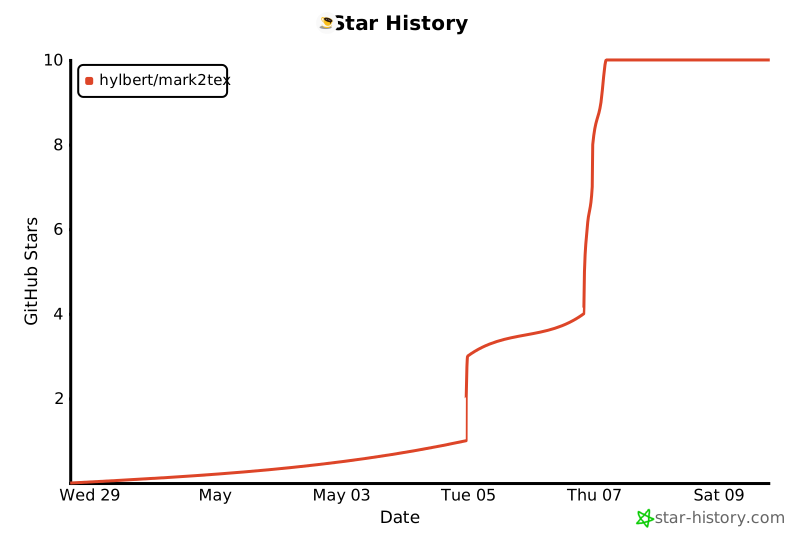
Star History
1 maintainer

Metadata
1 maintainer
Release files for mark2tex 0.3.1
For a detailed explanation of source distributions (sdists) and built distributions (wheels), please see the package formats documentation.
Source distribution (sdist)
| File | Size | Uploaded | |
|---|---|---|---|
| mark2tex-0.3.1.tar.gz | 92.8 kB | Details |
Built distribution (wheel)
| File | Interpreter | ABI | Platform | Reset |
|---|---|---|---|---|
| mark2tex-0.3.1-py3-none-any.whl | Python 3 | none | any | Details |
Total release size: 178.9 kB
Release files / mark2tex-0.3.1.tar.gz
| Download URL | mark2tex-0.3.1.tar.gz |
|---|---|
| Size | 92.8 kB |
| Tags | Source |
|
SHA-256 checksum How to use checksums |
7a5a3bbe0b45455ab4bae1d9a1ef504399526064e40dbd45e06cd4ed89f07668
|
|
BLAKE2b-256 checksum How to use checksums |
62944d1cc209533653b767696ab96d73fe35a396739bfcb94d49d9e5b56d3e7c
|
| Upload date | |
|
Uploaded using Trusted Publishing? What is trusted publishing? |
Yes |
| Uploaded via |
twine/6.1.0 CPython/3.13.12
|
Provenance
Provenance describes where a file came from. On PyPI, provenance is shared via attestations, which provide a verifiable record of the build or publishing details. View details, limitations and caveats.


PyPI Publish Attestation
PyPI verified that this artifact, at this checksum, originated from the publisher listed below.
Signed by GitHub Actions, verified by PyPI on May 9, 2026.
Transparency logRelease files / mark2tex-0.3.1-py3-none-any.whl
| Download URL | mark2tex-0.3.1-py3-none-any.whl |
|---|---|
| Size | 86.1 kB |
| Tags | Python 3 |
|
SHA-256 checksum How to use checksums |
d0facd6068ff44a6fb60741bf0d9fdbc4244cdc51dd4261c86b0ee5280b54232
|
|
BLAKE2b-256 checksum How to use checksums |
3cccfcbb5e6be7a1194779c5e52a38c420b66da8b6ef75c560eb9728dcdba4ee
|
| Upload date | |
|
Uploaded using Trusted Publishing? What is trusted publishing? |
Yes |
| Uploaded via |
twine/6.1.0 CPython/3.13.12
|
Provenance
Provenance describes where a file came from. On PyPI, provenance is shared via attestations, which provide a verifiable record of the build or publishing details. View details, limitations and caveats.
PyPI Publish Attestation
PyPI verified that this artifact, at this checksum, originated from the publisher listed below.
Signed by GitHub Actions, verified by PyPI on May 9, 2026.
Transparency log













