
                |                                     |
 __ `__ \    _` |        __|   __|   _` | \ \  \   /  |   _ \   __|
 |   |   |  (   |       (     |     (   |  \ \  \ /   |   __/  |
_|  _|  _| \__._|      \___| _|    \__._|   \_/\_/   _| \___| _|

---------------------------------
markdown_crawler - by @paulpierre
---------------------------------
A multithreaded 🕸️ web crawler that recursively crawls a website and creates a 🔽 markdown file for each page
https://github.com/paulpierre
https://x.com/paulpierre
📝 Overview
This is a multithreaded web crawler that crawls a website and creates markdown files for each page.
It was primarily created for large language model document parsing to simplify chunking and processing of large documents for RAG use cases.
Markdown by nature is human readable and maintains document structure while keeping a small footprint.
✨ Features include
- 🧵 Threading support for faster crawling
- ⏯️ Continue scraping where you left off
- ⏬ Set the max depth of children you wish to crawl
- 📄 Support for tables, images, etc.
- ✅ Validates URLs, HTML, filepaths
- ⚙️ Configure list of valid base paths or base domains
- 🚫 Exclude specific paths from crawling (
--exclude-paths)- 🎨 Configurable markdown heading style (
--heading-style)- 🌐 Browser-like User-Agent to bypass JS checks
- 🍲 Uses BeautifulSoup to parse HTML
- 🪵 Verbose logging option
- 👩💻 Ready-to-go CLI interface
- 🧪 Comprehensive test suite (95% coverage)
📦 What's New in v0.0.9
This release resolves 6 open issues and introduces several community-requested features:
| Issue | Fix |
|---|---|
| #7 | UnicodeEncodeError on non-ASCII content — UTF-8 encoding on all file writes |
| #8 | Bypass JavaScript checks — browser-like User-Agent header on all requests |
| #9 | Exclude paths from crawling — new --exclude-paths / -x CLI flag |
| #10 | target_content CSS selector handling — null href links now skipped |
| #11 | UnboundLocalError fix in get_target_content |
| #17 | Dependencies added to pyproject.toml for uvx support |
| #20 | Configurable heading_style for markdownify (ATX, UNDERLINE, etc.) |
Also includes a comprehensive test suite — 60 tests, 95% coverage. See the CHANGELOG.md for full details.
🏗️ Use cases
- RAG (retrieval augmented generation) - my primary usecase, use this to normalize large documents and chunk by header, pargraph or sentence
- LLM fine-tuning - Create a large corpus of markdown files as a first step and leverage
gpt-3.5-turboorMistral-7Bto extract Q&A pairs - Agent knowledge - Leverage this with autogen for expert agents, for example if you wish to reconstruct the knowledge corpus of a videogame or movie, use this to generate the given expert corpus
- Agent / LLM tools - Use this for online RAG learning so your chatbot continues to learn. Use SERP and scrape + index top N results w/ markdown-crawler
- many more ..
🚀 Get started
If you wish to simply use it in the CLI, you can run the following command:
Install the package
pip install markdown-crawler
Execute the CLI
markdown-crawler -t 5 -d 3 -b ./markdown https://en.wikipedia.org/wiki/Morty_Smith
To run from the github repo, once you have it checked out:
pip install .
markdown-crawler -t 5 -d 3 -b ./markdown https://en.wikipedia.org/wiki/Morty_Smith
Or use the library in your own code:
from markdown_crawler import md_crawl
url = 'https://en.wikipedia.org/wiki/Morty_Smith'
md_crawl(url, max_depth=3, num_threads=5, base_path='markdown')
⚠️ Requirements
- Python 3.x
- BeautifulSoup4
- requests
- markdownify
🔍 Usage
The following arguments are supported
usage: markdown-crawler [-h] [--max-depth MAX_DEPTH] [--num-threads NUM_THREADS] [--base-dir BASE_DIR] [--debug DEBUG]
                  [--target-content TARGET_CONTENT] [--target-links TARGET_LINKS] [--valid-paths VALID_PATHS]
                  [--exclude-paths EXCLUDE_PATHS] [--domain-match DOMAIN_MATCH] [--base-path-match BASE_PATH_MATCH]
                  [--heading-style HEADING_STYLE] [--links ]
                  base_url
📝 Example
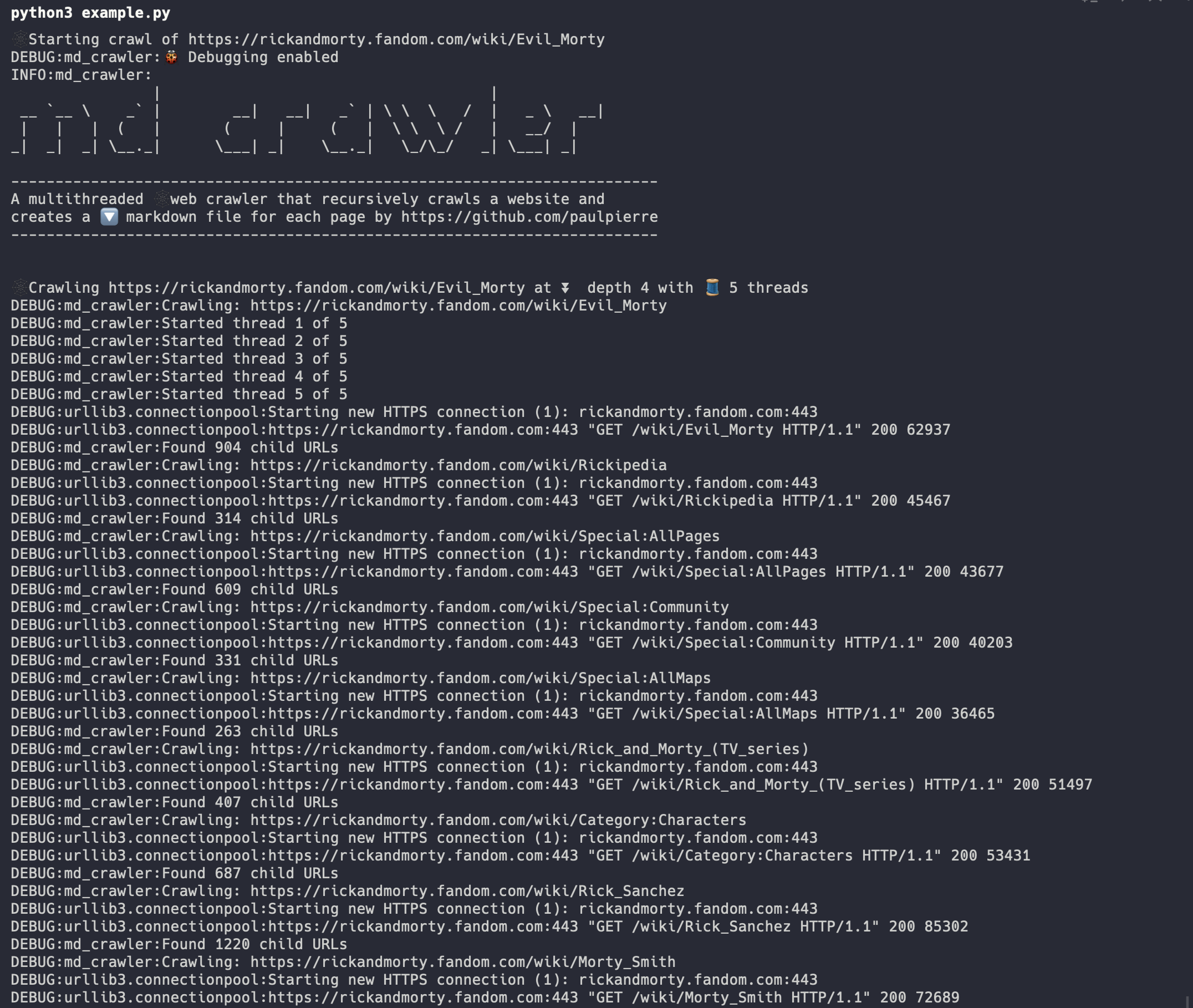
Take a look at example.py for an example implementation of the library. In this configuration we set:
max_depthto 3. We will crawl the base URL and 3 levels of childrennum_threadsto 5. We will use 5 parallel(ish) threads to crawl the websitebase_dirtomarkdown. We will save the markdown files in themarkdowndirectoryvalid_pathsan array of valid relative URL paths. We will only crawl pages that are in this list and base pathtarget_contenttodiv#content. We will only crawl pages that have this HTML element using CSS target selectors. You can provide multiple and it will concatenate the resultsis_domain_matchtoFalse. We will only crawl pages that are in the same domain as the base URLis_base_path_matchtoFalse. We will include all URLs in the same domain, even if they don't begin with the base urlis_debugto True. We will print out verbose logging
And when we run it we can view the progress
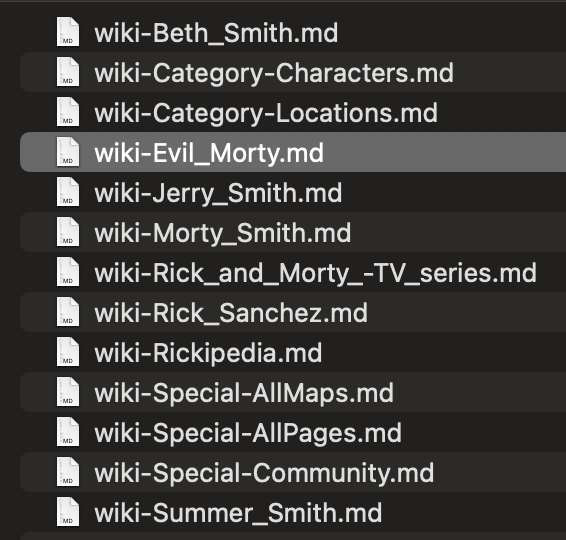
We can see the progress of our files in the markdown directory locally
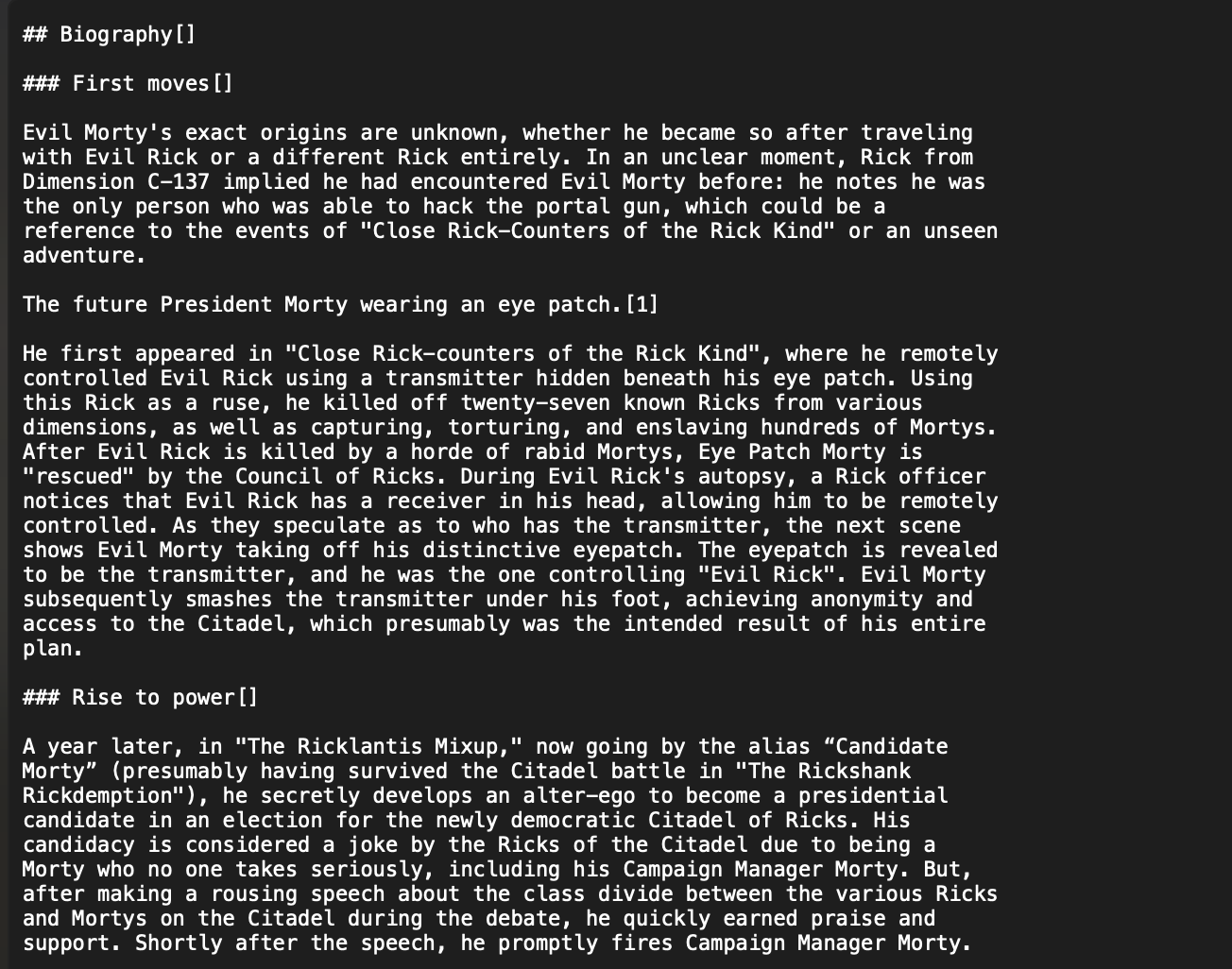
And we can see the contents of the HTML converted to markdown
❤️ Thanks
If you have any issues, please feel free to open an issue or submit a PR. You can reach me via DM on Twitter/X.
- Follow me on Twitter / X
- Give me a ⭐ on Github
⚖️ License
MIT License Copyright (c) 2023 Paul Pierre Permission is hereby granted, free of charge, to any person obtaining a copy of this software and associated documentation files (the "Software"), to deal in the Software without restriction, including without limitation the rights to use, copy, modify, merge, publish, distribute, sublicense, and/or sell copies of the Software, and to permit persons to whom the Software is furnished to do so, subject to the following conditions: The above copyright notice and this permission notice shall be included in all copies or substantial portions of the Software. THE SOFTWARE IS PROVIDED "AS IS", WITHOUT WARRANTY OF ANY KIND, EXPRESS OR IMPLIED, INCLUDING BUT NOT LIMITED TO THE WARRANTIES OF MERCHANTABILITY, FITNESS FOR A PARTICULAR PURPOSE AND NONINFRINGEMENT. IN NO EVENT SHALL THE AUTHORS OR COPYRIGHT HOLDERS BE LIABLE FOR ANY CLAIM, DAMAGES OR OTHER LIABILITY, WHETHER IN AN ACTION OF CONTRACT, TORT OR OTHERWISE, ARISING FROM, OUT OF OR IN CONNECTION WITH THE SOFTWARE OR THE USE OR OTHER DEALINGS IN THE SOFTWARE.
markdownify credits
markdown_crawler makes use of markdownify by Matthew Tretter. The original source code can be found here. It is licensed under the MIT license.
1 maintainer

Metadata
1 maintainer
Release files for markdown-crawler 0.0.9
For a detailed explanation of source distributions (sdists) and built distributions (wheels), please see the package formats documentation.
Source distribution (sdist)
| File | Size | Uploaded | Provenance | |
|---|---|---|---|---|
| markdown_crawler-0.0.9.tar.gz | 16.7 kB | Without provenance | Details |
Built distribution (wheel)
| File | Interpreter | ABI | Platform | Reset |
|---|---|---|---|---|
| markdown_crawler-0.0.9-py3-none-any.whl | Python 3 | none | any | Details |
Total release size: 32.2 kB
Release files / markdown_crawler-0.0.9.tar.gz
| Download URL | markdown_crawler-0.0.9.tar.gz |
|---|---|
| Size | 16.7 kB |
| Tags | Source |
|
SHA-256 checksum How to use checksums |
8bae302e7fdb4d3b52c107d39a6b2f462cfe868108b89b1c1d9beb28587a7281
|
|
BLAKE2b-256 checksum How to use checksums |
b90eeeea13c2b762f89ce390595117f9e02ae23d28e1b8f91bc70296ebef93f1
|
| Upload date | |
|
Uploaded using Trusted Publishing? What is trusted publishing? |
No |
| Uploaded via |
twine/6.2.0 CPython/3.11.14
|
Release files / markdown_crawler-0.0.9-py3-none-any.whl
| Download URL | markdown_crawler-0.0.9-py3-none-any.whl |
|---|---|
| Size | 15.5 kB |
| Tags | Python 3 |
|
SHA-256 checksum How to use checksums |
7043092505fa377667ac0f6faa4243fad5e608fb0fcf4810374c1272496d0b56
|
|
BLAKE2b-256 checksum How to use checksums |
e8115334b8e5ac7cf41f473c6a0d20747397ff7ffc46deb59aa05b63a5bc4200
|
| Upload date | |
|
Uploaded using Trusted Publishing? What is trusted publishing? |
No |
| Uploaded via |
twine/6.2.0 CPython/3.11.14
|
Security for markdown-crawler 0.0.9
Provenance
Provenance describes where a file came from. On PyPI, provenance is shared via attestations, which provide a verifiable record of the build or publishing details. View details, limitations and caveats.
No provenance found
None of the files in this release were uploaded with provenance metadata.
A note on package security
PyPI is a repository for distributing packages, not a service for auditing them. While third-party security researchers and our staff do their best to detect and remove malicious packages, PyPI cannot guarantee the quality, security or suitability of any given package.














