
MAS is a Python library for automated trading and backtesting on MetaTrader 5 with KPI reports and dynamic visualization.

Project description
MAS Trading Library


PyPI Package Name:
mas
mas is a Python trading library built specifically for MetaTrader 5 (MT5) to quickly build, backtest, and deploy fully automated trading strategies.
It supports real-time and historical market data access, order execution, strategy backtesting, static KPI reports, and dynamic trade visualization, and can be integrated with WinForm GUI desktop applications.
This library is ideal for Forex trading, Gold (XAUUSD), Indices, Stocks, and Cryptocurrencies, offering a complete workflow for quantitative traders, financial engineers, and automated strategy developers. With the built-in AI Trading Assistant, even non-programmers can easily generate strategies and backtest reports.
📈 Key Features
- MetaTrader 5 Python API Integration: Fast access to MT5 real-time and historical market data.
- Cross-Market Support: Works for Forex, Gold, Indices, and Cryptocurrencies.
- Full Automated Trading Workflow: From data → strategy → backtest → KPI report → live deployment.
- AI Strategy Generator: Lowers the barrier to entry for automated trading by generating strategies quickly.
- Dynamic Trading Visualization: Displays trade signals, equity curves, and position changes in real-time.
- KPI & Risk Reports: Includes Sharpe Ratio, Profit Factor, Win Rate, Maximum Drawdown, and more.
- Desktop App Integration: Supports WinForm GUI for user-friendly desktop applications.
- Highly Modular: Designed for scalable quantitative trading systems and financial data analysis.
📌 SEO Keywords: MetaTrader5 Python Library, MT5 API, Automated Trading, Quantitative Trading, Backtesting, KPI Report, Forex Trading Bot, Algorithmic Trading SDK, AI Trading Assistant, MAS Trading Library, Python Quant Framework.
📦 Installation
1️⃣ Register an Account (Required)
Before installing and using mas, you must register on the official website to activate API and backtesting features.
🔗 Register on the Official Website(Free)
2️⃣ Install the Python Package
pip install mas
3️⃣ Install the MAS Data Analysis & Backtest Tool
This project requires the MAS Backtest Tool to generate complete KPI reports and dynamic analytics.
After installation, ensure the tool is running and log in with your registered account. mas will then be able to connect and generate reports properly.
🚀 Quick Start
import mas

class MASStrategy(mas):
    def __init__(self, toggle):
        super().__init__()
        self.index = 0
        self.hold = False
        self.ma = 0
        self.toggle = toggle
        self.order_id = None

    def receive_bars(self, symbol, data, is_end):
        single = self.index % self.ma

        if single == 0:
            if not self.hold:
                self.order_id = self.send_order({
                    "symbol": "EURUSD",
                    "order_type": "buy",
                    "volume": 0.1,
                    "backtest_toggle": self.toggle
                })
                self.hold = True
            else:
                self.send_order({
                    "symbol": "EURUSD",
                    "order_type": "sell",
                    "order_id": self.order_id,
                    "volume": 0.1,
                    "backtest_toggle": self.toggle
                })
                self.hold = False

        self.index += 1
        if is_end:
            data = self.generate_data_report()
            data_source = data.get("data")
            print(data_source)
            self.generate_kpi_report()
            self.generate_trade_chart()

def main():
    try:
        toggle = True
        mas_c = MASStrategy(toggle)
        params = {
            "account": YOUR_ACCOUNT,
            "password": YOUR_PASSWORD,
            "server": YOUR_SERVER
        }

        mas_c.login(params)
        params = {
            "symbol": "EURUSD",
            "from": '2020-01-01',
            "to": '2024-12-31',
            "timeframe": "D1",
            "backtest_toggle": mas_c.toggle
        }
        mas_c.ma = 50
        df = mas_c.subscribe_bars(params)
    except Exception as e:
        return {
            'status': False,
            'error': str(e)
        }

if __name__ == "__main__":
    main()
🌐 Online Documentation
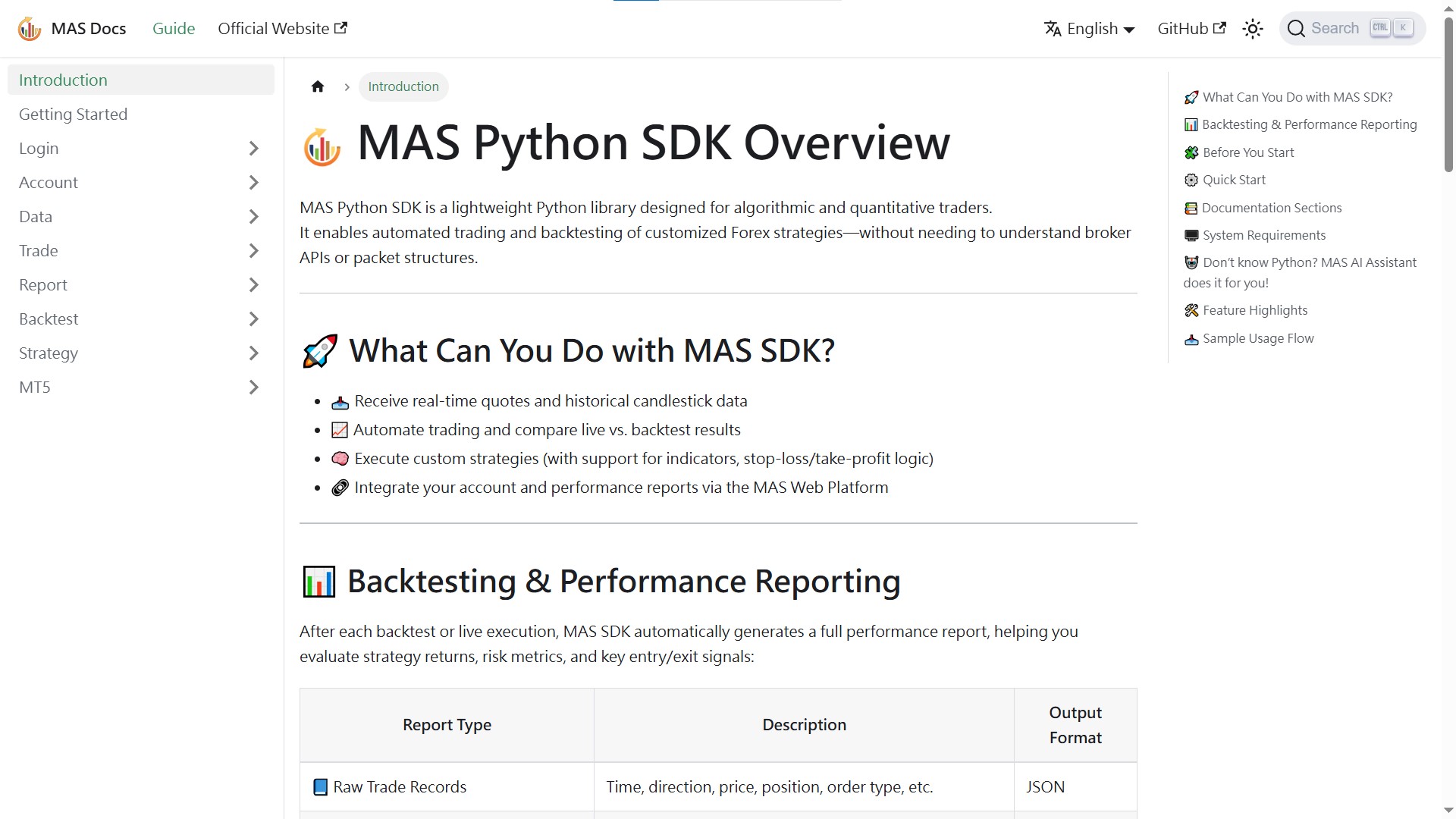
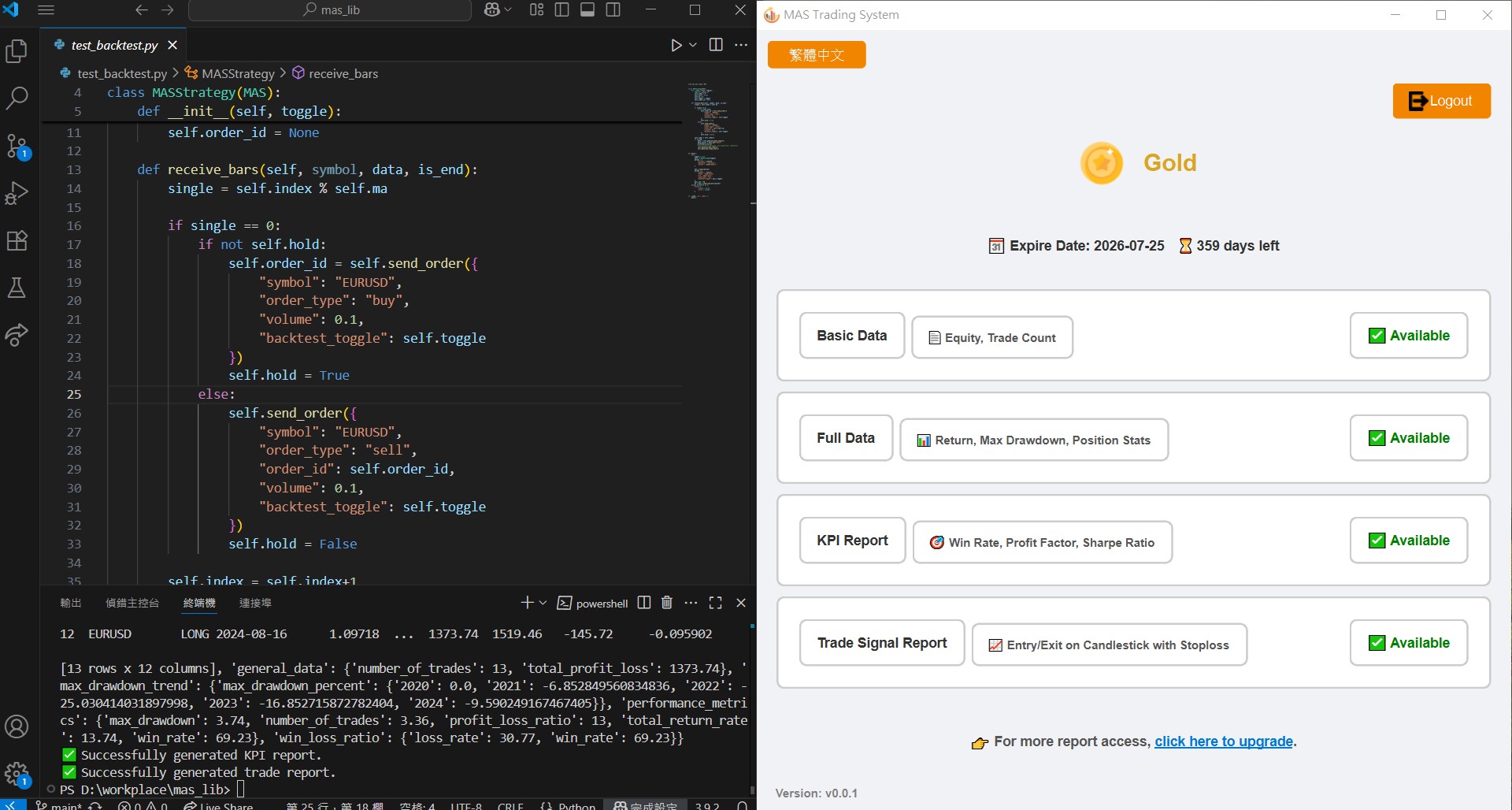
📊 Report Previews
Full Data Report
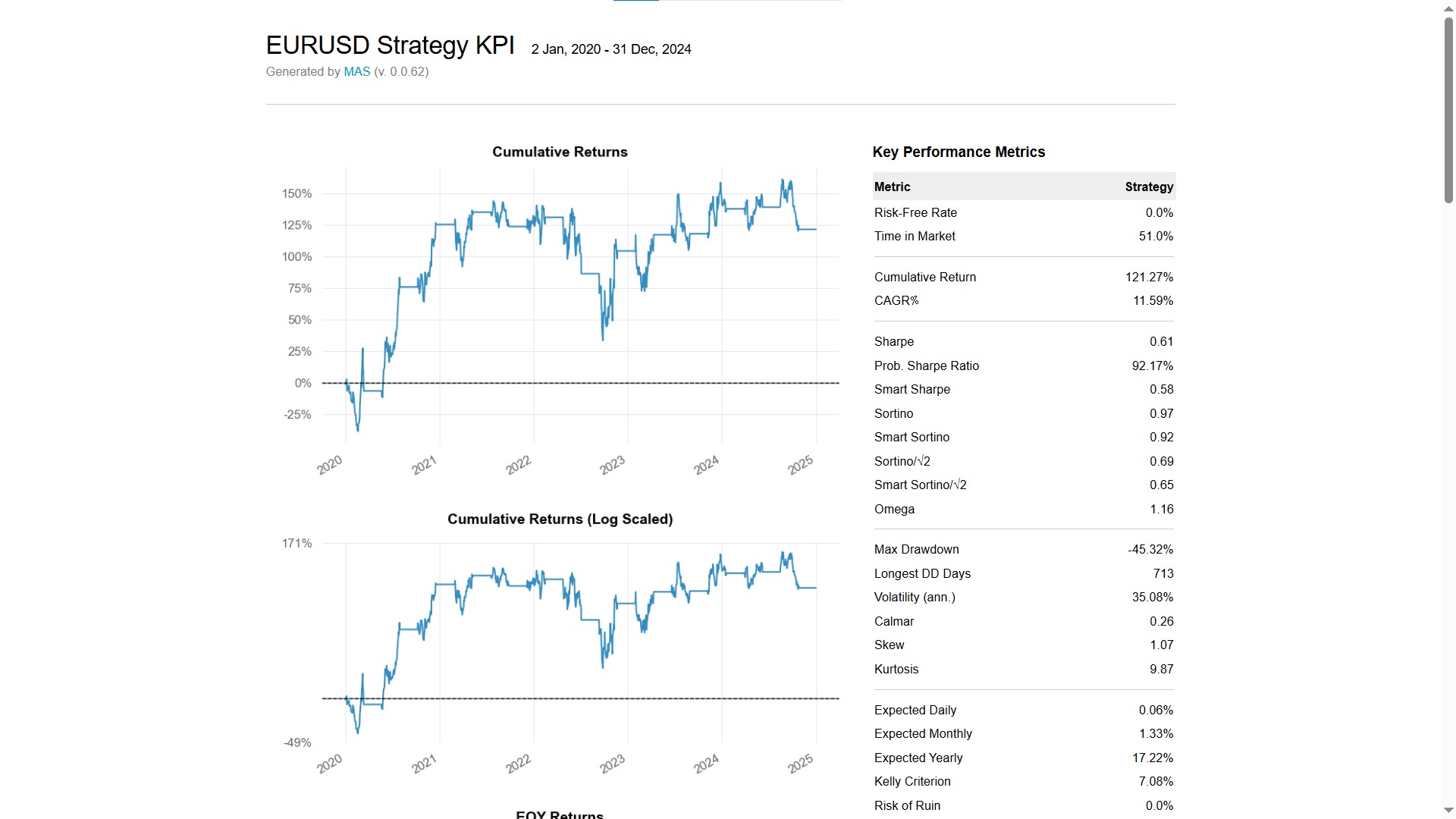
KPI Report
Trade Signal Visualization
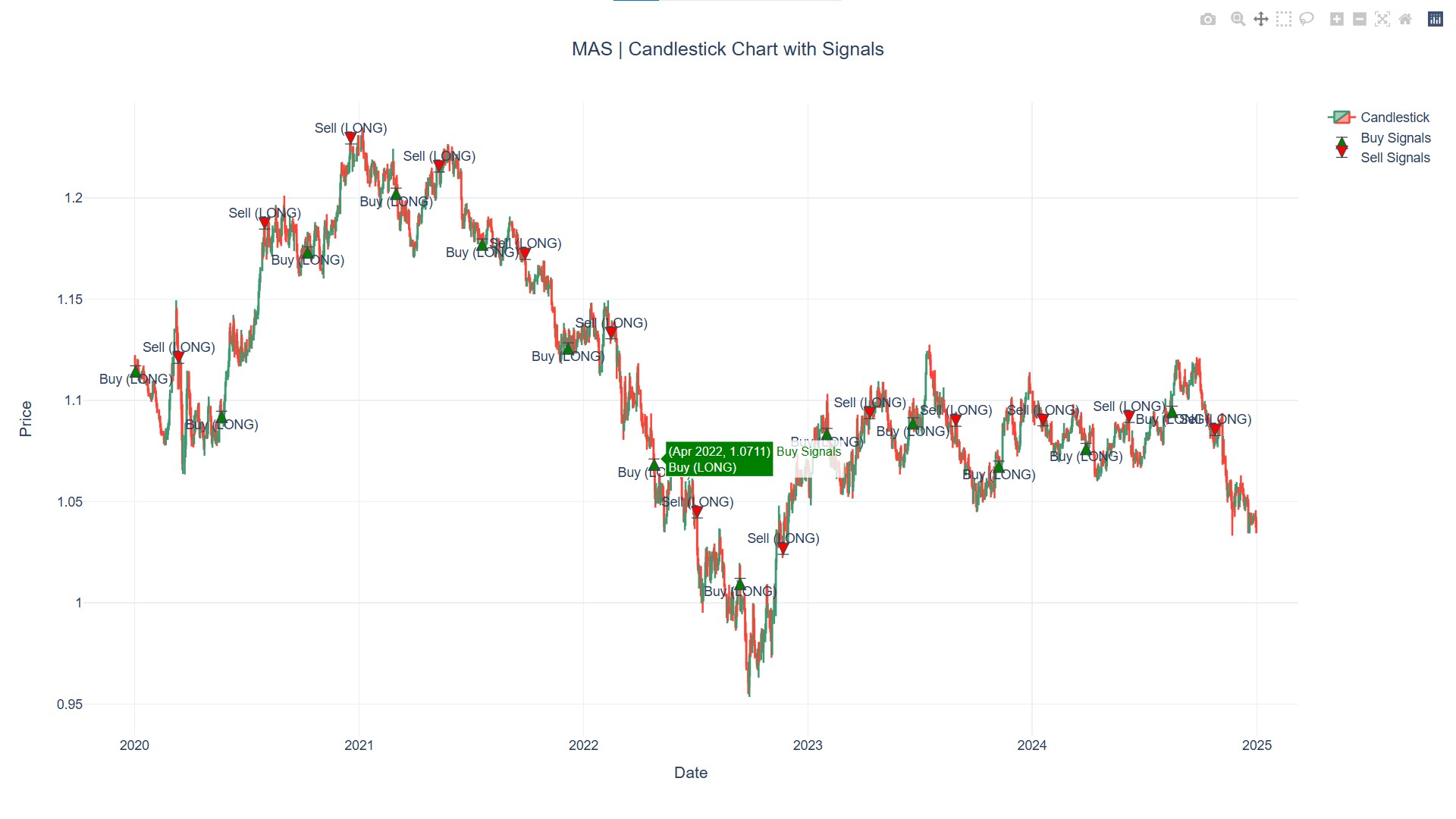
📌 Note: These images are for demonstration purposes only. Actual reports will be generated based on your strategies and backtest data.
🌍 Official Website & AI Trading Assistant
🔗 Mas Intelligent Technology Official Website 🤖 Use AI Trading Assistant (No Coding Required)
AI Trading Workflow Previews
Input Your Strategy Ideas
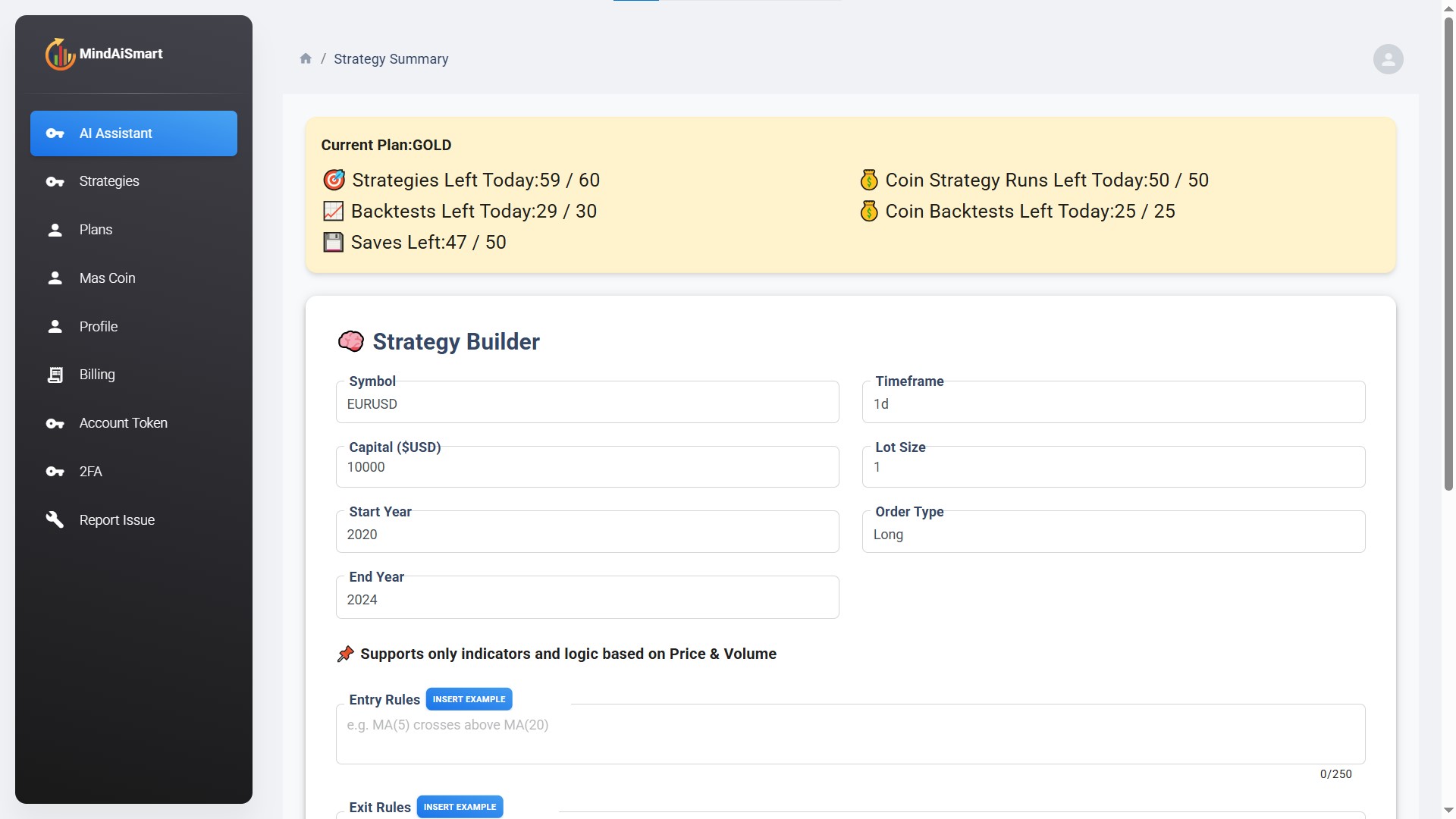
Strategy Example Assistance
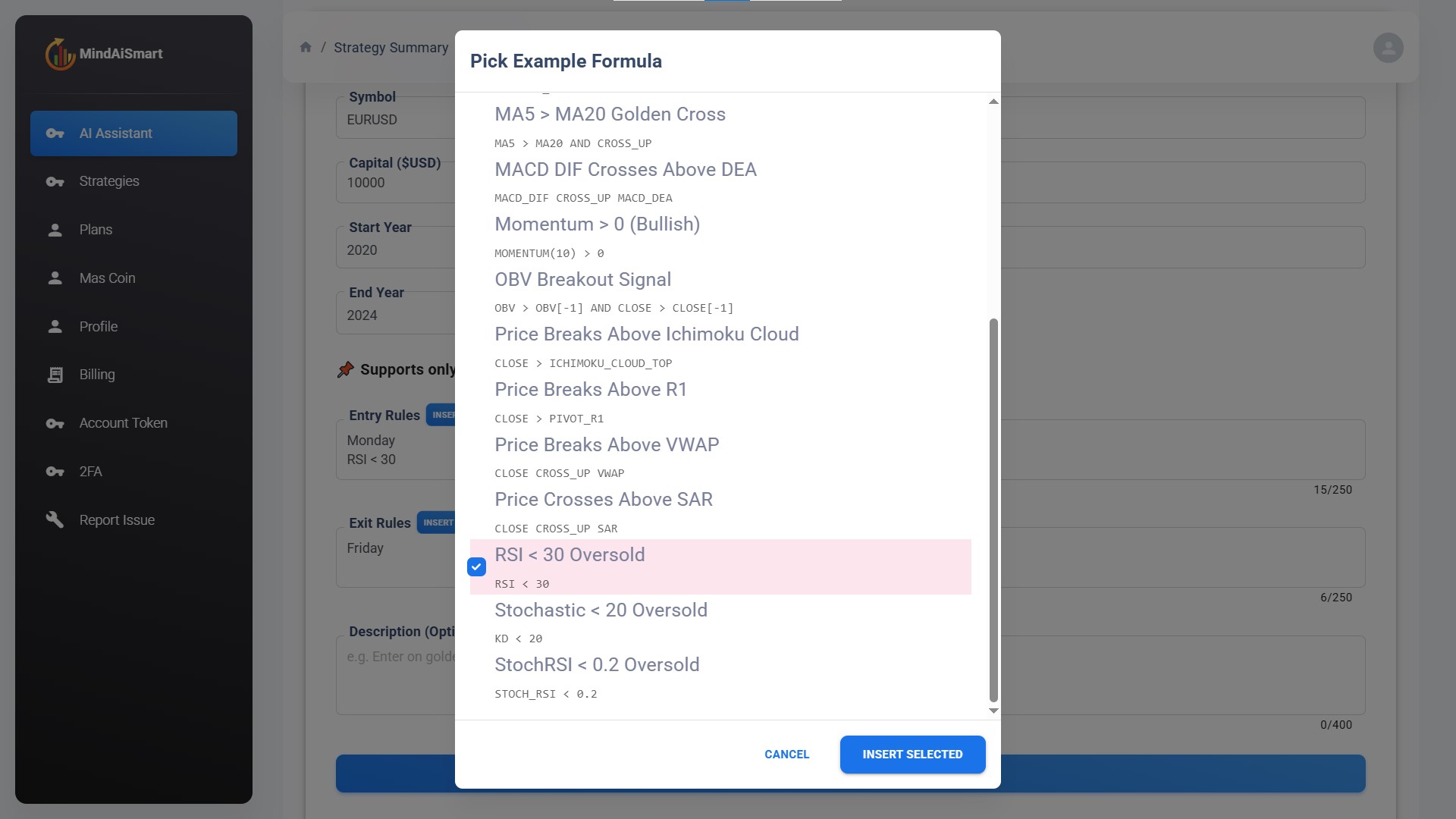
Confirm and Refine Logic
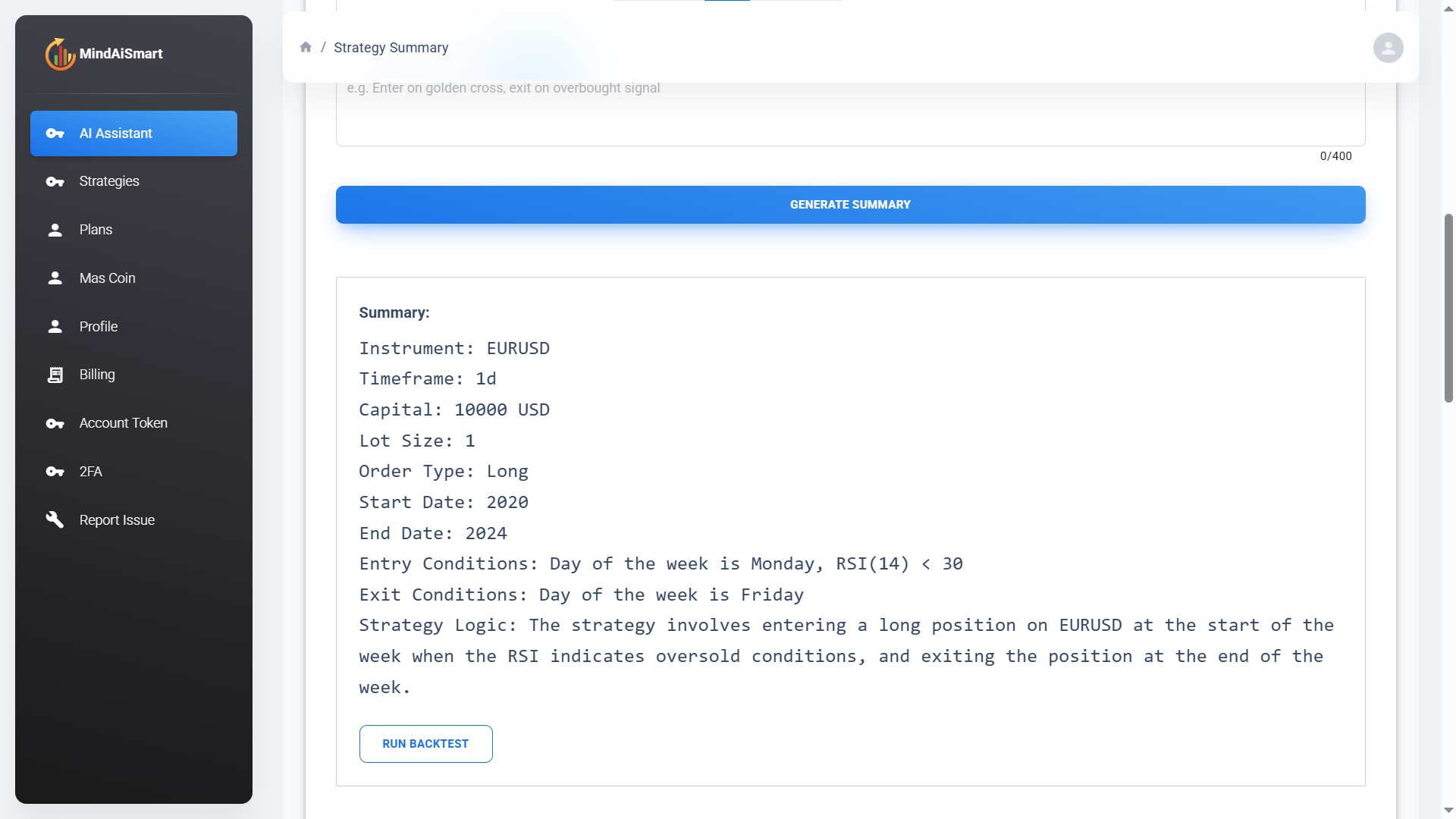
Perform Data Analysis & Generate Reports
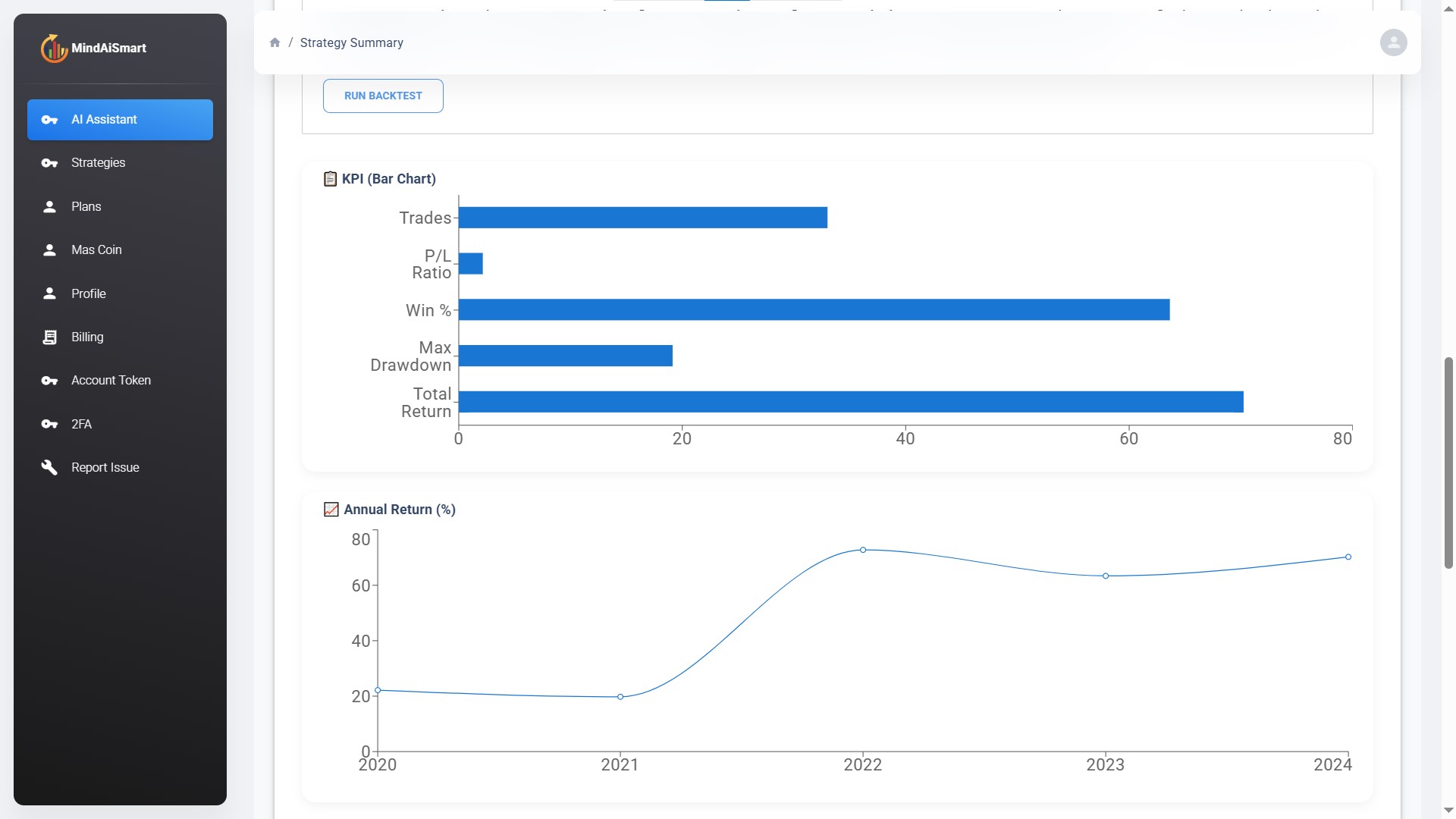
📚 Resources
📄 License
Release history Release notifications | RSS feed


Download files
Download the file for your platform. If you're not sure which to choose, learn more about installing packages.
Source Distribution
Built Distribution
Filter files by name, interpreter, ABI, and platform.
If you're not sure about the file name format, learn more about wheel file names.
Copy a direct link to the current filters
File details
Details for the file mas-0.2.9.tar.gz.
File metadata
- Download URL: mas-0.2.9.tar.gz
- Upload date:
- Size: 1.8 MB
- Tags: Source
- Uploaded using Trusted Publishing? No
- Uploaded via: twine/6.2.0 CPython/3.12.8
File hashes
| Algorithm | Hash digest | |
|---|---|---|
| SHA256 |
8d0f76febb024c6dd5aecb1004fe2c7bf80d9ec2c2fe8fce9669931c799b0ccc
|
|
| MD5 |
301d6b5c432e3a2cd7f79c8572bc271b
|
|
| BLAKE2b-256 |
878c7e7c93c1c80288a8a4aa9e579183af882d1897fca5b67935dd0ebefd400d
|
File details
Details for the file mas-0.2.9-py3-none-any.whl.
File metadata
- Download URL: mas-0.2.9-py3-none-any.whl
- Upload date:
- Size: 1.9 MB
- Tags: Python 3
- Uploaded using Trusted Publishing? No
- Uploaded via: twine/6.2.0 CPython/3.12.8
File hashes
| Algorithm | Hash digest | |
|---|---|---|
| SHA256 |
1a09500267e69f914c0649fd58737e06cf716f2c0eba7b6b60ca9c902cc38adf
|
|
| MD5 |
73bada4a28eac187c04507f64c8f082c
|
|
| BLAKE2b-256 |
60cf8acdeb426bfed82b2528d3b2496c89f134d9606d9b96354e3033106c4da6
|






