
Multi-Agent Scaling System - A powerful framework for collaborative AI

Project description








🚀 MassGen: Multi-Agent Scaling System for GenAI
MassGen is a cutting-edge multi-agent system that leverages the power of collaborative AI to solve complex tasks.
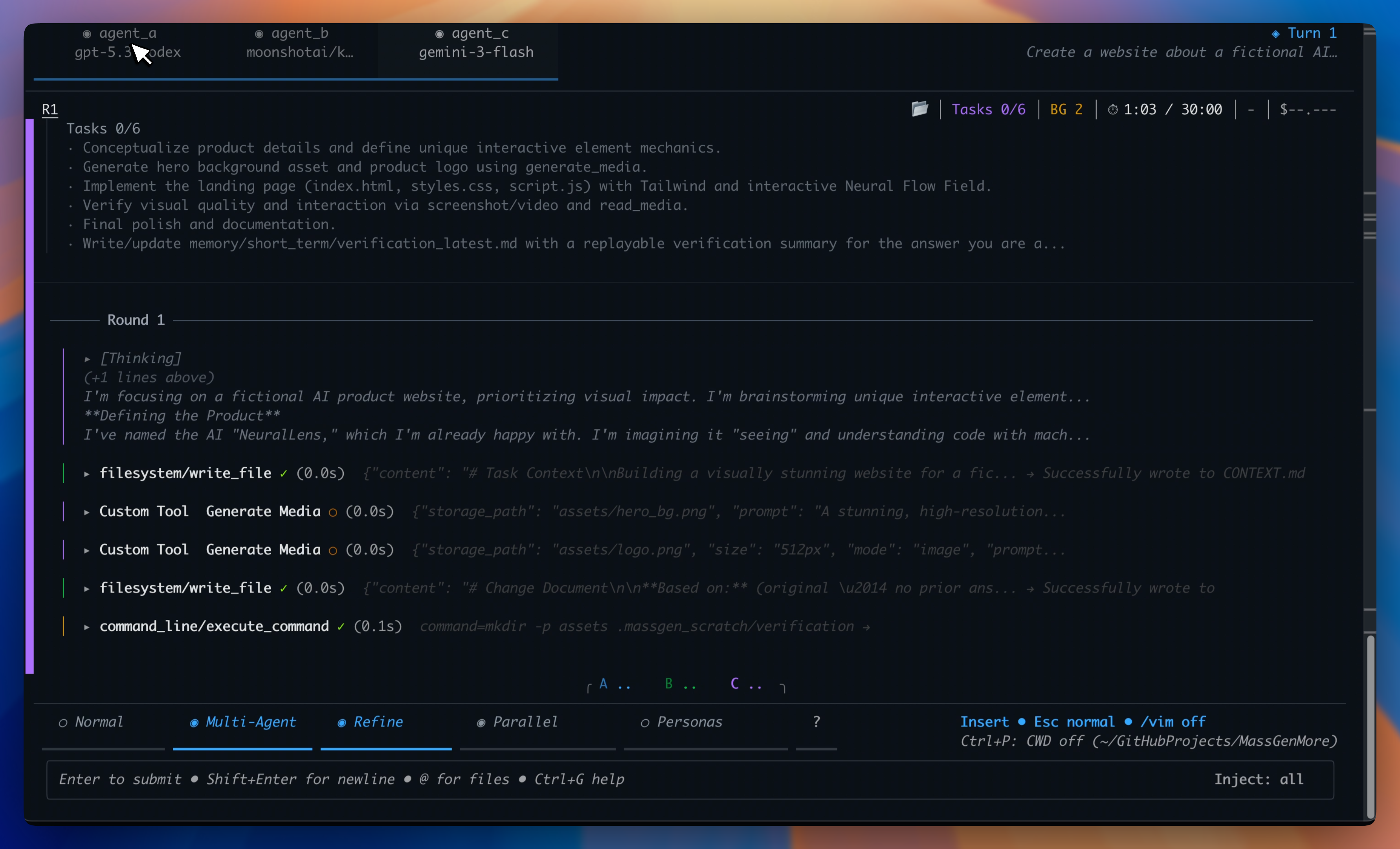
Scaling AI with collaborative, continuously improving agents
MassGen is a cutting-edge multi-agent system that leverages the power of collaborative AI to solve complex tasks. It assigns a task to multiple AI agents who work in parallel, observe each other's progress, and refine their approaches to converge on the best solution to deliver a comprehensive and high-quality result. The power of this "parallel study group" approach is exemplified by advanced systems like xAI's Grok Heavy and Google DeepMind's Gemini Deep Think.
This project started with the "threads of thought" and "iterative refinement" ideas presented in The Myth of Reasoning, and extends the classic "multi-agent conversation" idea in AG2. Here is a video recording of the background context introduction presented at the Berkeley Agentic AI Summit 2025.
🤖 For LLM Agents: AI_USAGE.md - Complete automation guide to run MassGen inside an LLM
📚 For Contributors: See MassGen Contributor Handbook - Centralized policies and resources for development and research teams
📋 Table of Contents
✨ Key Features
🆕 Latest Features
🏗️ System Design
🚀 Quick Start
🤖 Automation & LLM Integration
💡 Case Studies & Examples
🗺️ Roadmap
- Recent Achievements
- Key Future Enhancements
- Bug Fixes & Backend Improvements
- Advanced Agent Collaboration
- Expanded Model, Tool & Agent Integrations
- Improved Performance & Scalability
- Enhanced Developer Experience
- v0.1.17 Roadmap
📚 Additional Resources
✨ Key Features
| Feature | Description |
|---|---|
| 🤝 Cross-Model/Agent Synergy | Harness strengths from diverse frontier model-powered agents |
| ⚡ Parallel Processing | Multiple agents tackle problems simultaneously |
| 👥 Intelligence Sharing | Agents share and learn from each other's work |
| 🔄 Consensus Building | Natural convergence through collaborative refinement |
| 📊 Live Visualization | See agents' working processes in real-time |
🆕 Latest Features (v0.1.16)
🎉 Released: November 24, 2025
What's New in v0.1.16:
- 🎬 Terminal Evaluation System - Automated VHS recording and AI-powered terminal display evaluation
- 💰 LiteLLM Cost Tracking - Accurate pricing for 500+ models with automatic updates
- 🧠 Memory Archiving - Multi-turn session persistence with long-term memory storage
- 🔧 Self-Evolution Skills - MassGen now has specific agent skills to help with development
Key Improvements:
- Record and analyze terminal sessions with VHS for UI/UX evaluation using multimodal AI
- Precise cost tracking with LiteLLM's pricing database (reasoning tokens, cached tokens support)
- Archive memory across conversation turns for session continuity
- Four new skills enabling MassGen to document releases, maintain configs, and develop features
- Parallel Docker image pulling for faster setup
- Grok 4.1 and GPT-4.1 model family support with accurate pricing metadata
Try v0.1.16 Features:
# Install or upgrade from PyPI
pip install --upgrade massgen

# Or with uv (faster)
uv pip install massgen

# Terminal Evaluation - record and analyze MassGen's terminal display
# Prerequisites: VHS installed (brew install vhs or go install github.com/charmbracelet/vhs@latest), OPENAI_API_KEY or GEMINI_API_KEY in .env
uv run massgen --config massgen/configs/meta/massgen_evaluates_terminal.yaml \
  "Record running massgen on @examples/basic/multi/two_agents_gemini.yaml, answering 'What is 2+2?'. Then, evaluate the terminal display for clarity, status indicators, and coordination visualization, coming up with improvements."

# Memory Archiving - persistent memory across conversation turns
# Prerequisites: Docker running, API keys in .env
uv run massgen --config massgen/configs/skills/test_memory.yaml \
  "Create a website about Bob Dylan"
→ See full release history and examples
🏗️ System Design
MassGen operates through an architecture designed for seamless multi-agent collaboration:
graph TB
    O[🚀 MassGen Orchestrator<br/>📋 Task Distribution & Coordination]

    subgraph Collaborative Agents
        A1[Agent 1<br/>🏗️ Anthropic/Claude + Tools]
        A2[Agent 2<br/>🌟 Google/Gemini + Tools]
        A3[Agent 3<br/>🤖 OpenAI/GPT + Tools]
        A4[Agent 4<br/>⚡ xAI/Grok + Tools]
    end

    H[🔄 Shared Collaboration Hub<br/>📡 Real-time Notification & Consensus]

    O --> A1 & A2 & A3 & A4
    A1 & A2 & A3 & A4 <--> H

    classDef orchestrator fill:#e1f5fe,stroke:#0288d1,stroke-width:3px
    classDef agent fill:#f3e5f5,stroke:#7b1fa2,stroke-width:2px
    classDef hub fill:#e8f5e8,stroke:#388e3c,stroke-width:2px

    class O orchestrator
    class A1,A2,A3,A4 agent
    class H hub
The system's workflow is defined by the following key principles:
Parallel Processing - Multiple agents tackle the same task simultaneously, each leveraging their unique capabilities (different models, tools, and specialized approaches).
Real-time Collaboration - Agents continuously share their working summaries and insights through a notification system, allowing them to learn from each other's approaches and build upon collective knowledge.
Convergence Detection - The system intelligently monitors when agents have reached stability in their solutions and achieved consensus through natural collaboration rather than forced agreement.
Adaptive Coordination - Agents can restart and refine their work when they receive new insights from others, creating a dynamic and responsive problem-solving environment.
This collaborative approach ensures that the final output leverages collective intelligence from multiple AI systems, leading to more robust and well-rounded results than any single agent could achieve alone.
📖 Complete Documentation: For comprehensive guides, API reference, and detailed examples, visit MassGen Official Documentation
🚀 Quick Start
1. 📥 Installation
Method 1: PyPI Installation (Recommended - Python 3.11+):
# Install MassGen via pip
pip install massgen

# Or with uv (faster)
uv pip install massgen
Quickstart Setup (Fastest way to get running):
# Step 1: Set up API keys, Docker, and skills
uv run massgen --setup

# Step 2: Create a simple config and start
uv run massgen --quickstart
The --setup command will:
- Configure your API keys (OpenAI, Anthropic, Google, xAI)
- Offer to set up Docker images for code execution
- Offer to install skills (openskills, Anthropic collection)
The --quickstart command will:
- Ask how many agents you want (1-5, default 3)
- Ask which backend/model for each agent
- Auto-detect Docker availability and configure execution mode
- Create a ready-to-use config and launch into interactive mode
Alternative: Full Setup Wizard
For more control, use the full configuration wizard:
massgen --init
This guides you through use case selection (Research, Code, Q&A, etc.) and advanced configuration options.
After setup:
# Interactive mode
massgen

# Single query
massgen "Your question here"

# With example configurations
massgen --config @examples/basic/multi/three_agents_default "Your question"
→ See Installation Guide for complete setup instructions.
Method 2: Development Installation (for contributors):
# Clone the repository
git clone https://github.com/Leezekun/MassGen.git
cd MassGen

# Install in editable mode with pip
pip install -e .

# Or with uv (faster)
uv pip install -e .

# Optional: External framework integration
pip install -e ".[external]"

# Automated setup (Unix/Linux/macOS) - installs dependencies, skills, Docker images
./scripts/init.sh

# Or just install skills (works on all platforms)
massgen --setup-skills

# Or use the bash script (Unix/Linux/macOS only)
./scripts/init_skills.sh
Note: The
--setup-skillscommand works cross-platform (Windows, macOS, Linux). The bash scripts (init.sh,init_skills.sh) are Unix-only but provide additional dev setup like Docker image builds.
Alternative Installation Methods (click to expand)
Using uv with venv:
git clone https://github.com/Leezekun/MassGen.git
cd MassGen
uv venv
source .venv/bin/activate  # Windows: .venv\Scripts\activate
uv pip install -e .
Using traditional Python venv:
git clone https://github.com/Leezekun/MassGen.git
cd MassGen
python -m venv .venv
source .venv/bin/activate  # Windows: .venv\Scripts\activate
pip install -e .
Global installation with uv tool:
git clone https://github.com/Leezekun/MassGen.git
cd MassGen
uv tool install -e .
# Now run from any directory
uv tool run massgen --config @examples/basic/multi/three_agents_default "Question"
Backwards compatibility (uv run):
cd /path/to/MassGen
uv run massgen --config @examples/basic/multi/three_agents_default "Question"
uv run python -m massgen.cli --config config.yaml "Question"
Optional CLI Tools:
# Claude Code CLI - Advanced coding assistant
npm install -g @anthropic-ai/claude-code

# LM Studio - Local model inference
# MacOS/Linux:
sudo ~/.lmstudio/bin/lms bootstrap
# Windows:
cmd /c %USERPROFILE%\.lmstudio\bin\lms.exe bootstrap
2. 🔐 API Configuration
Create a .env file in your working directory with your API keys:
# Copy this template to .env and add your API keys
OPENAI_API_KEY=sk-...
ANTHROPIC_API_KEY=sk-ant-...
GOOGLE_API_KEY=...
XAI_API_KEY=...

# Optional: Additional providers
CEREBRAS_API_KEY=...
TOGETHER_API_KEY=...
GROQ_API_KEY=...
OPENROUTER_API_KEY=...
MassGen automatically loads API keys from .env in your current directory.
→ Complete setup guide with all providers: See API Key Configuration in the docs
Get API keys:
- OpenAI | Claude | Gemini | Grok
- Azure OpenAI | Cerebras | More providers...
3. 🧩 Supported Models and Tools
Models
The system currently supports multiple model providers with advanced capabilities:
API-based Models:
- Azure OpenAI (NEW in v0.0.10): GPT-4, GPT-4o, GPT-3.5-turbo, GPT-4.1, GPT-5-chat
- Cerebras AI: GPT-OSS-120B...
- Claude: Claude Haiku 3.5, Claude Sonnet 4, Claude Opus 4...
- Claude Code: Native Claude Code SDK with comprehensive dev tools
- Gemini: Gemini 2.5 Flash, Gemini 2.5 Pro...
- Grok: Grok-4, Grok-3, Grok-3-mini...
- OpenAI: GPT-5 series (GPT-5, GPT-5-mini, GPT-5-nano)...
- Together AI, Fireworks AI, Groq, Kimi/Moonshot, Nebius AI Studio, OpenRouter, POE: LLaMA, Mistral, Qwen...
- Z AI: GLM-4.5
Local Model Support:
-
vLLM & SGLang (ENHANCED in v0.0.25): Unified inference backend supporting both vLLM and SGLang servers
- Auto-detection between vLLM (port 8000) and SGLang (port 30000) servers
- Support for both vLLM and SGLang-specific parameters (top_k, repetition_penalty, separate_reasoning)
- Mixed server deployments with configuration example:
two_qwen_vllm_sglang.yaml
-
LM Studio (v0.0.7+): Run open-weight models locally with automatic server management
- Automatic LM Studio CLI installation
- Auto-download and loading of models
- Zero-cost usage reporting
- Support for LLaMA, Mistral, Qwen and other open-weight models
→ For complete model list and configuration details, see Supported Models
Tools
MassGen agents can leverage various tools to enhance their problem-solving capabilities. Both API-based and CLI-based backends support different tool capabilities.
Supported Built-in Tools by Backend:
| Backend | Live Search | Code Execution | File Operations | MCP Support | Multimodal Understanding | Multimodal Generation | Advanced Features |
|---|---|---|---|---|---|---|---|
| Azure OpenAI (NEW in v0.0.10) | ❌ | ❌ | ❌ | ❌ | ❌ | ❌ | Code interpreter, Azure deployment management |
| Claude API | ✅ | ✅ | ✅ | ✅ | ✅ via custom tools |
✅ via custom tools |
Web search, code interpreter, MCP integration |
| Claude Code | ✅ | ✅ | ✅ | ✅ | ✅ Image (native) Audio/Video/Docs (custom tools) |
✅ via custom tools |
Native Claude Code SDK, comprehensive dev tools, MCP integration |
| Gemini API | ✅ | ✅ | ✅ | ✅ | ✅ Image (native) Audio/Video/Docs (custom tools) |
✅ via custom tools |
Web search, code execution, MCP integration |
| Grok API | ✅ | ❌ | ✅ | ✅ | ✅ via custom tools |
✅ via custom tools |
Web search, MCP integration |
| OpenAI API | ✅ | ✅ | ✅ | ✅ | ✅ Image (native) Audio/Video/Docs (custom tools) |
✅ via custom tools |
Web search, code interpreter, MCP integration |
| ZAI API | ❌ | ❌ | ✅ | ✅ | ✅ via custom tools |
✅ via custom tools |
MCP integration |
Notes:
- Multimodal Understanding (NEW in v0.1.3): Analyze images, audio, video, and documents via custom tools using OpenAI GPT-4.1 - works with any backend
- Multimodal Generation (NEW in v0.1.4): Generate images, videos, audio, and documents via custom tools using OpenAI APIs - works with any backend
- See custom tool configurations:
understand_image.yaml,text_to_image_generation_single.yaml
→ For detailed backend capabilities and tool integration guides, see User Guide - Backends
4. 🏃 Run MassGen
Complete Usage Guide: For all usage modes, advanced features, and interactive multi-turn sessions, see Running MassGen
🚀 Getting Started
CLI Configuration Parameters
| Parameter | Description |
|---|---|
--config |
Path to YAML configuration file with agent definitions, model parameters, backend parameters and UI settings |
--backend |
Backend type for quick setup without a config file (claude, claude_code, gemini, grok, openai, azure_openai, zai). Optional for models with default backends. |
--model |
Model name for quick setup (e.g., gemini-2.5-flash, gpt-5-nano, ...). --config and --model are mutually exclusive - use one or the other. |
--system-message |
System prompt for the agent in quick setup mode. If --config is provided, --system-message is omitted. |
--no-display |
Disable real-time streaming UI coordination display (fallback to simple text output). |
--no-logs |
Disable real-time logging. |
--debug |
Enable debug mode with verbose logging (NEW in v0.0.13). Shows detailed orchestrator activities, agent messages, backend operations, and tool calls. Debug logs are saved to agent_outputs/log_{time}/massgen_debug.log. |
"<your question>" |
Optional single-question input; if omitted, MassGen enters interactive chat mode. |
1. Single Agent (Easiest Start)
Quick Start Commands:
# Quick test with any supported model - no configuration needed
uv run python -m massgen.cli --model claude-3-5-sonnet-latest "What is machine learning?"
uv run python -m massgen.cli --model gemini-2.5-flash "Explain quantum computing"
uv run python -m massgen.cli --model gpt-5-nano "Summarize the latest AI developments"
Configuration:
Use the agent field to define a single agent with its backend and settings:
agent:
  id: "<agent_name>"
  backend:
    type: "azure_openai" | "chatcompletion" | "claude" | "claude_code" | "gemini" | "grok" | "openai" | "zai" | "lmstudio" #Type of backend
    model: "<model_name>" # Model name
    api_key: "<optional_key>"  # API key for backend. Uses env vars by default.
  system_message: "..."    # System Message for Single Agent
→ See all single agent configs
2. Multi-Agent Collaboration (Recommended)
Configuration:
Use the agents field to define multiple agents, each with its own backend and config:
Quick Start Commands:
# Three powerful agents working together - Gemini, GPT-5, and Grok
massgen --config @examples/basic/multi/three_agents_default \
  "Analyze the pros and cons of renewable energy"
This showcases MassGen's core strength:
- Gemini 2.5 Flash - Fast research with web search
- GPT-5 Nano - Advanced reasoning with code execution
- Grok-3 Mini - Real-time information and alternative perspectives
agents:  # Multiple agents (alternative to 'agent')
  - id: "<agent1 name>"
    backend:
      type: "azure_openai" | "chatcompletion" | "claude" | "claude_code" | "gemini" | "grok" | "openai" |  "zai" | "lmstudio" #Type of backend
      model: "<model_name>" # Model name
      api_key: "<optional_key>"  # API key for backend. Uses env vars by default.
    system_message: "..."    # System Message for Single Agent
  - id: "..."
    backend:
      type: "..."
      model: "..."
      ...
    system_message: "..."
→ Explore more multi-agent setups
3. Model context protocol (MCP)
The Model context protocol (MCP) standardises how applications expose tools and context to language models. From the official documentation:
MCP is an open protocol that standardizes how applications provide context to LLMs. Think of MCP like a USB-C port for AI applications. Just as USB-C provides a standardized way to connect your devices to various peripherals and accessories, MCP provides a standardized way to connect AI models to different data sources and tools.
MCP Configuration Parameters:
| Parameter | Type | Required | Description |
|---|---|---|---|
mcp_servers |
dict | Yes (for MCP) | Container for MCP server definitions |
└─ type |
string | Yes | Transport: "stdio" or "streamable-http" |
└─ command |
string | stdio only | Command to run the MCP server |
└─ args |
list | stdio only | Arguments for the command |
└─ url |
string | http only | Server endpoint URL |
└─ env |
dict | No | Environment variables to pass |
allowed_tools |
list | No | Whitelist specific tools (if omitted, all tools available) |
exclude_tools |
list | No | Blacklist dangerous/unwanted tools |
Quick Start Commands (Check backend MCP support here):
# Weather service with GPT-5
massgen --config @examples/tools/mcp/gpt5_nano_mcp_example \
  "What's the weather forecast for New York this week?"

# Multi-tool MCP with Gemini - Search + Weather + Filesystem (Requires BRAVE_API_KEY in .env)
massgen --config @examples/tools/mcp/multimcp_gemini \
  "Find the best restaurants in Paris and save the recommendations to a file"
Configuration:
agents:
  # Basic MCP Configuration:
  backend:
    type: "openai"              # Your backend choice
    model: "gpt-5-mini"         # Your model choice

    # Add MCP servers here
    mcp_servers:
      weather:                  # Server name (you choose this)
        type: "stdio"           # Communication type
        command: "npx"          # Command to run
        args: ["-y", "@modelcontextprotocol/server-weather"]  # MCP server package

  # That's it! The agent can now check weather.

  # Multiple MCP Tools Example:
  backend:
    type: "gemini"
    model: "gemini-2.5-flash"
    mcp_servers:
      # Web search
      search:
        type: "stdio"
        command: "npx"
        args: ["-y", "@modelcontextprotocol/server-brave-search"]
        env:
          BRAVE_API_KEY: "${BRAVE_API_KEY}"  # Set in .env file

      # HTTP-based MCP server (streamable-http transport)
      custodm_api:
        type: "streamable-http"   # For HTTP/SSE servers
        url: "http://localhost:8080/mcp/sse"  # Server endpoint


  # Tool configuration (MCP tools are auto-discovered)
  allowed_tools:                        # Optional: whitelist specific tools
    - "mcp__weather__get_current_weather"
    - "mcp__test_server__mcp_echo"
    - "mcp__test_server__add_numbers"

  exclude_tools:                        # Optional: blacklist specific tools
    - "mcp__test_server__current_time"
→ For comprehensive MCP integration guide, see MCP Integration
4. File System Operations & Workspace Management
MassGen provides comprehensive file system support through multiple backends, enabling agents to read, write, and manipulate files in organized workspaces.
Filesystem Configuration Parameters:
| Parameter | Type | Required | Description |
|---|---|---|---|
cwd |
string | Yes (for file ops) | Working directory for file operations (agent-specific workspace) |
snapshot_storage |
string | Yes | Directory for workspace snapshots |
agent_temporary_workspace |
string | Yes | Parent directory for temporary workspaces |
Quick Start Commands:
# File operations with Claude Code
massgen --config @examples/tools/filesystem/claude_code_single \
  "Create a Python web scraper and save results to CSV"

# Multi-agent file collaboration
massgen --config @examples/tools/filesystem/claude_code_context_sharing \
  "Generate a comprehensive project report with charts and analysis"
Configuration:
# Basic Workspace Setup:
agents:
  - id: "file-agent"
    backend:
      type: "claude_code"          # Backend with file support
      model: "claude-sonnet-4"     # Your model choice
      cwd: "workspace"             # Isolated workspace for file operations

# Multi-Agent Workspace Isolation:
agents:
  - id: "agent_a"
    backend:
      type: "claude_code"
      cwd: "workspace1"            # Agent-specific workspace

  - id: "agent_b"
    backend:
      type: "gemini"
      cwd: "workspace2"            # Separate workspace

orchestrator:
  snapshot_storage: "snapshots"              # Shared snapshots directory
  agent_temporary_workspace: "temp_workspaces" # Temporary workspace management
Available File Operations:
- Claude Code: Built-in tools (Read, Write, Edit, MultiEdit, Bash, Grep, Glob, LS, TodoWrite)
- Other Backends: Via MCP Filesystem Server
Workspace Management:
- Isolated Workspaces: Each agent's
cwdis fully isolated and writable - Snapshot Storage: Share workspace context between Claude Code agents
- Temporary Workspaces: Agents can access previous coordination results
→ View more filesystem examples
⚠️ IMPORTANT SAFETY WARNING
MassGen agents can autonomously read, write, modify, and delete files within their permitted directories.
Before running MassGen with filesystem access:
- Only grant access to directories you're comfortable with agents modifying
- Use the permission system to restrict write access where needed
- Consider testing in an isolated directory or virtual environment first
- Back up important files before granting write access
- Review the
context_pathsconfiguration carefullyThe agents will execute file operations without additional confirmation once permissions are granted.
→ For comprehensive file operations guide, see File Operations
5. Project Integration & User Context Paths (NEW in v0.0.21)
Work directly with your existing projects! User Context Paths allow you to share specific directories with all agents while maintaining granular permission control. This enables secure multi-agent collaboration on your real codebases, documentation, and data.
MassGen automatically organizes all its working files under a .massgen/ directory in your project root, keeping your project clean and making it easy to exclude MassGen's temporary files from version control.
Project Integration Parameters:
| Parameter | Type | Required | Description |
|---|---|---|---|
context_paths |
list | Yes (for project integration) | Shared directories for all agents |
└─ path |
string | Yes | Absolute or relative path to your project directory (must be directory, not file) |
└─ permission |
string | Yes | Access level: "read" or "write" (write applies only to final agent) |
└─ protected_paths |
list | No | Files/directories immune from modification (relative to context path) |
⚠️ Important Notes:
- Context paths must point to directories, not individual files
- Paths can be absolute or relative (resolved against current working directory)
- Write permissions apply only to the final agent during presentation phase
- During coordination, all context paths are read-only to protect your files
- MassGen validates all paths during startup and will show clear error messages for missing paths or file paths
Quick Start Commands:
# Multi-agent collaboration to improve the website in `massgen/configs/resources/v0.0.21-example
massgen --config @examples/tools/filesystem/gpt5mini_cc_fs_context_path "Enhance the website with: 1) A dark/light theme toggle with smooth transitions, 2) An interactive feature that helps users engage with the blog content (your choice - could be search, filtering by topic, reading time estimates, social sharing, reactions, etc.), and 3) Visual polish with CSS animations or transitions that make the site feel more modern and responsive. Use vanilla JavaScript and be creative with the implementation details."
Configuration:
# Basic Project Integration:
agents:
  - id: "code-reviewer"
    backend:
      type: "claude_code"
      cwd: "workspace"             # Agent's isolated work area

orchestrator:
  context_paths:
    - path: "."                    # Current directory (relative path)
      permission: "write"          # Final agent can create/modify files
      protected_paths:             # Optional: files immune from modification
        - ".env"
        - "config.json"
    - path: "/home/user/my-project/src"  # Absolute path example
      permission: "read"           # Agents can analyze your code

# Advanced: Multi-Agent Project Collaboration
agents:
  - id: "analyzer"
    backend:
      type: "gemini"
      cwd: "analysis_workspace"

  - id: "implementer"
    backend:
      type: "claude_code"
      cwd: "implementation_workspace"

orchestrator:
  context_paths:
    - path: "../legacy-app/src"   # Relative path to existing codebase
      permission: "read"           # Read existing codebase
    - path: "../legacy-app/tests"
      permission: "write"          # Final agent can write new tests
      protected_paths:             # Protect specific test files
        - "integration_tests/production_data_test.py"
    - path: "/home/user/modernized-app"  # Absolute path
      permission: "write"          # Final agent can create modernized version
This showcases project integration:
- Real Project Access - Work with your actual codebases, not copies
- Secure Permissions - Granular control over what agents can read/modify
- Multi-Agent Collaboration - Multiple agents safely work on the same project
- Context Agents (during coordination): Always READ-only access to protect your files
- Final Agent (final execution): Gets the configured permission (READ or write)
Use Cases:
- Code Review: Agents analyze your source code and suggest improvements
- Documentation: Agents read project docs to understand context and generate updates
- Data Processing: Agents access shared datasets and generate analysis reports
- Project Migration: Agents examine existing projects and create modernized versions
Clean Project Organization:
your-project/
├── .massgen/                          # All MassGen state
│   ├── sessions/                      # Multi-turn conversation history (if using interactively)
│   │   └── session_20240101_143022/
│   │       ├── turn_1/                # Results from turn 1
│   │       ├── turn_2/                # Results from turn 2
│   │       └── SESSION_SUMMARY.txt    # Human-readable summary
│   ├── workspaces/                    # Agent working directories
│   │   ├── agent1/                    # Individual agent workspaces
│   │   └── agent2/
│   ├── snapshots/                     # Workspace snapshots for coordination
│   └── temp_workspaces/               # Previous turn results for context
├── massgen/
└── ...
Benefits:
- ✅ Clean Projects - All MassGen files contained in one directory
- ✅ Easy Gitignore - Just add
.massgen/to.gitignore - ✅ Portable - Move or delete
.massgen/without affecting your project - ✅ Multi-Turn Sessions - Conversation history preserved across sessions
Configuration Auto-Organization:
orchestrator:
  # User specifies simple names - MassGen organizes under .massgen/
  snapshot_storage: "snapshots"         # → .massgen/snapshots/
  agent_temporary_workspace: "temp"     # → .massgen/temp/

agents:
  - backend:
      cwd: "workspace1"                 # → .massgen/workspaces/workspace1/
→ For comprehensive project integration guide, see Project Integration
Security Considerations:
- Agent ID Safety: Avoid using agent+incremental digits for IDs (e.g.,
agent1,agent2). This may cause ID exposure during voting - File Access Control: Restrict file access using MCP server configurations when needed
- Path Validation: All context paths are validated to ensure they exist and are directories (not files)
- Directory-Only Context Paths: Context paths must point to directories, not individual files
Additional Examples by Provider
Claude (Recursive MCP Execution - v0.0.20+)
# Claude with advanced tool chaining
massgen --config @examples/tools/mcp/claude_mcp_example \
  "Research and compare weather in Beijing and Shanghai"
OpenAI (GPT-5 Series with MCP - v0.0.17+)
# GPT-5 with weather and external tools
massgen --config @examples/tools/mcp/gpt5_nano_mcp_example \
  "What's the weather of Tokyo"
Gemini (Multi-Server MCP - v0.0.15+)
# Gemini with multiple MCP services
massgen --config @examples/tools/mcp/multimcp_gemini \
  "Find accommodations in Paris with neighborhood analysis"    # (requires BRAVE_API_KEY in .env)
Claude Code (Development Tools)
# Professional development environment with auto-configured workspace
uv run python -m massgen.cli \
  --backend claude_code \
  --model sonnet \
  "Create a Flask web app with authentication"

# Default workspace directories created automatically:
# - workspace1/              (working directory)
# - snapshots/              (workspace snapshots)
# - temp_workspaces/        (temporary agent workspaces)
Local Models (LM Studio - v0.0.7+)
# Run open-source models locally
massgen --config @examples/providers/local/lmstudio \
  "Explain machine learning concepts"
→ Browse by provider | Browse by tools | Browse teams
Additional Use Case Examples
Question Answering & Research:
# Complex research with multiple perspectives
massgen --config @examples/basic/multi/gemini_4o_claude \
  "What's best to do in Stockholm in October 2025"

# Specific research requirements
massgen --config @examples/basic/multi/gemini_4o_claude \
  "Give me all the talks on agent frameworks in Berkeley Agentic AI Summit 2025"
Creative Writing:
# Story generation with multiple creative agents
massgen --config @examples/basic/multi/gemini_4o_claude \
  "Write a short story about a robot who discovers music"
Development & Coding:
# Full-stack development with file operations
massgen --config @examples/tools/filesystem/claude_code_single \
  "Create a Flask web app with authentication"
Web Automation: (still in test)
# Browser automation with screenshots and reporting
# Prerequisites: npm install @playwright/mcp@latest (for Playwright MCP server)
massgen --config @examples/tools/code-execution/multi_agent_playwright_automation \
  "Browse three issues in https://github.com/Leezekun/MassGen and suggest documentation improvements. Include screenshots and suggestions in a website."

# Data extraction and analysis
massgen --config @examples/tools/code-execution/multi_agent_playwright_automation \
  "Navigate to https://news.ycombinator.com, extract the top 10 stories, and create a summary report"
→ See detailed case studies with real session logs and outcomes
Interactive Mode & Advanced Usage
Multi-Turn Conversations:
# Start interactive chat (no initial question)
massgen --config @examples/basic/multi/three_agents_default

# Debug mode for troubleshooting
massgen --config @examples/basic/multi/three_agents_default \
  --debug "Your question"
Configuration Files
MassGen configurations are organized by features and use cases. See the Configuration Guide for detailed organization and examples.
Quick navigation:
- Basic setups: Single agent | Multi-agent
- Tool integrations: MCP servers | Web search | Filesystem
- Provider examples: OpenAI | Claude | Gemini
- Specialized teams: Creative | Research | Development
See MCP server setup guides: Discord MCP | Twitter MCP
Backend Configuration Reference
For detailed configuration of all supported backends (OpenAI, Claude, Gemini, Grok, etc.), see:
Interactive Multi-Turn Mode
MassGen supports an interactive mode where you can have ongoing conversations with the system:
# Start interactive mode with a single agent (no tool enabled by default)
uv run python -m massgen.cli --model gpt-5-mini

# Start interactive mode with configuration file
uv run python -m massgen.cli \
  --config massgen/configs/basic/multi/three_agents_default.yaml
Interactive Mode Features:
- Multi-turn conversations: Multiple agents collaborate to chat with you in an ongoing conversation
- Real-time coordination tracking: Live visualization of agent interactions, votes, and decision-making processes
- Interactive coordination table: Press
rto view complete history of agent coordination events and state transitions - Real-time feedback: Displays real-time agent and system status with enhanced coordination visualization
- Clear conversation history: Type
/clearto reset the conversation and start fresh - Easy exit: Type
/quit,/exit,/q, or pressCtrl+Cto stop
Watch the recorded demo:
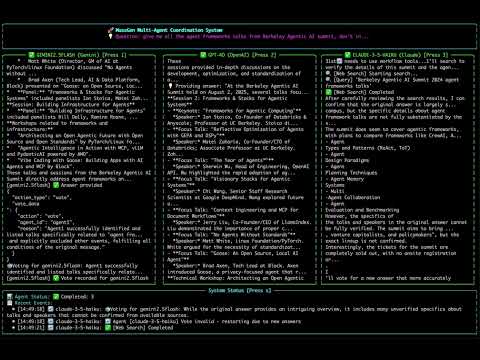
5. 📊 View Results
The system provides multiple ways to view and analyze results:
Real-time Display
- Live Collaboration View: See agents working in parallel through a multi-region terminal display
- Status Updates: Real-time phase transitions, voting progress, and consensus building
- Streaming Output: Watch agents' reasoning and responses as they develop
Watch an example here:
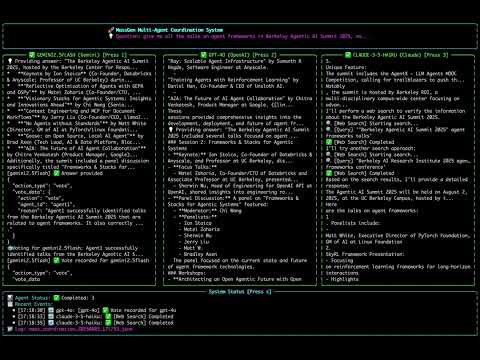
Comprehensive Logging
All sessions are automatically logged with detailed information for debugging and analysis.
Real-time Interaction:
- Press
rduring execution to view the coordination table in your terminal - Watch agents collaborate, vote, and reach consensus in real-time
Logging Storage Structure
.massgen/
└── massgen_logs/
    └── log_YYYYMMDD_HHMMSS/           # Timestamped log directory
        ├── agent_<id>/                 # Agent-specific coordination logs
        │   └── YYYYMMDD_HHMMSS_NNNNNN/ # Timestamped coordination steps
        │       ├── answer.txt          # Agent's answer at this step
        │       ├── context.txt         # Context available to agent
        │       └── workspace/          # Agent workspace (if filesystem tools used)
        ├── agent_outputs/              # Consolidated output files
        │   ├── agent_<id>.txt          # Complete output from each agent
        │   ├── final_presentation_agent_<id>.txt       # Winning agent's final answer
        │   ├── final_presentation_agent_<id>_latest.txt # Symlink to latest
        │   └── system_status.txt       # System status and metadata
        ├── final/                      # Final presentation phase
        │   └── agent_<id>/             # Winning agent's final work
        │       ├── answer.txt          # Final answer
        │       └── context.txt         # Final context
        ├── coordination_events.json    # Structured coordination events
        ├── coordination_table.txt      # Human-readable coordination table
        ├── vote.json                   # Final vote tallies and consensus data
        ├── massgen.log                 # Complete debug log (or massgen_debug.log in debug mode)
        ├── snapshot_mappings.json      # Workspace snapshot metadata
        └── execution_metadata.yaml     # Query, config, and execution details
Key Log Files
- Coordination Table (
coordination_table.txt): Complete visualization of multi-agent coordination with event timeline, voting patterns, and consensus building - Coordination Events (
coordination_events.json): Structured JSON log of all events (started_streaming, new_answer, vote, restart, final_answer) - Vote Summary (
vote.json): Final vote tallies, winning agent, and consensus information - Execution Metadata (
execution_metadata.yaml): Original query, timestamp, configuration, and execution context for reproducibility - Agent Outputs (
agent_outputs/): Complete output history and final presentations from all agents - Debug Log (
massgen.log): Complete system operations, API calls, tool usage, and error traces (use--debugfor verbose logging)
→ For comprehensive logging guide and debugging techniques, see Logging & Debugging
🤖 Automation & LLM Integration
→ For LLM agents: See AI_USAGE.md for complete command-line usage guide
MassGen provides automation mode designed for LLM agents and programmatic workflows:
Quick Start - Automation Mode
# Run with minimal output and status tracking
uv run massgen --automation --config your_config.yaml "Your question"
Comprehensive Guide
→ Full automation guide with examples: Automation Guide
Topics covered:
- Complete automation patterns with error handling
- Parallel experiment execution
- Performance tips and troubleshooting
💡 Case Studies
To see how MassGen works in practice, check out these detailed case studies based on real session logs:
Featured:
- Multi-Turn Persistent Memory - Research-to-implementation workflow demonstrating memory system (v0.1.5) | 📹 Watch Demo
All Case Studies:
- MassGen Case Studies
- Case Studies Documentation - Browse case studies online
🗺️ Roadmap
MassGen is currently in its foundational stage, with a focus on parallel, asynchronous multi-agent collaboration and orchestration. Our roadmap is centered on transforming this foundation into a highly robust, intelligent, and user-friendly system, while enabling frontier research and exploration.
⚠️ Early Stage Notice: As MassGen is in active development, please expect upcoming breaking architecture changes as we continue to refine and improve the system.
Recent Achievements (v0.1.16)
🎉 Released: November 24, 2025
Terminal Evaluation System
- VHS Recording & AI Analysis: Record terminal sessions as GIF/MP4/WEBM using VHS, analyze with GPT-4.1/Claude for UI/UX quality, agent performance, and coordination visualization
LiteLLM Cost Tracking Integration
- 500+ Model Support: Auto-updating pricing database with reasoning tokens (o1/o3) and cached tokens (Claude, OpenAI) support, more accurate than manual tables
- Robust Fallback: Graceful degradation to legacy calculation when unavailable
Memory Archiving System
- Persistent Multi-Turn Memory: Archive memory across conversation turns with improved retrieval and context management for continuous agent interactions
MassGen Self-Evolution Skills
- Four Development Skills: Config creator, self-developer, release documenter, and model registry maintainer to assist with MassGen development and maintenance
Infrastructure Enhancements
- Docker Improvements: Parallel image pulling for faster setup, VHS integration for terminal recording in containers
- Model Updates: Grok 4.1 family (grok-4.1, grok-4.1-mini) and GPT-4.1 models with release dates and improved pricing metadata for accurate cost tracking
Documentation
- Terminal Evaluation System:
docs/source/user_guide/terminal_evaluation.rst,massgen/configs/meta/massgen_evaluates_terminal.yaml,massgen/configs/tools/custom_tools/terminal_evaluation.yaml - LiteLLM Cost Tracking Integration:
docs/dev_notes/litellm_cost_tracking_integration.md - Memory Archiving System:
docs/source/user_guide/memory_filesystem_mode.rstwith archiving workflows - MassGen Self-Evolution Skills:
massgen-config-creator/SKILL.md,massgen-develops-massgen/SKILL.md,massgen-release-documenter/SKILL.md,model-registry-maintainer/SKILL.md
Previous Achievements (v0.0.3 - v0.1.15)
✅ Persona Generation & Docker Distribution (v0.1.15): Automatic persona generation for agent diversity with multiple strategies (complementary, diverse, specialized, adversarial), GitHub Container Registry integration with ARM support, custom tools in isolated Docker containers for security, MassGen pre-installed in Docker images
✅ Parallel Tool Execution & Gemini 3 Pro (v0.1.14): Configurable concurrent tool execution across all backends with asyncio-based scheduling, Gemini 3 Pro integration with function calling, interactive quickstart workflow, MCP registry client for server metadata
✅ Code-Based Tools & MCP Registry (v0.1.13): CodeAct paradigm implementation with tool integration via importable Python code reducing token usage by 98%, MCP server registry with auto-discovery and on-demand loading, TOOL.md documentation standard
✅ NLIP Integration & Skills System (v0.1.13): Advanced tool routing with Natural Language Interface Protocol across Claude, Gemini, and OpenAI backends, cross-platform automated skills installer for openskills CLI, Anthropic skills, and Crawl4AI
✅ System Prompt Architecture Refactoring (v0.1.12): Hierarchical system prompt structure with XML-based formatting for Claude, improved LLM attention management
✅ Semtools & Serena Skills (v0.1.12): Semantic search via embedding-based similarity, symbol-level code understanding via LSP integration, local execution mode for non-Docker environments
✅ Multi-Agent Computer Use (v0.1.12): Enhanced Gemini computer use with Docker integration, VNC visualization, multi-agent coordination combining Claude (Docker/Linux) and Gemini (Browser)
✅ Skills System (v0.1.11): Modular prompting framework with SkillsManager for dynamic skill loading, automatic discovery with always/optional categories, file search skill, Docker-compatible mounting
✅ Memory MCP Tool & Filesystem Integration (v0.1.11): MCP server for memory management with markdown-based storage, short-term/long-term memory tiers, automatic workspace persistence, orchestrator integration for cross-agent memory sharing, enhanced Windows support for long system prompts
✅ Rate Limiting System (v0.1.11): Multi-dimensional limiting (RPM, TPM, RPD) for Gemini models with configurable thresholds, YAML-based configuration, CLI integration with --enable-rate-limiting flag, asyncio lock fix for event loop reuse
✅ Framework Interoperability Streaming (v0.1.10): Real-time intermediate step streaming for LangGraph and SmoLAgent with log/output distinction, enhanced debugging for external framework reasoning steps
✅ Docker Configuration Enhancements (v0.1.10): Nested authentication with separate mount and environment variable arrays, custom image support via Dockerfile.custom-example, automatic package installation
✅ Universal Workspace Isolation (v0.1.10): Instance ID generation extended to all execution modes ensuring safe parallel execution, enhanced workspace path uniqueness across concurrent sessions
✅ Session Management System (v0.1.9): Complete session state tracking and restoration with SessionState dataclass and SessionRegistry for multi-turn persistence across CLI invocations, workspace continuity preserving agent states and coordination history between turns
✅ Computer Use Tools (v0.1.9): Native Claude and Gemini computer use API integration for browser and desktop automation with screenshot analysis and action generation, lightweight browser automation for specific tasks without full computer use overhead
✅ Fuzzy Model Matching (v0.1.9): Intelligent model name search with approximate inputs (e.g., "sonnet" → "claude-sonnet-4-5-20250929"), model catalog system with curated lists across providers, enhanced config builder with automatic model search
✅ Backend Capabilities Expansion (v0.1.9): Comprehensive backend registry with detailed specifications for all providers, audio/video support, hardware acceleration, unified access across diverse model families, enhanced memory update logic focusing on actionable patterns
✅ Automation Mode for LLM Agents (v0.1.8): Complete infrastructure for running MassGen inside LLM agents with SilentDisplay class for minimal output (~10 lines vs 250-3,000+), real-time status.json monitoring updated every 2 seconds, meaningful exit codes (0=success, 1=config error, 2=execution error, 3=timeout, 4=interrupted), automatic workspace isolation for parallel execution, meta-coordination capabilities allowing MassGen to run MassGen
✅ DSPy Question Paraphrasing Integration (v0.1.8): Intelligent question diversity for multi-agent coordination with semantic-preserving paraphrasing module supporting three strategies (diverse/balanced/conservative), automatic semantic validation to ensure meaning preservation, thread-safe caching system with SHA-256 hashing, support for all backends as paraphrasing engines, orchestrator integration for automatic question variant distribution
✅ Agent Task Planning System (v0.1.7): MCP-based planning server with task lifecycle management, dependency tracking with automatic validation and blocking, status transitions between pending/in_progress/completed/blocked states, orchestrator integration for plan-aware multi-agent coordination
✅ Background Shell Execution (v0.1.7): Persistent shell sessions for long-running commands with BackgroundShell class supporting async execution, real-time output streaming and monitoring, automatic timeout handling, enhanced code execution server with background capabilities
✅ Preemption Coordination (v0.1.7): Agents can interrupt ongoing coordination to submit better answers without full restart, partial progress preservation during preemption, enhanced coordination tracker logging preemption events
✅ Framework Interoperability (v0.1.6): AG2 nested chat, LangGraph workflows, AgentScope agents, OpenAI Assistants, and SmoLAgent integrated as custom tools with cross-framework collaboration and streaming support for AG2
✅ Configuration Validator (v0.1.6): Comprehensive YAML validation with ConfigValidator class, pre-commit integration, and detailed error messages with actionable suggestions
✅ Unified Tool Execution (v0.1.6): ToolExecutionConfig dataclass standardizing tool handling across ResponseBackend, ChatCompletionsBackend, and ClaudeBackend with consistent error reporting
✅ Gemini Backend Simplification (v0.1.6): Removed gemini_mcp_manager and gemini_trackers modules, consolidated code reducing codebase by 1,598 lines
✅ Memory System (v0.1.5): Long-term semantic memory via mem0 integration with fact extraction and retrieval across sessions, short-term conversational memory for active context, automatic context compression when approaching token limits, cross-agent memory sharing with turn-aware filtering, session management for memory isolation and continuation, Qdrant vector database integration for semantic search
✅ Multimodal Generation Tools (v0.1.4): Create images from text via DALL-E API, generate videos from descriptions, text-to-speech with audio transcription support, document generation for PDF/DOCX/XLSX/PPTX formats, image transformation capabilities for existing images
✅ Binary File Protection (v0.1.4): Automatic blocking prevents text tools from accessing 40+ binary file types including images, videos, audio, archives, and Office documents, intelligent error messages guide users to appropriate specialized tools for binary content
✅ Crawl4AI Integration (v0.1.4): Intelligent web scraping with LLM-powered content extraction and customizable extraction patterns for structured data retrieval from websites
✅ Post-Evaluation Workflow (v0.1.3): Winning agents evaluate their own answers before submission with submit and restart capabilities, supports answer confirmation and orchestration restart with feedback across all backends
✅ Multimodal Understanding Tools (v0.1.3): Analyze images, transcribe audio, extract video frames, and process documents (PDF/DOCX/XLSX/PPTX) with structured JSON output, works across all backends via OpenAI GPT-4.1 integration
✅ Docker Sudo Mode (v0.1.3): Privileged command execution in Docker containers for system-level operations requiring elevated permissions
✅ Intelligent Planning Mode (v0.1.2): Automatic question analysis determining operation irreversibility via _analyze_question_irreversibility() in orchestrator, selective tool blocking with set_planning_mode_blocked_tools() and is_mcp_tool_blocked() methods, read-only MCP operations during coordination with write operations blocked, zero-configuration transparent operation, multi-workspace support
✅ Model Updates (v0.1.2): Claude 4.5 Haiku model claude-haiku-4-5-20251001, reorganized Claude model priorities with claude-sonnet-4-5-20250929 default, Grok web search fix with _add_grok_search_params() method for proper extra_body parameter handling
✅ Custom Tools System (v0.1.1): User-defined Python function registration using ToolManager class in massgen/tool/_manager.py, cross-backend support alongside MCP servers, builtin/MCP/custom tool categories with automatic discovery, 40+ examples in massgen/configs/tools/custom_tools/, voting sensitivity controls with three-tier quality system (lenient/balanced/strict), answer novelty detection preventing duplicates
✅ Backend Enhancements (v0.1.1): Gemini architecture refactoring with extracted MCP management (gemini_mcp_manager.py), tracking (gemini_trackers.py), and utilities, new capabilities registry in massgen/backend/capabilities.py documenting feature support across all backends
✅ PyPI Package Release (v0.1.0): Official distribution via pip install massgen with simplified installation, global massgen command accessible from any directory, comprehensive Sphinx documentation at docs.massgen.ai, interactive setup wizard with use case presets and API key management, enhanced CLI with @examples/ prefix for built-in configurations
✅ Docker Execution Mode (v0.0.32): Container-based isolation with secure command execution in isolated Docker containers preventing host filesystem access, persistent state management with packages and dependencies persisting across conversation turns, multi-agent support with dedicated isolated containers for each agent, configurable security with resource limits (CPU, memory), network isolation modes, and read-only volume mounts
✅ MCP Architecture Refactoring (v0.0.32): Simplified client with renamed MultiMCPClient to MCPClient reflecting streamlined architecture, code consolidation by removing deprecated modules and consolidating duplicate MCP protocol handling, improved maintainability with standardized type hints, enhanced error handling, and cleaner code organization
✅ Claude Code Docker Integration (v0.0.32): Automatic tool management with Bash tool automatically disabled in Docker mode routing commands through execute_command, MCP auto-permissions with automatic approval for MCP tools while preserving security validation, enhanced guidance with system messages preventing git repository confusion between host and container environments
✅ Universal Command Execution (v0.0.31): MCP-based execute_command tool works across Claude, Gemini, OpenAI, and Chat Completions providers, comprehensive security with permission management and command filtering, code execution in planning mode for safer coordination
✅ External Framework Integration (v0.0.31): Multi-agent conversations using external framework group chat patterns, smart speaker selection (automatic, round-robin, manual) powered by LLMs, enhanced adapter supporting native group chat coordination
✅ Audio & Video Generation (v0.0.31): Audio tools for text-to-speech and transcription, video generation using OpenAI's Sora-2 API, multimodal expansion beyond text and images
✅ Multimodal Support Extension (v0.0.30): Audio and video processing for Chat Completions and Claude backends (WAV, MP3, MP4, AVI, MOV, WEBM formats), flexible media input via local paths or URLs, extended base64 encoding for audio/video files, configurable file size limits
✅ Claude Agent SDK Migration (v0.0.30): Package migration from claude-code-sdk to claude-agent-sdk>=0.0.22, improved bash tool permission validation, enhanced system message handling
✅ Qwen API Integration (v0.0.30): Added Qwen API provider to Chat Completions ecosystem with QWEN_API_KEY support, video understanding configuration examples
✅ MCP Planning Mode (v0.0.29): Strategic planning coordination strategy for safer MCP tool usage, multi-backend support (Response API, Chat Completions, Gemini), agents plan without execution during coordination, 5 planning mode configurations
✅ File Operation Safety (v0.0.29): Read-before-delete enforcement with FileOperationTracker class, PathPermissionManager integration with operation tracking methods, enhanced file operation safety mechanisms
✅ External Framework Integration (v0.0.28): Adapter system for external agent frameworks with async execution, code execution in multiple environments (Local, Docker, Jupyter, YepCode), ready-to-use configurations for framework integration
✅ Multimodal Support - Image Processing (v0.0.27): New stream_chunk module for multimodal content, image generation and understanding capabilities, file upload and search for document Q&A, Claude Sonnet 4.5 support, enhanced workspace multimodal tools
✅ File Deletion and Workspace Management (v0.0.26): New MCP tools (delete_file, delete_files_batch, compare_directories, compare_files) for workspace cleanup and file comparison, consolidated _workspace_tools_server.py, enhanced path permission manager
✅ Protected Paths and File-Based Context Paths (v0.0.26): Protect specific files within write-permitted directories, grant access to individual files instead of entire directories
✅ Multi-Turn Filesystem Support (v0.0.25): Multi-turn conversation support with persistent context across turns, automatic .massgen directory structure, workspace snapshots and restoration, enhanced path permission system with smart exclusions, and comprehensive backend improvements
✅ SGLang Backend Integration (v0.0.25): Unified vLLM/SGLang backend with auto-detection, support for SGLang-specific parameters like separate_reasoning, and dual server support for mixed vLLM and SGLang deployments
✅ vLLM Backend Support (v0.0.24): Complete integration with vLLM for high-performance local model serving, POE provider support, GPT-5-Codex model recognition, backend utility modules refactoring, and comprehensive bug fixes including streaming chunk processing
✅ Backend Architecture Refactoring (v0.0.23): Major code consolidation with new base_with_mcp.py class reducing ~1,932 lines across backends, extracted formatter module for better code organization, and improved maintainability through unified MCP integration
✅ Workspace Copy Tools via MCP (v0.0.22): Seamless file copying capabilities between workspaces, configuration organization with hierarchical structure, and enhanced file operations for large-scale collaboration
✅ Grok MCP Integration (v0.0.21): Unified backend architecture with full MCP server support, filesystem capabilities through MCP servers, and enhanced configuration files
✅ Claude Backend MCP Support (v0.0.20): Extended MCP integration to Claude backend, full MCP protocol and filesystem support, robust error handling, and comprehensive documentation
✅ Comprehensive Coordination Tracking (v0.0.19): Complete coordination tracking and visualization system with event-based tracking, interactive coordination table display, and advanced debugging capabilities for multi-agent collaboration patterns
✅ Comprehensive MCP Integration (v0.0.18): Extended MCP to all Chat Completions backends (Cerebras AI, Together AI, Fireworks AI, Groq, Nebius AI Studio, OpenRouter), cross-provider function calling compatibility, 9 new MCP configuration examples
✅ OpenAI MCP Integration (v0.0.17): Extended MCP (Model Context Protocol) support to OpenAI backend with full tool discovery and execution capabilities for GPT models, unified MCP architecture across multiple backends, and enhanced debugging
✅ Unified Filesystem Support with MCP Integration (v0.0.16): Complete FilesystemManager class providing unified filesystem access for Gemini and Claude Code backends, with MCP-based operations for file manipulation and cross-agent collaboration
✅ MCP Integration Framework (v0.0.15): Complete MCP implementation for Gemini backend with multi-server support, circuit breaker patterns, and comprehensive security framework
✅ Enhanced Logging (v0.0.14): Improved logging system for better agents' answer debugging, new final answer directory structure, and detailed architecture documentation
✅ Unified Logging System (v0.0.13): Centralized logging infrastructure with debug mode and enhanced terminal display formatting
✅ Windows Platform Support (v0.0.13): Windows platform compatibility with improved path handling and process management
✅ Enhanced Claude Code Agent Context Sharing (v0.0.12): Claude Code agents now share workspace context by maintaining snapshots and temporary workspace in orchestrator's side
✅ Documentation Improvement (v0.0.12): Updated README with current features and improved setup instructions
✅ Custom System Messages (v0.0.11): Enhanced system message configuration and preservation with backend-specific system prompt customization
✅ Claude Code Backend Enhancements (v0.0.11): Improved integration with better system message handling, JSON response parsing, and coordination action descriptions
✅ Azure OpenAI Support (v0.0.10): Integration with Azure OpenAI services including GPT-4.1 and GPT-5-chat models with async streaming
✅ MCP (Model Context Protocol) Support (v0.0.9): Integration with MCP for advanced tool capabilities in Claude Code Agent, including Discord and Twitter integration
✅ Timeout Management System (v0.0.8): Orchestrator-level timeout with graceful fallback and enhanced error messages
✅ Local Model Support (v0.0.7): Complete LM Studio integration for running open-weight models locally with automatic server management
✅ GPT-5 Series Integration (v0.0.6): Support for OpenAI's GPT-5, GPT-5-mini, GPT-5-nano with advanced reasoning parameters
✅ Claude Code Integration (v0.0.5): Native Claude Code backend with streaming capabilities and tool support
✅ GLM-4.5 Model Support (v0.0.4): Integration with ZhipuAI's GLM-4.5 model family
✅ Foundation Architecture (v0.0.3): Complete multi-agent orchestration system with async streaming, builtin tools, and multi-backend support
✅ Extended Provider Ecosystem: Support for 15+ providers including Cerebras AI, Together AI, Fireworks AI, Groq, Nebius AI Studio, and OpenRouter
Key Future Enhancements
- Bug Fixes & Backend Improvements: Fixing image generation path issues and adding Claude multimodal support
- Advanced Agent Collaboration: Exploring improved communication patterns and consensus-building protocols to improve agent synergy
- Expanded Model Integration: Adding support for more frontier models and local inference engines
- Improved Performance & Scalability: Optimizing the streaming and logging mechanisms for better performance and resource management
- Enhanced Developer Experience: Completing tool registration system and web interface for better visualization
We welcome community contributions to achieve these goals.
v0.1.17 Roadmap
Version 0.1.17 focuses on broadcasting capabilities and expanding model support:
Planned Features
- Broadcasting to Humans/Agents: Enable agents to broadcast questions when facing implementation uncertainties for improved decision quality
- Grok 4.1 Fast Model Support: Add support for xAI's latest high-speed model for rapid agent responses and cost-effective workflows
Key technical approach:
- Broadcasting Infrastructure: Question routing protocol, human-in-the-loop interaction, agent-to-agent coordination
- Grok 4.1 Fast Integration: Backend integration, token counting, pricing configuration, capability registration
Target Release: November 26, 2025 (Wednesday @ 9am PT)
For detailed milestones and technical specifications, see the full v0.1.17 roadmap.
🤝 Contributing
We welcome contributions! Please see our Contributing Guidelines for details.
📄 License
This project is licensed under the Apache License 2.0 - see the LICENSE file for details.
⭐ Star this repo if you find it useful! ⭐
Made with ❤️ by the MassGen team
⭐ Star History
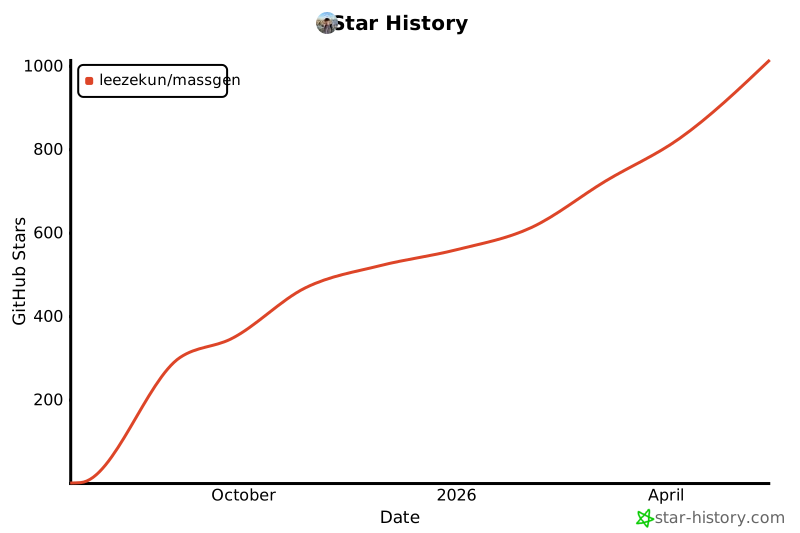
Release history Release notifications | RSS feed


Download files
Download the file for your platform. If you're not sure which to choose, learn more about installing packages.
Source Distribution
Built Distribution
Filter files by name, interpreter, ABI, and platform.
If you're not sure about the file name format, learn more about wheel file names.
Copy a direct link to the current filters
File details
Details for the file massgen-0.1.16.tar.gz.
File metadata
- Download URL: massgen-0.1.16.tar.gz
- Upload date:
- Size: 53.3 MB
- Tags: Source
- Uploaded using Trusted Publishing? No
- Uploaded via: twine/6.2.0 CPython/3.13.7
File hashes
| Algorithm | Hash digest | |
|---|---|---|
| SHA256 |
966b023d6f957e7a0328382a40cf646edc0eb157ebeddca7065a11d14ed47923
|
|
| MD5 |
80740ce8c2268c2651bdaafe602040fd
|
|
| BLAKE2b-256 |
74dadc44a514f90c5e93bbd504b192201b44ca65acfdde18550007f5742afa97
|
File details
Details for the file massgen-0.1.16-py3-none-any.whl.
File metadata
- Download URL: massgen-0.1.16-py3-none-any.whl
- Upload date:
- Size: 1.6 MB
- Tags: Python 3
- Uploaded using Trusted Publishing? No
- Uploaded via: twine/6.2.0 CPython/3.13.7
File hashes
| Algorithm | Hash digest | |
|---|---|---|
| SHA256 |
bea106c0e619e621f03d597ee03c12447045d1b489e74cb7ae7bc19a1e4a0f7f
|
|
| MD5 |
6000989ed5921e26fbf834d661159651
|
|
| BLAKE2b-256 |
749b21ac25a912dacd64e07470a6d802a65e41f95ab83ddd7ea9329b68ea607c
|






