
Mastui - A Fast and Modern Mastodon Client for the Terminal

A powerful, feature-rich, and beautiful Mastodon TUI client.
Explore the Homepage »
Follow Mastui on Mastodon for Updates
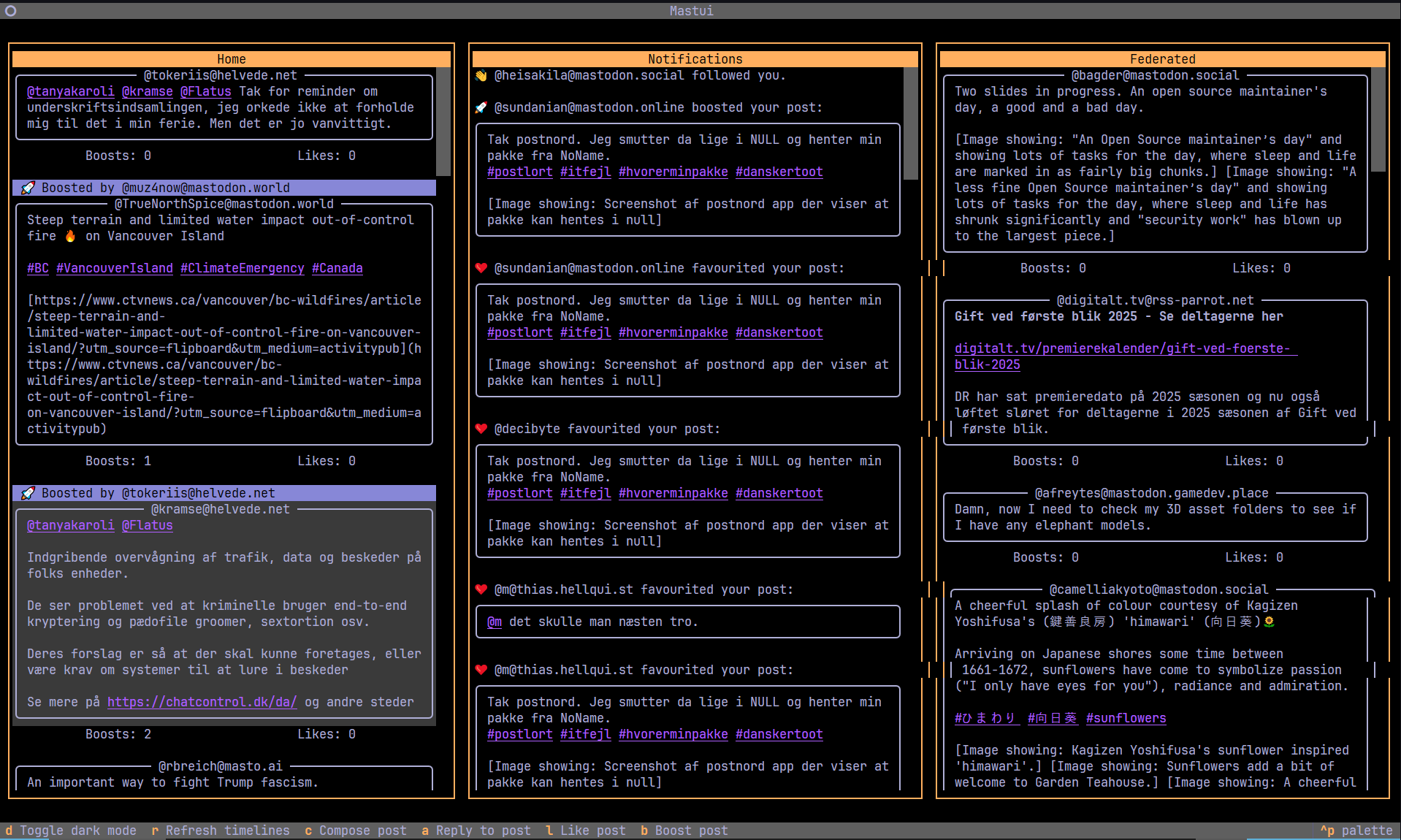
Mastui is a modern Mastodon client for your terminal. Built with Python and the powerful Textual framework, it provides a highly efficient, multi-column layout that lets you keep an eye on all the action at once.
Whether you're a power user who wants to manage multiple accounts or someone who just loves the terminal, Mastui is designed to be your new favorite way to interact with Mastodon.
🧰 Requirements
- Python 3.9+
- A terminal with UTF-8 support and 120+ columns recommended
- Optional: Sixel/TGP-capable terminal for high fidelity image rendering
- Mastodon access token (the onboarding flow can create one for you)
pipxorpipfor installation
Supported Operating Systems
- Linux
- macOS
- Windows (PowerShell/WSL)
- Android (via Termux)
If you encounter any platform-specific issues, please open an issue.
✨ Key Features
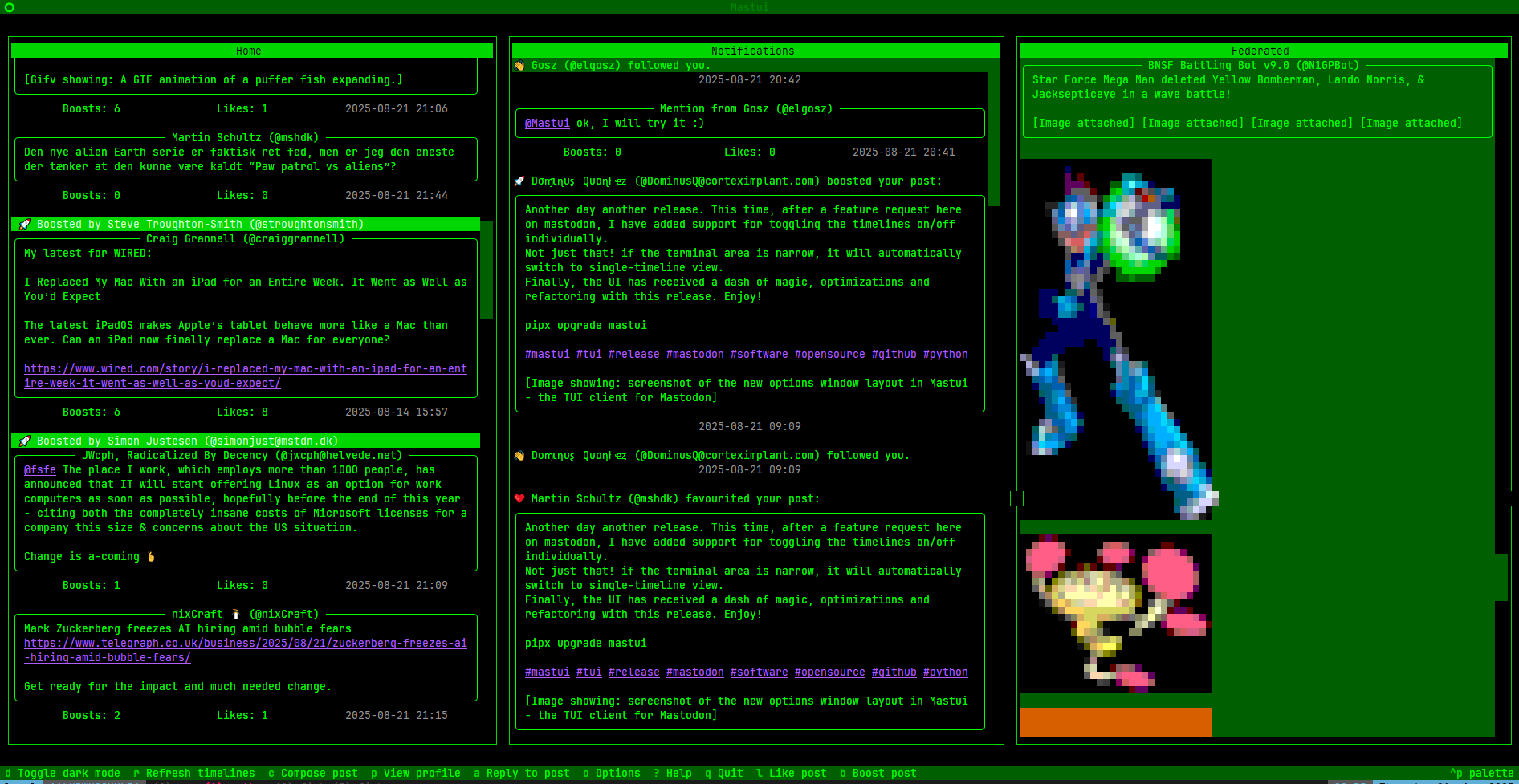
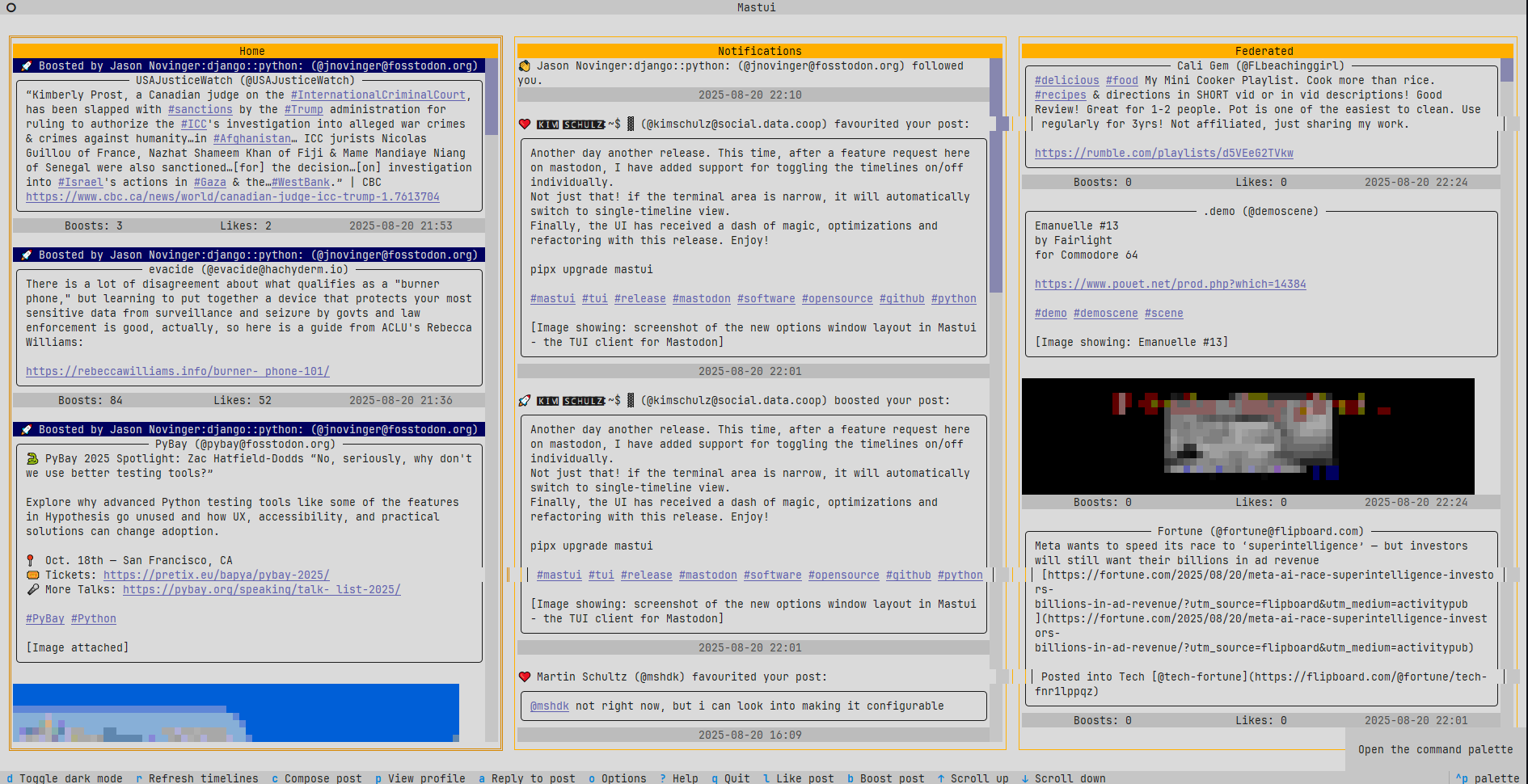
- Multi-Column Layout: Home, Local, Federated, Mentions, and DM timelines can be shown side-by-side. Layout automatically collapses for narrow terminals.
- Multi-Profile & Sandboxed Config: Every account has its own config directory, keymap, credentials, cache, and custom theme overrides.
- Timeline Power Features
- Like, boost, reply, edit, and view threads directly from the keyboard
- Jump to the top (
g), refresh (r), or move between columns with configurable bindings - Persistent SQLite cache enables offline reading and super fast scrolling
- Rich Composer
- Content warnings, poll builder, visibility controls, and language selector
- Autocomplete for
@mentionsand#hashtagssourced from your follows and the local instance - Inline preview of original post when replying
- Media Friendly
- Inline image previews with ANSI, Sixel, or TGP renderers (auto-detect)
- Polls rendered with vote counts or interactive voting UI
- URL extractor modal lets you copy media/card links without leaving the TUI
- Personalization
- Quick theme switches plus custom CSS overrides
- Keybinding editor with per-profile
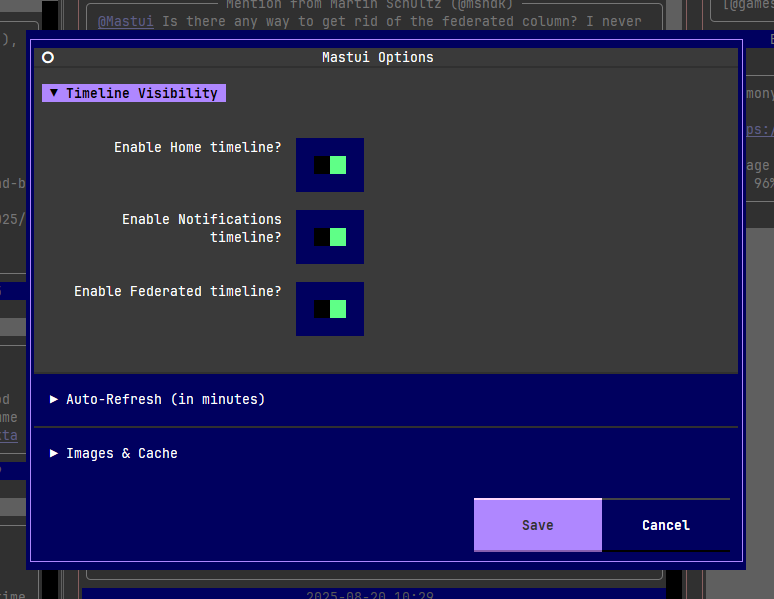
keymap.json - Options modal to toggle timelines, enable image caching, configure auto-refresh cadence, curate the language list used in the composer, and manage server-side Mastodon filters
- Productivity niceties
- Search panel for people, tags, and posts
- Hashtag timeline modal
- Profile and conversation screens with follow/mute/block actions
- Log viewer (
F12) when running with--debug
🖼️ Screenshots
| Thread View | Profile View |
|---|---|
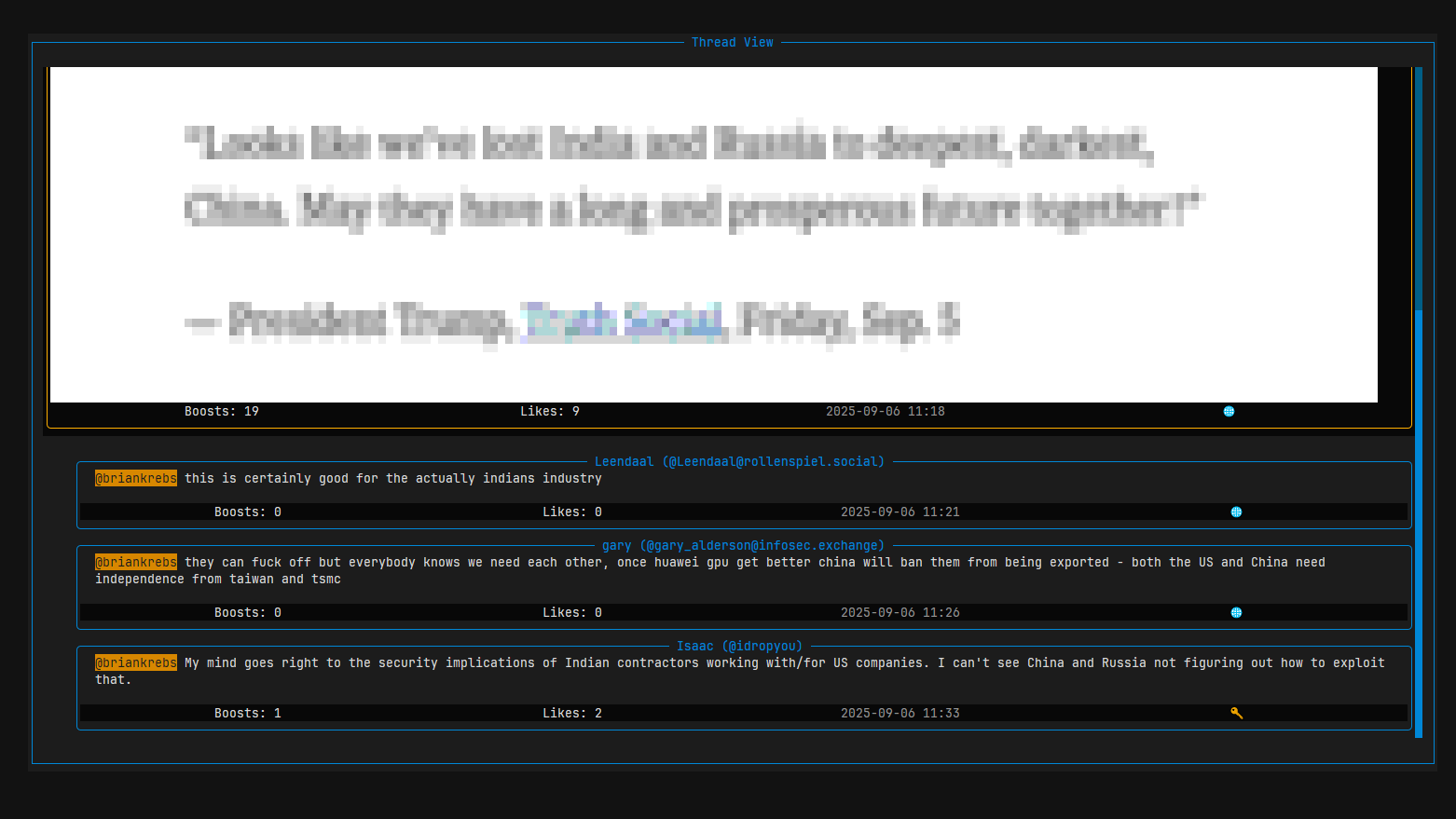 |
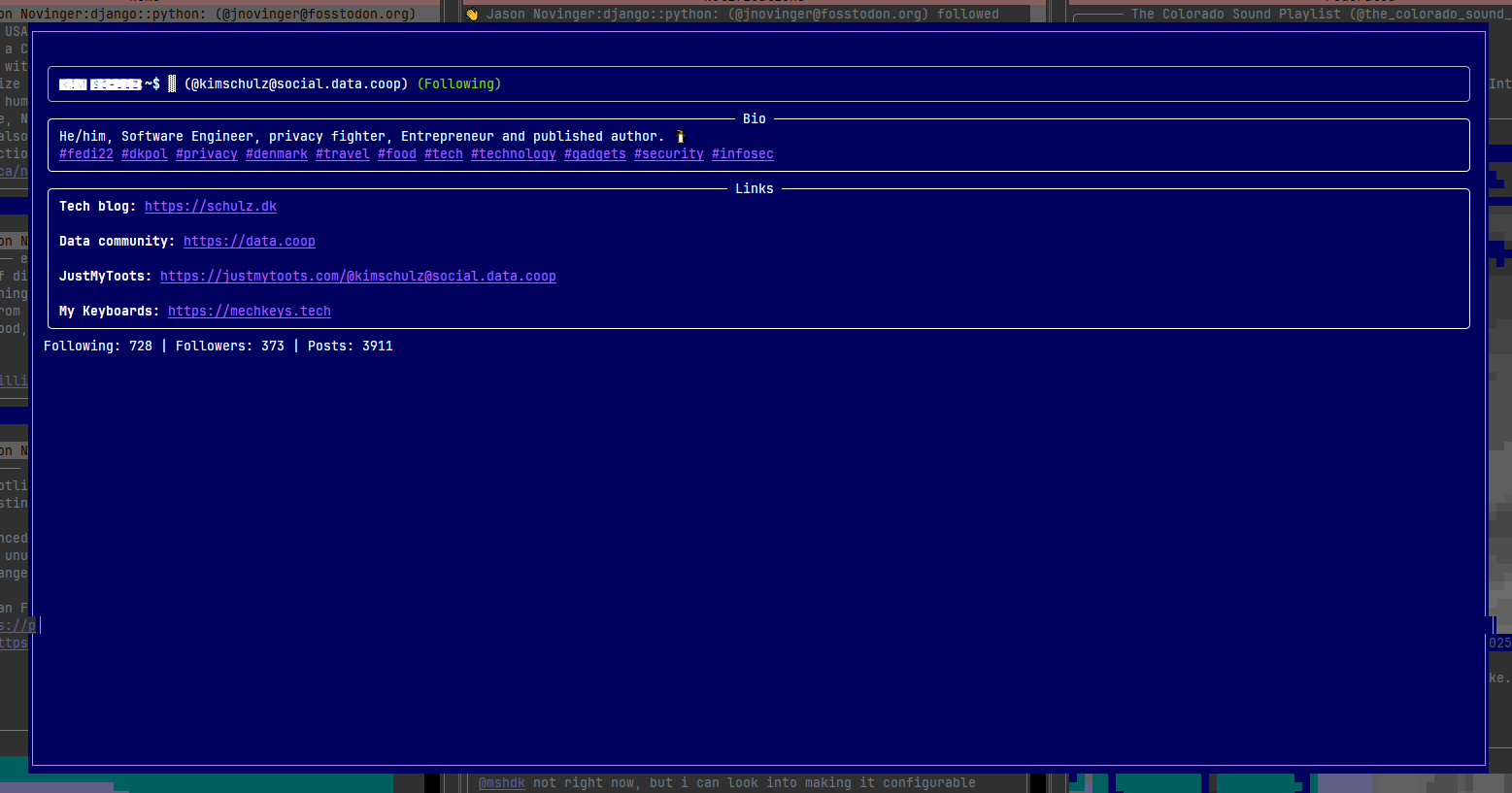 |
| Compose Window with Poll | Options Screen |
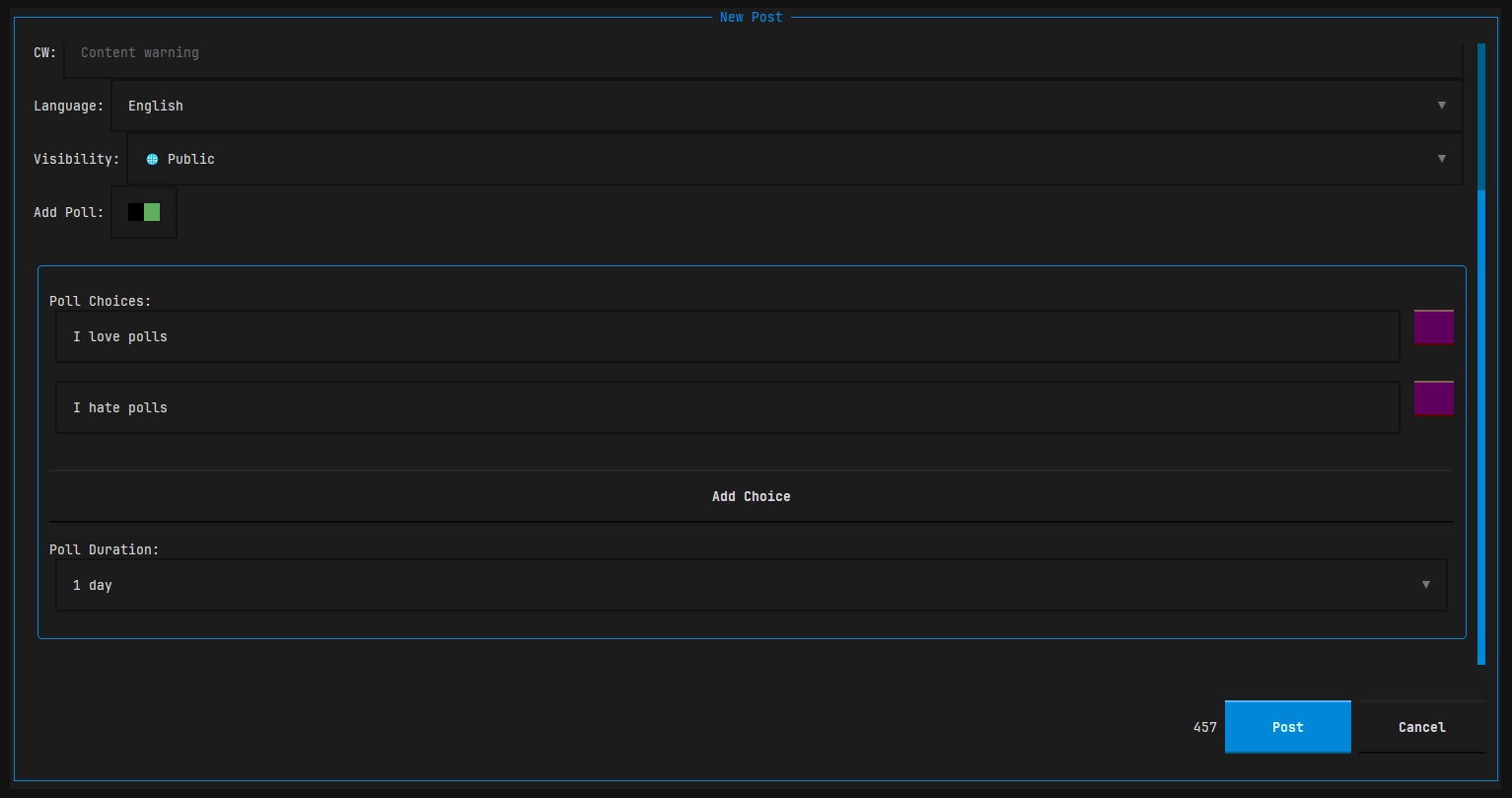 |
 |
| Retro Green Theme | Light Theme |
 |
 |
🚀 Installation
Pre-built Packages (GitHub Releases)
Download pre-built standalone packages directly from GitHub Releases:
- Debian / Ubuntu (
.deb):sudo dpkg -i mastui_<version>_amd64.deb
- Fedora / RHEL / openSUSE (
.rpm):sudo rpm -i mastui-<version>-1.x86_64.rpm
- Universal Linux (
.AppImage):chmod +x mastui-<version>-x86_64.AppImage ./mastui-<version>-x86_64.AppImage
- Arch Linux (
.pkg.tar.zst):sudo pacman -U mastui-<version>-1-x86_64.pkg.tar.zst
- Windows:
Download
mastui-<version>-windows-x86_64.zip, extract, and runmastui.exein Windows Terminal or PowerShell.
🌐 Web Browser Mode
You can also run Mastui as a local web application and interact with it in your browser:
# Launch Mastui web interface (opens default browser at http://127.0.0.1:8000)
mastui --web

# Or bind to custom host/port (e.g. for remote server or headless Raspberry Pi)
mastui --web --web-host 0.0.0.0 --web-port 8080 --no-browser
pipx (recommended for Python users)
pipx install mastui
# later upgrades
pipx upgrade mastui
pip / virtual environment
python -m venv .venv
source .venv/bin/activate
pip install mastui
From Source
git clone https://github.com/kimusan/mastui.git
cd mastui
pip install poetry
poetry install
poetry run mastui --debug
Building Packages Locally
You can build standalone executables and distribution packages locally with the unified build script:
# Build standalone single-file binary with PyInstaller
poetry run python scripts/build_packages.py --target binary

# Build all Linux packages (.deb, .rpm, .AppImage, .pkg.tar.zst) and checksums
poetry run python scripts/build_packages.py --all-linux

# Build specific package targets
poetry run python scripts/build_packages.py --target deb
poetry run python scripts/build_packages.py --target rpm
poetry run python scripts/build_packages.py --target appimage
poetry run python scripts/build_packages.py --target arch

# Build Windows zip package (on Windows)
poetry run python scripts/build_packages.py --target windows
All built packages and checksums are placed into the dist/ directory.
Mastui stores profile data under ~/.config/mastui/<profile> (or the platform equivalent). Remove those directories to wipe a profile, or use the built-in profile manager.
⌨️ Key Bindings
This is a summary of the most common key bindings. For a full list, press ? inside the app.
| Key(s) | Action |
|---|---|
q |
Quit the application |
d |
Toggle dark/light mode |
u |
Switch user profile |
o |
Open options screen |
i |
Open filter manager |
/ |
Open search screen |
? |
Show the full help screen |
up/down |
Move selection up/down |
left/right |
Focus timeline to the left/right |
g |
Jump to the top of the focused timeline |
r |
Refresh all timelines |
c |
Compose a new post |
a |
Reply to the selected post |
l |
Like / Unlike the selected post |
b |
Boost / Reblog the selected post |
e |
Edit one of your own posts |
p |
View the author's profile |
enter |
View the post's thread |
🧹 Server-side Filters
Mastui now supports Mastodon's server-side filters end-to-end.
- Open the filter manager with
ior via Options → Manage Filters. - View existing filters and add / edit / delete them.
- Configure:
- Title
- Expire after
- Filter Context (Home and lists, notifications, public timelines, conversations, profiles)
- Filter Action (
warn/hide) - Keywords with optional Whole word matching
- Filters are stored on your Mastodon server, so they apply across clients for the same account.
- Mastui respects server filtering in timeline and modal views:
warnfilters show a warning bannerhidefilters are not rendered in the UI
🗺️ Roadmap
Mastui is actively developed. Here are some of the features planned for future releases:
- Bookmarks: Bookmark posts and view them in a dedicated timeline.
- Advanced Filtering: Expand filter support (for example status-based filters or additional filter behaviors).
- User Lists: View and interact with your created user lists as timelines.
- Post Management: Delete your own posts.
- Profile Management: Re-authenticate or delete profiles from within the app.
- Post Drafts: Save and load drafts of your posts.
- Localization: Support for multiple languages in the UI.
Have an idea? Feel free to open an issue to discuss it.
🤝 Contributing
Contributions are welcome! Please read CONTRIBUTING.md for details on our code of conduct and the process for submitting pull requests.
🛠️ Technology Stack
Mastui is built with some fantastic open-source libraries:
- Textual for the TUI framework
- Python
- Mastodon.py for interacting with the Mastodon API
- textual-image for image rendering
- httpx for HTTP requests
- html2text for converting HTML to Markdown
- python-dateutil for parsing datetimes
✍️ Authors
- Kim Schulz - Initial work - kimusan
See also the list of contributors who participated in this project.
📜 License
Mastui is licensed under the MIT License. See the LICENSE file for more information.
1 maintainer

Metadata
1 maintainer
Release files for mastui 1.13.0
For a detailed explanation of source distributions (sdists) and built distributions (wheels), please see the package formats documentation.
Source distribution (sdist)
| File | Size | Uploaded | |
|---|---|---|---|
| mastui-1.13.0.tar.gz | 84.5 kB | Details |
Built distribution (wheel)
| File | Interpreter | ABI | Platform | Reset |
|---|---|---|---|---|
| mastui-1.13.0-py3-none-any.whl | Python 3 | none | any | Details |
Total release size: 186.7 kB
Release files / mastui-1.13.0.tar.gz
| Download URL | mastui-1.13.0.tar.gz |
|---|---|
| Size | 84.5 kB |
| Tags | Source |
|
SHA-256 checksum How to use checksums |
0e62525c036f26574bfb0ebd01a9e97b541496c5ce682f4cc59fd420a572c9ea
|
|
BLAKE2b-256 checksum How to use checksums |
0484806dbd0db54b256fa5307facc8f01f63670829928bf3d7ff6c0fcc53d007
|
| Upload date | |
|
Uploaded using Trusted Publishing? What is trusted publishing? |
No |
| Uploaded via |
twine/7.0.0 CPython/3.13.14
|
Release files / mastui-1.13.0-py3-none-any.whl
| Download URL | mastui-1.13.0-py3-none-any.whl |
|---|---|
| Size | 102.2 kB |
| Tags | Python 3 |
|
SHA-256 checksum How to use checksums |
9569f70cecccea30ad6f5fb5f6a31ca173537e45b0decc5f38f3a582b01c24dc
|
|
BLAKE2b-256 checksum How to use checksums |
63cb2b949f6e76367c1957e6fe1d9dd4dcb237441bd79ed7b7ce0a11ab49e2f4
|
| Upload date | |
|
Uploaded using Trusted Publishing? What is trusted publishing? |
No |
| Uploaded via |
twine/7.0.0 CPython/3.13.14
|














