
MATLAB Proxy




Use this Python® package matlab-proxy to start MATLAB® and access it from a web browser.
Install this package to create an executable matlab-proxy-app, which starts MATLAB and provides you a URL to access it.
MATLAB Proxy is under active development. For support or to report issues, see Feedback.
Table of Contents
Requirements
-
MATLAB® R2020b or later, installed and added to the system PATH.
# Confirm MATLAB is on the PATH
which matlab
-
The dependencies required to run MATLAB. For details, refer to the Dockerfiles in the matlab-deps repository for your desired version of MATLAB.
-
X Virtual Frame Buffer (Xvfb) (only for Linux® based systems):
Installing Xvfb is optional (starting v0.11.0 of matlab-proxy) but highly recommended. Xvfb enables graphical abilities like plots and figures in the MATLAB desktop. To install Xvfb on your Linux machine, use:
# On a Debian/Ubuntu based system:
$ sudo apt install xvfb
# On a RHEL based system:
$ yum search Xvfb
xorg-x11-server-Xvfb.x86_64 : A X Windows System virtual framebuffer X server.

$ sudo yum install xorg-x11-server-Xvfb
-
Fluxbox Window Manager (only for Linux® based systems):
Installing fluxbox is optional but required to use Simulink Online.
Install fluxbox using:
# On a Debian/Ubuntu based system:
$ sudo apt install fluxbox
-
Python versions: 3.10 | 3.11 | 3.12 | 3.13 | 3.14
-
Supported Operating Systems:
- Linux®
- Windows® Operating System ( starting v0.4.0 of matlab-proxy )
- MacOS (starting v0.5.0 of matlab-proxy )
See Platform Support for more information
Installation
PyPI
This repository can be installed directly from the Python Package Index.
python -m pip install matlab-proxy
Building From Sources
Building from sources requires Node.js® version 24 or higher — install it from the official site.
git clone https://github.com/mathworks/matlab-proxy.git

cd matlab-proxy

python -m pip install .
Installing the package creates an executable called matlab-proxy-app, which is placed onto your system PATH by pip, usually in: $HOME/.local/bin/
# Confirm it is on the PATH
which matlab-proxy-app
Usage
Once the matlab-proxy package is installed.
-
Open a terminal and start
matlab-proxy-app. On Linux, the command would beenv MWI_BASE_URL="/matlab" matlab-proxy-app
MWI_BASE_URLis an environment variable which controls the link on which MATLAB can be accessed. For a detailed listing of all environment variables. See Advanced-Usage.mdRunning the above command will print text out on your terminal, which will contain the URL to access MATLAB. For example:
Access MATLAB at http://localhost:44549/matlab/index.html -
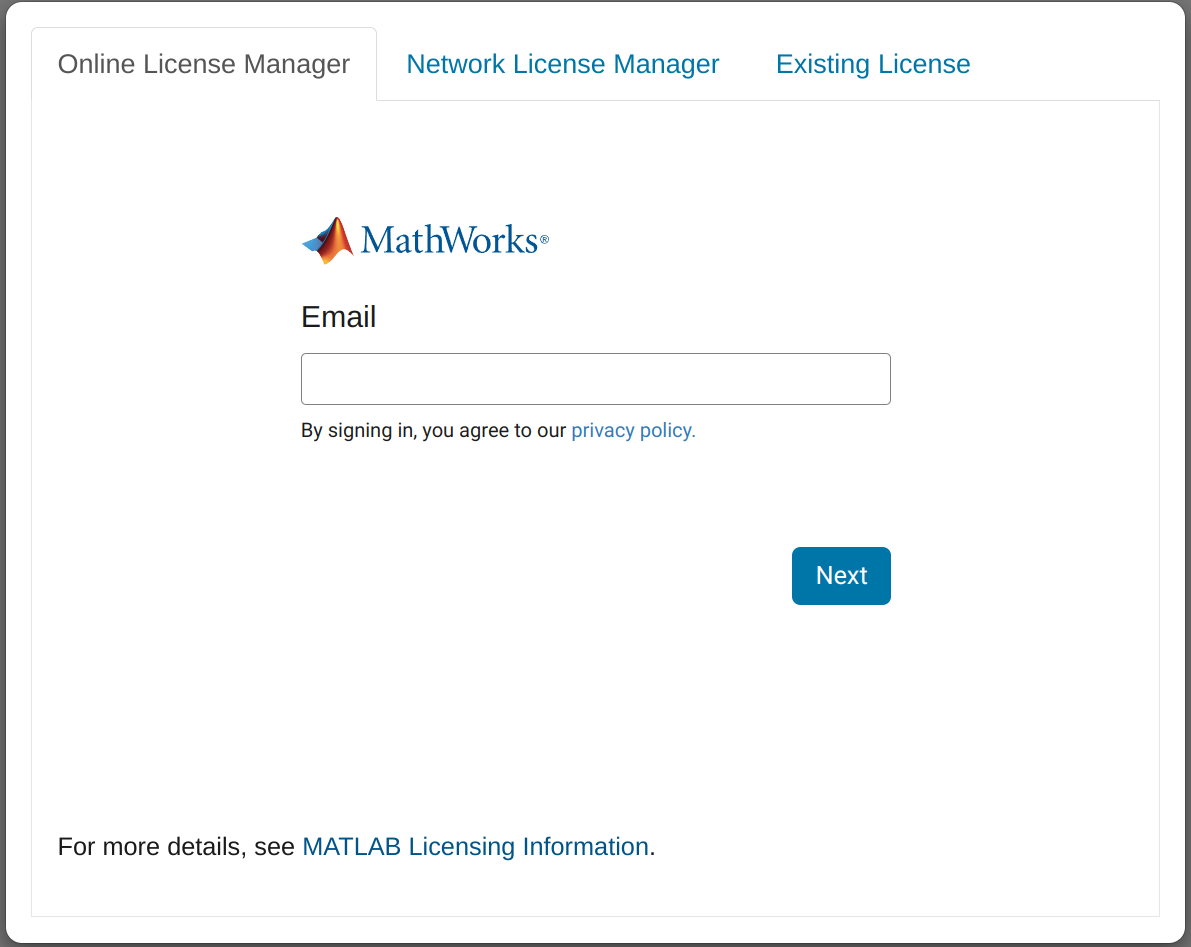
Open the the link above in a web browser. If prompted to do so, enter credentials for a MathWorks account associated with a MATLAB license. If you are using a network license manager, then change to the Network License Manager tab and enter the license server address instead. To determine the appropriate method for your license type, consult MATLAB Licensing Info.
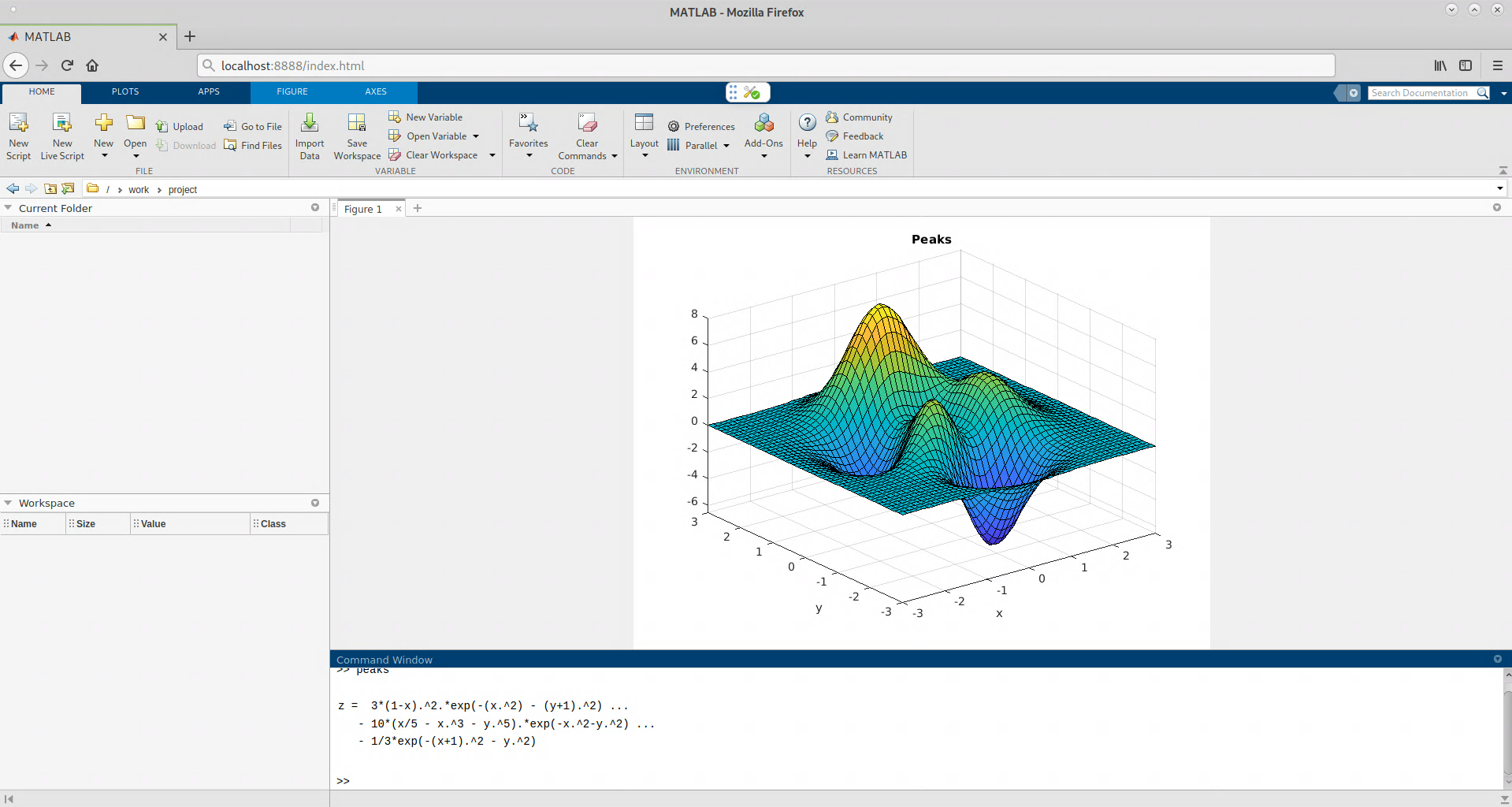
- Wait for the MATLAB session to start. This can take several minutes.
- To manage the MATLAB session, click the tools icon shown below.
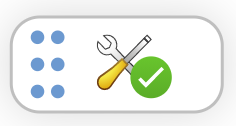
- Clicking the tools icon opens a status panel with buttons like the ones below:

The following options are available in the status panel (some options are only available in a specific context):
| Option | Description |
|---|---|
| Start MATLAB | Start your MATLAB session. Available if MATLAB is stopped. |
| Restart MATLAB | Restart your MATLAB session. Available if MATLAB is running or starting. |
| Stop MATLAB | Stop your MATLAB session. Use this option if you want to free up RAM and CPU resources. Available if MATLAB is running or starting. |
| Sign Out | Sign out of MATLAB session. Use this to stop MATLAB and sign in with an alternative account. Available if using online licensing. |
| Unset License Server Address | Unset network license manager server address. Use this to stop MATLAB and enter new licensing information. Available if using network license manager. |
| Shut Down | Stop your MATLAB session and the matlab-proxy server. |
| Feedback | Provide feedback. Opens a new tab to create an issue on GitHub. |
| Help | Open a help pop-up for a detailed description of the options. |
Examples
- For installing/usage in a Docker container, see this Dockerfile and its README.
- For upgrading matlab-proxy in an existing Docker image, see this Dockerfile.upgrade.matlab-proxy and its README.
- For usage in a Jupyter environment, see jupyter-matlab-proxy.
Platform Support
Linux
This package is fully supported for the Linux Operating System.
Windows
Windows® Operating System support was introduced in package version v0.4.0.
Install the version >=0.4.0 to use the package on Windows.
# To upgrade an existing installation of matlab-proxy package:
$ pip install --upgrade matlab-proxy>=0.4.0
MacOS
MacOS support was introduced in package version v0.5.0.
It works best for MATLAB versions newer than R2022b.
Note: Figures also open in a separate windows on versions of MATLAB older than R2022b.
Install the version >=0.5.0 to use the package on MacOS.
# To upgrade an existing installation of matlab-proxy package:
$ pip install --upgrade matlab-proxy>=0.5.0
Windows Subsystem for Linux (WSL 2)
To install matlab-proxy in WSL 2, follow the steps mentioned in the Installation Guide for WSL 2.
Using an already activated MATLAB with matlab-proxy
matlab-proxy version v0.7.0 introduces support for using an existing MATLAB license. Use the Existing License option only if you have an activated MATLAB. This allows you to start MATLAB without authenticating every time.
Limitations
This package supports the same set of MATLAB features and commands as MATLAB® Online. For the full list, see Specifications and Limitations for MATLAB Online.
Simulink Online is supported exclusively on Linux platforms starting from MATLAB R2024b.
Security
We take your security concerns seriously, and will attempt to address all concerns.
matlab-proxy uses several other python packages, and depend on them to fix their own vulnerabilities.
All security patches will be released as a new version of the package. Patches are never backported to older versions or releases of the package. Using the latest version will provide the latest available security updates or patches.
Feedback
We encourage you to try this repository with your environment and provide feedback. If you encounter a technical issue or have an enhancement request, create an issue here
Copyright 2020-2026 The MathWorks, Inc.
1 maintainer

Release files for matlab-proxy 0.35.0
For a detailed explanation of source distributions (sdists) and built distributions (wheels), please see the package formats documentation.
Source distribution (sdist)
| File | Size | Uploaded | |
|---|---|---|---|
| matlab_proxy-0.35.0.tar.gz | 958.3 kB | Details |
Built distribution (wheel)
| File | Interpreter | ABI | Platform | Reset |
|---|---|---|---|---|
| matlab_proxy-0.35.0-py3-none-any.whl | Python 3 | none | any | Details |
Total release size: 1.8 MB
Release files / matlab_proxy-0.35.0.tar.gz
| Download URL | matlab_proxy-0.35.0.tar.gz |
|---|---|
| Size | 958.3 kB |
| Tags | Source |
|
SHA-256 checksum How to use checksums |
6d09ec8e4b951cad1cc333443cdcfddb80cd3196046616321119641497bd5e94
|
|
BLAKE2b-256 checksum How to use checksums |
2b800f23714d2d83eca2d9d88151d361abb19b8c24e1d54ebc9c4911211b36f2
|
| Upload date | |
|
Uploaded using Trusted Publishing? What is trusted publishing? |
Yes |
| Uploaded via |
twine/7.0.0 CPython/3.13.14
|
Provenance
Provenance describes where a file came from. On PyPI, provenance is shared via attestations, which provide a verifiable record of the build or publishing details. View details, limitations and caveats.


PyPI Publish Attestation
PyPI verified that this artifact, at this checksum, originated from the publisher listed below.
Signed by GitHub Actions, verified by PyPI on Sep 25, 2026.
Transparency logRelease files / matlab_proxy-0.35.0-py3-none-any.whl
| Download URL | matlab_proxy-0.35.0-py3-none-any.whl |
|---|---|
| Size | 885.6 kB |
| Tags | Python 3 |
|
SHA-256 checksum How to use checksums |
351414612ca30b6858f93c425407182de94893a432636626b8a6055136c3429f
|
|
BLAKE2b-256 checksum How to use checksums |
0346447023a8e8d8b3efb05a35c2467650afdc64263f2b21229478b030f1e8e2
|
| Upload date | |
|
Uploaded using Trusted Publishing? What is trusted publishing? |
Yes |
| Uploaded via |
twine/7.0.0 CPython/3.13.14
|
Provenance
Provenance describes where a file came from. On PyPI, provenance is shared via attestations, which provide a verifiable record of the build or publishing details. View details, limitations and caveats.
PyPI Publish Attestation
PyPI verified that this artifact, at this checksum, originated from the publisher listed below.
Signed by GitHub Actions, verified by PyPI on Sep 25, 2026.
Transparency log













