




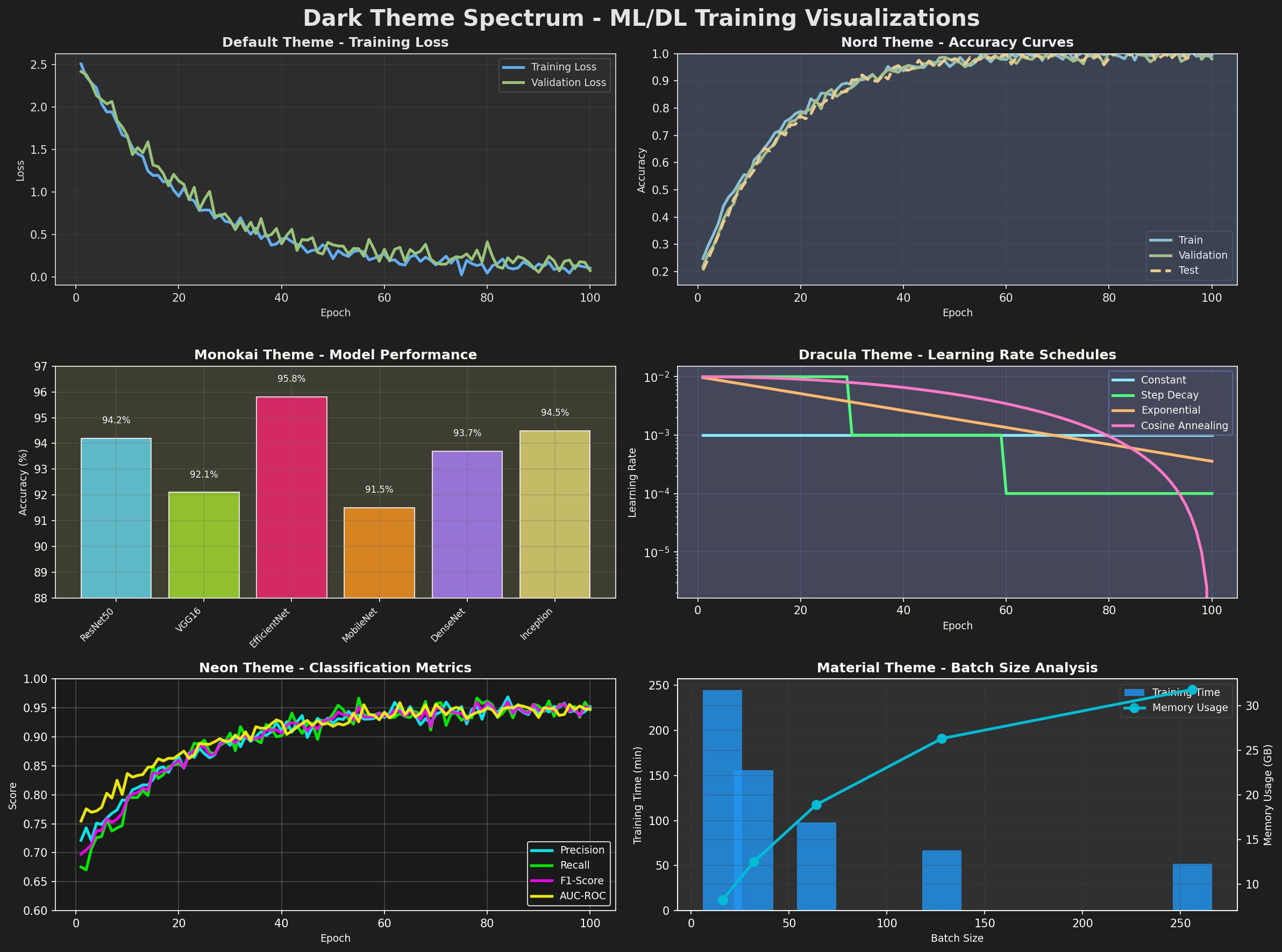
matplotlib-dark is the automatic alternative to hand-picking backgrounds,
grid colors, text contrast, and line palettes for every chart. Activate it in
one line, then keep using the Matplotlib API you already know.
Installation
python -m pip install matplotlib-dark
Python 3.9+ and Matplotlib 3.5+ are supported.
Quick start
import matplotlib.pyplot as plt
import matplotlib_dark as mdk

mdk.dark_mode()  # That's it: every following chart uses dark mode.

plt.plot([1, 2, 3, 4], [1, 4, 2, 3])
plt.title("Ready for the dark")
plt.show()
No custom CSS, manual color selection, or complex design code is required.
Choose a theme
mdk.dark_mode("nord")
Six ready-to-use themes are included: default, nord, monokai,
dracula, neon, and material.
print(mdk.get_available_themes())
Apply dark mode temporarily
Use the context manager when only some charts should be dark. Your previous Matplotlib configuration is restored automatically, even if plotting fails.
with mdk.dark_theme("dracula"):
    plt.plot([1, 2, 3], [3, 1, 4])
    plt.savefig("dark-chart.png")
For global mode, restore your original configuration explicitly:
mdk.dark_mode("material")
# Create charts...
mdk.light_mode()
Why matplotlib-dark?
- One-line automatic dark mode
- Six coordinated color palettes
- Works with the complete Matplotlib API
- Global mode or safe, temporary context manager
- Dark backgrounds are preserved when saving figures
- Zero dependencies beyond Matplotlib
Development
git clone https://github.com/edujbarrios/matplotlib-dark.git
cd matplotlib-dark
python -m pip install -e ".[dev]"
python -m pytest
python -m build
python -m twine check dist/*
License
MIT © Eduardo J. Barrios
1 maintainer

Release files for matplotlib-dark 0.1.0
For a detailed explanation of source distributions (sdists) and built distributions (wheels), please see the package formats documentation.
Source distribution (sdist)
| File | Size | Uploaded | |
|---|---|---|---|
| matplotlib_dark-0.1.0.tar.gz | 6.8 kB | Details |
Built distribution (wheel)
| File | Interpreter | ABI | Platform | Reset |
|---|---|---|---|---|
| matplotlib_dark-0.1.0-py3-none-any.whl | Python 3 | none | any | Details |
Total release size: 13.3 kB
Release files / matplotlib_dark-0.1.0.tar.gz
| Download URL | matplotlib_dark-0.1.0.tar.gz |
|---|---|
| Size | 6.8 kB |
| Tags | Source |
|
SHA-256 checksum How to use checksums |
c77cdad2b29a0916ed685da6954ba5cae9625daf7043b11bc0a5b0787f0776d4
|
|
BLAKE2b-256 checksum How to use checksums |
0bc49c7c947efdc1bef21353d09470cffe3d6a64f34cbd32ac9cbdb8bffe3718
|
| Upload date | |
|
Uploaded using Trusted Publishing? What is trusted publishing? |
No |
| Uploaded via |
twine/7.0.0 CPython/3.12.7
|
Release files / matplotlib_dark-0.1.0-py3-none-any.whl
| Download URL | matplotlib_dark-0.1.0-py3-none-any.whl |
|---|---|
| Size | 6.4 kB |
| Tags | Python 3 |
|
SHA-256 checksum How to use checksums |
aa7af4f4e8cfc416ff8ad1381d5fa1725642e2c792506e08b7b9e13518f2fe63
|
|
BLAKE2b-256 checksum How to use checksums |
5600894f0b05d4a27438bc2403db91e5cbb6156975fe374bb679cc3ff4eef71f
|
| Upload date | |
|
Uploaded using Trusted Publishing? What is trusted publishing? |
No |
| Uploaded via |
twine/7.0.0 CPython/3.12.7
|













