
 Maze: A Distributed Framework for LLM Agents


🌟Why Maze?
-
Task-level
Maze enables fine-grained, task-level management, enhancing system flexibility and composability while supporting task parallelism to significantly improve the end-to-end performance of agent workflows.
-
Resource Management
Maze supports resource allocation for workflow tasks, effectively preventing resource contention both among parallel tasks within a single workflow and across multiple concurrently executing workflows.
-
Distributed Deployment
Maze supports not only standalone but also distributed deployment, allowing you to build highly available and scalable Maze clusters to meet the demands of large-scale concurrency and high-performance computing.
-
Multi-Agent Support
Maze can serve as a runtime backend for other agent frameworks.For example, it allows LangGraph to be seamlessly migrated to Maze and automatically gain task-level parallelism without modifying original logic. Example
🚀Quick Start
1. Install
From PyPI (Recommended)
pip install maze-agent
From source
git clone https://github.com/QinbinLi/Maze.git
cd Maze
pip install -e .
2. Launch Maze
Launch Maze Head as maze server. The maze server can receive the workflow of the agent.
maze start --head --port HEAD_PORT
If there are multiple machines, you can connect other machines as maze workers to the maze head.
maze start --worker --addr HEAD_IP:HEAD_PORT
3. Example
from typing import Any
from maze import MaClient,task

#1.Define your task functions using the @task decorator
@task(
    inputs=["text"],
    outputs=["result"],
)
def my_task(params):
    text: Any = params.get("text")
    return {"result": f"Hello {text}"}

#2.Create the maze client
client = MaClient("http://localhost:8000")


#3.Create the workflow
workflow = client.create_workflow()
task1 = workflow.add_task(
    my_task,
    inputs={"text": "Maze"}
)

#4.Submit the workflow and get results
run_id = workflow.run()
workflow.show_results(run_id)
🖥️ Maze Playground
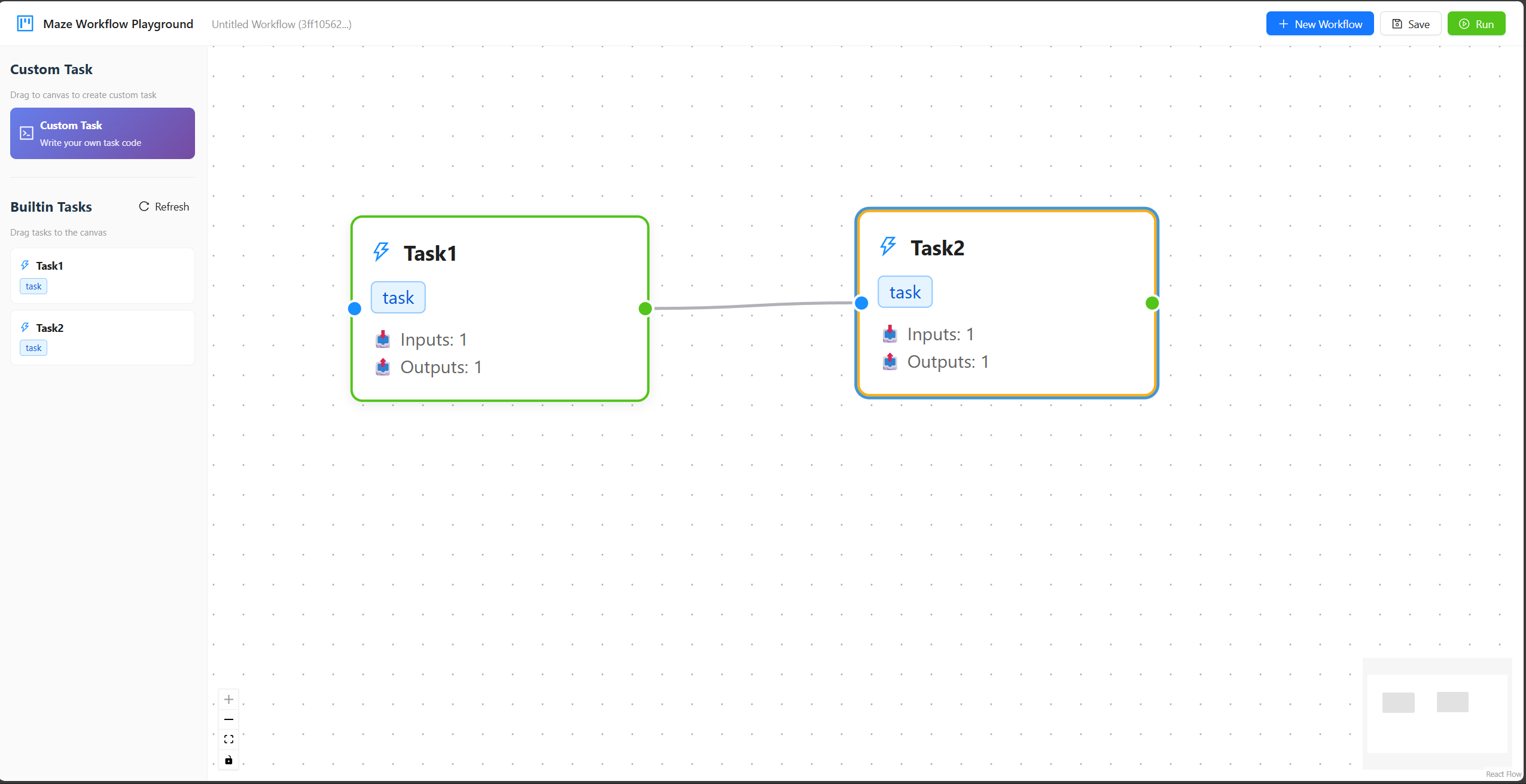
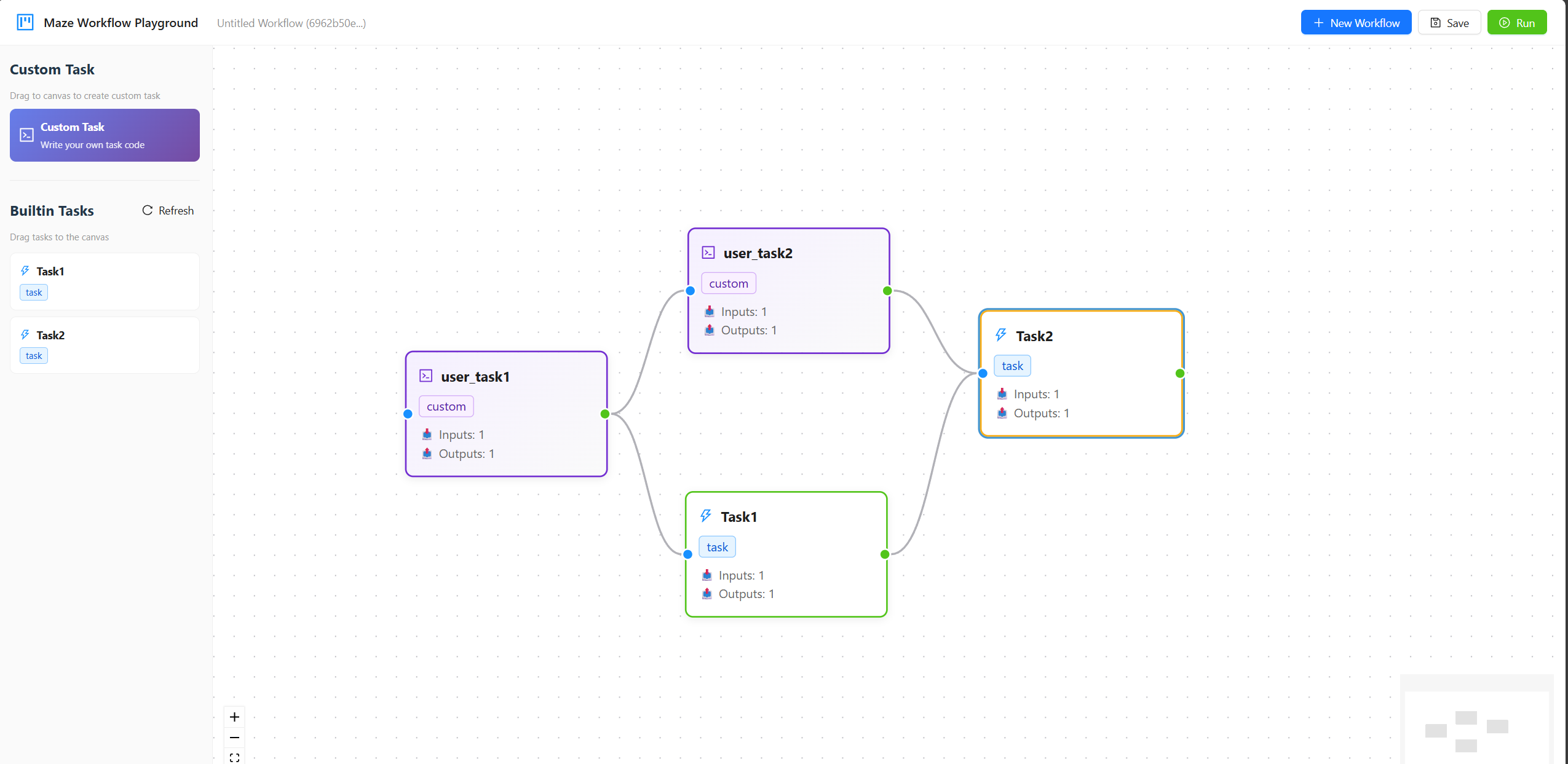
We support building workflows through a drag-and-drop interface on the Maze Playground.You can start the playground with the following command option.
maze start --worker --addr HEAD_IP:HEAD_PORT --playground
Here are two vedios which show the process of using builtin tasks and uploading user-defined taks in maze playground. For detailed usage instructions, please refer to the Maze Playground.
Builtin Task Workflow
User Defined Task Workflow
2 maintainers


Metadata
2 maintainers
Release files for maze-agent 1.0.2
For a detailed explanation of source distributions (sdists) and built distributions (wheels), please see the package formats documentation.
Source distribution (sdist)
| File | Size | Uploaded | |
|---|---|---|---|
| maze_agent-1.0.2.tar.gz | 65.1 kB | Details |
Built distribution (wheel)
| File | Interpreter | ABI | Platform | Reset |
|---|---|---|---|---|
| maze_agent-1.0.2-py3-none-any.whl | Python 3 | none | any | Details |
Total release size: 128.8 kB
Release files / maze_agent-1.0.2.tar.gz
| Download URL | maze_agent-1.0.2.tar.gz |
|---|---|
| Size | 65.1 kB |
| Tags | Source |
|
SHA-256 checksum How to use checksums |
9e50c6b4a535e72d2ed21188f33cd5164d8dd8dfca825356483b36b54f66c2fb
|
|
BLAKE2b-256 checksum How to use checksums |
c4407223870131162af0750516c343c699232283b0a9156691833280b77f6f71
|
| Upload date | |
|
Uploaded using Trusted Publishing? What is trusted publishing? |
No |
| Uploaded via |
twine/6.2.0 CPython/3.10.0
|
Release files / maze_agent-1.0.2-py3-none-any.whl
| Download URL | maze_agent-1.0.2-py3-none-any.whl |
|---|---|
| Size | 63.7 kB |
| Tags | Python 3 |
|
SHA-256 checksum How to use checksums |
d588bb3250ea820377fa0abbf32de7d9f88e93be0d0ca5f5eaa61974cf378f7e
|
|
BLAKE2b-256 checksum How to use checksums |
27904d8f39f7253b936622fd2d13716e09f1addf02679e78d0f3ff27ecce4211
|
| Upload date | |
|
Uploaded using Trusted Publishing? What is trusted publishing? |
No |
| Uploaded via |
twine/6.2.0 CPython/3.10.0
|














