
End-to-end video dubbing pipeline: transcribe, translate, and voice-clone.

Project description
Mazinger Dubber
End-to-end video dubbing pipeline. Download a video, transcribe it, translate the subtitles, clone a voice, and produce a fully dubbed audio or video file — in one command.
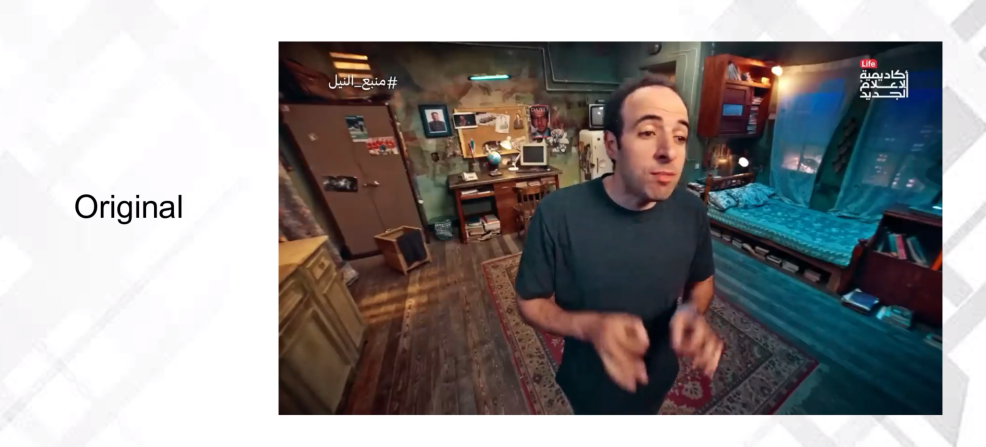
▶️ Watch Demo Video (with audio)
What It Does
Mazinger chains ten stages into a single pipeline:
- Download — fetch a video from a URL or ingest a local file, extract the audio track
- Transcribe — convert speech to SRT subtitles (OpenAI Whisper API, faster-whisper, or WhisperX)
- Thumbnails — use an LLM to pick key frames from the video for visual context
- Describe — analyze the transcript and thumbnails to produce a structured summary (title, key points, keywords)
- Review — optionally refine ASR output: fix typos, reshape punctuation, and convert technical terms to English
- Translate — translate the SRT into another language with duration-aware word budgets
- Re-segment — merge fragments and split oversized subtitles for readability
- Speak — synthesize voice-cloned speech for every subtitle entry (Qwen3-TTS or Chatterbox), with 16 pre-defined voice themes or your own voice sample
- Assemble — place each audio segment on the original timeline with optional tempo adjustment, loudness matching, and background audio mixing
- Subtitle — burn styled subtitles into the video and/or mux the new audio track
Every stage can run independently or as part of the full pipeline. Interrupted runs resume automatically — completed stages and individual TTS segments are cached and skipped.
Prerequisites
- Python 3.10 or later
- ffmpeg installed and on
PATH(apt install ffmpeg/brew install ffmpeg) - An OpenAI API key for LLM-powered stages (transcription, translation, thumbnails, description)
- A CUDA GPU for local transcription and TTS (not needed for cloud-only workflows)
Installation
The base install covers download, transcription (cloud), thumbnails, description, translation, re-segmentation, and subtitle embedding. No GPU needed.
pip install mazinger
Add local transcription or TTS as optional extras:
# Local transcription
pip install "mazinger[transcribe-faster]"      # faster-whisper (default, recommended)
pip install "mazinger[transcribe-whisperx]"    # WhisperX (optional, word-level alignment)

# Voice synthesis
pip install "mazinger[tts]"                    # Qwen3-TTS (voice sample + transcript)
pip install "mazinger[tts-chatterbox]"         # Chatterbox (voice sample only, emotion control)

# Full bundles
pip install "mazinger[all-qwen]"              # faster-whisper + Qwen3-TTS
pip install "mazinger[all-chatterbox]"        # faster-whisper + Chatterbox
Qwen and Chatterbox require different
transformersversions and cannot share an environment. WhisperX is available as an optional extra but is not installed by default due to complex dependencies.
See the Installation Guide for venv recipes, Colab setup, and uv overrides.
Quick Start
Dub a video in one command
mazinger dub "https://youtube.com/watch?v=VIDEO_ID" \
    --voice-sample speaker.m4a \
    --voice-script speaker_transcript.txt \
    --target-language Spanish \
    --base-dir ./output
Use a voice profile instead of local files
Voice profiles are hosted on HuggingFace and downloaded automatically. Several ready-made profiles are available out of the box:
abubakr · daheeh-v1 · 3b1b · italian-v1 · morgan-freeman · trump-v1
See the full list with descriptions in the Available Voice Profiles doc.
mazinger dub "https://youtube.com/watch?v=VIDEO_ID" \
    --clone-profile abubakr \
    --target-language Arabic
Use a voice theme (no files needed)
Choose from 16 pre-defined voice themes — no voice sample or profile download required:
narrator-m/f · young-m/f · deep-m/f · warm-m/f · news-m/f · storyteller-m/f · kid-m/f · teen-m/f
mazinger dub "https://youtube.com/watch?v=VIDEO_ID" \
    --voice-theme narrator-m \
    --target-language Spanish
List all themes with mazinger profile list. Generate a reusable profile with mazinger profile generate. See Voice Profiles for details.
Auto-clone the original speaker's voice
When no voice option is provided, Mazinger automatically clones the speaker directly from the source audio. The pipeline picks the best 20–60 s segment from the transcription and uses it as the cloning reference — no files or configuration needed.
mazinger dub "https://youtube.com/watch?v=VIDEO_ID" \
    --target-language Spanish
proj = dubber.dub(
    source="https://youtube.com/watch?v=VIDEO_ID",
    target_language="Spanish",
)
Produce a video with burned subtitles
mazinger dub "https://youtube.com/watch?v=VIDEO_ID" \
    --clone-profile abubakr \
    --output-type video \
    --embed-subtitles \
    --subtitle-google-font "Noto Sans Arabic" \
    --subtitle-font-size 24
Run a single stage
Every stage has its own sub-command:
mazinger download   "https://youtube.com/watch?v=VIDEO_ID" --base-dir ./output
mazinger slice      "https://youtube.com/watch?v=VIDEO_ID" --start 00:01:00 --end 00:04:00
mazinger transcribe ./output/projects/my-video/source/audio.mp3 -o subs.srt
mazinger translate  --srt subs.srt --target-language French -o translated.srt
mazinger subtitle   video.mp4 --srt translated.srt -o output.mp4
Python API
from mazinger import MazingerDubber

dubber = MazingerDubber(openai_api_key="sk-...", base_dir="./output")

# With a voice theme (simplest)
proj = dubber.dub(
    source="https://youtube.com/watch?v=VIDEO_ID",
    voice_theme="narrator-m",
    target_language="Spanish",
    output_type="video",
)

# Auto-clone the speaker's voice (no voice option needed)
proj = dubber.dub(
    source="https://youtube.com/watch?v=VIDEO_ID",
    target_language="Spanish",
)

# Or with explicit voice files
proj = dubber.dub(
    source="https://youtube.com/watch?v=VIDEO_ID",
    voice_sample="speaker.m4a",
    voice_script="speaker_transcript.txt",
    target_language="Spanish",
    output_type="video",
    embed_subtitles=True,
)

print(proj.final_video)   # ./output/projects/<slug>/tts/dubbed.mp4
Documentation
Full documentation lives in the docs/ directory:
| Chapter | Contents |
|---|---|
| Installation | All install methods, extras, compatibility matrix, Colab and venv recipes |
| Quick Start | Common workflows with copy-paste examples |
| Pipeline Overview | How the nine stages connect, data flow, and resume behavior |
| CLI Reference | Every command, flag, and default value |
| Python API | Classes, functions, and parameters for programmatic use |
| Voice Profiles | Using, creating, and uploading voice profiles |
| Subtitle Styling | Fonts, colors, positioning, RTL support, Google Fonts |
| Configuration | Environment variables, caching, tempo control, LLM usage tracking |
| Project Structure | Output directory layout and file naming conventions |
| YouTube Cookies | How to export and pass cookies for age-restricted or region-locked videos |
License
MIT
Release history Release notifications | RSS feed


Download files
Download the file for your platform. If you're not sure which to choose, learn more about installing packages.
Source Distribution
Built Distribution
Filter files by name, interpreter, ABI, and platform.
If you're not sure about the file name format, learn more about wheel file names.
Copy a direct link to the current filters
File details
Details for the file mazinger-1.9.4.tar.gz.
File metadata
- Download URL: mazinger-1.9.4.tar.gz
- Upload date:
- Size: 130.0 kB
- Tags: Source
- Uploaded using Trusted Publishing? No
- Uploaded via: twine/6.2.0 CPython/3.10.20
File hashes
| Algorithm | Hash digest | |
|---|---|---|
| SHA256 |
76b28207797906bc02af6cd4196824fd7e92c971ce7e39541339debac61a044d
|
|
| MD5 |
9a9499258b68428cecc2817174068653
|
|
| BLAKE2b-256 |
32b694b0849acf8abf33d8bde670b0e8967a6e04fdbedb5e068b32f34636ccad
|
File details
Details for the file mazinger-1.9.4-py3-none-any.whl.
File metadata
- Download URL: mazinger-1.9.4-py3-none-any.whl
- Upload date:
- Size: 145.0 kB
- Tags: Python 3
- Uploaded using Trusted Publishing? No
- Uploaded via: twine/6.2.0 CPython/3.10.20
File hashes
| Algorithm | Hash digest | |
|---|---|---|
| SHA256 |
da070bc767662fd679ee8dc1d82fe0b21760a6821badfceb342607eaa6372278
|
|
| MD5 |
d6babaaa4935e95706e549273662c546
|
|
| BLAKE2b-256 |
cfa7ec50541366e671da035e7248d3cf0fa6e4ab411c5656f01af1302210073e
|






