
mcp-gatehouse



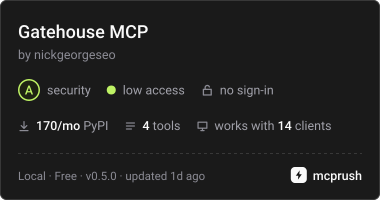
Permission tiers, approval gates, and audit logging for MCP servers. The server is the gatekeeper: you decide what an AI can read, what it can write, and what's off-limits — and every action gets logged.
Most MCP servers hand the model every tool at full strength and keep no
record of what it did. That's fine for a demo. It's not fine the day an
agent has write access to your CRM, your books, or your order system.
mcp-gatehouse is the missing gate, enforced inside the server — no
proxy, no external policy service, no dependencies beyond the official
mcp SDK.
pip install mcp-gatehouse
What you get
| Permission tiers | Every tool is declared READ, WRITE, or DESTRUCTIVE — and the tier also emits honest spec ToolAnnotations (readOnlyHint / destructiveHint), which the wrapper won't let you override to lie. |
| Approval gates | Tiers you choose require a sign-off before the tool runs. Your approver is any callable — a terminal prompt, a Slack ping, a ticket. Fails closed: a gated tool with no approver configured is denied, not waved through. |
| Audit log | Append-only JSONL, one line per call — allowed, denied, failed, or cancelled — with UTC timestamps and durations. The answer to "what did the AI actually do?" six months later. |
| Redaction | Argument keys you name (api_key, password, token, client_secret, … by default) are masked before they reach the log or the approver — however they're spelled: apiKey, API-Key and api_key are the same key. |
| Denylist | Block a tool outright, whatever its tier. |
Quickstart
from mcp.server.mcpserver import MCPServer
from mcp_gatehouse import AccessTier, AuditLog, Gatehouse, Policy, terminal_approver

mcp = MCPServer("order-desk")
gatehouse = Gatehouse(
    mcp,
    policy=Policy(approver=terminal_approver),
    audit=AuditLog(path="~/order-desk/audit.jsonl"),
)

@gatehouse.tool(tier=AccessTier.READ)
def lookup_order(order_id: str) -> str:
    """Look up an order's status."""
    ...

@gatehouse.tool(tier=AccessTier.DESTRUCTIVE)
def cancel_order(order_id: str) -> str:
    """Cancel an order. Runs only if the approver says yes."""
    ...

mcp.run()
That's the whole integration: build your MCPServer exactly as the
SDK docs show, but register tools through the gatehouse. Schema generation
(including Annotated[..., Field(description=...)] parameter docs),
transports, and everything else work unchanged — the guard preserves the
function's signature. Sync tools still run in a worker thread, exactly as
they would on a bare MCPServer.
terminal_approver asks on the controlling terminal (/dev/tty), never
stdin — over stdio, stdin is the protocol pipe, so a plain input()
approver would corrupt it. An approver is any callable, sync or async,
that takes an ApprovalRequest and returns True to allow; sync ones run
in a worker thread from a pool of their own, so a human taking their time
doesn't stall other calls, and a pile of pending approvals can't take the
threads your sync tools need. If the approver raises (Slack down, ticket
API timing out), the call is denied and the failure is logged.
Give approvals a deadline so a sign-off nobody gives doesn't hang the call:
Policy(approver=terminal_approver, approval_timeout=120)
Past it, the call is denied and logged as approval timed out. Approvers
see the deadline as request.deadline (a time.monotonic() value), and
terminal_approver withdraws its prompt when it passes. A sync approver
that ignores it finishes in the background and its answer is dropped. With
no timeout set, the gate waits as long as the approver takes.
Under the default policy, DESTRUCTIVE requires approval and everything
is audited. Gate writes too with one line:
Policy(require_approval=frozenset({AccessTier.WRITE, AccessTier.DESTRUCTIVE}), ...)
Add your own secret-bearing keys without losing the defaults:
from mcp_gatehouse import DEFAULT_REDACT
Policy(redact=DEFAULT_REDACT | {"card_pin"}, ...)
What the audit trail looks like:
{"ts": "2026-07-16T14:02:11+00:00", "tool": "lookup_order", "tier": "read", "outcome": "ok", "arguments": {"order_id": "4417"}, "duration_ms": 0.42}
{"ts": "2026-07-16T14:02:38+00:00", "tool": "add_note", "tier": "write", "outcome": "ok", "arguments": {"order_id": "4417", "note": "call back", "api_key": "«redacted»"}, "duration_ms": 1.08}
{"ts": "2026-07-16T14:03:05+00:00", "tool": "cancel_order", "tier": "destructive", "outcome": "denied", "reason": "approver refused", "arguments": {"order_id": "4417"}}
{"ts": "2026-07-16T14:05:40+00:00", "tool": "cancel_order", "tier": "destructive", "outcome": "cancelled", "reason": "awaiting approval", "arguments": {"order_id": "4418"}}
outcome is ok, denied (reason says why), error (the tool
raised; reason is the exception type), or cancelled: the client gave
up, or the server shut down, before the call finished. reason says
when. awaiting approval means the tool never ran. tool running comes
with duration_ms, and the tool may have done part of its work. A sync
tool can't be stopped partway: its worker thread runs to the end, and the
line says ok or error as usual. The gate only writes the line; the
cancellation goes on as it would without it.
Try the demo
The package ships a runnable order-desk server with all three tiers wired
up and a terminal-prompt approver. Add it to any MCP client that speaks
stdio — for Claude Desktop, in claude_desktop_config.json:
{
  "mcpServers": {
    "gatehouse-demo": {
      "command": "uvx",
      "args": ["mcp-gatehouse", "--audit-log", "/tmp/gatehouse-audit.jsonl"]
    }
  }
}
Or run mcp-gatehouse-demo yourself after pip install mcp-gatehouse.
Ask the model to list the orders and cancel one, then watch the verdict
land in the audit log either way. The audit log goes to --audit-log, else
$MCP_GATEHOUSE_AUDIT_LOG, else ./audit.jsonl — falling back to
~/.mcp-gatehouse/audit.jsonl when the working directory isn't writable
(desktop clients often launch servers from /). The server prints the
path it chose to stderr.
The approval prompt needs a terminal of its own: a client that launches
the server in the background has none, and a client with a full-screen
terminal UI is using its terminal, so in both cases cancel_order is
denied — the gate failing closed, as designed. To approve interactively,
start the client that launches the server from an ordinary terminal
session that isn't running a full-screen program. An unanswered prompt is
denied after two minutes. examples/orders_server.py is the same server as a copyable
template.
Design notes
- Enforcement lives inside the server, at the tool boundary. A proxy can't see your tools' semantics, and a policy service is one more thing to deploy. A 40-person plant doesn't have a platform team; this is a few small classes and a JSONL file.
- Fail closed. Security defaults that quietly allow are worse than none. That includes redaction: argument values the scrubber can't take apart (arbitrary objects, bytes) are replaced with an opaque placeholder rather than passed through, and exception messages stay out of the log — only the exception type is recorded, because error text loves to embed the very values you just redacted.
- The audit log records denials, errors and cancellations, not just successes — the calls that didn't happen are half the story, and a call cut off halfway may still have done something.
- A blocking terminal approver and the stdio transport don't mix —
stdout/stdin are the protocol pipe.
terminal_approverprompts on/dev/ttyfor exactly that reason, and denies when there's no terminal or a full-screen program has it in raw mode. Real deployments should approve out-of-band: Slack, a ticket, a queue. - What this is not: authentication, transport encryption, or a sandbox. It's a gate inside your server, not a perimeter around it. See SECURITY.md.
Compatibility
Targets the official mcp Python SDK
v2.x (mcp>=2,<3) and Python 3.10–3.14. Ships type information
(py.typed). Release notes: CHANGELOG.md.
mcp-gatehouse |
SDK | Server class |
|---|---|---|
0.4.x |
mcp>=2,<3 |
MCPServer |
0.3.x |
mcp>=2,<3 |
MCPServer |
0.2.x |
mcp>=2,<3 |
MCPServer |
0.1.x |
mcp>=1.27,<2 |
FastMCP |
The public API (Gatehouse, Policy, AuditLog, AccessTier) is
unchanged across that line, as promised. Porting a v1 server is two
import edits — FastMCP became MCPServer and moved to
mcp.server.mcpserver; see the SDK's
migration guide.
Staying on SDK v1 needs no action: 0.1.x pins mcp<2, so pip keeps
resolving it. That line is closed to features but still gets security
fixes.
Who built this
Nick George — I design and run MCP servers in production for a mid-market reverse logistics-tech company, and build them for businesses at nickgeorgeai.com. This library is the permission-and-audit discipline from those builds, extracted. Why I built it, and how it works in plain words, is on the project page.
If you're an owner or operator wondering what MCP even is, start with the plain-English guide: What is an MCP server?
License
1 maintainer

Metadata
1 maintainer
Release files for mcp-gatehouse 0.4.0
For a detailed explanation of source distributions (sdists) and built distributions (wheels), please see the package formats documentation.
Source distribution (sdist)
| File | Size | Uploaded | Provenance | Actions |
|---|---|---|---|---|
| mcp_gatehouse-0.4.0.tar.gz | 34.2 kB | With provenance | Details for mcp_gatehouse-0.4.0.tar.gz |
Built distribution (wheel)
| File | Interpreter | ABI | Platform | Actions Reset |
|---|---|---|---|---|
| mcp_gatehouse-0.4.0-py3-none-any.whl | Python 3 | none | any | Details for mcp_gatehouse-0.4.0-py3-none-any.whl |
Total release size: 54.8 kB
Release files / mcp_gatehouse-0.4.0.tar.gz
| Download URL | mcp_gatehouse-0.4.0.tar.gz |
|---|---|
| Size | 34.2 kB |
| Tags | Source |
|
SHA-256 checksum How to use checksums |
71a2b6449b36d8fe20a89018683d30158d32103380a848cd5f17edc6bbe4bac4
|
|
BLAKE2b-256 checksum How to use checksums |
f1a89c3a9ecf39f4fe5db949c52a4d4a52bc201f3b80f273df9bdd73ed7093de
|
| Upload date | |
|
Uploaded using Trusted Publishing? What is trusted publishing? |
Yes |
| Uploaded via |
twine/7.0.0 CPython/3.13.14
|
Provenance
Provenance describes where a file came from. On PyPI, provenance is shared via attestations, which provide a verifiable record of the build or publishing details. View details, limitations and caveats.


PyPI Publish Attestation
PyPI verified that this artifact, at this checksum, originated from the publisher listed below.
Signed by GitHub Actions, verified by PyPI on Oct 21, 2026.
Transparency logRelease files / mcp_gatehouse-0.4.0-py3-none-any.whl
| Download URL | mcp_gatehouse-0.4.0-py3-none-any.whl |
|---|---|
| Size | 20.6 kB |
| Tags | Python 3 |
|
SHA-256 checksum How to use checksums |
2448e321683a69f2e0c58ad7491b49055c62a6d06703c15e1c3bdeca493d341f
|
|
BLAKE2b-256 checksum How to use checksums |
eeaa9c97aa44a100f2a473c3d04074a218ad7960c706622576e379153be2fbdd
|
| Upload date | |
|
Uploaded using Trusted Publishing? What is trusted publishing? |
Yes |
| Uploaded via |
twine/7.0.0 CPython/3.13.14
|
Provenance
Provenance describes where a file came from. On PyPI, provenance is shared via attestations, which provide a verifiable record of the build or publishing details. View details, limitations and caveats.
PyPI Publish Attestation
PyPI verified that this artifact, at this checksum, originated from the publisher listed below.
Signed by GitHub Actions, verified by PyPI on Oct 21, 2026.
Transparency logSecurity for mcp-gatehouse 0.4.0
Provenance
Provenance describes where a file came from. On PyPI, provenance is shared via attestations, which provide a verifiable record of the build or publishing details. View details, limitations and caveats.
Full provenance
All 2 files in this release have been uploaded with provenance metadata.
Attestation for mcp_gatehouse-0.4.0.tar.gz
PyPI Publish Attestation
PyPI verified that this artifact, at this checksum, originated from the publisher listed below.
Signed by GitHub Actions, verified by PyPI on Oct 21, 2026.
Transparency logA note on package security
PyPI is a repository for distributing packages, not a service for auditing them. While third-party security researchers and our staff do their best to detect and remove malicious packages, PyPI cannot guarantee the quality, security or suitability of any given package.
To learn more about protecting yourself from malicious actors, visit our package security documentation.














