
The Model Context Protocol (MCP) is an open-source implementation that bridges Jenkins with AI language models following Anthropic's MCP specification. This project enables secure, contextual AI interactions with Jenkins tools while maintaining data privacy and security.

Project description
MCP Jenkins




The Model Context Protocol (MCP) is an open-source implementation that bridges Jenkins with AI language models following Anthropic's MCP specification. This project enables secure, contextual AI interactions with Jenkins tools while maintaining data privacy and security.
Cursor Demo

Setup Guide
Installation
Choose one of these installation methods:
# Using uv (recommended)
pip install uv
uvx mcp-jenkins

# Using pip
pip install mcp-jenkins

# Using Smithery
npx -y @smithery/cli@latest install @lanbaoshen/mcp-jenkins --client claude
Configuration and Usage
Cursor
- Open Cursor Settings
- Navigate to MCP
- Click + Add new global MCP server
This will create or edit the ~/.cursor/mcp.json file with your MCP server configuration.
{
  "mcpServers": {
    "mcp-jenkins": {
      "command": "uvx",
      "args": [
        "mcp-jenkins",
        "--jenkins-url=xxx",
        "--jenkins-username=xxx",
        "--jenkins-password=xxx"
      ]
    }
  }
}
VSCode Copilot Chat
- Create
.vscodefolder withmcp.jsonfile in you workspace for local setup or editsettings.jsontrough settings menù. - Insert the following configuration:
{
    "servers": {
        "jenkins": {
            "url": "http://localhost:3000/sse",
            "type": "sse"
        }
    }
}
- Run the Jenkins MCP server with the following command:
uvx mcp-jenkins \
  --jenkins-url http://localhost:3000 \
  --jenkins-username your_username  \
  --jenkins-password your_password \
  --transport sse --port 3000
line arguments
# Stdio Mode
uvx mcp-jenkins --jenkins-url xxx --jenkins-username xxx --jenkins-password xxx --read-only

# SSE Mode
uvx mcp-jenkins --jenkins-url xxx --jenkins-username xxx --jenkins-password xxx --transport sse --port 9887
AutoGen
Install and exec
Install autogen:
pip install "autogen-ext[azure,ollama,openai,mcp]" autogen-chat
Run python scripts:
import asyncio

from autogen_ext.tools.mcp import StdioMcpToolAdapter, StdioServerParams
from autogen_agentchat.agents import AssistantAgent
from autogen_agentchat.ui import Console
from autogen_core import CancellationToken


async def main() -> None:
    # Create server params for the remote MCP service
    server_params = StdioServerParams(
        command='uvx',
        args=[
            'mcp-jenkins',
            '--jenkins-username',
            'xxx',
            '--jenkins-password',
            'xxx',
            '--jenkins-url',
            'xxx'
        ],
    )

    # Get the translation tool from the server
    adapter = await StdioMcpToolAdapter.from_server_params(server_params, 'get_all_jobs')

    # Create an agent that can use the translation tool
    agent = AssistantAgent(
        name='jenkins_assistant',
        model_client=[Replace_with_your_model_client],
        tools=[adapter],
    )

    # Let the agent translate some text
    await Console(
        agent.run_stream(task='Get all jobs', cancellation_token=CancellationToken())
    )


if __name__ == "__main__":
    asyncio.run(main())
Available Tools
| Tool | Description |
|---|---|
| get_all_jobs | Get all jobs |
| get_job_config | Get job config |
| search_jobs | Search job by specific field |
| get_running_builds | Get running builds |
| stop_build | Stop running build |
| get_build_info | Get build info |
| get_build_sourcecode | Get the pipeline source code of a specific build in Jenkins |
| get_job_info | Get job info |
| build_job | Build a job with param |
| get_build_logs | Get build logs |
| get_all_nodes | Get nodes |
| get_node_config | Get the config of node |
| get_all_queue_items | Get all queue items |
| get_queue_item | Get queue item info |
| cancel_queue_item | Cancel queue item |
| get_multibranch_jobs | Get all multibranch pipeline jobs from Jenkins, optionally filtered by patterns |
| get_multibranch_branches | Get all branches for a specific multibranch pipeline job |
| scan_multibranch_pipeline | Trigger a scan of a multibranch pipeline to discover new branches |
Development & Debugging
# Using MCP Inspector
# For installed package
npx @modelcontextprotocol/inspector uvx mcp-jenkins --jenkins-url xxx --jenkins-username xxx --jenkins-password xxx

# For local development version
npx @modelcontextprotocol/inspector uv --directory /path/to/your/mcp-jenkins run mcp-jenkins --jenkins-url xxx --jenkins-username xxx --jenkins-password xxx
Pre-Commit Hook
# Install Dependency
uv sync --all-extras --dev
pre-commit install

# Manually execute
pre-commit run --all-files
UT
# Install Dependency
uv sync --all-extras --dev

# Execute UT
uv run pytest --cov=mcp_jenkins
License
Licensed under MIT - see LICENSE file. This is not an official Jenkins product.
MCP-Jenkins in MCP Registries
- https://mcpreview.com/mcp-servers/lanbaoshen/mcp-jenkins
- https://smithery.ai/server/@lanbaoshen/mcp-jenkins
- https://glama.ai/mcp/servers/@lanbaoshen/mcp-jenkins
- https://mseep.ai/app/lanbaoshen-mcp-jenkins
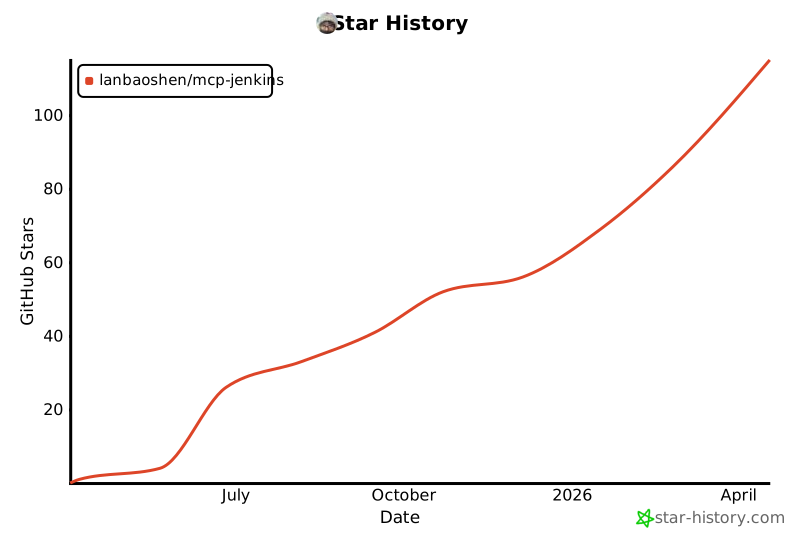
Star History
Release history Release notifications | RSS feed


Download files
Download the file for your platform. If you're not sure which to choose, learn more about installing packages.
Source Distribution
Built Distribution
Filter files by name, interpreter, ABI, and platform.
If you're not sure about the file name format, learn more about wheel file names.
Copy a direct link to the current filters
File details
Details for the file mcp_jenkins-0.3.7.tar.gz.
File metadata
- Download URL: mcp_jenkins-0.3.7.tar.gz
- Upload date:
- Size: 13.4 kB
- Tags: Source
- Uploaded using Trusted Publishing? No
- Uploaded via: uv/0.8.17
File hashes
| Algorithm | Hash digest | |
|---|---|---|
| SHA256 |
be9d49d4db9cd38ba0374a58fdcef53b5a69625b2fc7a68c1b404cbf8e767d78
|
|
| MD5 |
93fa3d51e48cd4f5bc2d657839e49f7b
|
|
| BLAKE2b-256 |
151fda522fd3fa45964376b303760938471f0a55f1436cf12e23e780910a1e13
|
File details
Details for the file mcp_jenkins-0.3.7-py3-none-any.whl.
File metadata
- Download URL: mcp_jenkins-0.3.7-py3-none-any.whl
- Upload date:
- Size: 15.2 kB
- Tags: Python 3
- Uploaded using Trusted Publishing? No
- Uploaded via: uv/0.8.17
File hashes
| Algorithm | Hash digest | |
|---|---|---|
| SHA256 |
af813f3fe9008a436026f20c40b1d52f270416589eae49e3215bcdb23822c5e1
|
|
| MD5 |
842436aa37245699c7c4b4dc554d70b0
|
|
| BLAKE2b-256 |
265f86ede4be93a7f2a930e56d358d7401b5ba576cb3036c67af5533629cadd8
|






