
ECS MCP Server
Version
v0.2.0
Overview
ECS MCP Server is a Model Context Protocol server that provides MCP clients (such as Claude Desktop) with the ability to interact with the Volcengine ECS service. It enables full-chain management of cloud instance resources based on natural language, supporting query operations for instances, images, regions, availability zones, available resources, and system events, thereby achieving efficient management of ECS resources.
Category
ECS
Features
- Query instance information
- Query event information
- Query region information
- Simple instance operations
- Event subscription management
- Instance console diagnostics
Available Tools
Since some interfaces have a lot of input parameters and return content, some uncommon content will cause too much context burden on llm. In order to avoid unnecessary token waste, ECS MCP Server only provides queries for common content.
Instance Management
describe_instances: query instance listdescribe_images: query image listdescribe_instance_types: query instance type listdescribe_instance_type_families: query instance type family listdescribe_available_resource: query available resourcesstart_instances: start instancesrenew_instance: renew instance
Region & Availability Zone
describe_regions: query region listdescribe_zones: query availability zone list
System Events
describe_system_events: query system eventsupdate_system_events: update system event statusdescribe_event_types: query event type list
Event Subscription
describe_subscriptions: query event subscription list
Instance Diagnostics
get_console_output: get instance console outputget_console_screenshot: get instance console screenshot
Usage Guide
Prerequisites
- Python 3.12+
- UV
Linux/macOS:
curl -LsSf https://astral.sh/uv/install.sh | sh
Windows:
powershell -ExecutionPolicy ByPass -c "irm https://astral.sh/uv/install.ps1 | iex"
Installation
Clone the repository:
git clone git@github.com:volcengine/mcp-server.git
Usage
Start the server:
UV
cd mcp-server/server/mcp_server_ecs
uv run mcp-server-ecs

# Start with streamable-http mode (default is stdio)
uv run mcp-server-ecs -t streamable-http
Use a client to interact with the server:
Trae | Cursor | Claude Desktop | Cline | ...
Configuration
Environment Variables
The following environment variables are available for configuring the MCP server:
| Environment Variable | Description | Default Value |
|---|---|---|
VOLCENGINE_ACCESS_KEY |
Volcengine account ACCESSKEY | - |
VOLCENGINE_SECRET_KEY |
Volcengine account SECRETKEY | - |
VOLCENGINE_REGION |
Volcengine resource region | - |
VOLCENGINE_ENDPOINT |
Volcengine endpoint | - |
MCP_SERVER_PORT |
MCP server listening port | 8000 |
For example, set these environment variables before starting the server:
export VOLCENGINE_ACCESS_KEY={ak}
export VOLCENGINE_SECRET_KEY={sk}
export VOLCENGINE_REGION={region}
export VOLCENGINE_ENDPOINT={endpoint}
export MCP_SERVER_PORT=8000
Run with uvx
{
    "mcpServers": {
        "mcp-server-ecs": {
            "command": "uvx",
            "args": [
            "--from",
            "git+https://github.com/volcengine/mcp-server#subdirectory=server/mcp_server_ecs",
            "mcp-server-ecs"
          ],
            "env": {
                "VOLCENGINE_ACCESS_KEY": "",
                "VOLCENGINE_SECRET_KEY": "",
                "VOLCENGINE_REGION": "",
                "VOLCENGINE_ENDPOINT": "",
                "MCP_SERVER_PORT": ""
            }
        }
    }
}
Examples
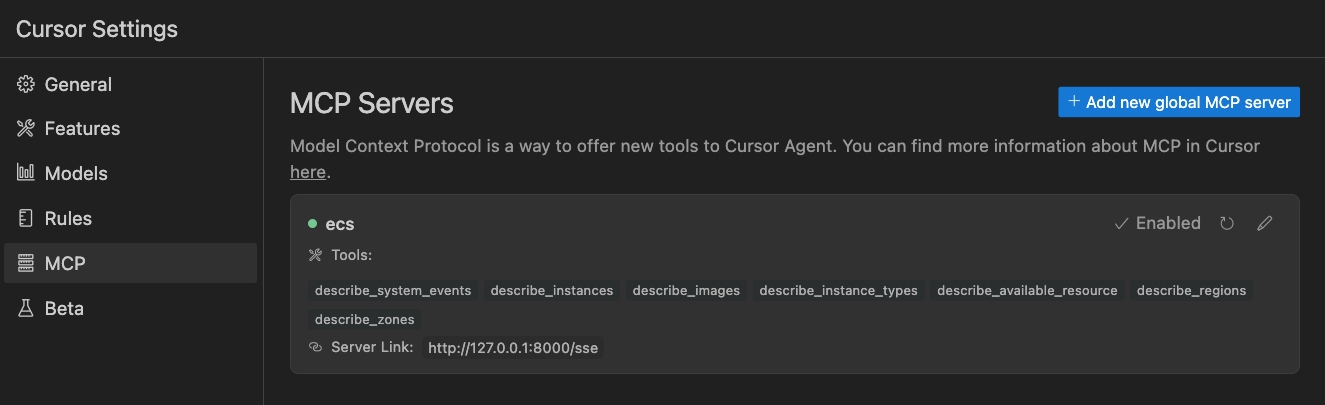
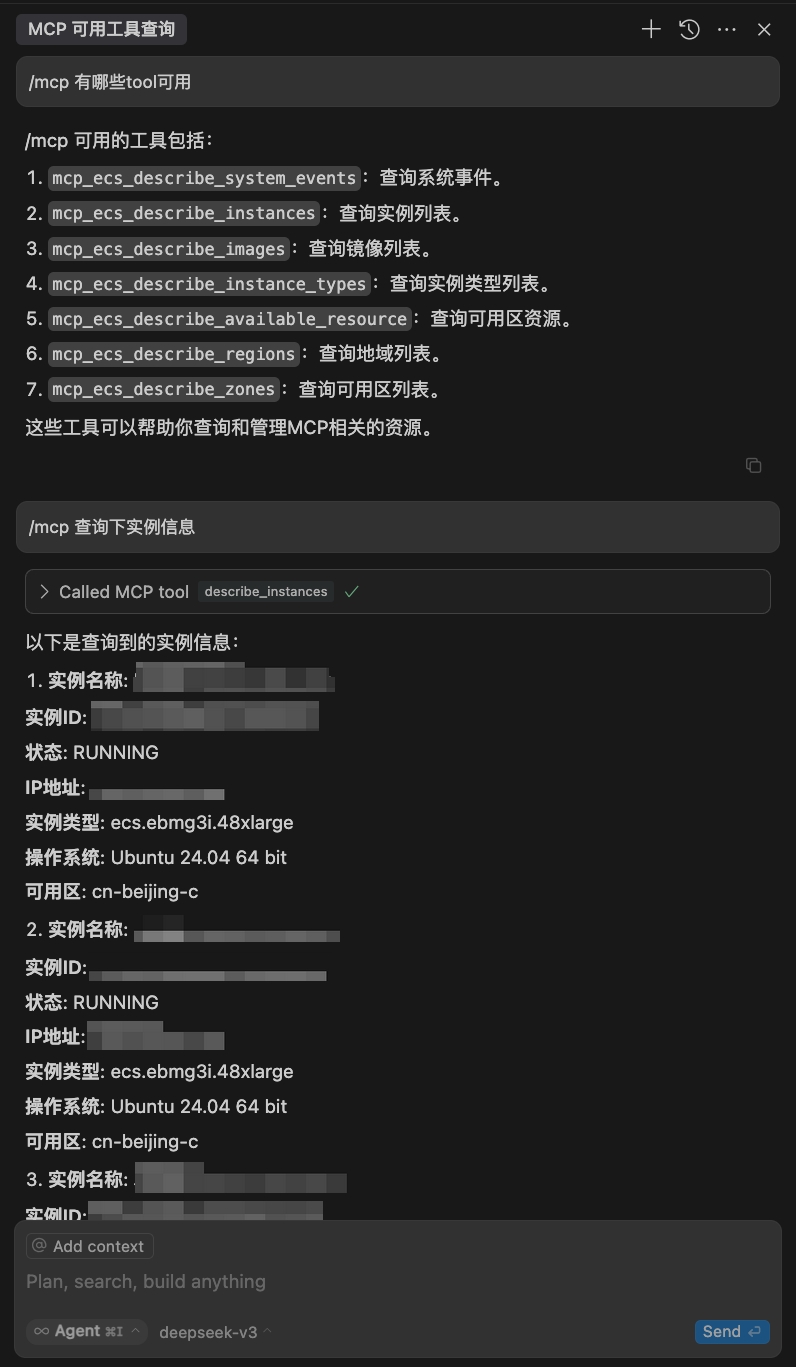
Cursor
License
volcengine/mcp-server is licensed under the MIT License.
1 maintainer

Download files
Download the file for your platform. If you're not sure which to choose, learn more about installing packages.
Source Distribution
Built Distribution
Filter files by name, interpreter, ABI, and platform.
If you're not sure about the file name format, learn more about wheel file names.
Copy a direct link to the current filters
File details
Details for the file mcp_server_ecs-0.2.0.tar.gz.
File metadata
- Download URL: mcp_server_ecs-0.2.0.tar.gz
- Upload date:
- Size: 72.6 kB
- Tags: Source
- Uploaded using Trusted Publishing? No
- Uploaded via:
twine/7.0.0 CPython/3.12.13
File hashes
| Algorithm | Hash digest | |
|---|---|---|
| SHA256 |
83e9789f229ecdaf6af3033a4fc9b1006b7caf314ba7f65bed00200b0ef52277
|
|
| MD5 |
050340924ac0383ead0eb368932927cf
|
|
| BLAKE2b-256 |
dd9021ce2dae41a98b3561604a14deedad443c901aaa6dd24847cf40d16e6695
|
File details
Details for the file mcp_server_ecs-0.2.0-py3-none-any.whl.
File metadata
- Download URL: mcp_server_ecs-0.2.0-py3-none-any.whl
- Upload date:
- Size: 19.0 kB
- Tags: Python 3
- Uploaded using Trusted Publishing? No
- Uploaded via:
twine/7.0.0 CPython/3.12.13
File hashes
| Algorithm | Hash digest | |
|---|---|---|
| SHA256 |
caa9f32f5621f41c97d1ce6b535f9f355bd86ebf1283c2138bb43a2406650e9f
|
|
| MD5 |
171403256517a4848eddff9e09601260
|
|
| BLAKE2b-256 |
a6bd8f527e01ebf17d08e4b314f6d21009ee569dc75b7931b00401b57b510f17
|







