
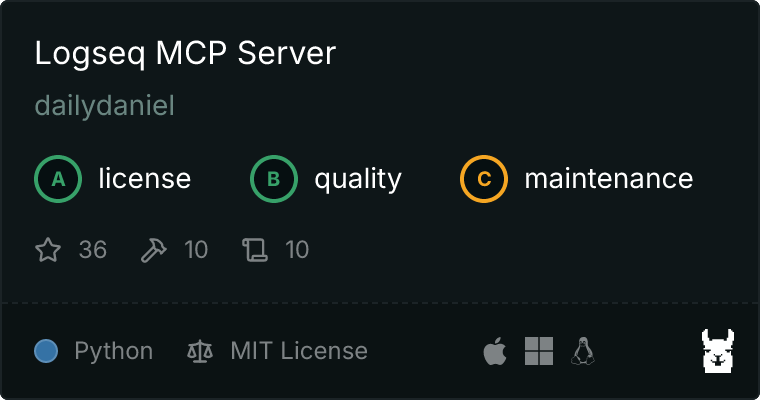
Logseq MCP Server
A Model Context Protocol server that gives an LLM configurable, safety-scoped access to a Logseq graph: query and search broadly (all output filtered by a blacklist), but write only inside the agent's own namespace plus a narrow task-status channel.
Built on FastMCP (the high-level API of the official mcp package).
Targets the file/Markdown ("OG") version of Logseq. The newer DB (SQLite) version changed the underlying schema; some methods may behave differently there.
Requirements
- A running Logseq with the local HTTP API server enabled (Settings → Features → HTTP APIs server, then start it from the 🔌 menu).
- An authorization token created in the HTTP API server settings.
Usage with Claude Desktop
{
  "mcpServers": {
    "logseq": {
      "command": "uvx",
      "args": ["mcp-server-logseq"],
      "env": {
        "LOGSEQ_API_TOKEN": "<YOUR_TOKEN>",
        "LOGSEQ_API_URL": "http://127.0.0.1:12315"
      }
    }
  }
}
Configuration
| Source | Token | URL |
|---|---|---|
| Environment | LOGSEQ_API_TOKEN |
LOGSEQ_API_URL (default http://localhost:12315) |
| CLI flag | --api-key |
--url |
The token is read from the environment or --api-key; it is never stored in
code. A .env file is supported (see .env.example).
Config file (optional)
Behaviour beyond the defaults is set in a TOML file — path from
LOGSEQ_MCP_CONFIG (default ~/.config/logseq-mcp/config.toml). Custom queries
live in EDN files next to it. The server runs fine with no config file (safe
read-mostly defaults); see examples/config.toml for a
full annotated example.
| Section | Key options |
|---|---|
[read] |
resolve_depth — how deep to expand ((block refs)) |
[write] |
agent_write_prefix (default byAgent), allow_agents_write_any |
[search] |
files_path — graph folder; set it to use the ripgrep backend |
[blacklist] |
pages — pages (and subpages) to hide and redact everywhere |
[tasks] |
allow_status_change — gate for set_task_status |
[audit_log] |
enabled — log writes to today's journal |
[queries.<name>] |
a named query: file/inline query, register_as_tool, … |
Secrets and the API URL stay in the environment, never in this file.
Transports
By default the server runs over stdio (for Claude Desktop and other local clients). A Streamable HTTP transport is also available for remote/networked use (e.g. a phone client):
LOGSEQ_MCP_HTTP_TOKEN=<client-secret> \
  mcp-server-logseq --transport streamable-http --host 0.0.0.0 --port 8000
# MCP endpoint: http://<host>:8000/mcp
Env vars: LOGSEQ_MCP_TRANSPORT, LOGSEQ_MCP_HOST, LOGSEQ_MCP_PORT,
LOGSEQ_MCP_HTTP_TOKEN (or --http-token).
Authentication
The Streamable HTTP transport requires a bearer token: every request must
send Authorization: Bearer <LOGSEQ_MCP_HTTP_TOKEN>, or it gets 401. The
server refuses to start in this mode without a token set. Note this is a
distinct secret from LOGSEQ_API_TOKEN:
| Secret | Direction |
|---|---|
LOGSEQ_API_TOKEN |
this server → Logseq |
LOGSEQ_MCP_HTTP_TOKEN |
client (phone) → this server |
⚠️ A bearer token over plain HTTP is only safe on an already-encrypted channel. Don't expose the raw port to the open internet. The easy path for a home/headless host is Tailscale: install it on the host and the client, and reach
http://<host>.<tailnet>.ts.net:8000/mcpover the encrypted tunnel — no domains, nginx, or certificates. (tailscale servecan add TLS if you wanthttps://.)
Docker
Build once:
docker build -t logseq-mcp .
Quick try (ephemeral — --rm removes the container on stop):
docker run --rm -p 8000:8000 \
  -e LOGSEQ_API_TOKEN=<logseq-token> \
  -e LOGSEQ_MCP_HTTP_TOKEN=<client-secret> \
  -e TZ=Europe/Moscow \
  logseq-mcp
Persistent deploy (e.g. a headless Mac mini) — run once; --restart brings it
back after reboots:
docker run -d --name logseq-mcp --restart unless-stopped -p 8000:8000 \
  -e LOGSEQ_API_TOKEN=<logseq-token> \
  -e LOGSEQ_MCP_HTTP_TOKEN=<client-secret> \
  -e TZ=Europe/Moscow \
  -e LOGSEQ_MCP_CONFIG=/cfg/config.toml \
  -v /path/to/config-dir:/cfg:ro \
  -v "/path/to/your/graph:/graph:ro" \
  logseq-mcp
-v .../config-dir:/cfg— folder holding yourconfig.toml(+queries/,rules/); setfiles_path = "/graph"in it to enable file search. Omit both the mount andLOGSEQ_MCP_CONFIGto run on defaults.-v .../graph:/graph— your Logseq graph folder (read-only), for file search.-e TZ=<zone>— local time for audit-log timestamps (image bundlestzdata; the clock is UTC otherwise).
The container serves Streamable HTTP on port 8000 and talks to a Logseq running
on the host. On Docker Desktop (macOS/Windows) the default
LOGSEQ_API_URL=http://host.docker.internal:12315 already points at the host;
on Linux add --add-host=host.docker.internal:host-gateway (or set
LOGSEQ_API_URL to the host IP). Make sure Logseq's HTTP API server is running
and listening.
Tools
All read output is normalized to a flat JSON shape and passed through the
blacklist. Reads resolve ((block refs)) non-lossily (the resolved block's
uuid/status is kept so you can act on it).
Find
- search — full-text search over block content (
query,regex?,limit?,case_sensitive?,exclude_journals?). Uses ripgrep overfiles_pathwhen set, else a datascript content match. - find_tasks — task blocks by
markers?,tag?,under_tag?(descendant),page?,priority?,limit?. - list_pages — page names under a namespace
prefix?(depth?limits levels). Discovers a namespace's child pages, which are separate pages a parent'sread_pagewon't show. Structure only, not block content. - custom_query — run a named query from the config (
name,inputs?). - list_custom_queries — list the configured queries.
- datascript_query — run a raw Datalog query (
query,inputs?,rules?).
Guide
- get_logseq_guide — returns the authoritative guide for querying/writing this graph (verified Datalog gotchas: lowercase names, prefix descendants, marker and journal-day types, tags vs refs, read/write scoping). A single source of truth co-located with the server, so agents don't re-derive (and mis-derive) behaviour.
Read
- read_page — a page as a normalized block tree (
page,depth?). - read_block — a block and its children (
uuid,depth?).
Write (agent namespace only)
- write_note — create/append/replace a page under
agent_write_prefix(subpath,content?,mode?,properties?). - set_page_properties — set/remove page properties (
subpath,properties; anullvalue removes one).
Tasks
- set_task_status — change only a task's marker (
uuid,status); gated by[tasks].allow_status_change.
Dynamic
- query_<name> — each config query with
register_as_tool = trueis exposed as its own tool.
Development
git clone https://github.com/dailydaniel/logseq-mcp.git
cd logseq-mcp
cp .env.example .env   # fill in LOGSEQ_API_TOKEN
uv sync
uv run mcp-server-logseq
Inspect with the MCP Inspector:
npx @modelcontextprotocol/inspector uv --directory . run mcp-server-logseq
License
MIT
1 maintainer

Metadata
1 maintainer
Release files for mcp-server-logseq 0.3.1
For a detailed explanation of source distributions (sdists) and built distributions (wheels), please see the package formats documentation.
Source distribution (sdist)
| File | Size | Uploaded | Provenance | |
|---|---|---|---|---|
| mcp_server_logseq-0.3.1.tar.gz | 77.1 kB | Without provenance | Details |
Built distribution (wheel)
| File | Interpreter | ABI | Platform | Reset |
|---|---|---|---|---|
| mcp_server_logseq-0.3.1-py3-none-any.whl | Python 3 | none | any | Details |
Total release size: 112.2 kB
Release files / mcp_server_logseq-0.3.1.tar.gz
| Download URL | mcp_server_logseq-0.3.1.tar.gz |
|---|---|
| Size | 77.1 kB |
| Tags | Source |
|
SHA-256 checksum How to use checksums |
0d3159cdb80aad69ecb9d2962daf55fb7b91821fdb4ca18477bcce075f79271a
|
|
BLAKE2b-256 checksum How to use checksums |
00a152964ee336de7d4821761ff4eb8b16001c6fd266aa0e1c2ecf5d9130ce94
|
| Upload date | |
|
Uploaded using Trusted Publishing? What is trusted publishing? |
No |
| Uploaded via |
uv/0.5.26
|
Release files / mcp_server_logseq-0.3.1-py3-none-any.whl
| Download URL | mcp_server_logseq-0.3.1-py3-none-any.whl |
|---|---|
| Size | 35.1 kB |
| Tags | Python 3 |
|
SHA-256 checksum How to use checksums |
9c5c36e1eb3c7811507a88470d132db303d1089bf8f3a43f0f5e88bc0b715159
|
|
BLAKE2b-256 checksum How to use checksums |
99df57037f24c23ac0adff0d612427f0b07f8069a4675c3411a216cc0176b3a3
|
| Upload date | |
|
Uploaded using Trusted Publishing? What is trusted publishing? |
No |
| Uploaded via |
uv/0.5.26
|
Security for mcp-server-logseq 0.3.1
Provenance
Provenance describes where a file came from. On PyPI, provenance is shared via attestations, which provide a verifiable record of the build or publishing details. View details, limitations and caveats.
No provenance found
None of the files in this release were uploaded with provenance metadata.
A note on package security
PyPI is a repository for distributing packages, not a service for auditing them. While third-party security researchers and our staff do their best to detect and remove malicious packages, PyPI cannot guarantee the quality, security or suitability of any given package.














