
mcpgen
Turn any API into an MCP server in 30 seconds.
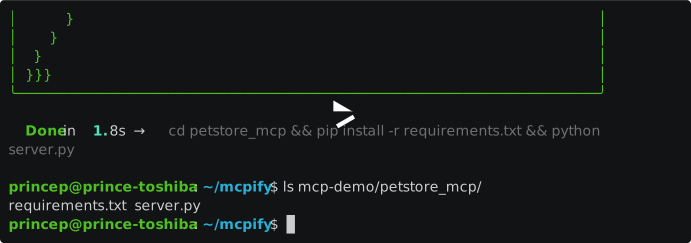



Point mcpgen at an OpenAPI spec or Postman collection. Get back a complete, source-code MCP server you own — no runtime dependency on mcpgen, no black box, no lock-in. Read it. Modify it. Ship it.
Install
pip install mcpgen
Quickstart
# From a URL
mcpgen https://petstore3.swagger.io/api/v3/openapi.json

# From a local file
mcpgen stripe.yaml

# Preview without writing anything
mcpgen openapi.json --dry-run

# Custom output directory
mcpgen openapi.json --output ~/my-mcp-servers

# Control the output name
mcpgen https://petstore3.swagger.io/api/v3/openapi.json --name "Petstore"
That's it. mcpgen reads your spec and writes a Python MCP server to disk.
What you get
A self-contained directory you can read, edit, and deploy anywhere:
stripe_api_mcp/
├── server.py          ← the MCP server (yours to customize)
└── requirements.txt   ← httpx, mcp
Run it immediately:
cd stripe_api_mcp
pip install -r requirements.txt
export STRIPE_API_TOKEN="sk_live_..."
python server.py
Add to Claude Desktop
mcpgen prints the exact config block to paste into claude_desktop_config.json:
{
  "mcpServers": {
    "stripe-api-mcp": {
      "command": "python",
      "args": ["/path/to/stripe_api_mcp/server.py"],
      "env": { "STRIPE_API_TOKEN": "your-key-here" }
    }
  }
}
Supported inputs
| Format | Example |
|---|---|
| OpenAPI 3.x JSON | mcpgen openapi.json |
| OpenAPI 3.x YAML | mcpgen api.yaml |
| URL (OpenAPI) | mcpgen https://api.example.com/openapi.json |
| Postman Collection v2.1 | mcpgen collection.json |
Why mcpgen?
Most API-to-MCP tools are runtime proxies — your server only works as long as their service does. mcpgen is different:
- You own the code. The output is plain Python. Read it, audit it, fork it.
- No runtime dependency. mcpgen is only needed to generate. After that, throw it away.
- Deploy anywhere. The generated server runs wherever Python runs.
- Customize freely. Auth logic, retry behavior, response shaping — it's all in a file you control.
Tested APIs
- Petstore (
https://petstore3.swagger.io/api/v3/openapi.json) - GitHub REST API
- Stripe (subset)
- Any OpenAPI 3.x spec
Roadmap
Contributions are welcome in these areas:
- TypeScript output (
--lang ts) - Swagger 2.x support
-
$refrecursive resolution - Auto-detect OpenAPI URL from well-known paths (
.well-known/openapi.json)
Contributing
PRs and issues welcome. See CONTRIBUTING.md for setup instructions.
git clone https://github.com/JnanaSrota/mcpgen
cd mcpgen
pip install -e ".[dev]"
pytest
License
MIT — do whatever you want with mcpgen and with the code it generates.
1 maintainer

Metadata
1 maintainer
Release files for mcpgen-cli 0.1.0
For a detailed explanation of source distributions (sdists) and built distributions (wheels), please see the package formats documentation.
Source distribution (sdist)
| File | Size | Uploaded | Provenance | Actions |
|---|---|---|---|---|
| mcpgen_cli-0.1.0.tar.gz | 23.2 kB | Without provenance | Details for mcpgen_cli-0.1.0.tar.gz |
Built distribution (wheel)
| File | Interpreter | ABI | Platform | Actions Reset |
|---|---|---|---|---|
| mcpgen_cli-0.1.0-py3-none-any.whl | Python 3 | none | any | Details for mcpgen_cli-0.1.0-py3-none-any.whl |
Total release size: 42.6 kB
Release files / mcpgen_cli-0.1.0.tar.gz
| Download URL | mcpgen_cli-0.1.0.tar.gz |
|---|---|
| Size | 23.2 kB |
| Tags | Source |
|
SHA-256 checksum How to use checksums |
25ea9ae55c4a3c7879fa1126bf4c87bb81b642b5e319eec305c1d7bb055337fb
|
|
BLAKE2b-256 checksum How to use checksums |
eb64c257d8db2504da4c8bdfa07c3ebf1a165bbe74dc33cb793639bf30329f81
|
| Upload date | |
|
Uploaded using Trusted Publishing? What is trusted publishing? |
No |
| Uploaded via |
twine/6.2.0 CPython/3.14.4
|
Release files / mcpgen_cli-0.1.0-py3-none-any.whl
| Download URL | mcpgen_cli-0.1.0-py3-none-any.whl |
|---|---|
| Size | 19.4 kB |
| Tags | Python 3 |
|
SHA-256 checksum How to use checksums |
bfe1baf3aebe50c7c6b30d35ad448564c30c0cc40a0c3255f4e397020a75f80b
|
|
BLAKE2b-256 checksum How to use checksums |
75da1929681658a3ed31ce3e7b393ef3ddb9ff638a557b2325821ec1401e24bb
|
| Upload date | |
|
Uploaded using Trusted Publishing? What is trusted publishing? |
No |
| Uploaded via |
twine/6.2.0 CPython/3.14.4
|
Security for mcpgen-cli 0.1.0
Provenance
Provenance describes where a file came from. On PyPI, provenance is shared via attestations, which provide a verifiable record of the build or publishing details. View details, limitations and caveats.
No provenance found
None of the files in this release were uploaded with provenance metadata.
A note on package security
PyPI is a repository for distributing packages, not a service for auditing them. While third-party security researchers and our staff do their best to detect and remove malicious packages, PyPI cannot guarantee the quality, security or suitability of any given package.
To learn more about protecting yourself from malicious actors, visit our package security documentation.













