
A simple, secure MCP-to-OpenAPI proxy server

Project description
⚡️ mcpo
Expose any MCP tool as an OpenAPI-compatible HTTP server—instantly.
mcpo is a dead-simple proxy that takes an MCP server command and makes it accessible via standard RESTful OpenAPI, so your tools "just work" with LLM agents and apps expecting OpenAPI servers.
No custom protocol. No glue code. No hassle.
🤔 Why Use mcpo Instead of Native MCP?
MCP servers usually speak over raw stdio, which is:
- 🔓 Inherently insecure
- ❌ Incompatible with most tools
- 🧩 Missing standard features like docs, auth, error handling, etc.
mcpo solves all of that—without extra effort:
- ✅ Works instantly with OpenAPI tools, SDKs, and UIs
- 🛡 Adds security, stability, and scalability using trusted web standards
- 🧠 Auto-generates interactive docs for every tool, no config needed
- 🔌 Uses pure HTTP—no sockets, no glue code, no surprises
What feels like "one more step" is really fewer steps with better outcomes.
mcpo makes your AI tools usable, secure, and interoperable—right now, with zero hassle.
🚀 Quick Usage
We recommend using uv for lightning-fast startup and zero config.
uvx mcpo --port 8000 --api-key "top-secret" -- your_mcp_server_command
Or, if you’re using Python:
pip install mcpo
mcpo --port 8000 --api-key "top-secret" -- your_mcp_server_command
To use an SSE-compatible MCP server, simply specify the server type and endpoint:
mcpo --port 8000 --api-key "top-secret" --server-type "sse" -- http://127.0.0.1:8001/sse
You can also provide headers for the SSE connection:
mcpo --port 8000 --api-key "top-secret" --server-type "sse" --header '{"Authorization": "Bearer token", "X-Custom-Header": "value"}' -- http://127.0.0.1:8001/sse
To use a Streamable HTTP-compatible MCP server, specify the server type and endpoint:
mcpo --port 8000 --api-key "top-secret" --server-type "streamable-http" -- http://127.0.0.1:8002/mcp
You can also run mcpo via Docker with no installation:
docker run -p 8000:8000 ghcr.io/open-webui/mcpo:main --api-key "top-secret" -- your_mcp_server_command
Example:
uvx mcpo --port 8000 --api-key "top-secret" -- uvx mcp-server-time --local-timezone=America/New_York
That’s it. Your MCP tool is now available at http://localhost:8000 with a generated OpenAPI schema — test it live at http://localhost:8000/docs.
🤝 To integrate with Open WebUI after launching the server, check our docs.
🔄 Using a Config File
You can serve multiple MCP tools via a single config file that follows the Claude Desktop format.
Enable hot-reload mode with --hot-reload to automatically watch your config file for changes and reload servers without downtime:
Start via:
mcpo --config /path/to/config.json
Or with hot-reload enabled:
mcpo --config /path/to/config.json --hot-reload
Example config.json:
{
  "mcpServers": {
    "memory": {
      "command": "npx",
      "args": ["-y", "@modelcontextprotocol/server-memory"]
    },
    "time": {
      "command": "uvx",
      "args": ["mcp-server-time", "--local-timezone=America/New_York"]
    },
    "mcp_sse": {
      "type": "sse", // Explicitly define type
      "url": "http://127.0.0.1:8001/sse",
      "headers": {
        "Authorization": "Bearer token",
        "X-Custom-Header": "value"
      }
    },
    "mcp_streamable_http": {
      "type": "streamable-http",
      "url": "http://127.0.0.1:8002/mcp"
    } // Streamable HTTP MCP Server
  }
}
Each tool will be accessible under its own unique route, e.g.:
Each with a dedicated OpenAPI schema and proxy handler. Access full schema UI at: http://localhost:8000/<tool>/docs (e.g. /memory/docs, /time/docs)
🔧 Requirements
- Python 3.8+
- uv (optional, but highly recommended for performance + packaging)
🛠️ Development & Testing
To contribute or run tests locally:
-
Set up the environment:
# Clone the repository
git clone https://github.com/open-webui/mcpo.git
cd mcpo

# Install dependencies (including dev dependencies)
uv sync --dev
-
Run tests:
uv run pytest
-
Running Locally with Active Changes:
To run
mcpowith your local modifications from a specific branch (e.g.,my-feature-branch):# Ensure you are on your development branch git checkout my-feature-branch # Make your code changes in the src/mcpo directory or elsewhere # Run mcpo using uv, which will use your local, modified code # This command starts mcpo on port 8000 and proxies your_mcp_server_command uv run mcpo --port 8000 -- your_mcp_server_command # Example with a test MCP server (like mcp-server-time): # uv run mcpo --port 8000 -- uvx mcp-server-time --local-timezone=America/New_York
This allows you to test your changes interactively before committing or creating a pull request. Access your locally running
mcpoinstance athttp://localhost:8000and the auto-generated docs athttp://localhost:8000/docs.
🪪 License
MIT
🤝 Contributing
We welcome and strongly encourage contributions from the community!
Whether you're fixing a bug, adding features, improving documentation, or just sharing ideas—your input is incredibly valuable and helps make mcpo better for everyone.
Getting started is easy:
- Fork the repo
- Create a new branch
- Make your changes
- Open a pull request
Not sure where to start? Feel free to open an issue or ask a question—we’re happy to help you find a good first task.
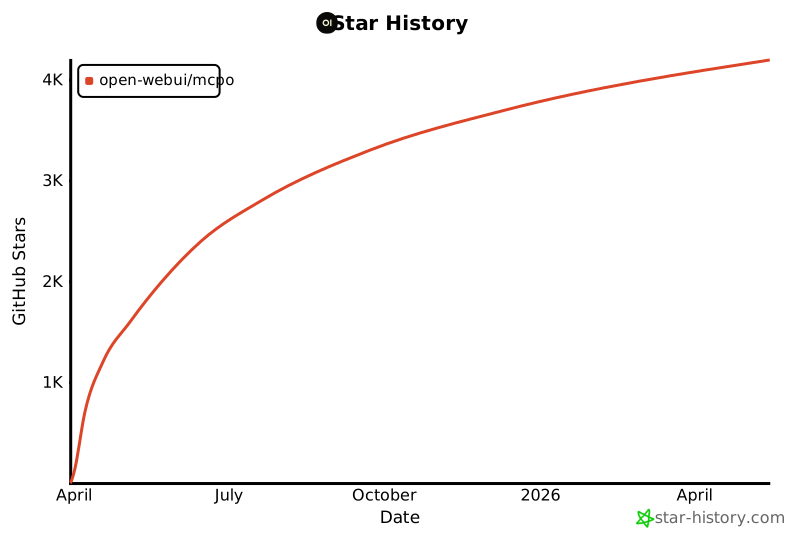
✨ Star History
✨ Let's build the future of interoperable AI tooling together!
Release history Release notifications | RSS feed


Download files
Download the file for your platform. If you're not sure which to choose, learn more about installing packages.
Source Distribution
Built Distribution
Filter files by name, interpreter, ABI, and platform.
If you're not sure about the file name format, learn more about wheel file names.
Copy a direct link to the current filters
File details
Details for the file mcpo-0.0.17.tar.gz.
File metadata
- Download URL: mcpo-0.0.17.tar.gz
- Upload date:
- Size: 72.2 kB
- Tags: Source
- Uploaded using Trusted Publishing? No
- Uploaded via: uv/0.8.4
File hashes
| Algorithm | Hash digest | |
|---|---|---|
| SHA256 |
05fc801097897e261ef8b74fc0ac22ccab00fb0522a25c1b33ec2d61dc7becc3
|
|
| MD5 |
67bd772b1b422a0daaaf0caef102b2ac
|
|
| BLAKE2b-256 |
ecbba0c1733d500b1b9769a5e264ad4c1ab46d2146f624bb04a869a6965a644b
|
File details
Details for the file mcpo-0.0.17-py3-none-any.whl.
File metadata
- Download URL: mcpo-0.0.17-py3-none-any.whl
- Upload date:
- Size: 23.7 kB
- Tags: Python 3
- Uploaded using Trusted Publishing? No
- Uploaded via: uv/0.8.4
File hashes
| Algorithm | Hash digest | |
|---|---|---|
| SHA256 |
b422849285d6914c99012b9c467934fda83ae455907e5e4fdee5a81baa8e97ac
|
|
| MD5 |
dfea3446921c82293d0b4cc5227c76f8
|
|
| BLAKE2b-256 |
3bb254aab11bfcb7cdd574d1796dcaecf8f93e4d92d150286ba0d2d6e68b9524
|






