

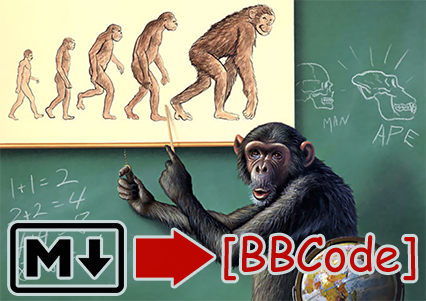
md2bbcode
Converts most GitHub-flavored Markdown and HTML to XenForo-flavored BB code. It uses Mistune. You can also configure it to work with your favorite ancient community.
Installation
pipx install md2bbcode
Usage
md2bbcode README.md
Output prints to stdout as UTF-8. To write straight to a file (recommended on Windows, where shell > redirection can mangle the encoding), use -o:
md2bbcode README.md -o output.bbcode
Relative paths
Use --domain to turn relative links and image paths, such as guide.md and images/logo.png, into full URLs:
md2bbcode README.md --domain https://example.com/docs/
For GitHub, use the repo URL. This assumes you use the default branch:
md2bbcode README.md --domain https://github.com/RedGuides/md2bbcode
Advanced URL options
For a different GitHub branch or a README in a subfolder, pass that folder's GitHub URL to --domain, for example https://github.com/RedGuides/md2bbcode/tree/dev/docs.
For other sites, --domain uses the same base URL for links and images. To set separate base URLs, use --link-base and --image-base:
md2bbcode README.md --link-base https://github.com/RedGuides/md2bbcode/blob/main/ --image-base https://raw.githubusercontent.com/RedGuides/md2bbcode/main/
Full URLs and URLs starting with //host/path are left unchanged.
Your board's custom BB codes
XenForo has no built-in tag for highlights, superscript, subscript, abbreviations, anchors, and others, so md2bbcode writes those with custom BB codes. By default it assumes your board has the RedGuides set of custom BB codes.
If your board has its own custom BB codes, export them at admin.php?bb-codes in XenForo and use them:
md2bbcode README.md --bb-codes bb_codes.xml
md2bbcode checks the HTML each BB code produces to find the right tag for your board. For example, if [highlight] produces <mark>{text}</mark>, then ==text== becomes [HIGHLIGHT]text[/HIGHLIGHT].
If your board has no matching BB code, md2bbcode uses a simpler alternative, such as plain text, inline code, or a quote.
Use --no-custom-bbcode if your board has only default XenForo BB code.
Changing a tag
Put the settings you want to change in a TOML file, such as myboard.toml. This example changes inline code to [CODE] and turns off highlighting:
[tags]
codespan = "[CODE]{text}[/CODE]"
mark = "{text}"
{text} keeps the content. Using it alone removes the surrounding tag, so ==highlighted text== becomes plain text. These settings apply to HTML in your Markdown too.
Apply your config with --config:
md2bbcode README.md --config myboard.toml
To find other tag names and see their current settings, use --dump-config:
md2bbcode --dump-config
More config options
Your config only needs the settings you want to override. Add -o myboard.toml to the dump command to start from a full config, or --bb-codes bb_codes.xml to inspect the tags detected from your board's export.
To remove unsupported HTML tags instead of keeping them, add this above [tags]. Their content is kept:
unknown_html = "strip"
A config can also name your board's export, so you don't need --bb-codes each time. The path is relative to the config file:
bb_codes = "bb_codes.xml"
You can use the environment variables MD2BBCODE_CONFIG and MD2BBCODE_BB_CODES instead of --config and --bb-codes.
HTML files
md2bbcode also installs html2bbcode, which converts an HTML file the same way md2bbcode converts the HTML inside Markdown. It takes the same -o, --domain, --config and --bb-codes options:
html2bbcode page.html -o output.bbcode
Use in Python
from md2bbcode import convert

bbcode = convert("# Hell World")
print(bbcode)
Use domain for relative links and images, with the same automatic GitHub handling as the CLI:
bbcode = convert(
    markdown_text,
    domain="https://github.com/yourusername/yourrepo",
)
Custom BB code in Python
Use Dialect to apply a TOML config:
from md2bbcode import Dialect, convert

bbcode = convert(markdown_text, dialect=Dialect.load("myboard.toml"))
Or just your board's BB code export (bb_codes=False for a board with none):
bbcode = convert(markdown_text, dialect=Dialect.defaults(bb_codes="bb_codes.xml"))
Development
You need Hatch, which you can install with pipx install hatch. Then clone the repository and run the tests:
git clone https://github.com/RedGuides/md2bbcode.git
cd md2bbcode
hatch test
How the code fits together
main.pyhas the commands andconvert().plugins.pyandhtml_tokens.pyturn the HTML inside Markdown into tokens, because Mistune does not.renderer.pyis the Mistune renderer that turns the tokens into BB code.dialect.pyholds the tag settings, which start fromdialects/xenforo.toml.bb_codes.pyreads a board's BB code export.image_rewrite.pypoints SVG images at a service that serves them as PNG, which XenForo can show.
Each Markdown file in tests/fixtures has its expected BB code saved beside it. After a change that is meant to alter the output, update the saved files and check the diff:
hatch test -- --update-goldens
To see how your Markdown and HTML were read, print the tokens the renderer works from. md2ast input.md output.json does the same:
md2bbcode README.md --ast
1 maintainer

Metadata
1 maintainer
Release files for md2bbcode 2.0.0
For a detailed explanation of source distributions (sdists) and built distributions (wheels), please see the package formats documentation.
Source distribution (sdist)
| File | Size | Uploaded | |
|---|---|---|---|
| md2bbcode-2.0.0.tar.gz | 46.4 kB | Details |
Built distribution (wheel)
| File | Interpreter | ABI | Platform | Reset |
|---|---|---|---|---|
| md2bbcode-2.0.0-py3-none-any.whl | Python 3 | none | any | Details |
Total release size: 97.9 kB
Release files / md2bbcode-2.0.0.tar.gz
| Download URL | md2bbcode-2.0.0.tar.gz |
|---|---|
| Size | 46.4 kB |
| Tags | Source |
|
SHA-256 checksum How to use checksums |
81c7b154810e64fd4fc38c3f90473846149a3eee73a88df90e6c6e0afedd926c
|
|
BLAKE2b-256 checksum How to use checksums |
0f6e1f1176fd2a5da55bf13833a440a64f2d8d88854ac9088da01e1b5b3be0d4
|
| Upload date | |
|
Uploaded using Trusted Publishing? What is trusted publishing? |
Yes |
| Uploaded via |
twine/7.0.0 CPython/3.13.14
|
Provenance
Provenance describes where a file came from. On PyPI, provenance is shared via attestations, which provide a verifiable record of the build or publishing details. View details, limitations and caveats.


PyPI Publish Attestation
PyPI verified that this artifact, at this checksum, originated from the publisher listed below.
Signed by GitHub Actions, verified by PyPI on Sep 20, 2026.
Transparency logRelease files / md2bbcode-2.0.0-py3-none-any.whl
| Download URL | md2bbcode-2.0.0-py3-none-any.whl |
|---|---|
| Size | 51.4 kB |
| Tags | Python 3 |
|
SHA-256 checksum How to use checksums |
9aaea3b8a6adf45c2e525942885f9c574940a1739712a37417c5e6a329638f14
|
|
BLAKE2b-256 checksum How to use checksums |
f8269e4de238855d389c0fc561ff5ce2991bf5c1932592eea437235a59015ab3
|
| Upload date | |
|
Uploaded using Trusted Publishing? What is trusted publishing? |
Yes |
| Uploaded via |
twine/7.0.0 CPython/3.13.14
|
Provenance
Provenance describes where a file came from. On PyPI, provenance is shared via attestations, which provide a verifiable record of the build or publishing details. View details, limitations and caveats.
PyPI Publish Attestation
PyPI verified that this artifact, at this checksum, originated from the publisher listed below.
Signed by GitHub Actions, verified by PyPI on Sep 20, 2026.
Transparency log













