
MD Movie Maker
Turn a molecular dynamics simulation into a multi-panel movie: your rendered protein next to live plots of RMSD, radius of gyration, secondary structure or any property you can compute with MDAnalysis. The panels can play in sync or each on its own clock.
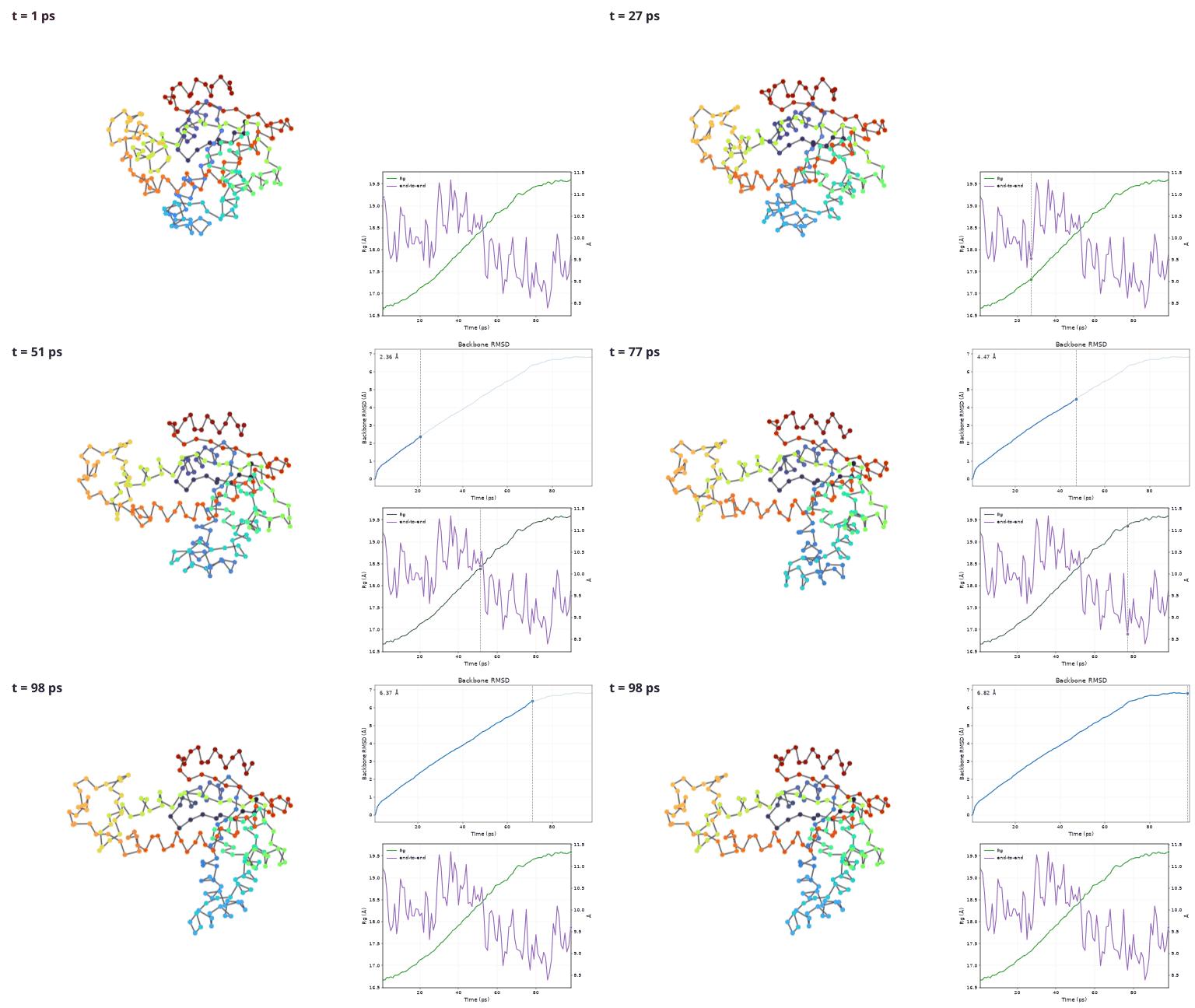
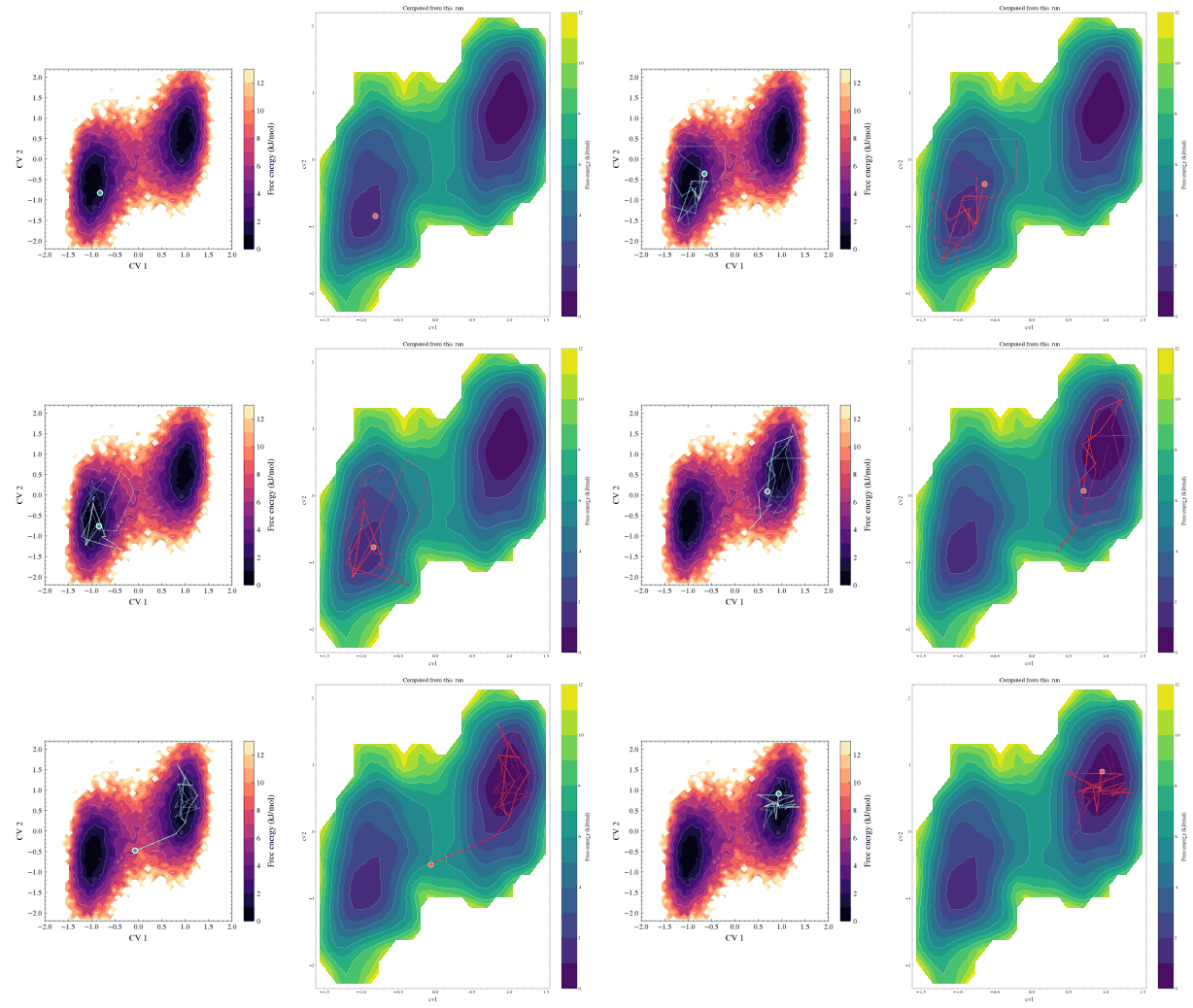
→ New here? Follow the illustrated tutorial: about 15 minutes, using example data that ships with MDAnalysisTests.
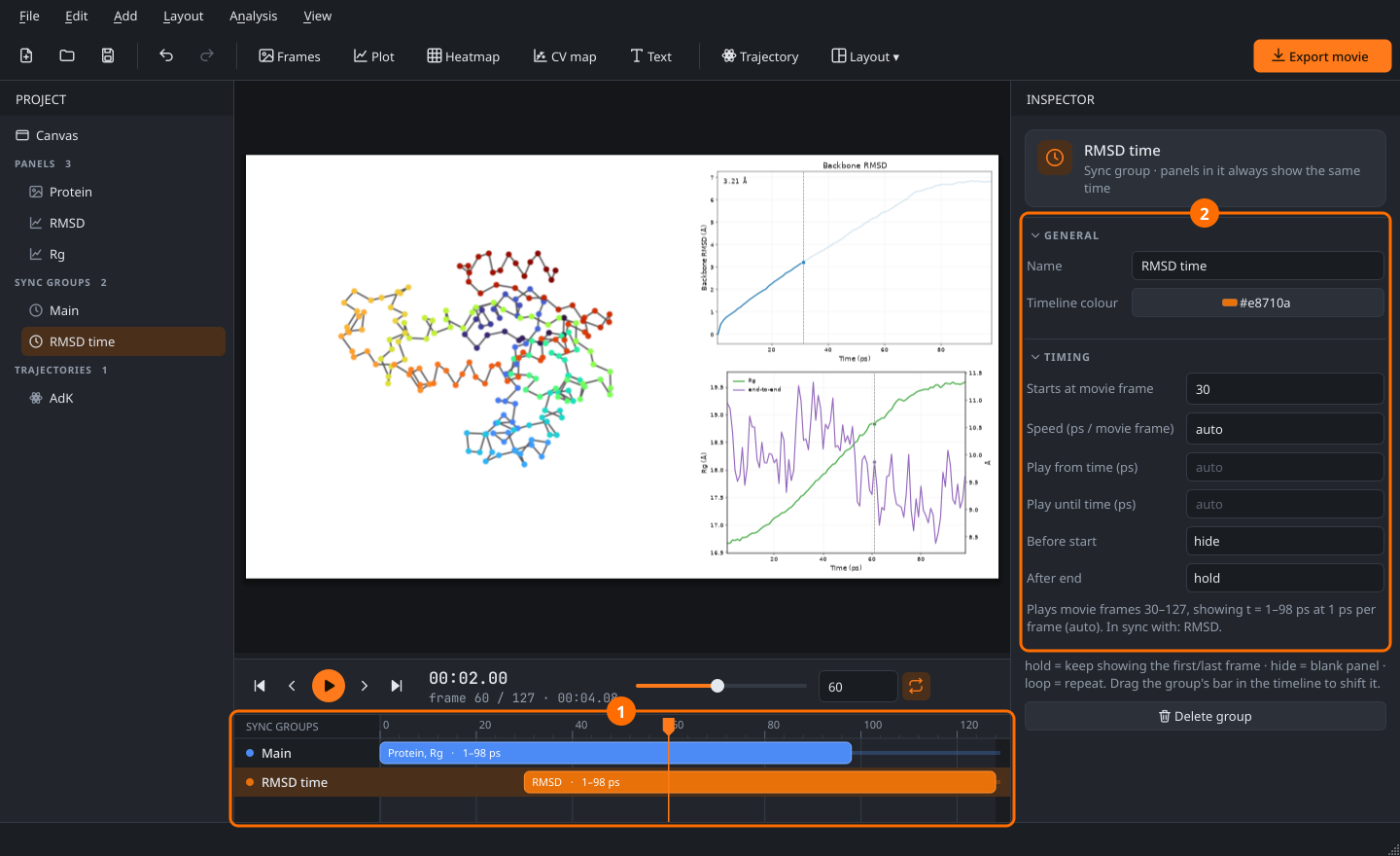
Features
- Any layout. Split, resize and swap cells, or start from a template. Text labels, logos or inset plots can float on top as overlays. The layout is resolution-independent (1080p, 4K, square, portrait, …).
- Protein frames from any viewer. Point the app at a folder of images from VMD, PyMOL or ChimeraX. It times them by file number or by position in the folder and reports missing frames.
- Cropping with a fixed aspect ratio. Lock the box to 16:9, 4:3, 1:1, a custom ratio or the shape of the cell. Auto-trim fits the crop around the molecule across the whole trajectory.
- Analysis presets on an MDAnalysis Universe.
- Built in: RMSD, Rg, RMSF, distances, dihedrals, H-bonds, native contacts, DSSP, atoms within a cutoff, and custom Python expressions.
- Several presets and trajectories can share one plot, with twin y-axes.
- Analyses run in the background and results are cached.
- Add your own presets in a few lines.
- Synced or independent panels. Sync groups map movie frames to simulation time. Shift, speed up, trim, hold, hide or loop each group, and drag it on the timeline.
- Plot animations. Four styles: the line grows, a marker moves, the axis scrolls, or the plot stays static. A live value readout is optional.
- Publication styles. SciencePlots styles (science, nature, ieee, notebook) and colour palettes, optional LaTeX, and fine control over ticks, frame, grid, limits, log scale, reference lines and legends. Each series gets its own line style, markers, width, opacity and fill.
- Trajectories on free-energy surfaces. Draw the current CV values as a moving point with a fading trail on top of a pre-rendered FES picture (calibrated in one dialog), or use the CV map panel to compute −kT ln P from the data. PLUMED COLVAR, GROMACS .xvg and CSV files load directly, no trajectory needed.
- Export to MP4 (H.264), GIF or a PNG sequence from the GUI, or headless with
mdmovie render. The preview shows exactly what gets exported. - Undo/redo for every edit, and projects saved as small JSON files with relative paths.
Install
pip install mdmovie            # or: pip install "mdmovie[demo]" to include the demo trajectory
mdmovie                        # GUI (try File › Open demo project)
mdmovie render my.mdmovie.json out.mp4    # render without the GUI
Python 3.10 or newer. Everything, including ffmpeg for MP4 export, comes from pip; nothing else to install.
Code map
mdmovie/core/       sync model (timemap), layout tree, crop math, project file
mdmovie/sources/    image sequences + LRU cache, trajectory metadata
mdmovie/analysis/   preset registry, built-in presets, cached runner
mdmovie/panels/     image (+ data overlay), plot, heatmap, CV map, text
mdmovie/render/     compositor (single drawing path for preview and export), exporter
mdmovie/ui/         main window, canvas editor, inspector, timeline, dialogs
docs/               tutorial + make_tutorial_images.py (regenerates every screenshot)
Development
git clone https://github.com/dmighty007/mdmovie && cd mdmovie
pip install -e ".[dev]"
python -m pytest              # headless
Releasing
- Bump
__version__inmdmovie/__init__.pyand commit. - Tag and push:
git tag v0.2.0 && git push origin v0.2.0.
The publish workflow then runs the tests, builds the sdist and wheel, checks that the tag matches the version, and uploads to PyPI with Trusted Publishing, so no API token is stored anywhere. One-time setup: on PyPI, add a pending publisher for project mdmovie, owner dmighty007, repository mdmovie, workflow publish.yml, environment pypi. In the GitHub repository settings, create an environment named pypi.
License
MIT, see LICENSE.
1 maintainer

Release files for mdmovie 0.2.0
For a detailed explanation of source distributions (sdists) and built distributions (wheels), please see the package formats documentation.
Source distribution (sdist)
| File | Size | Uploaded | |
|---|---|---|---|
| mdmovie-0.2.0.tar.gz | 109.8 kB | Details |
Built distribution (wheel)
| File | Interpreter | ABI | Platform | Reset |
|---|---|---|---|---|
| mdmovie-0.2.0-py3-none-any.whl | Python 3 | none | any | Details |
Total release size: 222.5 kB
Release files / mdmovie-0.2.0.tar.gz
| Download URL | mdmovie-0.2.0.tar.gz |
|---|---|
| Size | 109.8 kB |
| Tags | Source |
|
SHA-256 checksum How to use checksums |
e615a1d858f0e60773ad2628b1063d6b8791e6652fb57ad424e6c2256b26e85c
|
|
BLAKE2b-256 checksum How to use checksums |
8bc15ea370455620133ab9e8884e62ea873c7beee80ef2c66f109b04b3fcbcc7
|
| Upload date | |
|
Uploaded using Trusted Publishing? What is trusted publishing? |
Yes |
| Uploaded via |
twine/7.0.0 CPython/3.13.14
|
Provenance
Provenance describes where a file came from. On PyPI, provenance is shared via attestations, which provide a verifiable record of the build or publishing details. View details, limitations and caveats.


PyPI Publish Attestation
PyPI verified that this artifact, at this checksum, originated from the publisher listed below.
Signed by GitHub Actions, verified by PyPI on Sep 24, 2026.
Transparency logRelease files / mdmovie-0.2.0-py3-none-any.whl
| Download URL | mdmovie-0.2.0-py3-none-any.whl |
|---|---|
| Size | 112.7 kB |
| Tags | Python 3 |
|
SHA-256 checksum How to use checksums |
3736ade82883eadf84e0dd196f0ab974c7d178c925b62f574f291dcaea865509
|
|
BLAKE2b-256 checksum How to use checksums |
1eb93c95ef4945b556a05d8f527a9130241951557f5cb8688059d9302f160978
|
| Upload date | |
|
Uploaded using Trusted Publishing? What is trusted publishing? |
Yes |
| Uploaded via |
twine/7.0.0 CPython/3.13.14
|
Provenance
Provenance describes where a file came from. On PyPI, provenance is shared via attestations, which provide a verifiable record of the build or publishing details. View details, limitations and caveats.
PyPI Publish Attestation
PyPI verified that this artifact, at this checksum, originated from the publisher listed below.
Signed by GitHub Actions, verified by PyPI on Sep 24, 2026.
Transparency log












