
mdshelf


View your AI planning docs and project docs as one browsable shelf. One command, nothing uploaded.
Why mdshelf
Planning and project context increasingly live in the repo itself: CLAUDE.md, AGENTS.md, plans, ADRs, specs, and scattered docs/ markdown. Editors can open one file; there is still no easy way to read that material as one project shelf.
- VS Code Markdown preview is for the file you have open, not the whole tree as a docs site.
- Obsidian is a vault app with its own workspace and setup.
- GitHub rendering needs a remote and a browser tab per file; it is not a local review surface.
mdshelf is local, zero setup beyond install, and treats a folder of .md files as a small docs site.
Install
pip install mdshelf
System-wide (isolated CLI):
pipx install mdshelf
Run without installing:
uvx mdshelf
Then:
mdshelf .
Opens http://127.0.0.1:8780/ (binds to localhost only). Python 3.9 or newer.
| Option | Meaning |
|---|---|
FOLDER |
folder to browse (default: current directory) |
-p, --port |
port on 127.0.0.1 (default 8780) |
--no-open |
don't open a browser tab |
--title |
name in the sidebar (default: the folder's name) |
--archive-dir |
where Archive moves files, relative to FOLDER (default archived) |
--exclude DIR |
extra directory name to skip everywhere (repeatable) |
--read-only |
disable Archive/Restore so the server never changes a file |
.git, node_modules, .venv, dist, build, vendor and cache folders are always skipped.
Features
- Sidebar of
.mdfiles with filter and collapsible folders (collapse fully, or drag the edge to resize) - "On this page" outline that follows reading position
- Mermaid diagrams, tables, task lists, and code blocks with a copy button
- Highlights in four colours, listed in the outline panel
- Comments in the right margin, level with the text they refer to
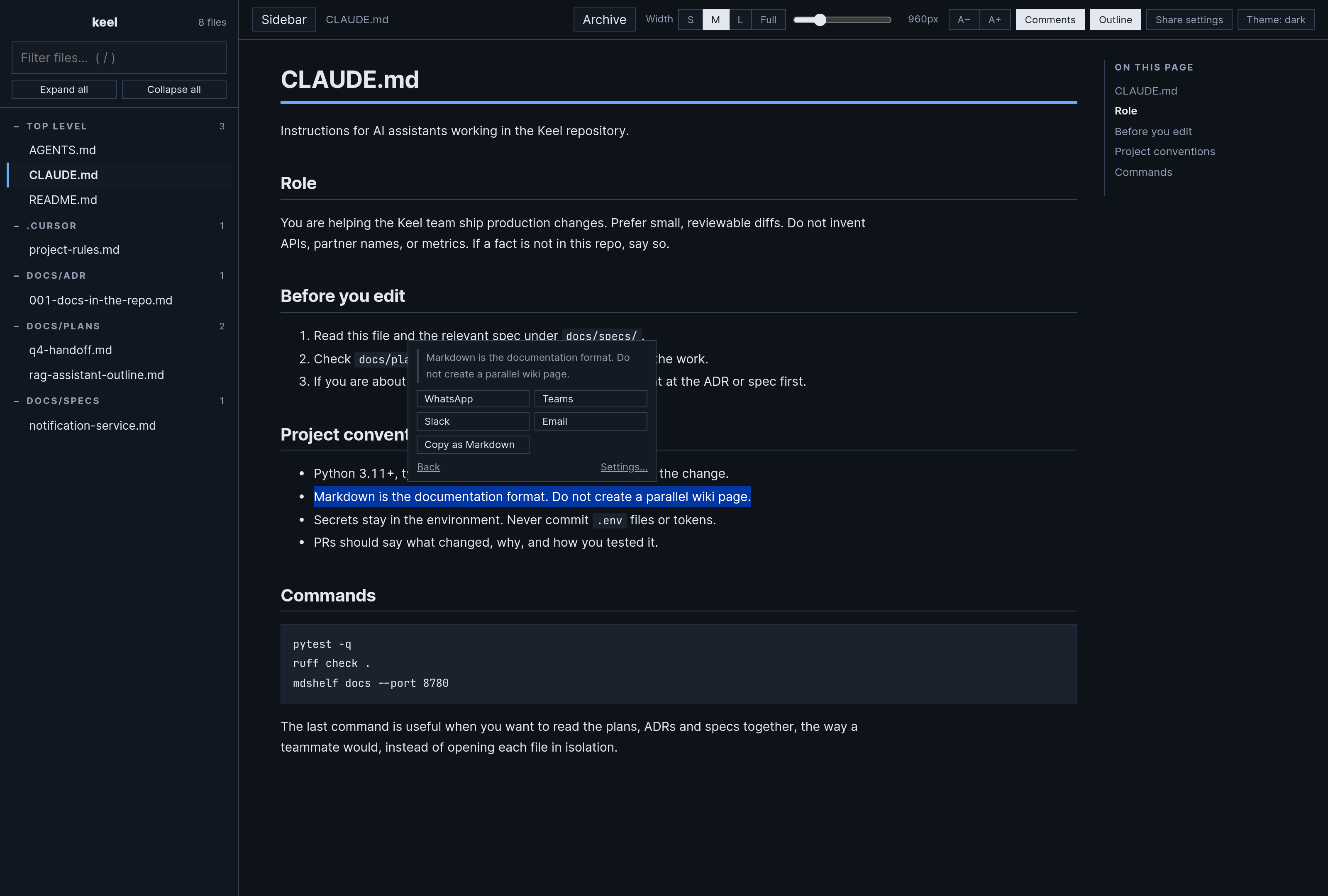
- Share selected text (WhatsApp, Teams, Email) or copy as Slack / Markdown quote
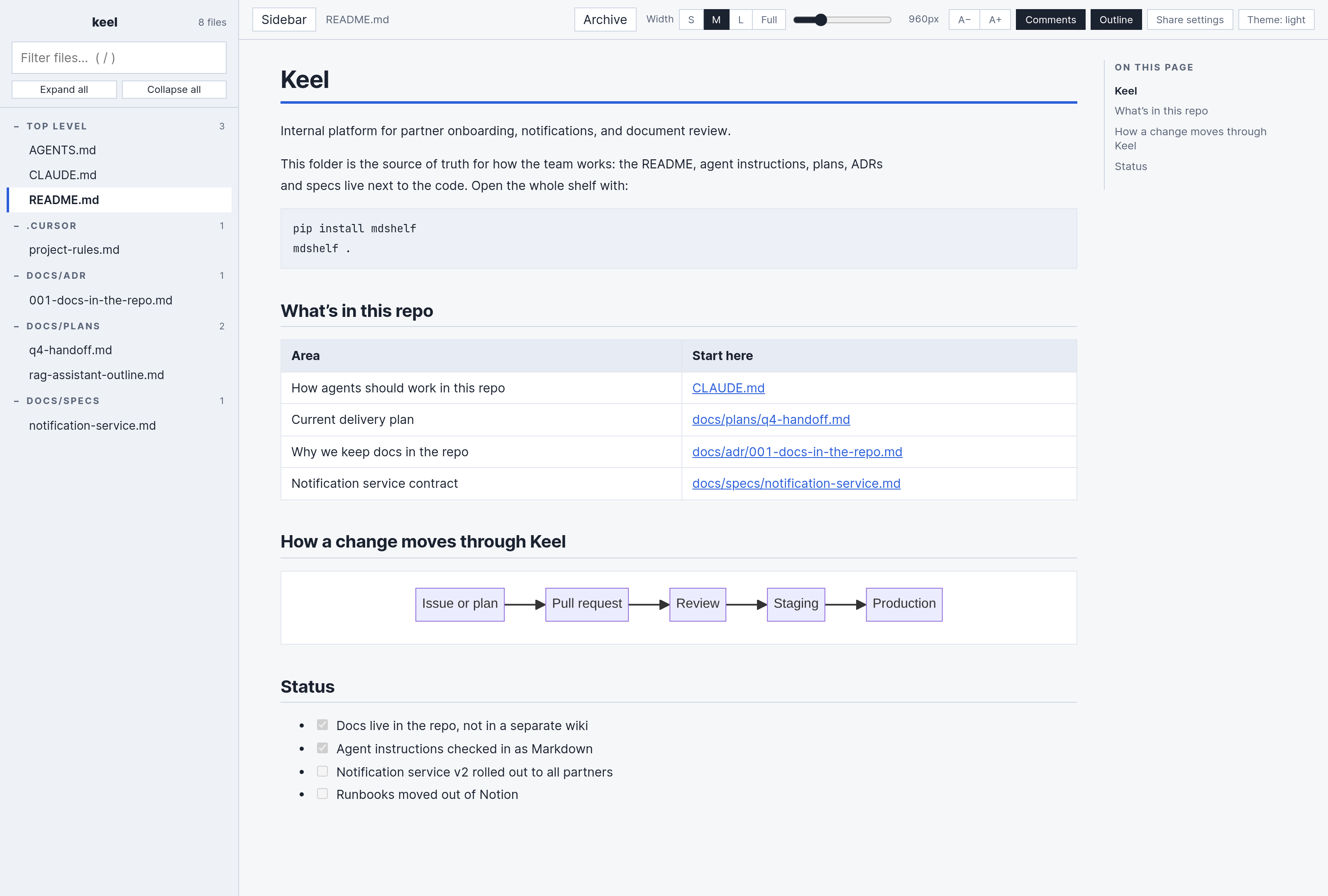
- Light, dark, or automatic theme; adjustable text size and page width
- Archive / restore a doc with confirmation (moves it into an
archived/folder and back) - Only
.mdfiles under the folder you pass are listed; those docs plus common image types they link to are served on127.0.0.1
Python standard library only. The Markdown renderer, Mermaid and fonts ship inside the package so it works offline. Nothing is uploaded anywhere.
Screenshots
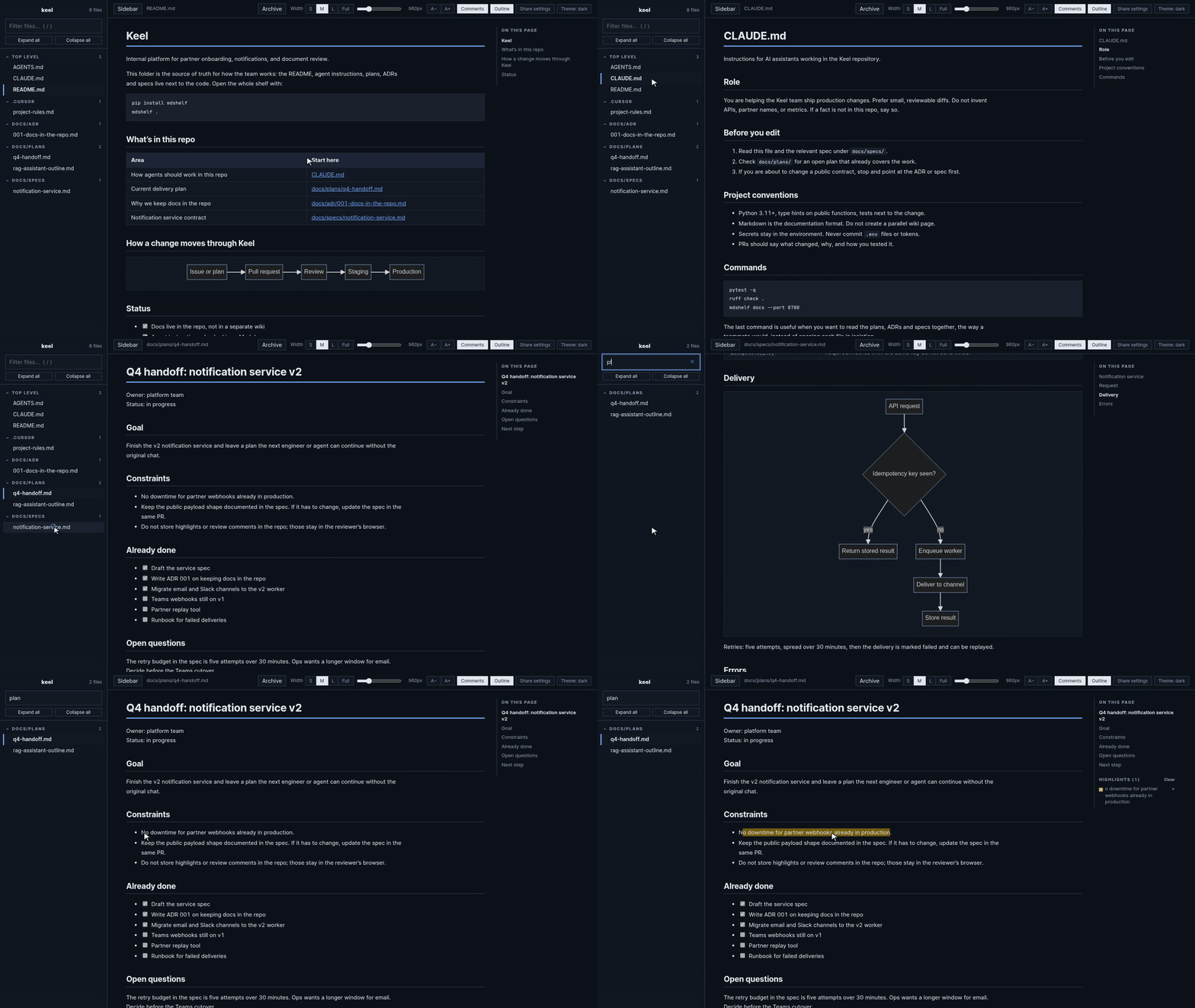
Your whole project's Markdown as one shelf
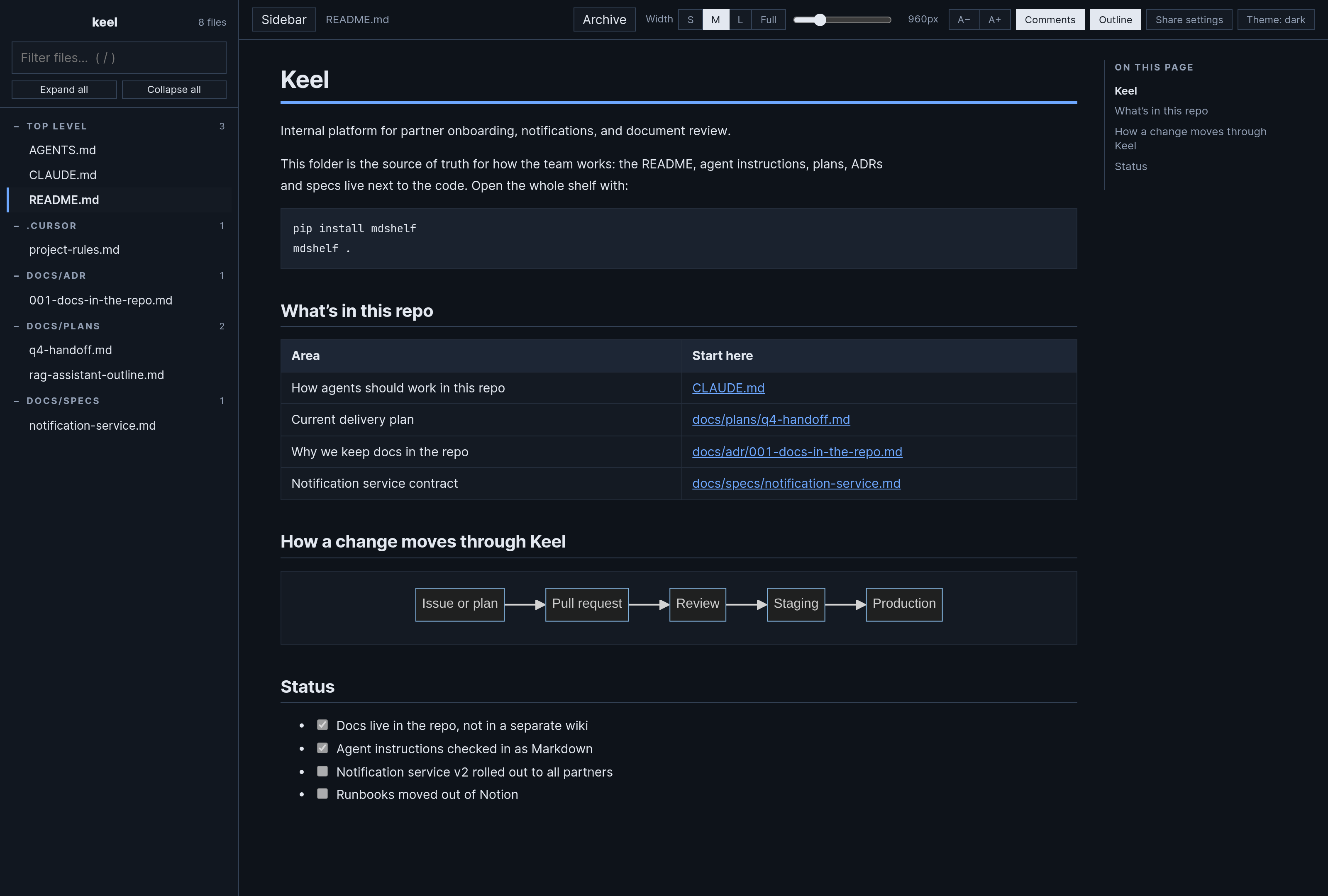
Agent instructions (CLAUDE.md) in the same shelf as your docs
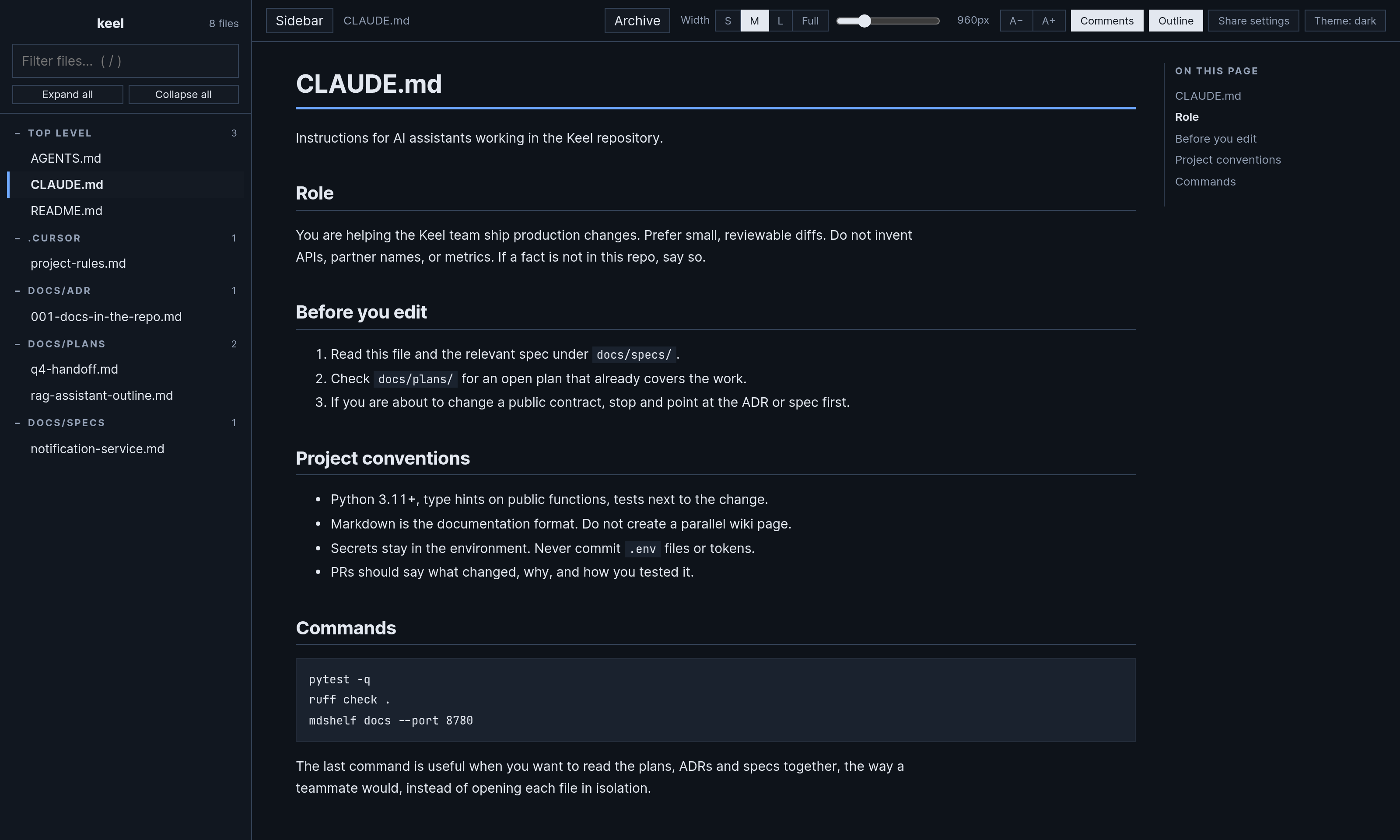
Specs with tables and Mermaid diagrams rendered
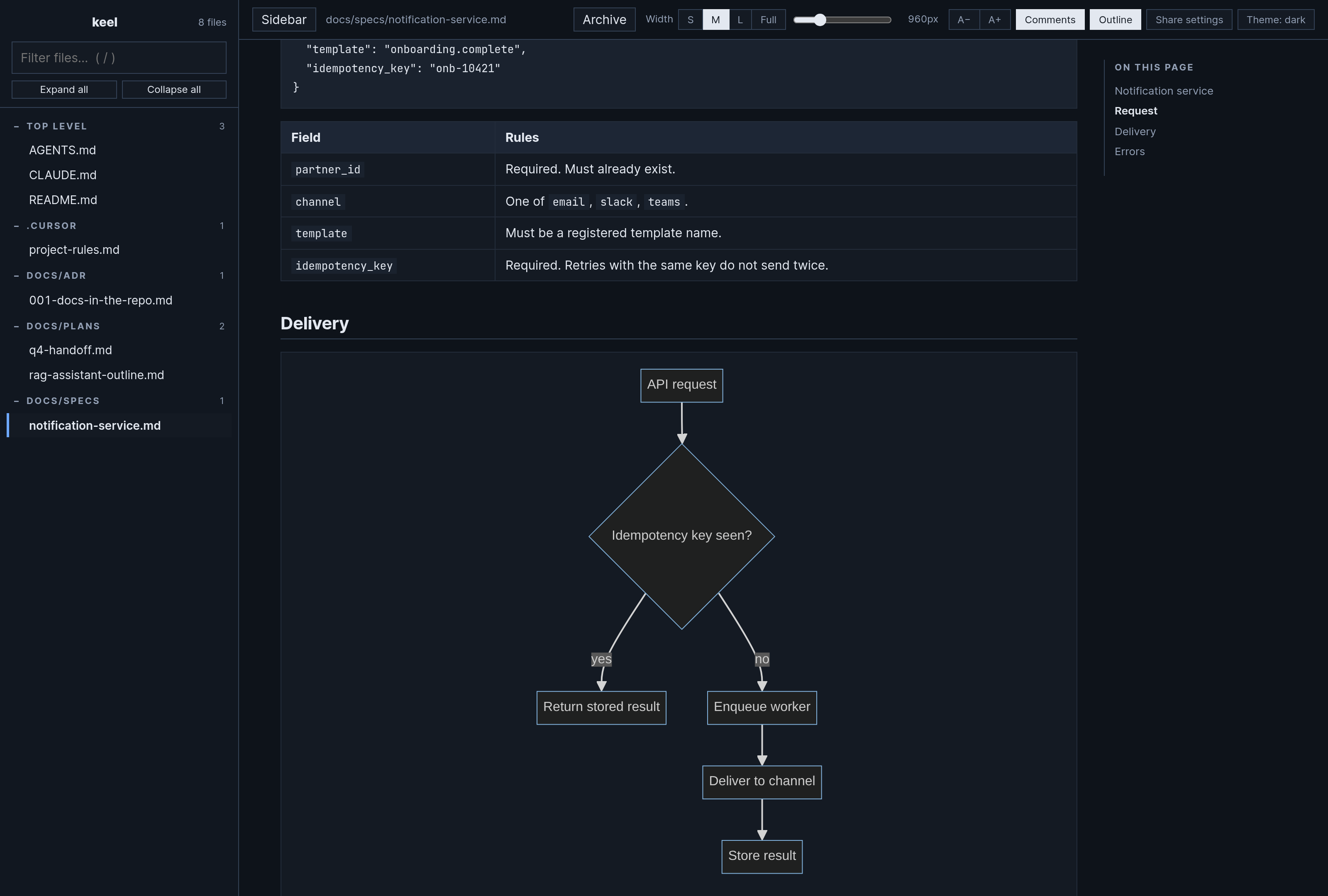
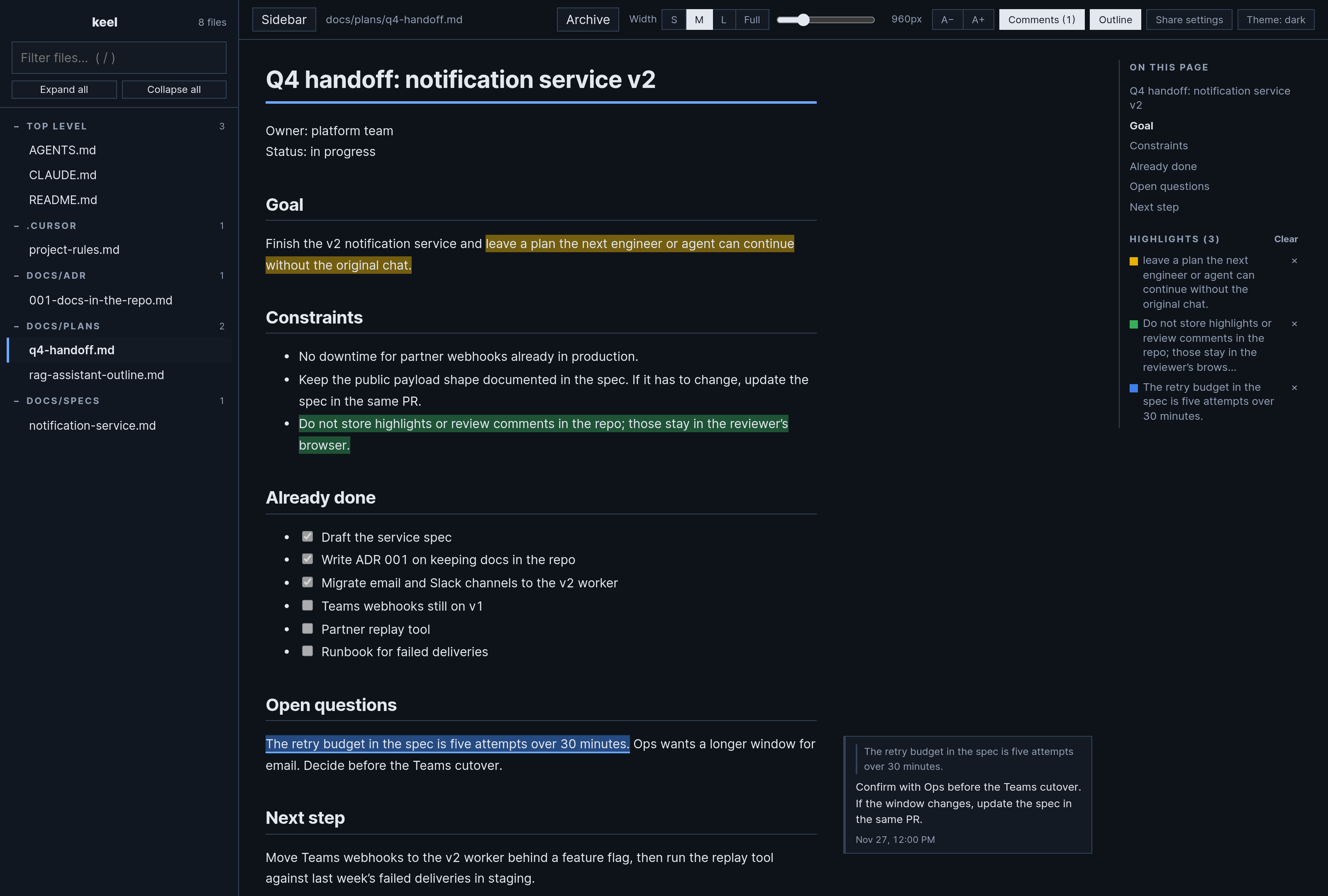
Highlight and comment on a plan while you review it
More screenshots
Share a passage to Slack, Teams, WhatsApp, email or copy as Markdown
Light theme
Keyboard shortcuts
| Key | Action |
|---|---|
/ |
Focus the sidebar filter (opens the sidebar if it was collapsed) |
[ |
Toggle the sidebar |
] |
Toggle the outline |
Who it's for
Anyone reviewing AI planning docs and project markdown in a repo without standing up a docs site.
Package: https://pypi.org/project/mdshelf/
Cursor .mdc rule files are not listed unless they are saved as .md.
Where your notes live
Highlights and comments are saved in your browser (localStorage), per folder and per file, not in your repo. They survive reloads and edits to the Markdown, because each one is stored as the quoted text plus a little context rather than a position. If the quoted text is deleted, the note stays in the list marked "not found" so you can remove it. Clearing site data or using another browser or machine starts you with no notes. Archive and restore carry a file's notes along.
Archive
Archive moves a doc to <folder>/archived/<same path> and Restore moves it back, refusing if something
already exists at the destination. If the folder is under git, add archived/ to .gitignore to keep
archived files out of commits (git will show them as deleted). Use --read-only to turn this off.
Security model
- Binds to
127.0.0.1only. There is no option to listen on other interfaces. - Serves
.mdfiles under the folder you pass, common image types linked from them (png, gif, jpg, webp, svg, …), plus its bundled assets. Paths that escape the folder, or point into skipped folders, are refused. - The only write is Archive/Restore. It accepts requests only from its own page: the
HostandOriginheaders must be local and a custom header must be present, which blocks DNS-rebinding and cross-site requests. - Share opens a link to the chosen service (WhatsApp, Teams, mail) with the selected text in the URL, only when you press the button. Slack and Markdown copy to the clipboard. Check what you select before sharing.
- Rendered Markdown is shown as HTML without sanitising, so only browse folders you trust.
Develop
See CONTRIBUTING.md for setup, tests, and how to open issues or pull requests.
The viewer is one HTML file, src/mdshelf/static/index.html, with no build step. Bundled third-party
files and licences are listed in THIRD_PARTY_NOTICES.md.
Licence
MIT, see LICENSE. Bundled fonts are under the SIL Open Font License 1.1; see licenses/.
1 maintainer

Metadata
1 maintainer
Release files for mdshelf 0.1.2
For a detailed explanation of source distributions (sdists) and built distributions (wheels), please see the package formats documentation.
Source distribution (sdist)
| File | Size | Uploaded | Provenance | Actions |
|---|---|---|---|---|
| mdshelf-0.1.2.tar.gz | 1.1 MB | Without provenance | Details for mdshelf-0.1.2.tar.gz |
Built distribution (wheel)
| File | Interpreter | ABI | Platform | Actions Reset |
|---|---|---|---|---|
| mdshelf-0.1.2-py3-none-any.whl | Python 3 | none | any | Details for mdshelf-0.1.2-py3-none-any.whl |
Total release size: 2.3 MB
Release files / mdshelf-0.1.2.tar.gz
| Download URL | mdshelf-0.1.2.tar.gz |
|---|---|
| Size | 1.1 MB |
| Tags | Source |
|
SHA-256 checksum How to use checksums |
eeb594f5389e2ab9b18efa0351a9f344e1af408c0ab9054c2dab5fce955ee926
|
|
BLAKE2b-256 checksum How to use checksums |
bd2bfa4bd921ef718ac33b935e59f4c2dd61770fa47a333e4bbe2947d255c4e0
|
| Upload date | |
|
Uploaded using Trusted Publishing? What is trusted publishing? |
No |
| Uploaded via |
twine/7.0.0 CPython/3.15.2
|
Release files / mdshelf-0.1.2-py3-none-any.whl
| Download URL | mdshelf-0.1.2-py3-none-any.whl |
|---|---|
| Size | 1.1 MB |
| Tags | Python 3 |
|
SHA-256 checksum How to use checksums |
7d1a69145b2ef7b1f5f315a4b8cedd10dda83098af2bf680d66c2751e9b53524
|
|
BLAKE2b-256 checksum How to use checksums |
a52faff89dd0f28fed20b23283a1fb8fc1585540d986b31eb10c15bbc67c1107
|
| Upload date | |
|
Uploaded using Trusted Publishing? What is trusted publishing? |
No |
| Uploaded via |
twine/7.0.0 CPython/3.15.2
|
Security for mdshelf 0.1.2
Provenance
Provenance describes where a file came from. On PyPI, provenance is shared via attestations, which provide a verifiable record of the build or publishing details. View details, limitations and caveats.
No provenance found
None of the files in this release were uploaded with provenance metadata.
A note on package security
PyPI is a repository for distributing packages, not a service for auditing them. While third-party security researchers and our staff do their best to detect and remove malicious packages, PyPI cannot guarantee the quality, security or suitability of any given package.
To learn more about protecting yourself from malicious actors, visit our package security documentation.














