
Med-Imagetools: Transparent and Reproducible Medical Image Processing Pipelines in Python














Installation and Usage Documentation: https://bhklab.github.io/med-imagetools
Med-ImageTools core features
Med-Imagetools, a python package offers the perfect tool to transform messy medical dataset folders to deep learning ready format in few lines of code. It not only processes DICOMs consisting of different modalities (like CT, PET, RTDOSE and RTSTRUCTS), it also transforms them into deep learning ready subject based format taking the dependencies of these modalities into consideration.

Introduction
A medical dataset, typically contains multiple different types of scans for a single patient in a single study. As seen in the figure below, the different scans containing DICOM of different modalities are interdependent on each other. For making effective machine learning models, one ought to take different modalities into account.

Fig.1 - Different network topology for different studies of different patients
Med-Imagetools is a unique tool, which focuses on subject based Machine learning. It crawls the dataset and makes a network by connecting different modalities present in the dataset. Based on the user defined modalities, med-imagetools, queries the graph and process the queried raw DICOMS. The processed DICOMS are saved as nrrds, which med-imagetools converts to torchio subject dataset and eventually torch dataloader for ML pipeline.
Installing med-imagetools
pip install med-imagetools
imgtools --help
uvx --from 'med-imagetools[all]' imgtools --help
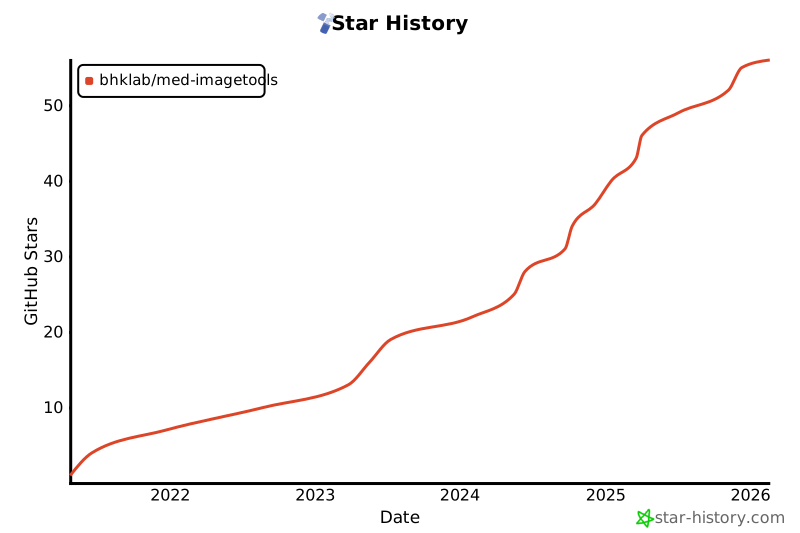
Repository Stars
License
This project uses the following license: MIT License


Release files for med-imagetools 2.16.0
For a detailed explanation of source distributions (sdists) and built distributions (wheels), please see the package formats documentation.
Source distribution (sdist)
| File | Size | Uploaded | |
|---|---|---|---|
| med_imagetools-2.16.0.tar.gz | 5.2 MB | Details |
Built distribution (wheel)
| File | Interpreter | ABI | Platform | Reset |
|---|---|---|---|---|
| med_imagetools-2.16.0-py3-none-any.whl | Python 3 | none | any | Details |
Total release size: 7.3 MB
Release files / med_imagetools-2.16.0.tar.gz
| Download URL | med_imagetools-2.16.0.tar.gz |
|---|---|
| Size | 5.2 MB |
| Tags | Source |
|
SHA-256 checksum How to use checksums |
16de2d2f684ba6fd33651355afc6310bf567d54bda674b94161e5f7f173955ac
|
|
BLAKE2b-256 checksum How to use checksums |
b7ddba2c2d496d117cb597f5811d8921e124d24c5c8454982fc8144268d713d6
|
| Upload date | |
|
Uploaded using Trusted Publishing? What is trusted publishing? |
No |
| Uploaded via |
Hatch/1.17.0 {"ci":null,"cpu":"x86_64","distro":{"id":"noble","libc":{"lib":"glibc","version":"2.39"},"name":"Ubuntu","version":"24.04"},"implementation":{"name":"CPython","version":"3.12.9"},"installer":{"name":"hatch","version":"1.17.0"},"openssl_version":"OpenSSL 3.6.3 9 Jun 2026","python":"3.12.9","system":{"name":"Linux","release":"6.17.0-35-generic"}} HTTPX2/2.5.0
|
Release files / med_imagetools-2.16.0-py3-none-any.whl
| Download URL | med_imagetools-2.16.0-py3-none-any.whl |
|---|---|
| Size | 2.1 MB |
| Tags | Python 3 |
|
SHA-256 checksum How to use checksums |
a3411441c95b7c7fd1d03959529e10c32dba0aacc5d328929f40410942cae089
|
|
BLAKE2b-256 checksum How to use checksums |
f646e38a15232d468dbe949e615fac303d4015c59c490b11b5e3d4545f2028a1
|
| Upload date | |
|
Uploaded using Trusted Publishing? What is trusted publishing? |
No |
| Uploaded via |
Hatch/1.17.0 {"ci":null,"cpu":"x86_64","distro":{"id":"noble","libc":{"lib":"glibc","version":"2.39"},"name":"Ubuntu","version":"24.04"},"implementation":{"name":"CPython","version":"3.12.9"},"installer":{"name":"hatch","version":"1.17.0"},"openssl_version":"OpenSSL 3.6.3 9 Jun 2026","python":"3.12.9","system":{"name":"Linux","release":"6.17.0-35-generic"}} HTTPX2/2.5.0
|














