



med2limit
Convert Code_Aster MED/RMED simulation results into LIMIT .linp / .lui input files for fatigue analysis.
Features
- Shell workflows (DKT elements: S3, S4) with orientation (REPLO/CARCOQUE) handling
- Linear solid workflows (C3D8 / HEXA8, C3D6 / PENTA6) with validated LIMIT node ordering
- Multi-step / multi-increment displacement and stress transfer
- Optional shell orientation file, or read directly from
IMPR_CONCEPTembedded result file
Requirement
- Python 3.9 - 3.13
- Git LFS (only needed if you clone the repository to access the example files)
Installation
Install med2limit with pip into a virtual python environnement (venv):
python3 -m venv .venv
source .venv/bin/activate
pip install med2limit
Code_aster Requirement
- Identify weld groups as Group_NO (not Group_MA), 1 node set per weld and duplicated node set and to have right and left weld node set.
- For shell element, extract top/bottom stresses as:
#Ensure to name the concept "SIEF_SUP" and "SIEF_INF"
SIEF_SUP=POST_CHAMP(RESULTAT=RESU,
                    EXTR_COQUE=_F(NOM_CHAM='SIEF_ELNO',
                                  NUME_COUCHE=1,
                                  NIVE_COUCHE='SUP',),);

SIEF_INF=POST_CHAMP(RESULTAT=RESU,
                    EXTR_COQUE=_F(NOM_CHAM='SIEF_ELNO',
                                  NUME_COUCHE=1,
                                  NIVE_COUCHE='INF',),);
- For shell element, extract orientation/tichkness as:
IMPR_CONCEPT(FORMAT='MED',
             UNITE=80, --> Same unit as your results or in a dedicated file
             CONCEPT=(_F(CARA_ELEM=Elem,
                         REPERE_LOCAL='ELEM',
                         MODELE=Modell,),),)
Usage
Command line
From 01_exemple in folder:
med2limit/exemples/01_exemple
med2limit 01_exemple.rmed output.linp output.lui --groups "Shell1,Shell2" --nsets "WeldNO"
With separate orientation file:
med2limit 01_exemple.rmed output.linp output.lui 01_carcoc.rmed --groups "Shell1,Shell2" --nsets "WeldNO"
Set classification in LIMIT
LIMIT decides how to file an imported set from its name and from whether it carries a section:
| Group name | LIMIT classification |
|---|---|
starts with PROF_ |
Profile Set |
starts with SW_ |
Solid Weld Generation Elset |
starts with solset / surfset |
Property Set (gets a *Section) |
| anything else | Other Elset / Other Nset |
PROF_ and SW_ are matched literally, underscore included, so those
underscores are preserved while the rest of the name is normalized
(PROF_POA_COR_1a becomes PROF_POACOR1a).
Only the property groups get a *Section: they are the ones with a material
and a thickness. Every other GROUP_MA (construction groups, boundary
conditions, weld lines) stays a plain elset. The converter prints the list of
elsets it left without a section — check it, because an elset that needed a
property but does not follow the naming convention reaches LIMIT without one.
Both conventions are overridable when a study uses different names:
med2limit model.rmed out.linp out.lui \
  --limit-prefixes "PROF_,SW_" --property-prefixes "solset,surfset"
Property prefixes are matched case-insensitively; the LIMIT prefixes are not. Omitting an option keeps the built-in convention shown in the table above.
01_exemple
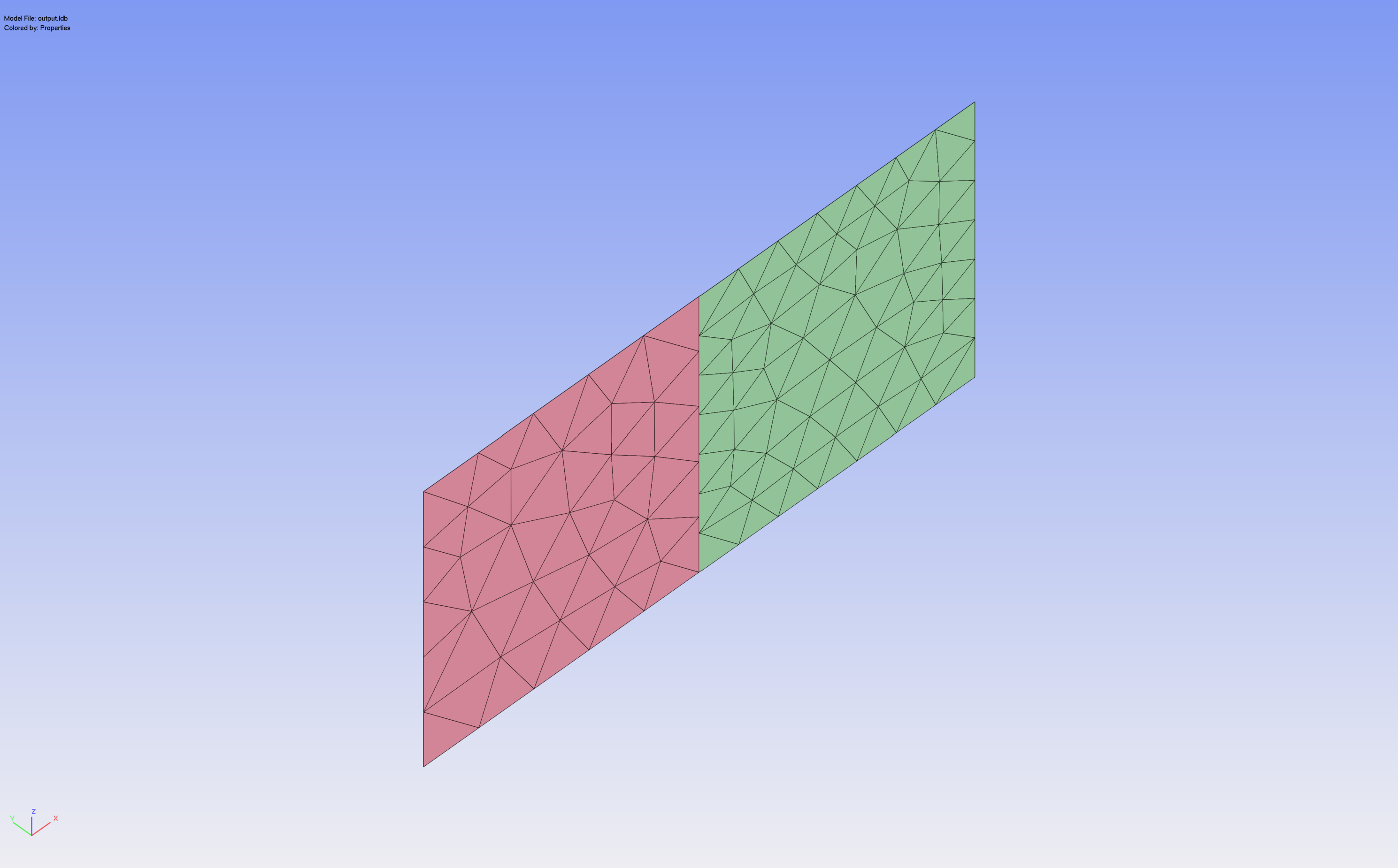 Code_aster Shell-Shell geometry successfully imported in LIMIT Software
02_exemple
med2limit/exemples/02_exemple
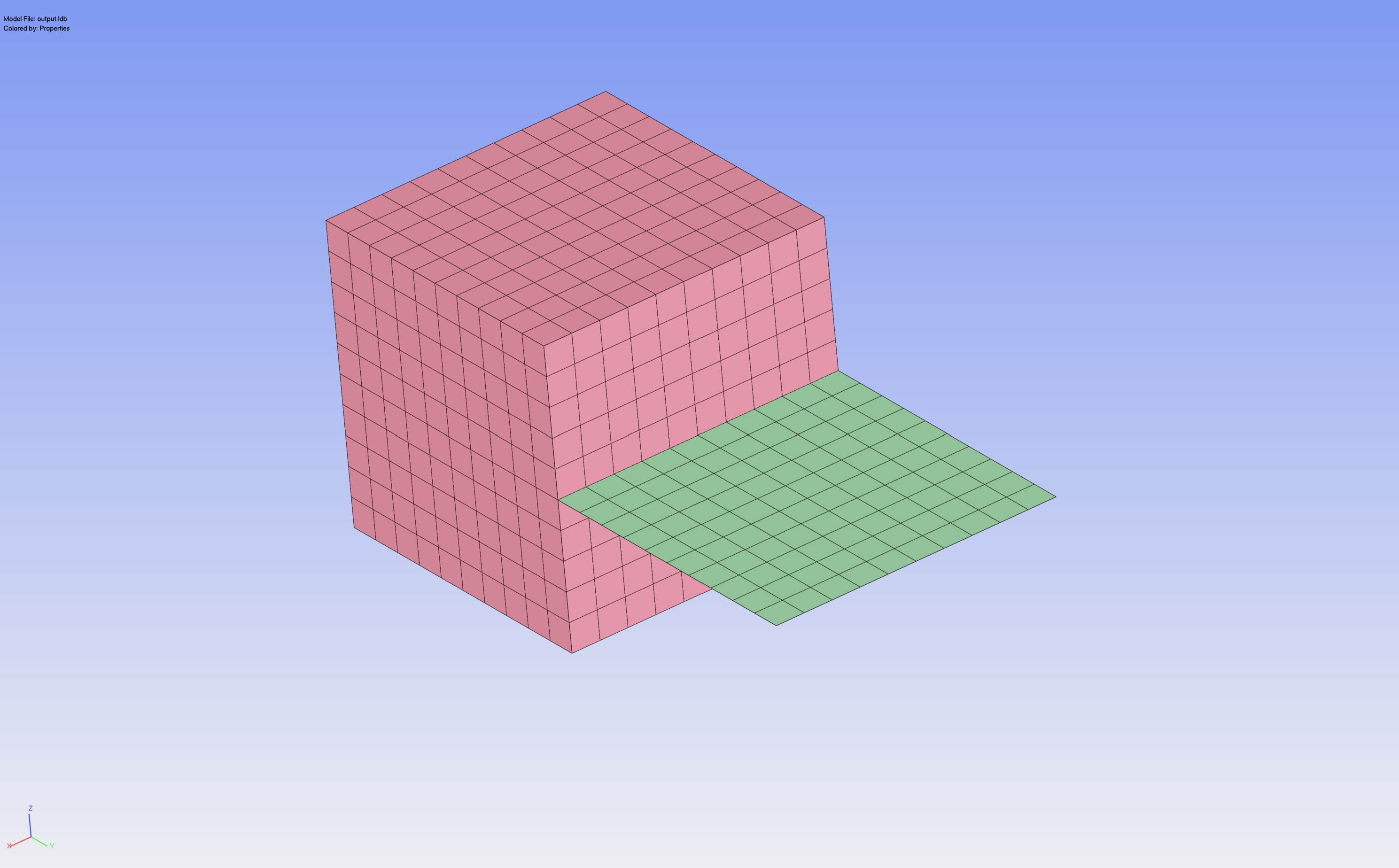 Code_aster Solid-Shell geometry successfully imported in LIMIT Software
Python API
from med2limit import MEDToLimitConverter

conv = MEDToLimitConverter(
    med_filename="LIMIT1.rmed",
    linp_filename="out.linp",
    lui_filename="out.lui",
    active_groups=["Shell1", "Shell2"],
    active_nsets=["WeldNO"],
)
conv.convert()
Package layout
med2limit/
├── element_types.py   # MED↔LIMIT type mapping + helpers (pure)
├── reader.py          # MED file open + field lookup
├── mesh.py            # nodes, elements, GROUP_MA, GROUP_NO
├── fields.py          # DEPL + SIEF over all timesteps
├── orientation.py     # REPLO + CARCOQUE (embedded or separate)
├── filter.py          # active group selection + shell metadata
├── result_mapper.py   # per-timestep stress/displacement mapping
├── writer.py          # .linp + .lui output
├── converter.py       # orchestrator (step_1 .. step_6 + convert)
└── cli.py             # CLI + in-script config
Testing
pytest                              # all tests
pytest tests/test_element_types.py  # one module
Publishing a new version
Releases are fully automated via GitHub Actions and PyPI Trusted Publishing. To publish a new version:
- Update the
versionfield inpyproject.toml(e.g.1.2.0). - Add a
## [1.2.0]section toCHANGELOG.mddescribing the changes. This section is mandatory: it is extracted automatically and used as the GitHub release notes. - Merge these changes into
main. - Create and push a tag matching the version, from the merged commit on
main:
git checkout main && git pull
git tag 1.2.0
git push origin 1.2.0
The Release workflow then runs the full CI suite (tests + build), and if everything passes, builds the distributions, publishes them to PyPI and creates the GitHub release with the changelog notes attached.
The workflow will abort if the tag does not point to a commit on main, if the tag does not match the version in pyproject.toml, or if no matching section exists in CHANGELOG.md. No PyPI token is needed: publication uses OIDC Trusted Publishing.
Known limitations
- Quadratic solids (C3D10, C3D15, C3D20) — node ordering not yet validated in LIMIT
- Shell elsets with mixed thicknesses use the most-frequent value (with warning)
Acknowledgments
Special thanks to Tobias and Nikolaus for their feedback as early adopters and their patience during the iterative development of the converter.
2 maintainers


Metadata
2 maintainers
Release files for med2limit 0.0.3
For a detailed explanation of source distributions (sdists) and built distributions (wheels), please see the package formats documentation.
Source distribution (sdist)
| File | Size | Uploaded | |
|---|---|---|---|
| med2limit-0.0.3.tar.gz | 26.9 kB | Details |
Built distribution (wheel)
| File | Interpreter | ABI | Platform | Reset |
|---|---|---|---|---|
| med2limit-0.0.3-py3-none-any.whl | Python 3 | none | any | Details |
Total release size: 51.3 kB
Release files / med2limit-0.0.3.tar.gz
| Download URL | med2limit-0.0.3.tar.gz |
|---|---|
| Size | 26.9 kB |
| Tags | Source |
|
SHA-256 checksum How to use checksums |
de47f793f7b2647583e5519b1da26cbf60f22d40815122fe0174fc26f9373cd0
|
|
BLAKE2b-256 checksum How to use checksums |
56f22aeb513ba9dd9eeefa76ee1d5c512b943cc30a8eb473261fb683cb2bae69
|
| Upload date | |
|
Uploaded using Trusted Publishing? What is trusted publishing? |
Yes |
| Uploaded via |
twine/7.0.0 CPython/3.13.14
|
Provenance
Provenance describes where a file came from. On PyPI, provenance is shared via attestations, which provide a verifiable record of the build or publishing details. View details, limitations and caveats.


PyPI Publish Attestation
PyPI verified that this artifact, at this checksum, originated from the publisher listed below.
Signed by GitHub Actions, verified by PyPI on Sep 17, 2026.
Transparency logRelease files / med2limit-0.0.3-py3-none-any.whl
| Download URL | med2limit-0.0.3-py3-none-any.whl |
|---|---|
| Size | 24.4 kB |
| Tags | Python 3 |
|
SHA-256 checksum How to use checksums |
aa331bdcfed22f290524af7af2662feacbdb8caabfc2022f4ba7f1b38e022762
|
|
BLAKE2b-256 checksum How to use checksums |
9e8045333293663a6ba3457bd3661d4984f0896f624c8c890f8bb1ebac9a84ce
|
| Upload date | |
|
Uploaded using Trusted Publishing? What is trusted publishing? |
Yes |
| Uploaded via |
twine/7.0.0 CPython/3.13.14
|
Provenance
Provenance describes where a file came from. On PyPI, provenance is shared via attestations, which provide a verifiable record of the build or publishing details. View details, limitations and caveats.
PyPI Publish Attestation
PyPI verified that this artifact, at this checksum, originated from the publisher listed below.
Signed by GitHub Actions, verified by PyPI on Sep 17, 2026.
Transparency log













