
Sync Time-Series Pipes with Meerschaum

Project description

| PyPI | GitHub | Info | Stats |
|---|---|---|---|
 |
 |
 |
 |
 |
 |
 |
 |
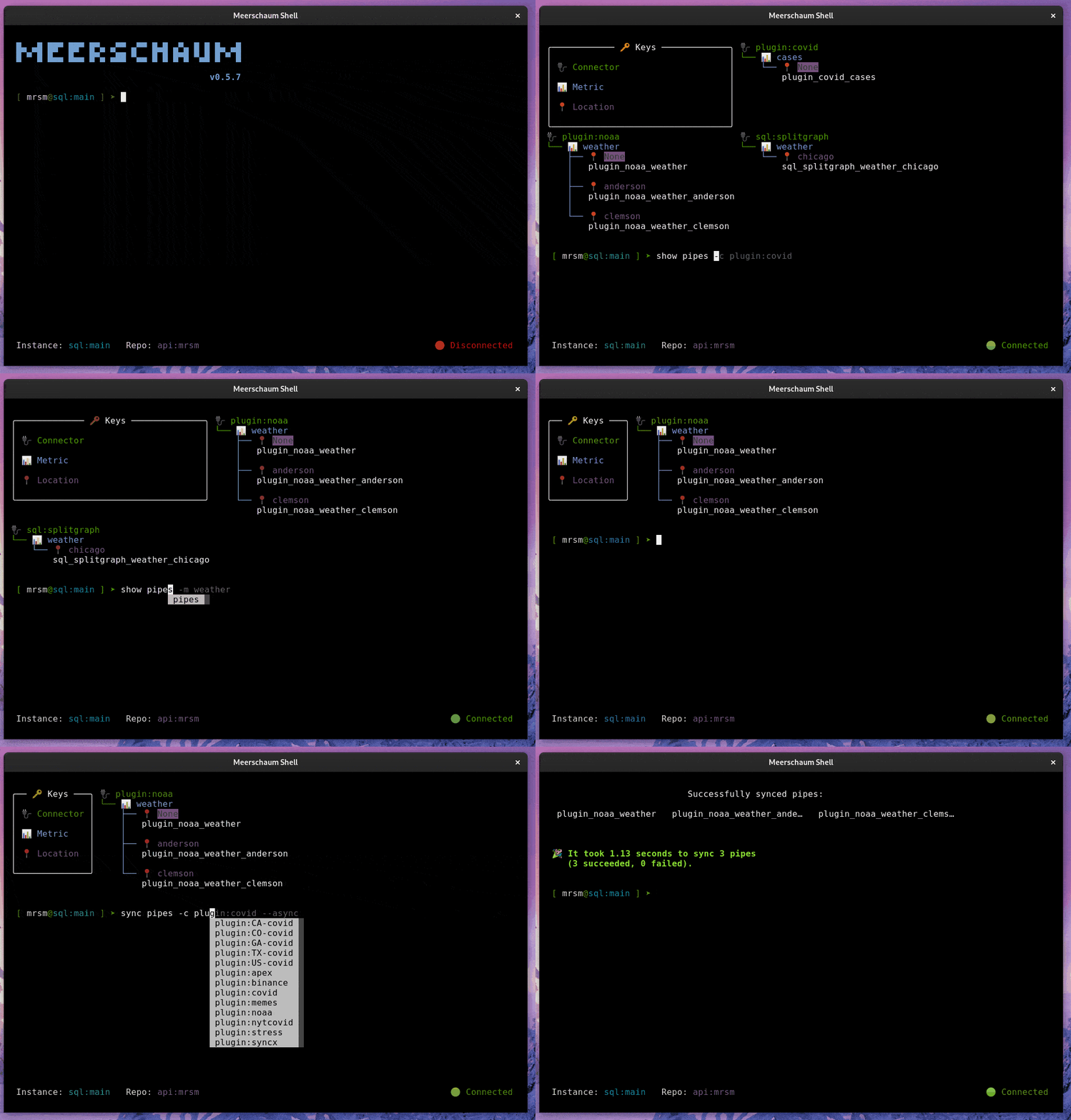
What is Meerschaum?
Meerschaum is a tool for quickly synchronizing time-series data streams called pipes. With Meerschaum, you can have a data visualization stack running in minutes.
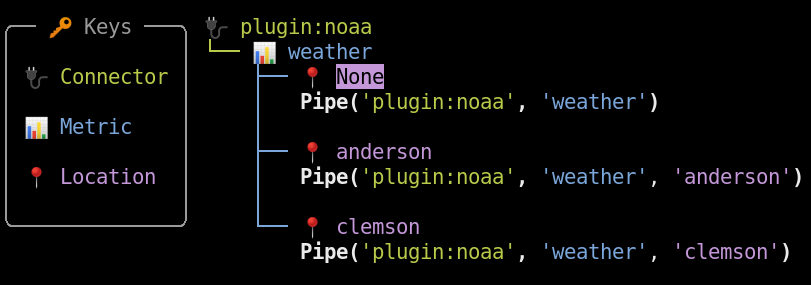
Why Meerschaum?
Two words: incremental updates. Fetch the data you need, and Meerschaum will handle the rest.
If you've worked with time-series data, you know the headaches that come with ETL. Data engineering often gets in analysts' way, and when work needs to get done, every minute spent on pipelining is time taken away from real analysis.
Rather than copy / pasting your ETL scripts, simply build pipes with Meerschaum! Meerschaum gives you the tools to design your data streams how you like ― and don't worry — you can always incorporate Meerschaum into your existing systems!
Want to Learn More?
You can find a wealth of information at meerschaum.io!
Additionally, below are several articles published about Meerschaum:
- Interview featured in Console 100 - The Open Source Newsletter
- A Data Scientist's Guide to Fetching COVID-19 Data in 2022 (Towards Data Science)
- Time-Series ETL with Meerschaum (Towards Data Science)
- How I automatically extract my M1 Finance transactions
Installation
For a more thorough setup guide, visit the Getting Started page at meerschaum.io.
TL;DR
pip install -U --user meerschaum
mrsm stack up -d db grafana
mrsm bootstrap pipes
Usage
Please visit meerschaum.io for setup, usage, and troubleshooting information. You can find technical documentation at docs.meerschaum.io, and here is a complete list of the Meerschaum actions.
CLI
### Install the NOAA weather plugin.
mrsm install plugin noaa

### Register a new pipe to the built-in SQLite DB.
### You can instead run `bootstrap pipe` for a wizard.
### Enter 'KATL' for Atlanta when prompted.
mrsm register pipe -c plugin:noaa -m weather -l atl -i sql:local

### Pull data and create the table "plugin_noaa_weather_atl".
mrsm sync pipes -l atl -i sql:local
Python API
import meerschaum as mrsm
pipe = mrsm.Pipe(
    'foo', 'bar',              ### Connector and metric labels.
    target   = 'MyTableName!', ### Table name. Defaults to 'foo_bar'.
    instance = 'sql:local',    ### Built-in SQLite DB. Defaults to 'sql:main'.
    columns  = {
        'datetime': 'dt',      ### Column for the datetime index.
        'id'      : 'id',      ### Column for the ID index (optional).
    },
)
### Pass a DataFrame to create the table and indices.
pipe.sync([{'dt': '2022-07-01', 'id': 1, 'val': 10}])

### Duplicate rows are ignored.
pipe.sync([{'dt': '2022-07-01', 'id': 1, 'val': 10}])
assert len(pipe.get_data()) == 1

### Rows with existing keys (datetime and/or id) are updated.
pipe.sync([{'dt': '2022-07-01', 'id': 1, 'val': 100}])
assert len(pipe.get_data()) == 1

### Translates to this query for SQLite:
###
### SELECT *
### FROM "MyTableName!"
### WHERE "dt" >= datetime('2022-01-01', '0 minute')
###   AND "dt" <  datetime('2023-01-01', '0 minute')
###   AND "id" IN ('1')
df = pipe.get_data(
    begin  = '2022-01-01',
    end    = '2023-01-01',
    params = {'id': [1]},
)

### Shape of the DataFrame:
###           dt  id  val
### 0 2022-07-01   1  100

### Drop the table and remove the pipe's metadata.
pipe.delete()
Simple Plugin
# ~/.config/plugins/example.py

__version__ = '1.0.0'
required = ['requests']

def register(pipe, **kw):
    return {
        'columns': {
            'datetime': 'dt',
            'id'      : 'id',
        },
    }

def fetch(pipe, **kw):
    import requests, datetime, random
    response = requests.get('http://date.jsontest.com/')

    ### The fetched JSON has the following shape:
    ### {
    ###     "date": "07-01-2022",
    ###     "milliseconds_since_epoch": 1656718801566,
    ###     "time": "11:40:01 PM"
    ### }
    data = response.json()
    timestamp = datetime.datetime.fromtimestamp(
        int(str(data['milliseconds_since_epoch'])[:-3])
    )

    ### You may also return a Pandas DataFrame.
    return [{
        "dt"   : timestamp,
        "id"   : random.randint(1, 4),
        "value": random.uniform(1, 100),
    }]
Features
- 📊 Built for Data Scientists and Analysts
- Integrate with Pandas, Grafana and other popular data analysis tools.
- Persist your dataframes and always get the latest data.
- ⚡️ Production-Ready, Batteries Included
- Synchronization engine concurrently updates many time-series data streams.
- One-click deploy a TimescaleDB and Grafana stack for prototyping.
- Serve data to your entire organization through the power of
uvicorn,gunicorn, andFastAPI.
- 🔌 Easily Expandable
- Ingest any data source with a simple plugin. Just return a DataFrame, and Meerschaum handles the rest.
- Add any function as a command to the Meerschaum system.
- Include Meerschaum in your projects with its easy-to-use Python API.
- ✨ Tailored for Your Experience
- Rich CLI makes managing your data streams surprisingly enjoyable!
- Web dashboard for those who prefer a more graphical experience.
- Manage your database connections with Meerschaum connectors.
- Utility commands with sensible syntax let you control many pipes with grace.
- 💼 Portable from the Start
- The environment variable
$MRSM_ROOT_DIRlets you emulate multiple installations and group together your instances. - No dependencies required; anything needed will be installed into a virtual environment.
- Specify required packages for your plugins, and users will get those packages in a virtual environment.
- The environment variable
Support Meerschaum's Development
For consulting services and to support Meerschaum's development, please considering sponsoring me on GitHub sponsors.
Additionally, you can always buy me a coffee☕!
License
Copyright 2021 Bennett Meares
Licensed under the Apache License, Version 2.0 (the "License"); you may not use this file except in compliance with the License. You may obtain a copy of the License at
http://www.apache.org/licenses/LICENSE-2.0
Unless required by applicable law or agreed to in writing, software distributed under the License is distributed on an "AS IS" BASIS, WITHOUT WARRANTIES OR CONDITIONS OF ANY KIND, either express or implied. See the License for the specific language governing permissions and limitations under the License.
Release history Release notifications | RSS feed


Download files
Download the file for your platform. If you're not sure which to choose, learn more about installing packages.
Source Distribution
Built Distribution
Filter files by name, interpreter, ABI, and platform.
If you're not sure about the file name format, learn more about wheel file names.
Copy a direct link to the current filters
File details
Details for the file meerschaum-1.6.3.tar.gz.
File metadata
- Download URL: meerschaum-1.6.3.tar.gz
- Upload date:
- Size: 756.2 kB
- Tags: Source
- Uploaded using Trusted Publishing? No
- Uploaded via: twine/4.0.2 CPython/3.8.16
File hashes
| Algorithm | Hash digest | |
|---|---|---|
| SHA256 |
2855732de41660e9c6db0392001042131acf4ce4ac4c51d7d72b27f18c85529e
|
|
| MD5 |
6c6a01dbb242d6e66fcbb2c4e4cc4471
|
|
| BLAKE2b-256 |
5fdbec92b79862e0a56a665b810fdc046813ce9d405e921a7b9f0d49927fda59
|
File details
Details for the file meerschaum-1.6.3-py3-none-any.whl.
File metadata
- Download URL: meerschaum-1.6.3-py3-none-any.whl
- Upload date:
- Size: 845.4 kB
- Tags: Python 3
- Uploaded using Trusted Publishing? No
- Uploaded via: twine/4.0.2 CPython/3.8.16
File hashes
| Algorithm | Hash digest | |
|---|---|---|
| SHA256 |
770197a804d3beba326e3fb6a07f3c4af28d4e84a67348911996d647ebd3bd9d
|
|
| MD5 |
c103f51f79ac8b2661a0acd98f1f20b5
|
|
| BLAKE2b-256 |
56d980958bb663ae6535a89308ada600c6cf48b32129b02beab4032c23b0026f
|






