
Open API written in Python 3 for making your own Smash Bros: Melee AI that works with Slippi Online
Verified details
These details have been verified by PyPIProject links
GitHub Statistics
Maintainers


Project description
libmelee
This is a fork of libmelee geared toward machine learning.
Differences from upstream
- Gamestates match raw values from slp files, allowing faster tools such as peppi to be used to process replays for imitation learning without risking mismatch between replay data and live data. Upstream on the other hand preprocesses some values to make them more legible, e.g. sets intangibility for ledge grabbing.
- A separate process is used to keep the enet connection to dolphin alive. Otherwise, it will time out after one minute of inactivity.
- Sets up gecko codes for exi-inputs/fast-forward mode, which allows the game to run much faster than normal. These codes internally disable melee's rendering in the same way that is used to fast-forward a replay during playback. A custom dolphin build is required for this (see below).
- Fixes input stick and analog trigger values to match what the game outputs. This makes imitation-trained bots behave correctly. See this commit for details.
- Various other miscellaneous improvements, such as being able to control dolphin's debug logging, interfacing with mainline slippi-dolphin, setting infinite time mode, and playing as Sheik.
Installing Libmelee
This fork is now the source for the melee package on pypi, starting with version 0.45.0, and so can be installed with
pip install melee
To upgrade, run
pip install -U melee
Setup Instructions
Linux / OSX / Windows
-
You can install and configure Slippi just like you would for rollback netplay -- see https://slippi.gg for instructions. If you want to use fast-forward mode, you will need to use my fork of slippi-Ishiiruka. A prebuilt Linux AppImage is available here, which can be used like a regular executable. This build is also headless, meaning it has no graphical elements at all. There is also a Linux mainline build that can run either headless or with graphics (but not in fast-forward mode).
-
If you want to play interactively with or against your AI, you'll probably want a GameCube Adapter, available on Amazon. Alternatively the HitBox adapter works well too.
-
Run the example script:
./example.py -e PATH_TO_SLIPPI_FOLDER_OR_EXE
Fast-Forward Mode
To use fast-forward mode, set these arguments in the Console constructor:
console = melee.Console(
  path="PATH_TO_CUSTOM_DOLPHIN",
  gfx_backend="Null",
  disable_audio=True,
  use_exi_inputs=True,
  enable_ffw=True,
)
Known Issues
- On MacOS, mainline slippi dolphin crashes (segfaults) for unknown reasons. You should use Ishiiruka instead, or you can try building a "nogui" executable (this is what I use).
Playing Online
Do not play on Unranked There is no libmelee option for it, but don't try. Eventually we'll have a way to register an account as a "bot account" that others will have the ability to opt in or out of playing against. But we don't have it yet. Until then, do not play any bots on Unranked. If you do, we'll know about it, ban your account, overcook all of your food, and seed you against a campy Luigi every tournament. Don't do it.
Quickstart Video
Here's a ~10 minute video that will show you how easy it can be to write a Melee AI from scratch.
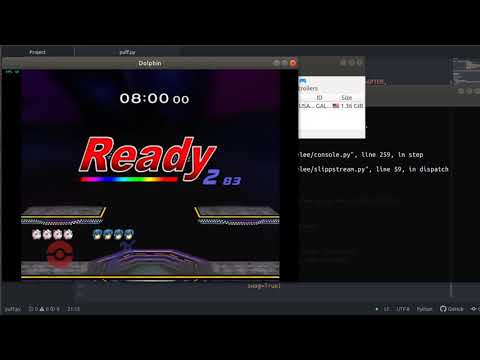
Some of the minor aspects of the API have changed since this video was made, but it's still a good resource.
The API
This readme will give you a very high level overview of the API. For a more detailed view into specific functions and their params, check out the ReadTheDocs page here: https://libmelee.readthedocs.io/
GameState
The GameState represents the current state of the game as a snapshot in time. It's your primary way to view what's happening in the game, holding all the information about the game that you probably care about including things like:
- Current frame count
- Current stage
Also a list of PlayerState objects that represent the state of the 4 players:
- Character X,Y coordinates
- Animation of each character
- Which frame of the animation the character is in
The GameState object should be treated as immutable. Changing it won't have any effect on the game, and you'll receive a new copy each frame anyway.
Note About Consistency and Binary Compatibility
Libmelee tries to create a sensible and intuitive API for Melee. So it may break with some low-level binary structures that the game creates. Some examples:
- Melee is wildly inconsistent with whether animations start at 0 or 1. For some animations, the first frame is 0, for others the first frame is 1. This is very annoying when trying to program a bot. So libmelee re-indexes all animations to start at 1. This way the math is always simple and consistent. IE: If grab comes out on "frame 7", you can reliably check
character.animation_frame == 7. - Libmelee treats Sheik and Zelda as one character that transforms back and forth. This is actually not how the game stores the characters internally, though. Internally to Melee, Sheik and Zelda are the same as Ice Climbers: there's always two of them. One just happens to be invisible and intangible at a time. But dealing with that would be a pain.
Some Values are Unintuitive but Unavoidable
Other values in Melee are unintuitive, but are a core aspect of how the game works so we can't abstract it away.
- Melee doesn't have just two velocity values (X, Y) it has five! In particular, the game tracks separately your speed "due to being hit" versus "self-induced" speed. This is why after an Amsah tech, you can still go flying off stage. Because your "attack based speed" was high despite not moving anywhere for a while. Libmelee could produce a single X,Y speed pair but this would not accurately represent the game state. (For example, SmashBot fails at tech chasing without these 5 speed values)
- Melee tracks whether or not you're "on ground" separately from your character's Y position. It's entirely possible to be "in the air" but be below the stage, and also possible to be "on ground" but have a positive Y value. This is just how the game works and we can't easily abstract this away.
- Your character model can be in a position very different from the X, Y coordinates. A great example of this is Marth's Forward Smash. Marth leans WAAAAY forward when doing this attack, but his X position never actually changes. This is why Marth can smash off the stage and be "standing" on empty air in the middle of it. (Because the game never actually moves Marth's position forward)
Controller
Libmelee lets you programatically press buttons on a virtual controller via Dolphin's named pipes input mechanism. The interface for this is pretty simple, after setting up a controller and connecting it, you can:
controller.press_button(melee.enums.BUTTON_A)
or
controller.release_button(melee.enums.BUTTON_A)
Or tilt one of the analog sticks by:
controller.tilt_analog(melee.enums.BUTTON_MAIN, X, Y)
(X and Y are numbers between 0->1. Where 0 is left/down and 1 is right/up. 0.5 is neutral)
Note on Controller Input
Dolphin will accept whatever your last button input was each frame. So if you press A, and then release A on the same frame, only the last action will matter and A will never be seen as pressed to the game.
Also, if you don't press a button, Dolphin will just use whatever you pressed last frame. So for example, if on frame 1 you press A, and on frame 2 you press Y, both A and Y will be pressed. The controller does not release buttons for you between frames. Though there is a helper function:
controller.release_all()
which will release all buttons and set all sticks / shoulders to neutral.
API Changes
Each of these old values will be removed in version 1.0.0. So update your programs!
gamestate.playerhas been changed togamestate.players(plural) to be more Pythonic.gamestate.xandgamestate.yhave been combined into a named tuple:gamestate.position. So you can now access it viagamestate.position.x.projectile.xandprojectile.yhave been combined into a named tuple:projectile.position. So you can now access it viaprojectile.position.x.projectile.x_speedandprojectile.y_speedhave been combined into a named tuple:projectile.speed. So you can now access it viaprojectile.speed.xgamestate.stage_select_cursor_xandgamestate.stage_select_cursor_xhave both been combined into the PlayerStatecursor. It makes the API cleaner to just have cursor be separate for each player, even though it's a shared cursor there.playerstate.character_selectedhas been combined intoplayerstate.charcter. Just use the menu to know the context.playerstate.ecb_leftand the rest have been combined into named tuples like:playerstate.ecb.left.xfor each ofleft,right,top,bottom. Andx,ycoords.hitlagboolean has been changed tohitlag_leftintProjectileSubtypehas been renamed toProjectileTypeto refer to its primary type enum. There is a newsubtypeint that refers to a subtype.
OpenAI Gym
libmelee is inspired by, but not exactly conforming to, the OpenAI Gym API.
Project details
Verified details
These details have been verified by PyPIProject links
GitHub Statistics
Maintainers
Release history Release notifications | RSS feed


Download files
Download the file for your platform. If you're not sure which to choose, learn more about installing packages.
Source Distribution
Built Distribution
Filter files by name, interpreter, ABI, and platform.
If you're not sure about the file name format, learn more about wheel file names.
Copy a direct link to the current filters
File details
Details for the file melee-0.46.1.tar.gz.
File metadata
- Download URL: melee-0.46.1.tar.gz
- Upload date:
- Size: 587.7 kB
- Tags: Source
- Uploaded using Trusted Publishing? Yes
- Uploaded via: twine/6.1.0 CPython/3.13.7
File hashes
| Algorithm | Hash digest | |
|---|---|---|
| SHA256 |
4b479783df0fb78be2ecfea2dcaccc6d65ba41eb76db5ae66011be6837820791
|
|
| MD5 |
5654fcdcf476bde806c5d2ff517debd2
|
|
| BLAKE2b-256 |
2b67d8bef21679633614185c2ff2c7a2961071c37c6296cb9f105469f1b26707
|
Provenance
The following attestation bundles were made for melee-0.46.1.tar.gz:
Publisher:
publish.yml on vladfi1/libmelee
-
Statement:
-
Statement type:
https://in-toto.io/Statement/v1 -
Predicate type:
https://docs.pypi.org/attestations/publish/v1 -
Subject name:
melee-0.46.1.tar.gz -
Subject digest:
4b479783df0fb78be2ecfea2dcaccc6d65ba41eb76db5ae66011be6837820791 - Sigstore transparency entry: 1186326336
- Sigstore integration time:
-
Permalink:
vladfi1/libmelee@553fcf9192a186317bcfccf214dbe24a35d5754d -
Branch / Tag:
refs/tags/v0.46.1 - Owner: https://github.com/vladfi1
-
Access:
public
-
Token Issuer:
https://token.actions.githubusercontent.com -
Runner Environment:
github-hosted -
Publication workflow:
publish.yml@553fcf9192a186317bcfccf214dbe24a35d5754d -
Trigger Event:
push
-
Statement type:
File details
Details for the file melee-0.46.1-py3-none-any.whl.
File metadata
- Download URL: melee-0.46.1-py3-none-any.whl
- Upload date:
- Size: 629.0 kB
- Tags: Python 3
- Uploaded using Trusted Publishing? Yes
- Uploaded via: twine/6.1.0 CPython/3.13.7
File hashes
| Algorithm | Hash digest | |
|---|---|---|
| SHA256 |
832bee862577dacff43f8ae900d42bdaa48cdf4fdd471561a32a8fb6f305af5a
|
|
| MD5 |
bd407f3126b0f08b6181da76c52fc081
|
|
| BLAKE2b-256 |
a135b13d8124f1ef1c129e0c9d8f123103d12500c851f4fa58209ee758e88346
|
Provenance
The following attestation bundles were made for melee-0.46.1-py3-none-any.whl:
Publisher:
publish.yml on vladfi1/libmelee
-
Statement:
-
Statement type:
https://in-toto.io/Statement/v1 -
Predicate type:
https://docs.pypi.org/attestations/publish/v1 -
Subject name:
melee-0.46.1-py3-none-any.whl -
Subject digest:
832bee862577dacff43f8ae900d42bdaa48cdf4fdd471561a32a8fb6f305af5a - Sigstore transparency entry: 1186326339
- Sigstore integration time:
-
Permalink:
vladfi1/libmelee@553fcf9192a186317bcfccf214dbe24a35d5754d -
Branch / Tag:
refs/tags/v0.46.1 - Owner: https://github.com/vladfi1
-
Access:
public
-
Token Issuer:
https://token.actions.githubusercontent.com -
Runner Environment:
github-hosted -
Publication workflow:
publish.yml@553fcf9192a186317bcfccf214dbe24a35d5754d -
Trigger Event:
push
-
Statement type:






