






简体中文 | English
Convert PDF and images to structured Markdown / JSON — locally, accurately, production-ready.
PPX is a source-available document parsing engine built for high-fidelity extraction of text, tables, figures, formulas, and layout from PDFs and images. It ships with a built-in OCR + layout pipeline and optionally offloads recognition to state-of-the-art LLM backends (DeepSeek-OCR, PaddleOCR-VL, GLM-OCR).
- What output do I get? — Markdown and JSON; every object carries page coordinates.
- Do I need a GPU? — No. The default backend runs on CPU. GPU (CUDA) is optional for throughput.
- Does it handle scanned PDFs? — Yes. OCR is applied automatically when native text is absent.
- Can I use my own LLM? — Yes. Any OpenAI-compatible endpoint is accepted via
--backend. - Is it embeddable? — Free for personal, research, and noncommercial use. For commercial use, contact
contact@memect.co.
Install
#>=3.12
$uv venv -p 3.12
#Linux/Mac
$source .venv/bin/activate
#Windows
#.venv\Scripts\activate

#如果下载包很慢,可以如下设置
#export UV_DEFAULT_INDEX=https://pypi.tuna.tsinghua.edu.cn/simple/
$uv pip install memect-ppx
#安装其他依赖的包,避免冲突,可选参数,默认: --gpu auto,也就是如果有显卡的,自动安装对应的库,如果不想,--gpu no
#--gpu auto|no|cuda|cann|dml
#--headless  如果在docker等环境中,可能需要这个
$ppx install
#下载依赖的模型,因为需要从huggingface中下载,默认已经设置好代理,如果需要取消或者设置其他
#export HF_ENDPOINT=https://huggingface.co
$ppx download
源代码方式
$git clone https://github.com/memect/memect-ppx.git
$cd memect-ppx
$uv venv -p 3.12
#每次代码更新了,建议执行一次下面3个步骤
#如果下载包很慢,可以如下设置
#export UV_DEFAULT_INDEX=https://pypi.tuna.tsinghua.edu.cn/simple/
$uv sync --no-install-project
$./ppx install
$./ppx download
执行
$ppx parse --help
#源代码模式,请使用"./ppx"替代"ppx"
#默认解析
$ppx parse a.pdf
#大模型解析,指定url即可,目前仅仅支持deepseek-ocr,paddleocr-vl,glm-ocr等模型
$ppx parse a.pdf --llm http://127.0.0.1:4000/v1
#如果使用的模型的名字不包含deepseek,paddle,glm等,需要指定,如下:
$ppx parse a.pdf --llm '{"name":"deepseek","base_url":"http://127.0.0.1:4000/v1","model":"xxxx","api_key":""}'

#如果经常使用,可以写到配置文件中
$mkdir conf
#可以为json文件或者py文件: settings={}
#参考src/memect/conf/settings.custom.py 语法
$vi conf/settings.py
$vi conf/log.py
#如果在配置文件中写好了路径和模型等,就不需要在命令行再指定
$ppx parse a.pdf --backend deepseek
PPX uses the pipeline mode by default. The parsed Markdown is typically written
to output/doc.md when -o output/ is provided.
Use --html when you also want an HTML export. PPX will write doc.html
alongside the regular outputs in the output directory.
What Problems Does This Solve?
| Problem | How PPX Handles It |
|---|---|
| Native-text PDF with invisible/garbled characters | Detects encoding anomalies; falls back to OCR per page |
| Scanned document with no embedded text | Full-page OCR or vLLM backend |
| Complex table spanning multiple columns/rows | LLM-based structural parsing, colspan/rowspan preserved |
| Math-heavy academic paper | LaTeX formula extraction |
| Batch processing thousands of files | Directory-level parse dir/ with -o output/ |
Example Outputs
Mixed table content
This example shows a mixed table scenario where the table body contains editable text, while much of the header area is still image-based.
Input snippet:

Markdown output:

JSON output:

Scanned English table
This example shows a scanned English table parsing result.
Markdown output:

JSON output:

Benchmarks
See docs/BENCHMARKS.md for benchmark results, citation, attribution, and compliance notes.
Capability Matrix
| Capability | Default (Local) | DeepSeek-OCR | PaddleOCR-VL | GLM-OCR |
|---|---|---|---|---|
| Text extraction | ✅ | ✅ | ✅ | ✅ |
| Per-character coordinates | ✅ | ❌ | ❌ | ❌ |
| Table structure (colspan / rowspan) | ✅ | ✅ | ✅ | ✅ |
| Formula → LaTeX | ✅ | ✅ | ✅ | ✅ |
| Figure region extraction | ✅ | ✅ | ✅ | ✅ |
| CPU-only mode | ✅ | ✅ | ✅ | ✅ |
| CUDA acceleration | ✅ | ✅ | ✅ | ✅ |
| No external service required | ✅ | ❌ | ❌ | ❌ |
Which Backend Should I Use?
| Scenario | Recommended Backend |
|---|---|
| Privacy-sensitive documents, air-gapped environment | default |
| Highest accuracy on complex layouts | deepseek |
| Good accuracy, lighter GPU footprint (~10 GB) | paddle |
| Fast inference with speculative decoding | glm |
| Quick integration test / CI pipeline | default (CPU) |
Quick Start
Default pipeline mode
GPU加速
-
ocr 4090会快一些,2080,3090可能比现代的cpu慢
-
table gpu快3-5倍
-
layout gpu快3-5倍
-
formula gpu快几倍,特别是对于复杂的公式,可以到达十几倍,所以,如果有大量的公式,建议在gpu下执行, 或者通过"--formula http://xxx/v1" 配置使用大模型(paddle/glm)
或者:--formula mfr gpu快,cpu慢 --formula pp gpu慢,cpu快
如果不要把公式转换为latex, --formula no
启动模型
ppx parse <input_path> -o <output_path>

#这个选项的值,根据显存要求设置
#--gpu-memory-utilization

#需要大概20G
#https://modelscope.cn/models/deepseek-ai/DeepSeek-OCR-2
#不能够使用vllm==0.19.1执行,生成乱码
$vllm serve deepseek-ai/DeepSeek-OCR-2 --served-model-name deepseek-ocr-2 \
--logits-processors vllm.model_executor.models.deepseek_ocr:NGramPerReqLogitsProcessor \
--mm-processor-cache-gb 0 \
--no-enable-prefix-caching \
--port 4000 \
--gpu-memory-utilization 0.8


#需要10G
#https://modelscope.cn/models/PaddlePaddle/PaddleOCR-VL
$vllm serve PaddlePaddle/PaddleOCR-VL \
  --served-model-name paddleocr-vl \
  --trust-remote-code \
  --max-num-batched-tokens 16384 \
  --no-enable-prefix-caching \
  --mm-processor-cache-gb 0 \
  --gpu-memory-utilization 0.5\
  --port 4001

#需要10G
#也可以启动1.5版本,模型名字,端口号等都一样,配置等就都不需要改变
#https://modelscope.cn/models/PaddlePaddle/PaddleOCR-VL-1.5
$vllm serve PaddlePaddle/PaddleOCR-VL-1.5 \
  --served-model-name paddleocr-vl \
  --trust-remote-code \
  --max-num-batched-tokens 16384 \
  --no-enable-prefix-caching \
  --mm-processor-cache-gb 0 \
  --gpu-memory-utilization 0.5\
  --port 4001

$vllm serve PaddlePaddle/PaddleOCR-VL-1.6 \
  --served-model-name paddleocr-vl \
  --trust-remote-code \
  --max-num-batched-tokens 16384 \
  --no-enable-prefix-caching \
  --mm-processor-cache-gb 0 \
  --gpu-memory-utilization 0.5\
  --port 4001

#https://modelscope.cn/models/ZhipuAI/GLM-OCR
$vllm serve ZhipuAI/GLM-OCR \
--served-model-name glmocr \
--max-num-batched-tokens 16384 \
--max-model-len 16384 \
--speculative-config '{"method": "mtp", "num_speculative_tokens": 1}' \
--gpu-memory-utilization 0.5 \
--port 4002
Parse a single file
# Auto-detect whether OCR is needed
ppx parse report.pdf

# Force OCR on every page
ppx parse report.pdf --ocr yes

# Skip OCR entirely
ppx parse report.pdf --ocr no

# Parse an image
ppx parse scan.png

# Also export HTML
ppx parse report.pdf -o output/ --html
Batch processing
# Parse all PDFs and images in a directory
ppx parse docs/

# Write output to a specific directory
ppx parse docs/ -o output/
Use an LLM backend
# DeepSeek-OCR (requires ~20 GB VRAM via vLLM)
ppx parse report.pdf --backend deepseek \
  --deepseek '{"base_url":"http://127.0.0.1:4000/v1","model":"deepseek-ocr-2","api_key":""}'

# PaddleOCR-VL (requires ~10 GB VRAM)
ppx parse report.pdf --backend paddle \
  --paddle '{"base_url":"http://127.0.0.1:4001/v1","model":"paddleocr-vl","api_key":""}'

# GLM-OCR (requires ~10 GB VRAM)
ppx parse report.pdf --backend glm \
  --glm '{"base_url":"http://127.0.0.1:4002/v1","model":"glmocr","api_key":""}'
Persist configuration
Tired of typing the same flags? Drop a config file:
mkdir conf
# conf/settings.py  (Python dict) or conf/settings.json
# Reference: src/memect/conf/settings.custom.py
# conf/settings.py
settings = {
    "pdf_parser.deepseek.model.base_url": "http://127.0.0.1:4000/v1",
    "pdf_parser.paddle.model.base_url": "http://127.0.0.1:4001/v1",
    "pdf_parser.glm.model.base_url": "http://127.0.0.1:4002/v1",
}
Now just run:
ppx parse report.pdf --backend deepseek
Use from python
PPX can be used directly as a library. If you call it repeatedly, a single global Parser instance is usually enough.
from memect.pdf.parser import Parser
from memect.pdf.base import KDocument, KDocumentFactory

# If you call it repeatedly, a single global parser is usually enough.
# If no arguments are passed, the default settings are used.
with Parser() as parser:
    doc = KDocument("/path/your.pdf")
    parser.parse(doc)

# Batch parsing with multiprocessing and default settings.
doc = KDocumentFactory("/path/your.pdf", params=None)
docs = [doc]
Parser.batch(docs, max_workers=1)
CLI Reference
ppx parse <path> [OPTIONS]

Arguments:
  path          PDF file, image file, or directory

Options:
  --backend     default | deepseek | paddle | glm   (default: default)
  --ocr         yes | no | auto                      (default: auto)
  --table       no | ybk | wbk | auto | llm          (default: auto)
  --html        Write HTML output (`doc.html`)
  --json        Write structured JSON output (`doc.json`)
  --pages       Page range, e.g. "1-5,10"
  --mode        page | tree                    (default: page)
  -o, --output  Output directory
HTML example:
./ppx parse example/专利证书_1.pdf -o output/ --html
Other subcommands:
ppx start Launch HTTP API server
Output Format
Each parsed document is written to <input>.out/:
report.pdf.out/
├── doc.md          # full document in Markdown
├── doc.html        # optional HTML export when --html is enabled
├── doc.json        # full structured data with per-object coordinates
├── pages/          # per-page breakdown (one entry per page)
└── images/         # extracted figures/images (present when figures are detected)
| Path | Description |
|---|---|
doc.md |
Markdown with figure references |
doc.html |
Optional positioned HTML preview/export generated by --html |
doc.json |
JSON tree: document → pages → objects, each with bounding-box coordinates |
pages/ |
Per-page Markdown and JSON, useful for page-level processing |
images/ |
Extracted image regions; only present when the document contains figures |
Platform Support
| Platform | Python | CPU | CUDA | Notes |
|---|---|---|---|---|
| Linux | >= 3.12 | ✅ | ✅ | Recommended for production |
| macOS (Apple Silicon) | >= 3.12 | ✅ | ❌ | |
| macOS (Intel) | 3.12 – 3.13 | ✅ | ❌ | Capped by OpenVINO |
| Windows | >= 3.12 | ✅ | ✅ | Community-tested |
CUDA requires NVIDIA driver + CUDA 12.x and onnxruntime-gpu built for that CUDA version.
Launching LLM Services
PPX LLM backends are served via vLLM.
# 常用环境变量,可以附加在命令前面
export CUDA_VISIBLE_DEVICES=0
# 国内建议使用 ModelScope,下面的模型 ID 也是相对 ModelScope,HuggingFace 的可能有所不同
export VLLM_USE_MODELSCOPE=True
DeepSeek-OCR-2 (~20 GB VRAM)
ModelScope — note: vllm==0.19.1 produces garbled output, use a newer version.
vllm serve deepseek-ai/DeepSeek-OCR-2 \
  --served-model-name deepseek-ocr-2 \
  --logits-processors vllm.model_executor.models.deepseek_ocr:NGramPerReqLogitsProcessor \
  --mm-processor-cache-gb 0 \
  --no-enable-prefix-caching \
  --gpu-memory-utilization 0.8 \
  --port 4000
PaddleOCR-VL / PaddleOCR-VL-1.5 (~10 GB VRAM)
ModelScope PaddleOCR-VL · PaddleOCR-VL-1.5
# PaddleOCR-VL
vllm serve PaddlePaddle/PaddleOCR-VL \
  --served-model-name paddleocr-vl \
  --trust-remote-code \
  --max-num-batched-tokens 16384 \
  --no-enable-prefix-caching \
  --mm-processor-cache-gb 0 \
  --gpu-memory-utilization 0.5 \
  --port 4001

# PaddleOCR-VL-1.5 (same model name and port — config unchanged)
vllm serve PaddlePaddle/PaddleOCR-VL-1.5 \
  --served-model-name paddleocr-vl \
  --trust-remote-code \
  --max-num-batched-tokens 16384 \
  --no-enable-prefix-caching \
  --mm-processor-cache-gb 0 \
  --gpu-memory-utilization 0.5 \
  --port 4001
GLM-OCR (~10 GB VRAM)
vllm serve ZhipuAI/GLM-OCR \
  --served-model-name glmocr \
  --max-num-batched-tokens 16384 \
  --max-model-len 16384 \
  --speculative-config '{"method": "mtp", "num_speculative_tokens": 1}' \
  --gpu-memory-utilization 0.5 \
  --port 4002
FAQ
Does PPX support password-protected PDFs?
Not currently. Strip the password with a tool like qpdf before passing the file to PPX.
How do I resolve opencv version conflicts?
Uninstall all existing opencv variants first, then reinstall:
uv pip uninstall opencv-python opencv-contrib-python \
                  opencv-python-headless opencv-contrib-python-headless
uv pip install opencv-contrib-python --no-config
ImportError: libGL.so.1 on Linux servers
Install the headless OpenCV variant instead:
uv pip install opencv-python-headless
Or install the system library: sudo apt-get install -y libgl1
Can onnxruntime and onnxruntime-gpu coexist?
No. Install exactly one. The GPU variant must match your system's CUDA version.
Can I use PPX on Mac with GPU acceleration?
No. Neither Apple Silicon nor Intel Macs support CUDA. The CPU backend works on both.
Can I embed PPX in a commercial product?
Not under the default license. PPX is free for personal, research, and noncommercial use. For commercial use, contact contact@memect.co.
How do I parse only specific pages?
ppx parse report.pdf --pages "1-5,10,15-20"
Product Experience
Web experience for pdf2x: https://pdf2x.cn/
Apply for a free API key to call the API.
Mini Program experience:

Contributing
We welcome bug reports, feature requests, and pull requests.
- Fork the repository and create a feature branch.
- Run tests:
uv run pytest - Submit a PR — please describe the motivation and include test cases.
See CONTRIBUTING.md for full guidelines.
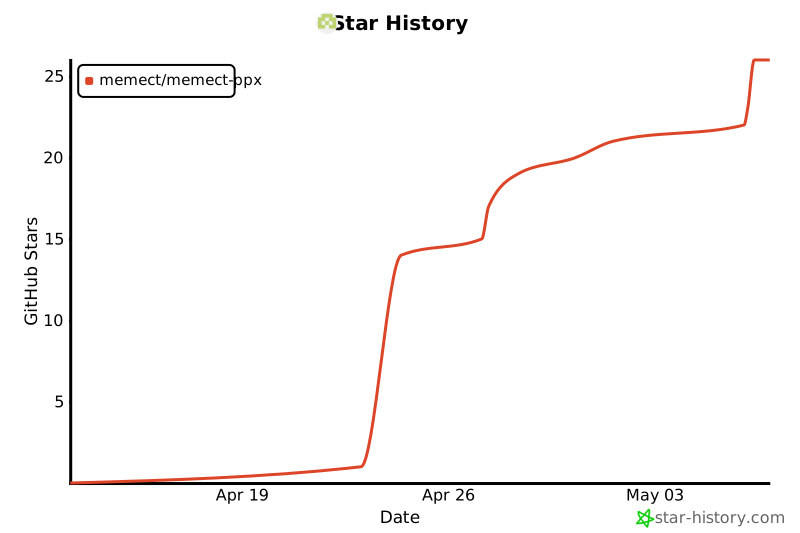
Star History
License
PPX is released under the PolyForm Noncommercial License 1.0.0.
PPX is free for personal, research, and noncommercial use. For commercial use, contact contact@memect.co.
For bundled third-party code and assets, see NOTICE and docs/THIRD_PARTY_LICENSES.md. Those files document attribution and redistribution review items for vendored components and bundled resources shipped with this repository.
Docker 部署
cp .env.sample .env
docker compose up -d --build
如果本机构建访问 Debian 官方源较慢,可只在构建阶段设置镜像源:
DEBIAN_MIRROR=https://mirrors.aliyun.com/debian \
PYPI_INDEX_URL=https://mirrors.aliyun.com/pypi/simple \
docker compose build ppx
CUDA 镜像默认把 onnxruntime-gpu 固定到 PPX_ONNXRUNTIME_GPU_VERSION=1.23.2,避免新版 wheel 需要 CUDA 13 动态库而当前安装的是 CUDA 12 Python 运行库。
GPU 服务需要宿主机已安装 NVIDIA Container Toolkit,可用 compose profile 启动:
COMPOSE_PROFILES=gpu PPX_GPU_IMAGE=hub.wenyinhulian.cn/docparser/ppx-gpu:260702 PPX_GPU_DEVICE_ID=0 docker compose up -d ppx-gpu
多卡机器上可用 PPX_GPU_DEVICE_ID=0 选择宿主机显卡。
正式 Linux GPU 镜像建议用脚本构建,默认产出 hub.wenyinhulian.cn/docparser/ppx-gpu:<YYMMDD>,例如 hub.wenyinhulian.cn/docparser/ppx-gpu:260702:
DEBIAN_MIRROR=https://mirrors.cloud.tencent.com/debian \
PYPI_INDEX_URL=https://mirrors.aliyun.com/pypi/simple \
scripts/build-gpu-image.sh
脚本同时会打一个本机便捷 alias ppx:gpu。发布到私有镜像仓库时可在 Docker 已登录后执行:
scripts/build-gpu-image.sh --push
需要固定 tag 时可显式指定:
PPX_IMAGE_TAG=260702 scripts/build-gpu-image.sh
默认启动一个 ppx API/Web 服务,容器内监听 9527,宿主端口由 PPX_PORT 控制。常用挂载目录:
PPX_DATA_DIR_HOST:上传、任务和错误文件,默认./dataPPX_LOG_DIR_HOST:日志目录,默认./logsPPX_CONF_DIR_HOST:可选配置目录,默认./conf,需要覆盖默认配置时放settings.py
常用运行变量:
PPX_LOG_LEVEL:日志级别,默认INFOPPX_CPU:强制 CPU,可设all、ocr、layout、table、formulaPPX_FORMULA:公式识别模型,默认formula-pp,也可设formula-mfr、paddle、glm
PDF 服务目录、文件限制、任务队列等业务配置不建议继续堆环境变量;按项目约定在 conf/settings.py 里只覆盖需要改的配置项。例如:
settings = {
    "pdf_service.data_dir": "./data/pdf",
    "pdf_service.task_manager.max_running_size": 4,
    "pdf_service.pdf.max_page_count": 2000,
}
外部大模型服务通过 URL 配置:PPX_DEEPSEEK_URL、PPX_PADDLE_URL、PPX_GLM_URL、PPX_BAIDU_URL。如果模型服务跑在宿主机,Docker 内可使用 http://host.docker.internal:<port>/v1;如果跑在同一 compose 网络,改成对应服务名。
安全上不建议把该服务直接暴露到公网。当前 /api/parse、/api/parse/state、/admin/gc 等接口未做鉴权,生产环境应放在内网或反向代理鉴权之后。
训练布局模型
#可以clone ppx或者安装ppx,在当前目录上安装PaddleX
$cd ppx
$git clone https://github.com/PaddlePaddle/PaddleX.git
#国内走代理
$git clone https://gh-proxy.org/https://github.com/PaddlePaddle/PaddleX.git

$cd Paddlex
$uv venv -p 3.12
$source .venv/bin/activate
#查看官方文档安装对应的gpu版本
$uv pip install paddlepaddle-gpu==3.3.0 --index-url https://www.paddlepaddle.org.cn/packages/stable/cu126/
$uv pip install -e ".[base]"
$uv pip install pip
#安装plugin
$paddlex install PaddleOCR


#安装labelme,标注图片
$uv tool install labelme

#把需要训练的图片放在images目录下
$mkdir -p layout-project/images

#生成预标注,支持"l","plus_l"模型
$./ppx train layout l --dir layout-project

$cd layout-project & labelme images --labels label-l.txt --output labelme-l

#执行训练
$./ppx train layout l --dir layout-project --device gpu:0  --export-onnx

$./ppx train layout l --dir layout-project
1 maintainer

Download files
Download the file for your platform. If you're not sure which to choose, learn more about installing packages.
Source Distribution
Built Distribution
Filter files by name, interpreter, ABI, and platform.
If you're not sure about the file name format, learn more about wheel file names.
Copy a direct link to the current filters
File details
Details for the file memect_ppx-0.2.11.tar.gz.
File metadata
- Download URL: memect_ppx-0.2.11.tar.gz
- Upload date:
- Size: 82.3 MB
- Tags: Source
- Uploaded using Trusted Publishing? No
- Uploaded via: uv/0.11.32 {"installer":{"name":"uv","version":"0.11.32","subcommand":["publish"]},"python":null,"implementation":{"name":null,"version":null},"distro":{"name":"Ubuntu","version":"24.04","id":"noble","libc":null},"system":{"name":null,"release":null},"cpu":null,"openssl_version":null,"setuptools_version":null,"rustc_version":null,"ci":true}
File hashes
| Algorithm | Hash digest | |
|---|---|---|
| SHA256 |
a3ae8ffe38fcac2073e5bb16cd4eb0ba15d0ff5f2ea0c27915e746bf270975e6
|
|
| MD5 |
859bb5a60b8dac29249b9f1839c1eb1a
|
|
| BLAKE2b-256 |
5f87897ba9b8bf894ccb0f5cd9b334db86842aa1a6085f942d992a501ca1efe9
|
File details
Details for the file memect_ppx-0.2.11-py3-none-any.whl.
File metadata
- Download URL: memect_ppx-0.2.11-py3-none-any.whl
- Upload date:
- Size: 82.8 MB
- Tags: Python 3
- Uploaded using Trusted Publishing? No
- Uploaded via: uv/0.11.32 {"installer":{"name":"uv","version":"0.11.32","subcommand":["publish"]},"python":null,"implementation":{"name":null,"version":null},"distro":{"name":"Ubuntu","version":"24.04","id":"noble","libc":null},"system":{"name":null,"release":null},"cpu":null,"openssl_version":null,"setuptools_version":null,"rustc_version":null,"ci":true}
File hashes
| Algorithm | Hash digest | |
|---|---|---|
| SHA256 |
c246480e9467cb86e59e1fbbbec24f915720c6e8bbc78d6e74f1aea48e4786c2
|
|
| MD5 |
62b25c04305a1864f0ab099dcfdff1ab
|
|
| BLAKE2b-256 |
48ede7a75fb547b78f4bd1f90f64178ccd9099487e3f5add90e4c2edfd55dcbf
|







