
Universal long-term project memory + dev toolkit for AI coding clients (Claude Code, Cursor, Windsurf, Cline, Kilo, OpenCode, Codex, Pi Code)
Verified details
These details have been verified by PyPIProject links
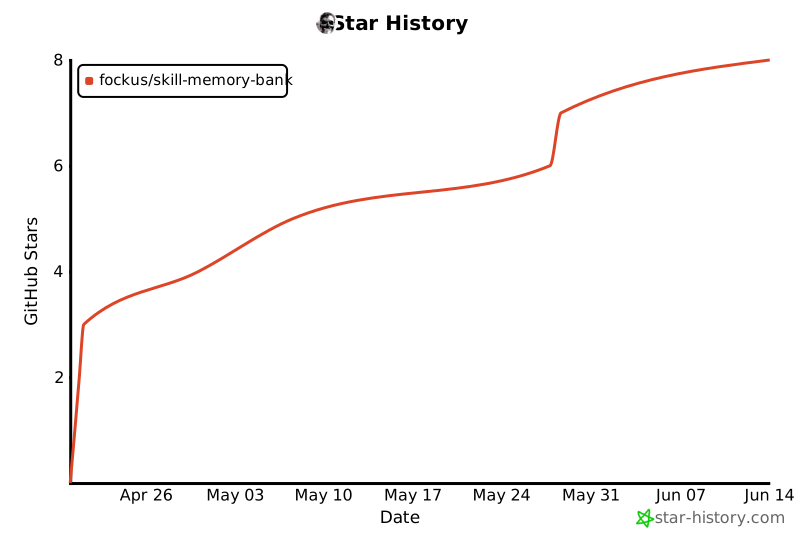
GitHub Statistics
Maintainers

Project description
memory-bank-skill
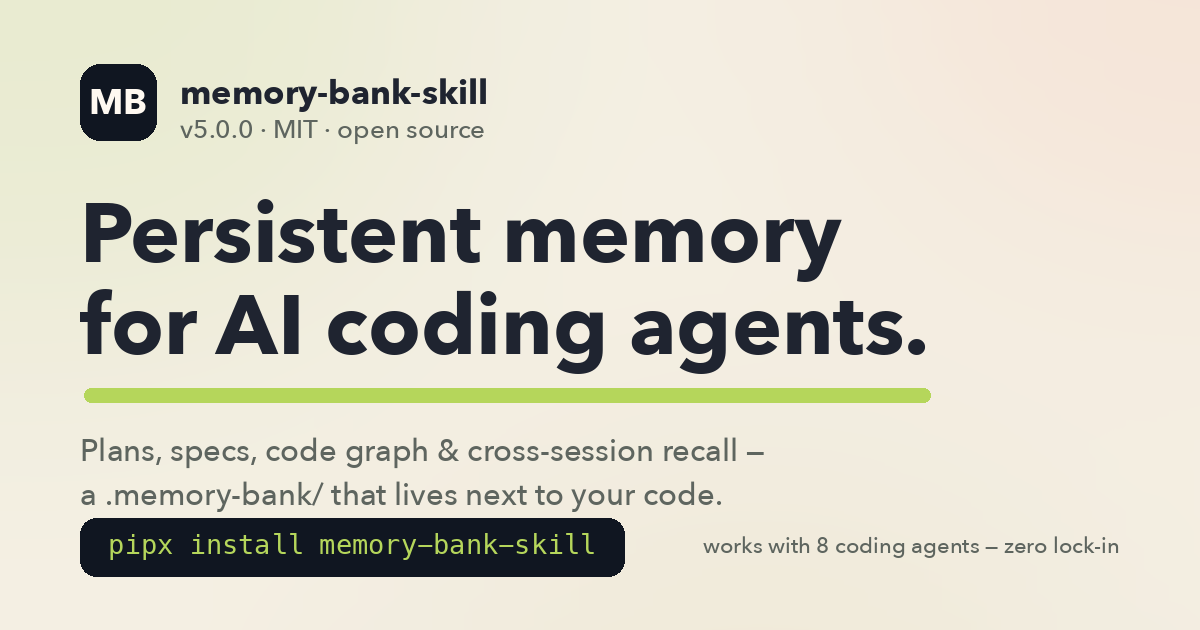
Persistent project memory + dev toolkit for AI coding agents.
Your AI remembers the project between sessions, follows the same engineering rules, and picks up exactly where you left off.
Claude Code · Cursor · Windsurf · Cline · Kilo · OpenCode · Codex · Pi Code







Install · Quick start · What you get · Commands · Cross-agent · FAQ · Docs · Website
New in v5.0 — the
/mb workpipeline is now composable: the default flow is a leanimplement → verify → done, with review and judge as opt-in stages (--review,--judge,--workflow full). CHANGELOG · v4 → v5 migration
pipx install memory-bank-skill && memory-bank install
# then, inside your agent:
/mb init     # once per project
/mb start    # every session — full context restored
| Slash commands | /mb sub-commands |
Subagents | AI clients | Automated tests |
|---|---|---|---|---|
| 25 | 25+ | 29 | 8 | 1,900+ |
The problem it solves
Every new AI coding session is amnesia: you re-explain the project, re-state the plan, re-list what's done — and context compaction erases whatever the agent finally learned. memory-bank-skill makes project memory a first-class citizen: a .memory-bank/ directory next to your code that the agent reads at session start and updates as it works.
.memory-bank/
├── status.md          ← where we are, what's next
├── checklist.md       ← current tasks (✅ / ⬜)
├── roadmap.md         ← priorities, direction
├── research.md        ← hypotheses log (H-NNN) + current experiment
├── backlog.md         ← parking lot for ideas + ADRs
├── progress.md        ← work log (append-only)
├── lessons.md         ← mistakes not to repeat
├── notes/             ← knowledge (5-15 line snippets)
├── plans/             ← detailed plans per feature/fix
├── reports/           ← analysis, post-mortems
├── experiments/       ← EXP-NNN experiment artifacts
└── codebase/          ← stack / architecture / conventions map (`/mb map`)
This directory lives alongside your code (commit it, share it with your team, or .gitignore it — your call).
Install
Pick one:
Option 0: skills.sh CLI (fastest one-shot install)
npx skills add fockus/skill-memory-bank
Copies the skill bundle (SKILL.md + scripts + commands + agents) into your local skills directory. Use this for a quick single-host try-out (Claude Code, Cursor, or any host that reads ~/.claude/skills/ or ~/.cursor/skills/). For cross-agent setup (Codex / Windsurf / OpenCode hooks, managed blocks in AGENTS.md, memory-bank CLI, hooks, slash commands globally installed), use Option 1 or 2 below.
Option 1: pipx (recommended, cross-platform)
pipx install memory-bank-skill           # stable
# or, for the latest release candidate:
pipx install --pip-args='--pre' memory-bank-skill

# pipx only installs the CLI. Run this once to wire agents, rules, commands, and Pi prompts:
memory-bank install                      # global install for Claude Code + Cursor + Codex + OpenCode + Pi
# optional: pick installed rule language explicitly
memory-bank install --language ru
Requires: Python 3.11+, pipx, jq.
Option 2: Homebrew (macOS / Linuxbrew)
brew tap fockus/tap
brew install memory-bank
memory-bank install
Option 3: git clone (developers)
git clone https://github.com/fockus/skill-memory-bank.git ~/.claude/skills/skill-memory-bank
cd ~/.claude/skills/skill-memory-bank
./install.sh
Add cross-agent support (Cursor, Windsurf, OpenCode, etc.)
Three ways — pick whichever matches your workflow:
A. Interactive menu (from any terminal — recommended if you're unsure which clients you want):
cd your-project/
memory-bank install                     # multi-select prompt for all 8 clients
# in TTY mode it will also ask which language to use for installed rules
B. CLI flags (scripts / CI / one-liner):
cd your-project/
memory-bank install --clients claude-code,cursor,windsurf
memory-bank install --clients claude-code,cursor --language en
C. From inside an agent with command surface (Claude Code / OpenCode):
/mb install                                 # interactive picker
/mb install cursor,windsurf                 # direct
/mb install all                             # every client
Claude Code/OpenCode can front this through /mb install, then run memory-bank install --clients <selected> for the current project. In Codex use the CLI directly; Codex gets global skill discovery plus ~/.codex/AGENTS.md hints, not a native /mb command surface.
Supported client names: claude-code, cursor, windsurf, cline, kilo, opencode, pi, codex.
Supported rule languages: en (default), ru (full translation), es/zh (scaffolds — community PRs welcome, see docs/i18n.md). You can also set MB_LANGUAGE=en|ru|es|zh.
Full per-client details: docs/cross-agent-setup.md.
5-minute quick start
-
Install (see above).
-
Open your project in your AI agent (Claude Code, Cursor, etc.) and run:
/mb initThis creates
.memory-bank/with all the files above, detects your stack, and generates aCLAUDE.md(or equivalent) pointing the agent at the memory bank. -
Every session starts with:
/mb startThe agent loads
status.md,checklist.md,roadmap.md,research.md— it knows exactly what you were working on and what comes next. -
As you work: the agent updates
checklist.md(⬜ → ✅) whenever tasks finish. -
Every session ends with:
/mb doneThis appends a session entry to
progress.md, updatesstatus.mdif needed, writes a knowledge note if something interesting was learned.
That's it. Rinse and repeat.
Storage modes
Memory Bank supports three ways to store your bank — pick the one that fits your workflow:
Local mode (default)
/mb init # same as /mb init --storage=local
The bank lives in the repo at .memory-bank/. Commit it to share with your team, or add it to .gitignore for solo use. This is the default and recommended mode for team projects.
Global mode (opt-in personal storage)
/mb init --storage=global --agent=claude-code   # for Claude Code
/mb init --storage=global --agent=cursor         # for Cursor
/mb init --storage=global --agent=codex          # for Codex
The bank lives outside the repo under ~/.<agent>/memory-bank/projects/<id>/.memory-bank. It is personal storage and must not be committed to the project repo. Use this when you want persistent memory across sessions but don't want to touch the repository.
Rules-only mode (no init required)
You can intentionally skip /mb init entirely. In this state:
- The agent prints
[MEMORY BANK: ABSENT]— Memory Bank lifecycle commands (/mb start,/mb done, etc.) stay inactive. - All engineering rules still apply: TDD, SOLID, Clean Architecture, DRY/KISS/YAGNI, Testing Trophy, protected files, no placeholders. The installed global rules (
~/.claude/CLAUDE.md,~/.codex/AGENTS.md, etc.) are always-on. - Run
/mb initat any point to activate Memory Bank without losing any code.
Existing local bank users can stay on local mode — there is no forced migration.
Rule profiles & stack presets
Personalize the configurable rules layer without weakening the immutable safety baseline (TDD, no placeholders, protected files, destructive-confirm, fail-fast, DRY/KISS/YAGNI, verification before completion — these cannot be disabled by any profile).
# User-global profile (works even without a project Memory Bank):
mb-profile.sh init --scope=user --role=backend --stack=go --architecture=microservices --delivery=contract-first

# Project profile (stored in .memory-bank/ or global bank):
mb-profile.sh init --scope=project --role=frontend --stack=typescript --architecture=fsd --delivery=sdd
Supported role presets: backend, frontend, mobile. Supported stack presets: go, python, javascript, typescript, java, generic. Supported architecture presets: clean, hexagonal, modular-monolith, microservices, ddd, fsd, mobile-udf, event-driven. Supported delivery presets: tdd, contract-first, api-first, sdd, legacy-safe, exploratory.
Rules-only mode personalization: a user-global profile (~/<agent-config>/memory-bank/rules-profile.json) applies Go/backend/microservices presets even when no project Memory Bank exists. No project files are written. Use /mb profile init --scope=user ... or mb-profile.sh init --scope=user ....
Canonical machine format is JSON. YAML examples appear in documentation only and must be converted before storage. For full guidance see docs/rule-profiles.md.
What you get
1. Persistent project memory
Across sessions, compaction events, and even across AI agents — the project state survives. Switch from Claude Code to Cursor mid-project and the new agent catches up by reading .memory-bank/.
2. Engineering rules applied automatically
Installs ~/.claude/RULES.md, ~/.claude/CLAUDE.md, canonical skill registration in
~/.claude/skills/skill-memory-bank, compatibility aliases in ~/.claude/skills/memory-bank,
~/.codex/skills/memory-bank, and ~/.cursor/skills/memory-bank, plus full Cursor global
surface (~/.cursor/hooks.json + ~/.cursor/hooks/*.sh + ~/.cursor/commands/*.md
~/.cursor/AGENTS.mdmanaged section +~/.cursor/memory-bank-user-rules.mdpaste-file for Settings → Rules → User Rules), plus native OpenCode global files (~/.config/opencode/AGENTS.md+~/.config/opencode/commands/) with:
- TDD — tests before implementation
- Clean Architecture (backend) — Infrastructure → Application → Domain, never the reverse
- Feature-Sliced Design (frontend) —
app → pages → widgets → features → entities → shared - Mobile (iOS/Android) — UDF + Clean layers, SwiftUI+Observation / Compose+StateFlow
- SOLID — SRP (≤300 LOC / class), ISP (≤5 methods / interface), DIP (constructor injection)
- Testing Trophy — integration > unit > e2e; mock only external services
- Coverage targets — 85% overall, 95% core, 70% infrastructure
The agent reads these rules at session start and follows them without you having to remind it.
3. Dev-workflow commands
25 top-level slash-commands (live in commands/):
| Command | Purpose |
|---|---|
/mb <sub> |
Memory Bank hub (20+ sub-commands — see table below) |
/start |
Lightweight session start (loads STATUS/checklist only) |
/done |
Lightweight session close (no full actualize) |
/plan |
Implementation plan generator with DoD/TDD scaffolding (Phase / Sprint / Stage) |
/discuss |
5-phase requirements-elicitation interview → context/<topic>.md (EARS-validated) |
/sdd |
Kiro-style spec triple → specs/<topic>/{requirements,design,tasks}.md |
/work |
Execute plan/spec stages with role-agents; composable pipeline (--review/--judge/--stages, review off by default) |
/config |
Manage pipeline.yaml engine config (init / show / validate / path) |
/profile |
Manage rule profiles and stack presets (init / show / validate / set / path) |
/commit |
Conventional-commit message with MB context |
/pr |
Create pull request with structured description |
/review |
Full code review (correctness + security + perf + style) |
/test |
Run tests + coverage analysis + gap report |
/refactor |
Guided refactoring (Strangler Fig, staged diffs) |
/doc |
Generate / refresh documentation from code |
/changelog |
Update CHANGELOG.md from recent commits |
/catchup |
Summarize recent changes since last session |
/adr |
Architecture Decision Record template writer |
/contract |
Contract-first workflow (Protocol/ABC → tests → impl) |
/security-review |
OWASP-focused security audit pass |
/api-contract |
API contract validation + breaking-change detection |
/db-migration |
Safe DB migration planning (rollback, backfill) |
/observability |
Logging / metrics / tracing audit for a module |
/roadmap-sync |
Regenerate roadmap.md autosync block from plan frontmatter |
/traceability-gen |
Regenerate REQ → Plan → Test traceability matrix |
Key /mb sub-commands (full list lives in commands/mb.md):
| Sub-command | Purpose |
|---|---|
/mb / /mb context |
Collect project context (status, checklist, active plan) |
/mb start |
Extended session start — full context + active plan body |
/mb done |
Close session — actualize + note + progress |
/mb update |
Refresh core files with live metrics (no note) |
/mb verify |
Verify implementation matches the active plan (CRITICAL before /mb done) |
/mb doctor |
Find & fix inconsistencies inside the memory bank |
/mb plan <type> <topic> |
Create detailed plan (feature / fix / refactor / experiment) |
/mb search <query> |
Keyword search across the memory bank |
/mb note <topic> |
Quick knowledge note (5-15 lines) |
/mb tasks |
Show pending tasks from checklist |
/mb index |
Registry of all entries (core + notes/plans/experiments/reports) |
/mb map [focus] |
Scan codebase, write MD docs to .memory-bank/codebase/ (stack/arch/quality/concerns/all) |
/mb graph [--apply] |
Multi-language code graph (Python ast + Go/JS/TS/Rust/Java tree-sitter); opt-in --questions / --cochange / --docs. See code-graph docs |
/mb wiki [--dry-run] |
LLM per-community codebase wiki + surprising-connection edges (Haiku/Sonnet subagents, no API key) |
/mb recall <query> |
Cross-session recall over past chats (session/ + notes/). See session-memory docs |
/mb reindex [--full] |
Build/refresh the local semantic index for /mb recall (fastembed, $0; degrades to lexical) |
/mb compact [--apply] |
Status-based decay — archive old done plans + low-importance notes |
/mb import --project <path> |
Bootstrap MB from Claude Code JSONL transcripts |
/mb tags [--apply] |
Normalize frontmatter tags (Levenshtein-based synonym merge) |
/mb upgrade |
Update skill from GitHub (git pull + re-install) |
/mb init [--minimal|--full] |
Initialize .memory-bank/ in a new project |
/mb install [<clients>] |
Install Memory Bank + cross-agent adapters interactively or via client list |
/mb deps [--install-hints] |
Dependency check (python3, jq, git + optional tree-sitter) |
/mb help [subcommand] |
Show sub-command reference inline |
Run /mb help inside any agent to see this table live; /mb help <sub> for full detail of one sub-command.
4. Cross-agent portability
One .memory-bank/ directory, 8 AI clients:
| Client | Native hooks | Adapter output |
|---|---|---|
| Claude Code | Full lifecycle | ~/.claude/settings.json + hooks/ |
| Cursor 1.7+ | ✅ (Claude-Code-compatible format) | Global (auto): ~/.cursor/{skills,hooks,commands,AGENTS.md,hooks.json,memory-bank-user-rules.md} · Project (optional --clients cursor): .cursor/rules/*.mdc + .cursor/hooks.json |
| Windsurf | ✅ Cascade Hooks | .windsurf/rules/*.md + .windsurf/hooks.json |
| Cline | ✅ .clinerules/hooks/*.sh |
.clinerules/memory-bank.md + hooks/ |
| Kilo | ❌ (fallback to git hooks) | .kilocode/rules/ + .git/hooks/ |
| OpenCode | ✅ TypeScript plugins + native commands | ~/.config/opencode/{AGENTS.md,commands/} + project AGENTS.md + opencode.json + TS plugin |
| Codex (OpenAI) | ✅ Conservative global support + experimental project hooks | ~/.codex/skills/memory-bank + ~/.codex/AGENTS.md + project AGENTS.md + .codex/config.toml + .codex/hooks.json |
| Pi Code | Global skill + global prompts + AGENTS.md |
~/.pi/agent/skills/memory-bank, ~/.pi/agent/prompts/*.md, ~/.pi/agent/AGENTS.md + optional project AGENTS.md |
AGENTS.md is shared across OpenCode, Codex, Pi — ownership is refcount-tracked, so uninstalling one client doesn't break the others.
Usage examples
Starting a new feature
You: /mb plan feature user-auth

Agent: [creates .memory-bank/plans/2026-04-20_feature_user-auth.md with DoD,
        test plan, stage breakdown, dependencies]

You: Now implement stage 1.

Agent: [reads plan, writes failing tests first (TDD), then implementation,
        runs tests, updates checklist ⬜ → ✅]

You: /mb verify

Agent: [plan-verifier agent checks that implementation matches plan DoD]

You: /mb done

Agent: [appends session summary to progress.md, updates status.md if needed]
Jumping into an existing project
cd some-legacy-project/
memory-bank install                     # global install for all supported clients
#                                       # (Claude + Cursor + Codex + OpenCode, auto)
memory-bank install --clients cursor    # OPTIONAL: also wire .cursor/ project adapter
#                                       # — global parity already active without this flag

# In Cursor:
/mb init --full                         # auto-detect stack, generate CLAUDE.md
/mb start                               # load everything
Cursor-only quick start
# Step 1. Install (no --clients flag needed for Cursor global parity)
memory-bank install

# Step 2 (one-time, per machine). Cursor User Rules panel is UI-only —
# paste the generated bundle into Settings → Rules → User Rules:
pbcopy < ~/.cursor/memory-bank-user-rules.md           # macOS
xclip -selection clipboard < ~/.cursor/memory-bank-user-rules.md   # Linux
# The file is wrapped in <!-- memory-bank:start vX.Y.Z --> / <!-- memory-bank:end --> markers.

# Step 3. Open any project in Cursor and run:
/mb init                                # one-time per project
/mb start                               # every session
Sharing state with your team
.memory-bank/ is just markdown. Commit it. Your colleague clones the repo, runs /mb start, and has the full project context without asking you a single question.
CLI reference
After pipx install memory-bank-skill:
memory-bank install [--clients <list>] [--language <en|ru|es|zh>] [--project-root <path>] [--non-interactive]
memory-bank uninstall [-y|--non-interactive]
memory-bank init                    # prints /mb init hint
memory-bank version
memory-bank self-update             # prints `pipx upgrade ...`
memory-bank doctor                  # resolves bundle, platform info, checks bash
memory-bank --help
Flags:
--clients <list>— comma-separated. Valid:claude-code, cursor, windsurf, cline, kilo, opencode, pi, codex. If omitted and running in a TTY → interactive menu. Non-TTY default:claude-codeonly.--project-root <path>— where to place client-specific adapters. Default: current directory.--non-interactive— never prompt; use defaults when--clientsnot specified. Use in CI / scripted installs.-y/--non-interactiveonuninstall— skip the confirmation prompt. Use in CI / scripted cleanup.
Environment variables
| Variable | Purpose | Default |
|---|---|---|
MB_AUTO_CAPTURE |
SessionEnd auto-capture mode: auto / strict / off |
auto |
MB_COMPACT_REMIND |
Weekly /mb compact reminder: auto / off |
auto |
MB_ALLOW_METRICS_OVERRIDE |
Allow executing project-local .memory-bank/metrics.sh overrides |
0 |
MB_PI_MODE |
Pi project adapter mode. Supported: agents-md (project AGENTS.md) or skill (~/.pi/agent/skills/memory-bank; leaves existing global symlink unchanged) |
agents-md |
MB_SKILL_BUNDLE |
Override bundle path (dev / testing) | auto-detected |
MB_SKIP_DEPS_CHECK |
Skip preflight dep check in install.sh |
0 |
Platform support
| OS | Status |
|---|---|
| macOS | ✅ Native |
| Linux | ✅ Native |
| Windows (Git Bash) | ✅ Via Git for Windows — install works, CLI auto-detects bash.exe |
| Windows (WSL) | ✅ Full native POSIX path |
| Windows (native PowerShell, no bash) | ⚠️ Fails with install hint |
Windows quick start:
# Either:
winget install Git.Git            # → supplies bash.exe at C:\Program Files\Git\bin\bash.exe
# or:
wsl --install                     # → full Linux env
pip install memory-bank-skill     # inside WSL or with Git Bash on PATH
memory-bank doctor                # verifies bash discovery
memory-bank install               # works once bash is resolvable
memory-bank doctor on Windows reports the detected bash path (or an install hint if none found).
FAQ
Q: Do I need to commit .memory-bank/ to git?
A: Recommended if working in a team — that's how state is shared. Solo project: optional. Either way works.
Q: Does this replace Claude Code's built-in memory?
A: No — complementary. Native memory is per-user, cross-project (preferences, style). .memory-bank/ is per-project, team-shared (status, plans, decisions). Both load simultaneously.
Q: Will it work on private repositories? A: Yes. Everything is local. No data sent anywhere unless your AI agent itself calls external APIs (that's unchanged).
Q: What if my team uses different AI agents?
A: That's the whole point. Install per-client: memory-bank install --clients cursor,windsurf,claude-code. One memory bank, everyone reads it.
Q: Cursor hooks are experimental / Codex hooks are experimental — is that a problem?
A: Partial — where native hooks don't exist or aren't stable, we ship graceful fallbacks or conservative integration. Cursor global install wires 10 hooks including sessionStart, matcher-aware preToolUse, and matcher-aware postToolUse. For Codex, global support means skill discovery + ~/.codex/AGENTS.md hints; hook/config integration is still primarily project-level via .codex/. See docs/cross-agent-setup.md for specifics.
Q: My existing AGENTS.md / .cursor/hooks.json — will this overwrite them?
A: No. Adapters use a marker pattern (<!-- memory-bank:start/end --> for MD files, _mb_owned: true for JSON hooks) and merge idempotently. User content is preserved; uninstall only removes MB-owned sections.
Q: How do I upgrade?
A: pipx upgrade memory-bank-skill or brew upgrade memory-bank. Git-clone install: cd ~/.claude/skills/skill-memory-bank && git pull && ./install.sh.
Q: Does reinstalling create .pre-mb-backup.* files every time?
A: No. Since 3.0.0, install.sh is byte-level idempotent: each target is compared via cmp -s to the expected post-install content (including localization) and backup is created only if content actually differs. Repeat installs on an up-to-date tree produce zero backups. Language swap (--language en → --language ru) backs up exactly the localize-target files (RULES.md, memory-bank-user-rules.md) and nothing else.
Q: I want to remove everything.
A: memory-bank uninstall -y removes global install without a prompt. Per-project adapters: adapters/<client>.sh uninstall <project-dir>.
Q: Can a project-local .memory-bank/metrics.sh run arbitrary commands during install or doctor flows?
A: Not by default. Project-local metrics overrides are disabled unless you explicitly opt in with MB_ALLOW_METRICS_OVERRIDE=1. Without that env var, the shipped stack detection stays on the safe built-in path.
Q: Does Pi need a separate setup step?
A: memory-bank install now writes Pi global artifacts automatically: ~/.pi/agent/AGENTS.md, ~/.pi/agent/skills/memory-bank, and slash prompt templates in ~/.pi/agent/prompts/. In an existing Pi session, run /reload after install. For a project-level shared AGENTS.md, additionally run memory-bank install --clients pi --project-root <repo>. Existing local Pi skill directories are backed up outside ~/.pi/agent/skills/ so Pi does not discover backup copies as duplicate skills.
Q: Is this production-ready?
A: Yes. Current stable line is v5.0.0 (released 2026-06-10). Daily used on real projects — including on this repository itself (the skill maintains its own .memory-bank/). Full test envelope green: 1,900+ automated tests (pytest + bats) on Python 3.11/3.12 × Ubuntu and macOS. Stable API.
Documentation
Get started (learning)
- 5-minute quick start — install →
/mb init→/mb start→ work →/mb done - Your first feature, end to end — a worked example: plan → TDD → verify → done
- Install guide — pipx / Homebrew / git-clone with troubleshooting
- Overview — the mental model in one page
Concepts (understanding)
- Composable
/mb workpipeline — review off by default;--review/--judge/--stages+ thefullpreset - Code graph & semantic search —
/mb map,/mb graph(+--questions/--cochange/--docs),mb-semantic-search.py,/mb wiki - Cross-session memory —
/mb recall, session hooks, the local semantic index - Rule profiles & presets — tune the rules to your role/stack without weakening the safety baseline
How-to (tasks)
- Cross-agent setup — per-client cheatsheet + hook capability matrix
- Troubleshooting — common issues and fixes
- v4 → v5 migration — review now off by default; composable
/mb workpipeline - v3.0 → v3.1 migration · v1 → v2 migration — older structural upgrades
- Repository migration — for users upgrading from
claude-skill-memory-bank
Reference
- Agents reference — all 29 subagents and when each one is invoked
- Release process — PyPI OIDC setup + tag workflow
- CHANGELOG — version history
- Security policy — reporting, scope, design decisions
Contributing
- Fork & clone.
./install.sh && /mb initin the repo itself (this skill uses itself — meta but works).- Write tests first (TDD).
bats tests/bats/ tests/e2e/+python3 -m pytest tests/pytest/. - Follow the rules in
rules/RULES.md(the same ones the skill enforces on users). - Open a PR. CI runs on Python 3.11 + 3.12 × ubuntu + macos.
License
MIT. See LICENSE.
Links
- Website: https://fockus.github.io/skill-memory-bank/
- Repo: https://github.com/fockus/skill-memory-bank
- PyPI: https://pypi.org/project/memory-bank-skill/
- Homebrew tap: https://github.com/fockus/homebrew-tap
- Issues: https://github.com/fockus/skill-memory-bank/issues
Your agent is already smart. memory-bank-skill makes it remember.
Project details
Verified details
These details have been verified by PyPIProject links
GitHub Statistics
Maintainers
Release history Release notifications | RSS feed


Download files
Download the file for your platform. If you're not sure which to choose, learn more about installing packages.
Source Distribution
Built Distribution
Filter files by name, interpreter, ABI, and platform.
If you're not sure about the file name format, learn more about wheel file names.
Copy a direct link to the current filters
File details
Details for the file memory_bank_skill-5.0.1.tar.gz.
File metadata
- Download URL: memory_bank_skill-5.0.1.tar.gz
- Upload date:
- Size: 518.5 kB
- Tags: Source
- Uploaded using Trusted Publishing? Yes
- Uploaded via: twine/6.1.0 CPython/3.13.12
File hashes
| Algorithm | Hash digest | |
|---|---|---|
| SHA256 |
24d82d61350e5075dfddf626d41be66a1dcc423161407de37dad93665662dc6e
|
|
| MD5 |
ff5b1dafa0f5f993fe29dc5932eddfad
|
|
| BLAKE2b-256 |
14a66fddfa3e358e4f330c6477547532718153716be6c7c5e64389f61eda7ee8
|
Provenance
The following attestation bundles were made for memory_bank_skill-5.0.1.tar.gz:
Publisher:
publish.yml on fockus/skill-memory-bank
-
Statement:
-
Statement type:
https://in-toto.io/Statement/v1 -
Predicate type:
https://docs.pypi.org/attestations/publish/v1 -
Subject name:
memory_bank_skill-5.0.1.tar.gz -
Subject digest:
24d82d61350e5075dfddf626d41be66a1dcc423161407de37dad93665662dc6e - Sigstore transparency entry: 1785316086
- Sigstore integration time:
-
Permalink:
fockus/skill-memory-bank@081a49a97117dce5d081a587714524e43b135ac2 -
Branch / Tag:
refs/tags/v5.0.1 - Owner: https://github.com/fockus
-
Access:
public
-
Token Issuer:
https://token.actions.githubusercontent.com -
Runner Environment:
github-hosted -
Publication workflow:
publish.yml@081a49a97117dce5d081a587714524e43b135ac2 -
Trigger Event:
push
-
Statement type:
File details
Details for the file memory_bank_skill-5.0.1-py3-none-any.whl.
File metadata
- Download URL: memory_bank_skill-5.0.1-py3-none-any.whl
- Upload date:
- Size: 589.4 kB
- Tags: Python 3
- Uploaded using Trusted Publishing? Yes
- Uploaded via: twine/6.1.0 CPython/3.13.12
File hashes
| Algorithm | Hash digest | |
|---|---|---|
| SHA256 |
9300772c798ba350c17e00f4a67620bf9040aed441a61ddb019a4dc0b38940f4
|
|
| MD5 |
28e0372a9ee5d44022377f47d1f9fd15
|
|
| BLAKE2b-256 |
cbeceaa67a8b189fa406a649d6886907e9277f6c184f9af594f5d31d1d706961
|
Provenance
The following attestation bundles were made for memory_bank_skill-5.0.1-py3-none-any.whl:
Publisher:
publish.yml on fockus/skill-memory-bank
-
Statement:
-
Statement type:
https://in-toto.io/Statement/v1 -
Predicate type:
https://docs.pypi.org/attestations/publish/v1 -
Subject name:
memory_bank_skill-5.0.1-py3-none-any.whl -
Subject digest:
9300772c798ba350c17e00f4a67620bf9040aed441a61ddb019a4dc0b38940f4 - Sigstore transparency entry: 1785316193
- Sigstore integration time:
-
Permalink:
fockus/skill-memory-bank@081a49a97117dce5d081a587714524e43b135ac2 -
Branch / Tag:
refs/tags/v5.0.1 - Owner: https://github.com/fockus
-
Access:
public
-
Token Issuer:
https://token.actions.githubusercontent.com -
Runner Environment:
github-hosted -
Publication workflow:
publish.yml@081a49a97117dce5d081a587714524e43b135ac2 -
Trigger Event:
push
-
Statement type:






