
A small Python library and CLI tool for reading, analyzing, visualizing and exporting Last.fm scrobble data.

Project description
memory.fm



memory.fm is a Python library, CLI tool, and web-based dashboard for exploring music listening history from Last.fm and Spotify.
Instead of focusing only on aggregate stats, it surfaces long-term and local patterns such as attachment, repetition, and obsessive listening, to help you revisit periods of your life through music.
✨Inspired by the idea of using music as a way to revisit memories.✨
🔗 Check out the demo to quickly test the stats and visuals dashboard.
Features
Import and Manage Your Listening History
- Import your complete listening history from Last.fm and Spotify.
- Fast incremental sync after the first import.
- Supports JSON/CSV exports from lastfmstats.
Stats and Analytics
memory.fm focuses on how you listened, not just what you listened to.
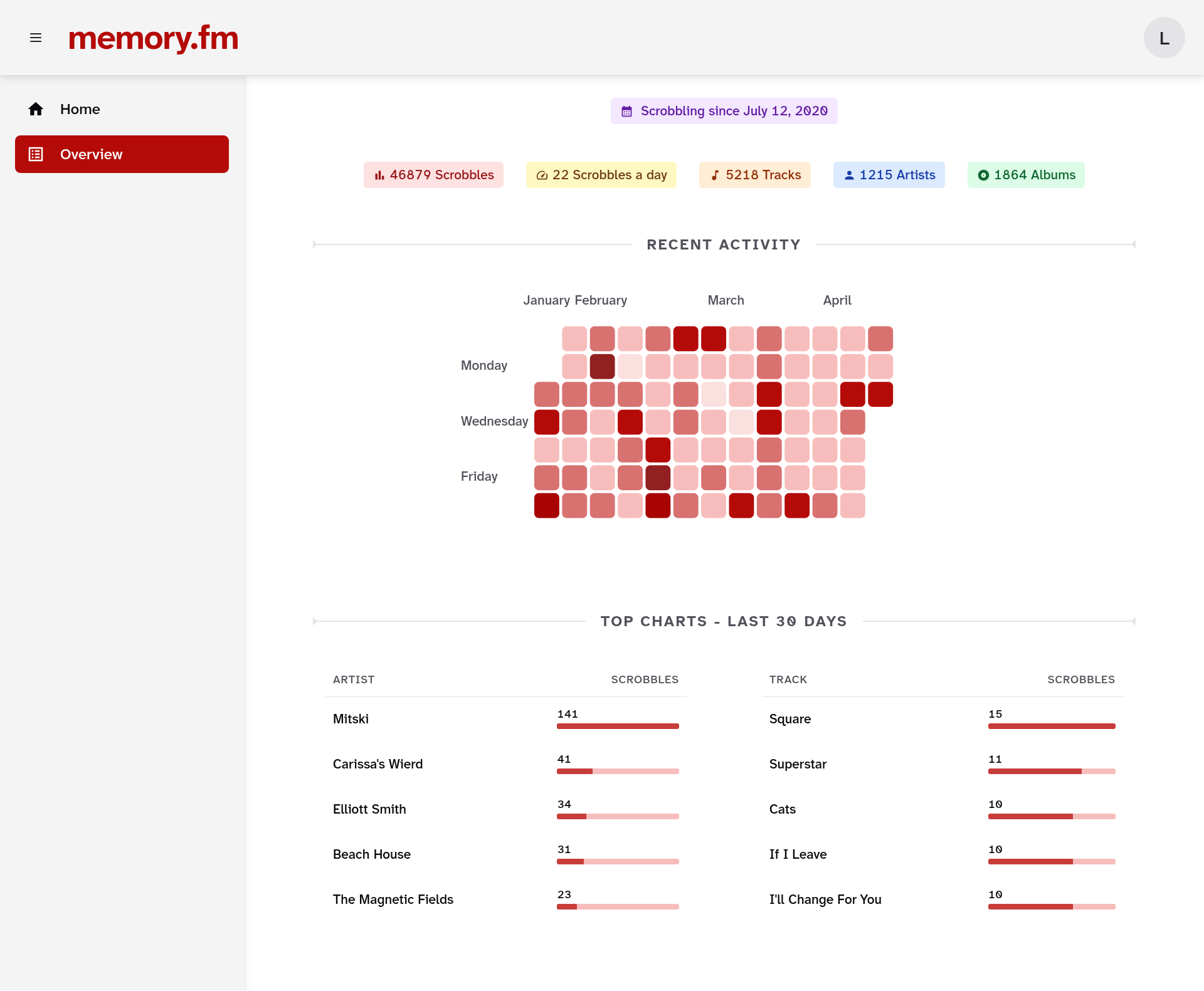
Overview
Get a clean summary of your music listening history.
Top Charts
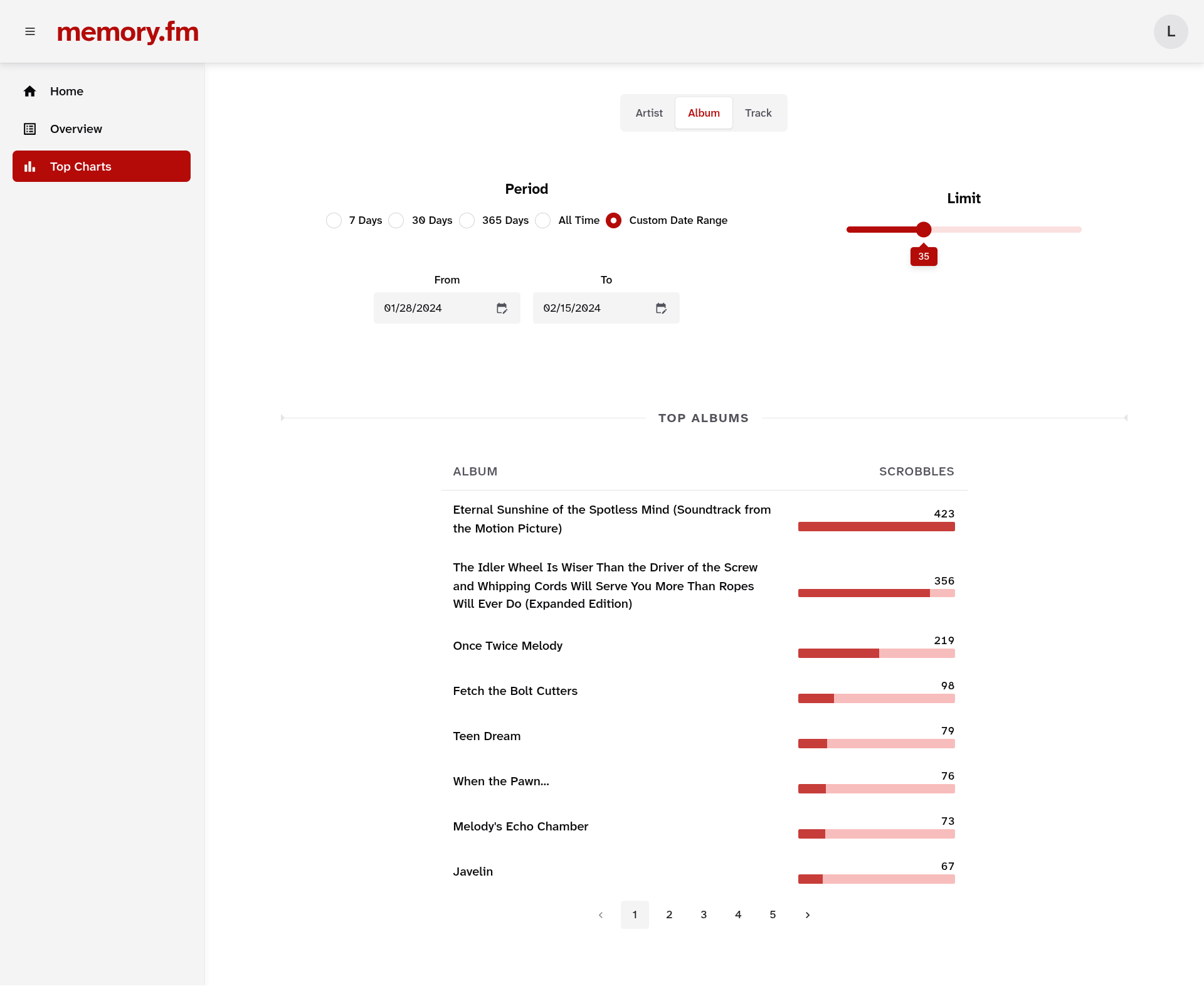
- View your top artists, albums, and tracks.
- Filter them by weekly, monthly, and yearly periods, or a custom date range.
Attachment Index
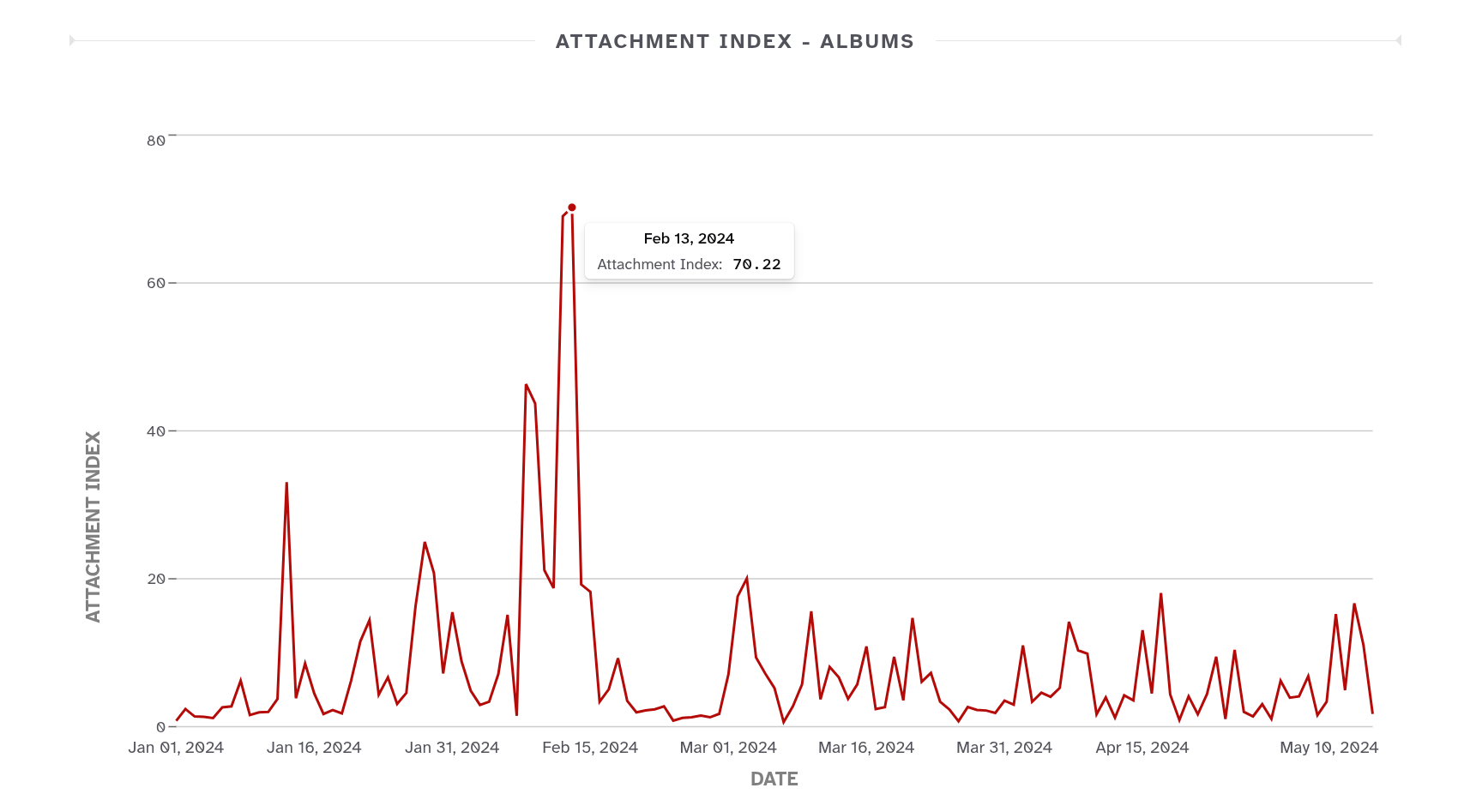
- See how concentrated your listening was during a given period using Attachment Index.
- Find out whether you were deeply attached to a few tracks, albums, or artists, or broadly exploring.
Streaks
-
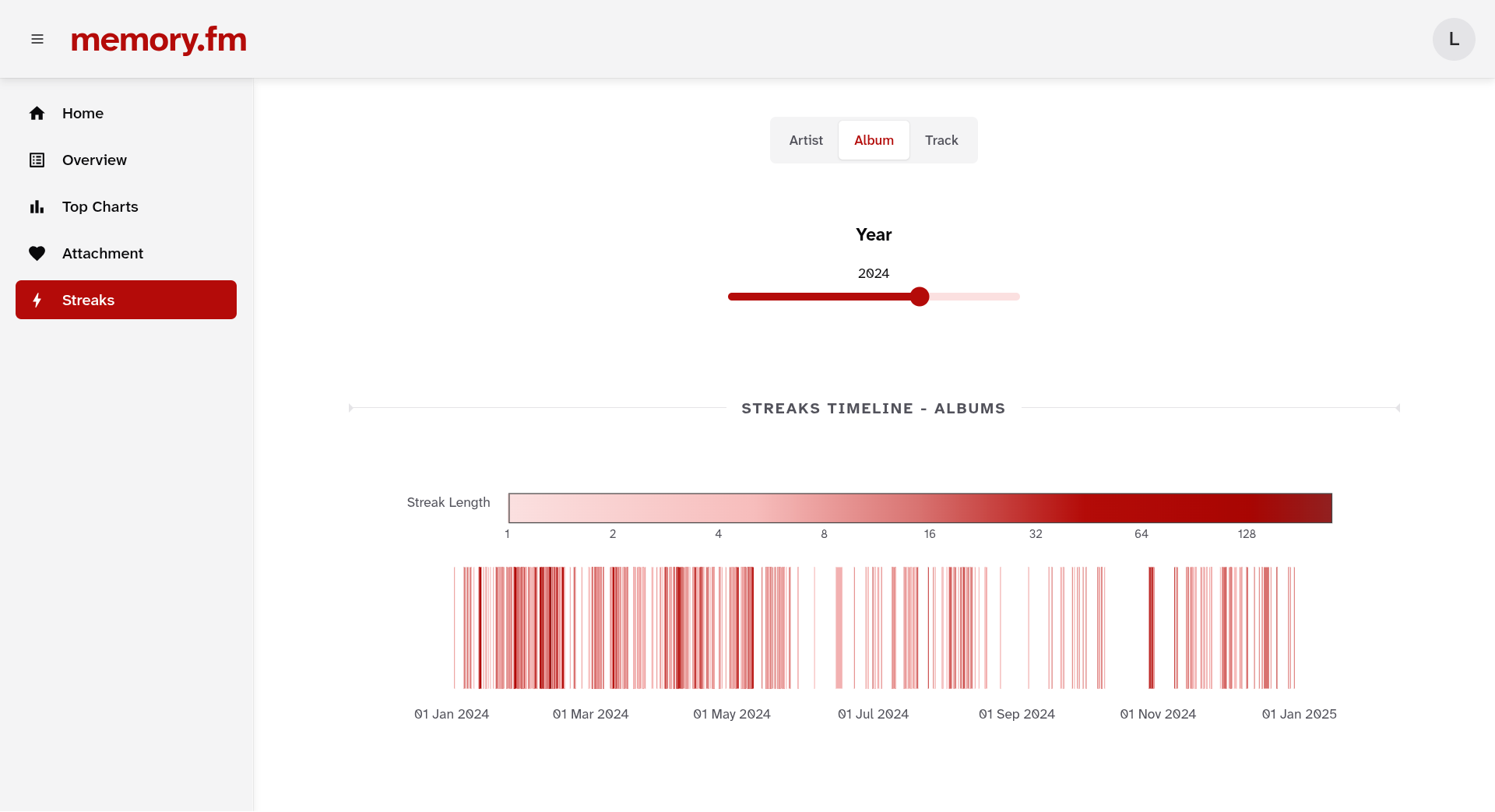
Detect periods of intense, repeated listening to a single artist, album, or track. Streaks often correspond to emotionally significant moments or phases.
-
With Streaks Timeline, you can view an interactive, color-coded timeline of your listening streaks.
Interface
You have two UI options:
- Graphical Dashboard: A user-friendly graphical dashboard that runs inside your web browser.
- CLI: A command line tool with more granular control for power users.
Installation
You can install the package from PyPI.
pip install memory.fm
Requires Python>=3.10
Quick Start
Dashboard (Recommended for First-Time Users)
Launch the interactive web dashboard:
memoryfm-gui
This opens a browser interface at http://localhost:8501 where you can:
- Import your listening history from Last.fm or Spotify
- Explore visualizations and analytics
- View your attachment patterns and listening streaks
Command Line Interface
For power users, the CLI offers more granular control:
# Import data from Last.fm
memoryfm import last.fm <your_username>

# Import from Spotify export
memoryfm import spotify path/to/my_spotify_data.zip --username <use_any_username>

# Load your import
memoryfm load <your_username>

# View top artists for the last month
memoryfm top artists --last month
See the CLI documentation for all available commands.
Python Library
Use memory.fm programmatically in your own projects:
import memoryfm as mfm

# Load your listening history
sclog = mfm.from_lastfm_api(username="your_username",
                            tz="Asia/Kolkata")

# Filter by dates
filtered_sclog = sclog.filter_by_date("2025-09-12 10 PM", end="2025-09-13 10:40 AM")

# Calculate attachment index of order alpha
attachment = mfm.attachment(sclog, by="album", year=2024, alpha=2)
See the API documentation for more examples.
Documentation
Full documentation is available at: https://memoryfm.readthedocs.io
Roadmap
- Support for loading Spotify listening history exports
- CLI commands for loading, printing, exporting, filters, top charts, etc.
- API support for Last.fm
- Attachment Index
- Streaks and Streaks Timeline
- Time of Day / Season based analysis
- Memory Attachments and Timeline integration
- Spotify wrapped but make it nerdier
- Export options for data, visuals, and memory attachments
- Apple Music support
Check the issue tracker for more details.
Contributing
Contributions are welcome - whether you’d like to fix a bug, suggest an improvement, or propose new ideas for memory.fm.
If you find a bug or have a feature request, please open an issue using the appropriate template in the issue tracker.
For detailed guidelines on contributing and development setup, see CONTRIBUTING.md.
License
This project is licensed under the MIT License.
Acknowledgements
Thanks to Felix Hagemans (felhag) for creating lastfmstats, which inspired parts of this project.
Release history Release notifications | RSS feed


Download files
Download the file for your platform. If you're not sure which to choose, learn more about installing packages.
Source Distributions
Built Distribution
Filter files by name, interpreter, ABI, and platform.
If you're not sure about the file name format, learn more about wheel file names.
Copy a direct link to the current filters
File details
Details for the file memory_fm-0.8.5-cp313-cp313-manylinux2014_x86_64.manylinux_2_17_x86_64.whl.
File metadata
- Download URL: memory_fm-0.8.5-cp313-cp313-manylinux2014_x86_64.manylinux_2_17_x86_64.whl
- Upload date:
- Size: 748.8 kB
- Tags: CPython 3.13, manylinux: glibc 2.17+ x86-64
- Uploaded using Trusted Publishing? No
- Uploaded via: uv/0.9.0
File hashes
| Algorithm | Hash digest | |
|---|---|---|
| SHA256 |
bdb2b3876886e2ff5c8d2b84b4702885c9f1396261608229d2c34f3b9dfc9421
|
|
| MD5 |
e352ebc4cd2aaf49220075e0b7472570
|
|
| BLAKE2b-256 |
8143e389e960139f3267c6c4b9805e7268948fba6f1c64c26a200b0ec8aaa3a7
|






