
menuchoice



menuchoice is a terminal-based menu selector with different menu styles and features.
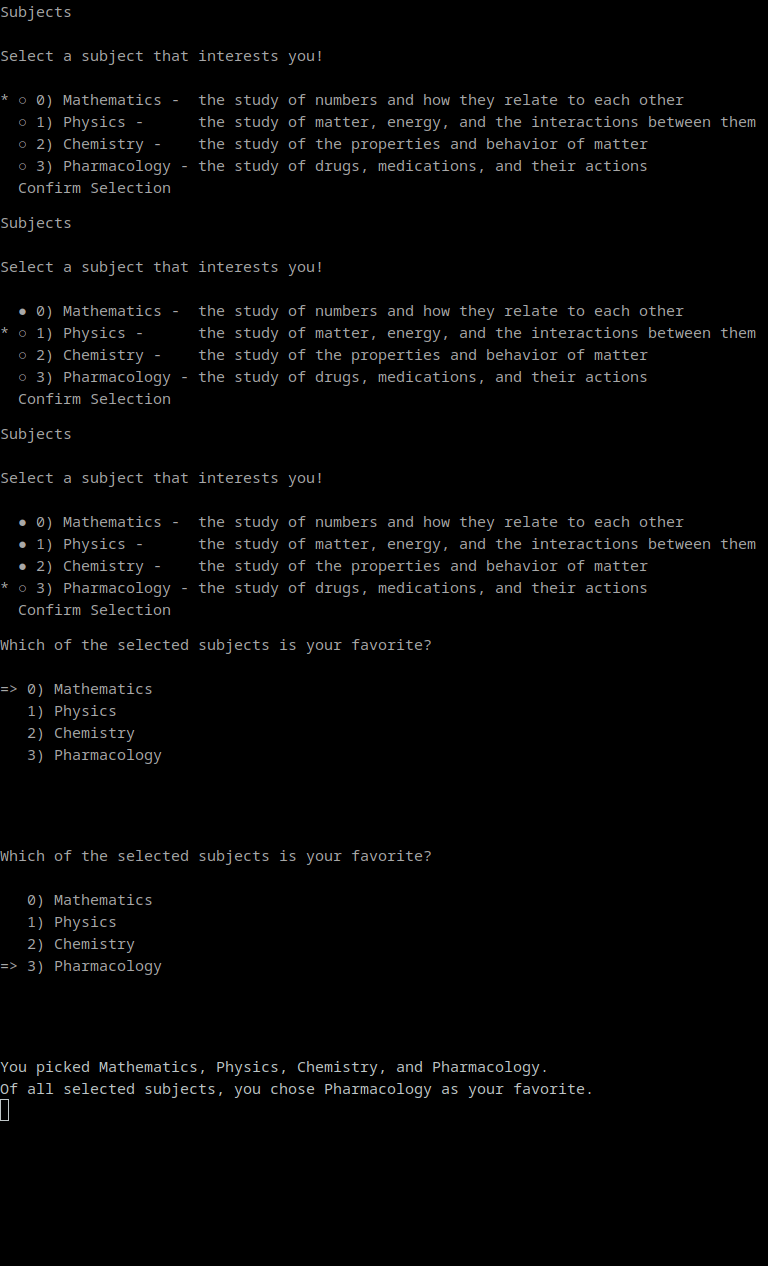
Usage
Creating a selection menu:
import menuchoice
menu = menuchoice.MenuSelector(items=[
    "Hip-hop",
    "Rock",
    "Pop",
    "Country",
    "EDM",
], title="Most Streamed Music USA", description="Select a genre of music.")
Arrow Selection
Arrow select will display an arrow which can be moved up/down with the arrow keys:
menu.arrow_select()
Output upon selection:
[(4, "EDM")]
Additionally, multiple options can be selected:
# no less than 2, no more than 3
menu.arrow_select(max_items=(2, 3))
# Adds an option to select all items
menu.arrow_select(allow_all=True)
Output:
[(4, "EDM"), (1, "Rock")]
Highlight Selecting
Highlight menus introduce the ability to have multiple pages (this is optional):
menu.highlight_select(pages=[[0, 1, 2], [3, 4]])
The above code will create two pages, the first page contains the first three options, the second contains the last two options.
To switch between these pages, use the left/right arrow keys.
The highlight menu can also disable options:
menu.highlight_select(disabled_items=[3])
This code above will prevent the user from selecting index 3 of the menus items (the fourth option).
Modifying Options
Menu selector items can have multiple options which can be navigated through with left/right arrow keys.
menu.modify_select(options=[(0, "second option", "third option")])
This will allow the user to use left/right arrow keys to navigate through 3 different options for a single item's line.
1 maintainer

Metadata
1 maintainer
Release files for menuchoice 0.11
For a detailed explanation of source distributions (sdists) and built distributions (wheels), please see the package formats documentation.
Source distribution (sdist)
| File | Size | Uploaded | Provenance | |
|---|---|---|---|---|
| menuchoice-0.11.tar.gz | 8.7 kB | Without provenance | Details |
Built distribution (wheel)
| File | Interpreter | ABI | Platform | Reset |
|---|---|---|---|---|
| menuchoice-0.11-py3-none-any.whl | Python 3 | none | any | Details |
Total release size: 17.4 kB
Security for menuchoice 0.11
Provenance
Provenance describes where a file came from. On PyPI, provenance is shared via attestations, which provide a verifiable record of the build or publishing details. View details, limitations and caveats.
No provenance found
None of the files in this release were uploaded with provenance metadata.
A note on package security
PyPI is a repository for distributing packages, not a service for auditing them. While third-party security researchers and our staff do their best to detect and remove malicious packages, PyPI cannot guarantee the quality, security or suitability of any given package.
To learn more about protecting yourself from malicious actors, visit our package security documentation.














