
MenuScript
MenuScript is a Python script for creating and managing menus in your command line interface (CLI) application. With MenuScript, you can easily create custom menus with options that perform various actions when selected by the user.
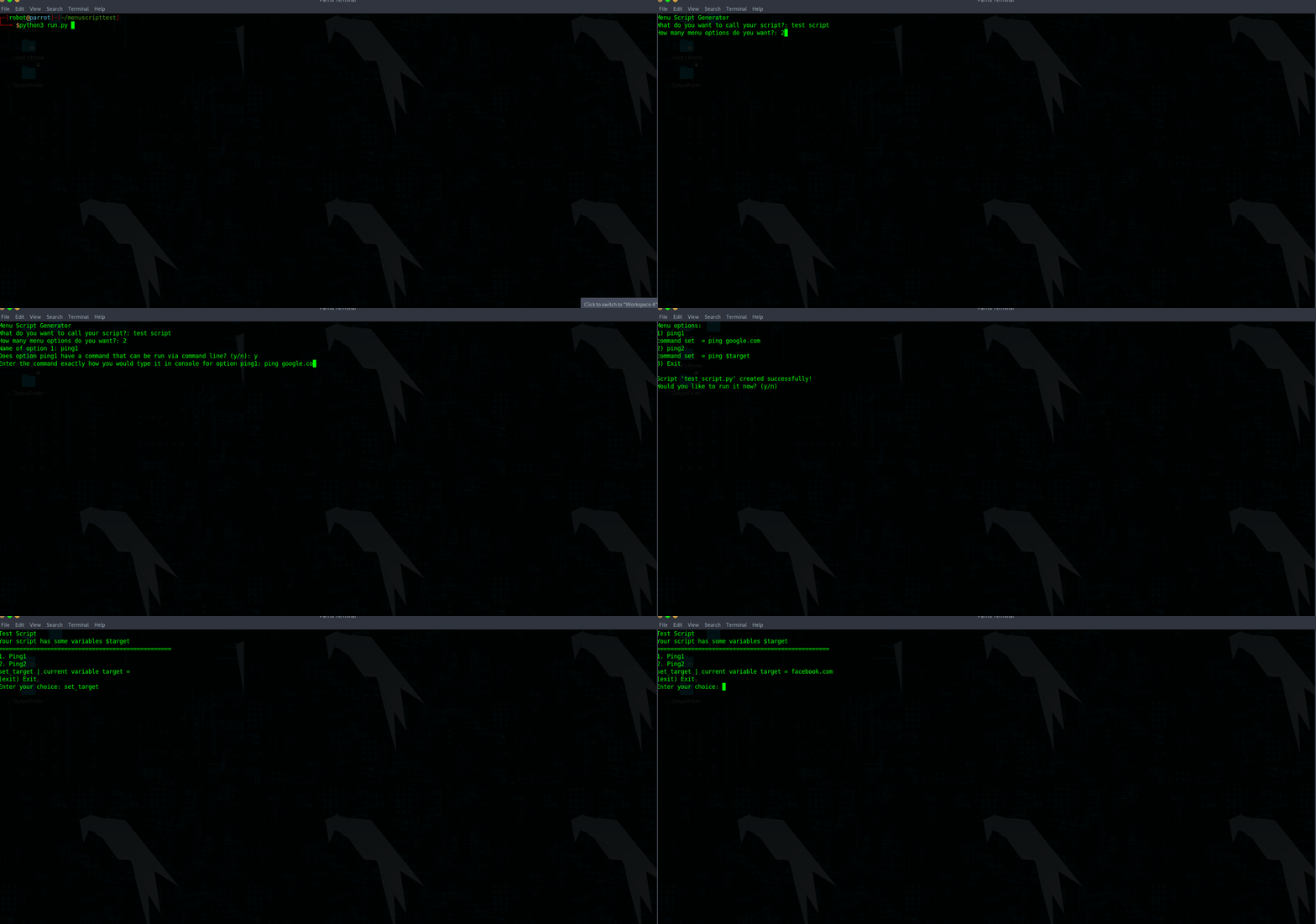
It can be download and ran from github or installed using:
pip install menuscript
Installation
-
Clone this repository:
git clone https://github.com/AIMadeScripts/createmenus -
Navigate to the cloned directory:
cd createmenus -
Run the script:
python create.py
Usage
To use MenuScript, simply run the script as menuscript if installed from pip or menuscript.py if downloaded from github and follow the prompts to create your menu. You can customize the menu by adding, removing, or modifying options as needed. You can also use the following options when creating your menu:
-n, --name: Specify a title for your menu.
-o, --options: Specify the amount of options to add to the menu.
Example usage:
menuscript -n "My Menu Script" -o "4"
This will create a new script called my_menu_script.py with 4 menu options. It will also prompt you to enter the names of those options and any commands those options will execute.
After each naming of a menu option you will be prompted to define a command for that menu option to execute. Upon selecting "y" you could do something such as:
ping google.com
This would then assign that command to that menu option in the new file it creates.
I have added in variables and symbol stripping. If you do
ping $website
In this example the menu will add an option called "set_website" which if typed in, will allow you to set that variable and then choose the menu option you assigned that command.
It will automatically identify a variable has been set and add it to the menu script you create so you can define that variable whenever you would like. This works for as many variables as you want.
Each variable is recognized via the dollar symbol ($) so you can define a variable as whatever you would like. In most cases you will only want one or two and the rest of your commands will read from that when required.
Contributing
If you would like to contribute to MenuScript, please fork this repository and submit a pull request with your changes.
1 maintainer

Metadata
1 maintainer
Release files for menuscript 1.0.6
For a detailed explanation of source distributions (sdists) and built distributions (wheels), please see the package formats documentation.
Source distribution (sdist)
| File | Size | Uploaded | Provenance | |
|---|---|---|---|---|
| menuscript-1.0.6.tar.gz | 4.9 kB | Without provenance | Details |
Built distribution (wheel)
| File | Interpreter | ABI | Platform | Reset |
|---|---|---|---|---|
| menuscript-1.0.6-py3-none-any.whl | Python 3 | none | any | Details |
Total release size: 10.2 kB
Security for menuscript 1.0.6
Provenance
Provenance describes where a file came from. On PyPI, provenance is shared via attestations, which provide a verifiable record of the build or publishing details. View details, limitations and caveats.
No provenance found
None of the files in this release were uploaded with provenance metadata.
A note on package security
PyPI is a repository for distributing packages, not a service for auditing them. While third-party security researchers and our staff do their best to detect and remove malicious packages, PyPI cannot guarantee the quality, security or suitability of any given package.
To learn more about protecting yourself from malicious actors, visit our package security documentation.














