
No project description provided

Project description
meshtastic-prometheus-exporter
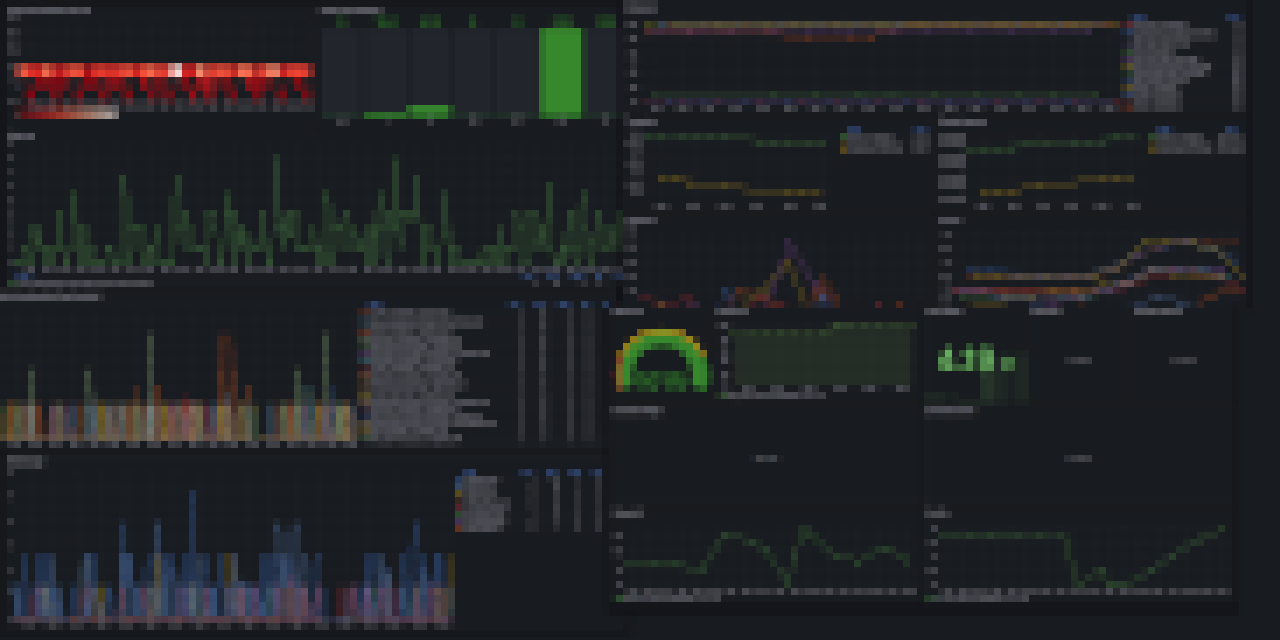
Meshtastic Prometheus Exporter captures and parses every MeshPacket from your Meshtastic network, exposing detailed metrics about the packets. It supports data collection via MQTT, BLE, Serial, or TCP, and makes these metrics available to Prometheus. It comes with grafana dashboards that help visualize network performance, node status, and telemetry for real-time or historical monitoring.
Supported metrics
See SUPPORTED_METRICS.md for a list of supported metrics
Usage
Use with MQTT
- Find an MQTT server you want to use or use the public Meshtastic MQTT server (
mqtt.meshtastic.org). - For your Meshtastic node, configure and enable MQTT module for uplink.
- Clone the repo, or download (preferably) latest release, uncompress it and navigate to the directory with the
docker-compose.ymlfile. - Edit the
docker-compose.ymlfile and specify connection details to the MQTT server there too. - In your terminal, run
docker-compose up(for this, you need Docker installed).
Use with BLE (Bluetooth Low Energy)
You can connect to your Meshtastic device via BLE, which is useful if you don't want to use MQTT, Serial, or TCP. This method is tested on Linux (outside Docker), but may work on other platforms as well.
Pair your device
Open a terminal and use bluetoothctl to pair with your Meshtastic device:
bluetoothctl
[bluetooth]# power on
[bluetooth]# scan on
[bluetooth]# pair AA:BB:CC:DD:EE:FF
# Follow prompts to enter the passkey if requested
[bluetooth]# disconnect AA:BB:CC:DD:EE:FF
- Replace
AA:BB:CC:DD:EE:FFwith your device's MAC address (find it by name while scanning). - Make sure to disconnect after pairing. The exporter (and the Meshtastic CLI) need to manage the connection themselves.
Test with Meshtastic CLI
Verify BLE connectivity with the Meshtastic CLI:
meshtastic -b AA:BB:CC:DD:EE:FF --nodes
If this works, you’re ready to use the exporter.
Run the exporter
Set the required environment variables and run the exporter:
MESHTASTIC_INTERFACE=BLE INTERFACE_BLE_ADDR=AA:BB:CC:DD:EE:FF meshtastic-prometheus-exporter
Use with Serial
- Connect your Meshtastic device to your computer via a serial interface (e.g., USB).
- Clone the repo, or download (preferably) latest release, uncompress it and navigate to the directory with the
docker-compose.ymlfile. - Edit the
docker-compose.ymlfile and setMESHTASTIC_INTERFACEtoSERIALand optionally specify the serial device path. - In your terminal, run
docker-compose up(for this, you need Docker installed).
Use with TCP
- Ensure your Meshtastic device is accessible over a TCP interface.
- Clone the repo, or download (preferably) latest release, uncompress it and navigate to the directory with the
docker-compose.ymlfile. - Edit the
docker-compose.ymlfile and setMESHTASTIC_INTERFACEtoTCPand specify the TCP address and port of your device. - In your terminal, run
docker-compose up(for this, you need Docker installed).
Accessing Grafana
In your web browser, navigate to http://localhost:3000/dashboards and authenticate using default Grafana credentials (username admin, password admin).
Installation using pipx
If you prefer to install the exporter using pipx, you can do so by running the following command:
pipx install meshtastic-prometheus-exporter
You could then run it outside docker, and configure Prometheus to scrape it:
global:
  scrape_interval: 15s
  evaluation_interval: 15s
scrape_configs:
  - job_name: "meshtastic"
    static_configs:
      - targets: ["host.docker.internal:9464"]
Installation using helm
Coming soon.
Known limitations
- Running two exporters for the same meshtastic network that write to the same Prometheus is not supported
- While mostly reporting useful information, Grafana dashboards do contain mistakes in some of the visualizations
- Using TLS for MQTT on meshtastic side may be problematic for performance and reliability (third-party issue)
- Exception handling & code quality need improvement
Contributing
Please feel free to contribute


Download files
Download the file for your platform. If you're not sure which to choose, learn more about installing packages.
Source Distribution
Built Distribution
Filter files by name, interpreter, ABI, and platform.
If you're not sure about the file name format, learn more about wheel file names.
Copy a direct link to the current filters
File details
Details for the file meshtastic_prometheus_exporter-2.6.tar.gz.
File metadata
- Download URL: meshtastic_prometheus_exporter-2.6.tar.gz
- Upload date:
- Size: 29.6 kB
- Tags: Source
- Uploaded using Trusted Publishing? Yes
- Uploaded via: twine/6.1.0 CPython/3.13.7
File hashes
| Algorithm | Hash digest | |
|---|---|---|
| SHA256 |
6a29f0a849ab235b6aa47beaeca6c715d539841b5470bbd3565cdbffece08f8a
|
|
| MD5 |
d0d7a154552d523b45e70d9cea91d1f3
|
|
| BLAKE2b-256 |
9cb19900df26bb797a9c65c66a23e82e8ae39ca0f269da62c34a9e1b33ec5579
|
Provenance
The following attestation bundles were made for meshtastic_prometheus_exporter-2.6.tar.gz:
Publisher:
trunk.yml on hacktegic/meshtastic-prometheus-exporter
-
Statement:
-
Statement type:
https://in-toto.io/Statement/v1 -
Predicate type:
https://docs.pypi.org/attestations/publish/v1 -
Subject name:
meshtastic_prometheus_exporter-2.6.tar.gz -
Subject digest:
6a29f0a849ab235b6aa47beaeca6c715d539841b5470bbd3565cdbffece08f8a - Sigstore transparency entry: 814691840
- Sigstore integration time:
-
Permalink:
hacktegic/meshtastic-prometheus-exporter@ff1e80054e79bfed91d41ab822cda1fc699774c9 -
Branch / Tag:
refs/heads/main - Owner: https://github.com/hacktegic
-
Access:
public
-
Token Issuer:
https://token.actions.githubusercontent.com -
Runner Environment:
github-hosted -
Publication workflow:
trunk.yml@ff1e80054e79bfed91d41ab822cda1fc699774c9 -
Trigger Event:
push
-
Statement type:
File details
Details for the file meshtastic_prometheus_exporter-2.6-py3-none-any.whl.
File metadata
- Download URL: meshtastic_prometheus_exporter-2.6-py3-none-any.whl
- Upload date:
- Size: 24.4 kB
- Tags: Python 3
- Uploaded using Trusted Publishing? Yes
- Uploaded via: twine/6.1.0 CPython/3.13.7
File hashes
| Algorithm | Hash digest | |
|---|---|---|
| SHA256 |
4573bd401009151961ccd25a0f9182377451f0e698cad65b4d773be4531014a9
|
|
| MD5 |
c2fba30618ade7047e28b4c04b1770dc
|
|
| BLAKE2b-256 |
273e6cfefca6c5979dce05ff03673add3dc34cc3b17d8ed70dc13f54bae16267
|
Provenance
The following attestation bundles were made for meshtastic_prometheus_exporter-2.6-py3-none-any.whl:
Publisher:
trunk.yml on hacktegic/meshtastic-prometheus-exporter
-
Statement:
-
Statement type:
https://in-toto.io/Statement/v1 -
Predicate type:
https://docs.pypi.org/attestations/publish/v1 -
Subject name:
meshtastic_prometheus_exporter-2.6-py3-none-any.whl -
Subject digest:
4573bd401009151961ccd25a0f9182377451f0e698cad65b4d773be4531014a9 - Sigstore transparency entry: 814691842
- Sigstore integration time:
-
Permalink:
hacktegic/meshtastic-prometheus-exporter@ff1e80054e79bfed91d41ab822cda1fc699774c9 -
Branch / Tag:
refs/heads/main - Owner: https://github.com/hacktegic
-
Access:
public
-
Token Issuer:
https://token.actions.githubusercontent.com -
Runner Environment:
github-hosted -
Publication workflow:
trunk.yml@ff1e80054e79bfed91d41ab822cda1fc699774c9 -
Trigger Event:
push
-
Statement type:






