
Metabase Query API




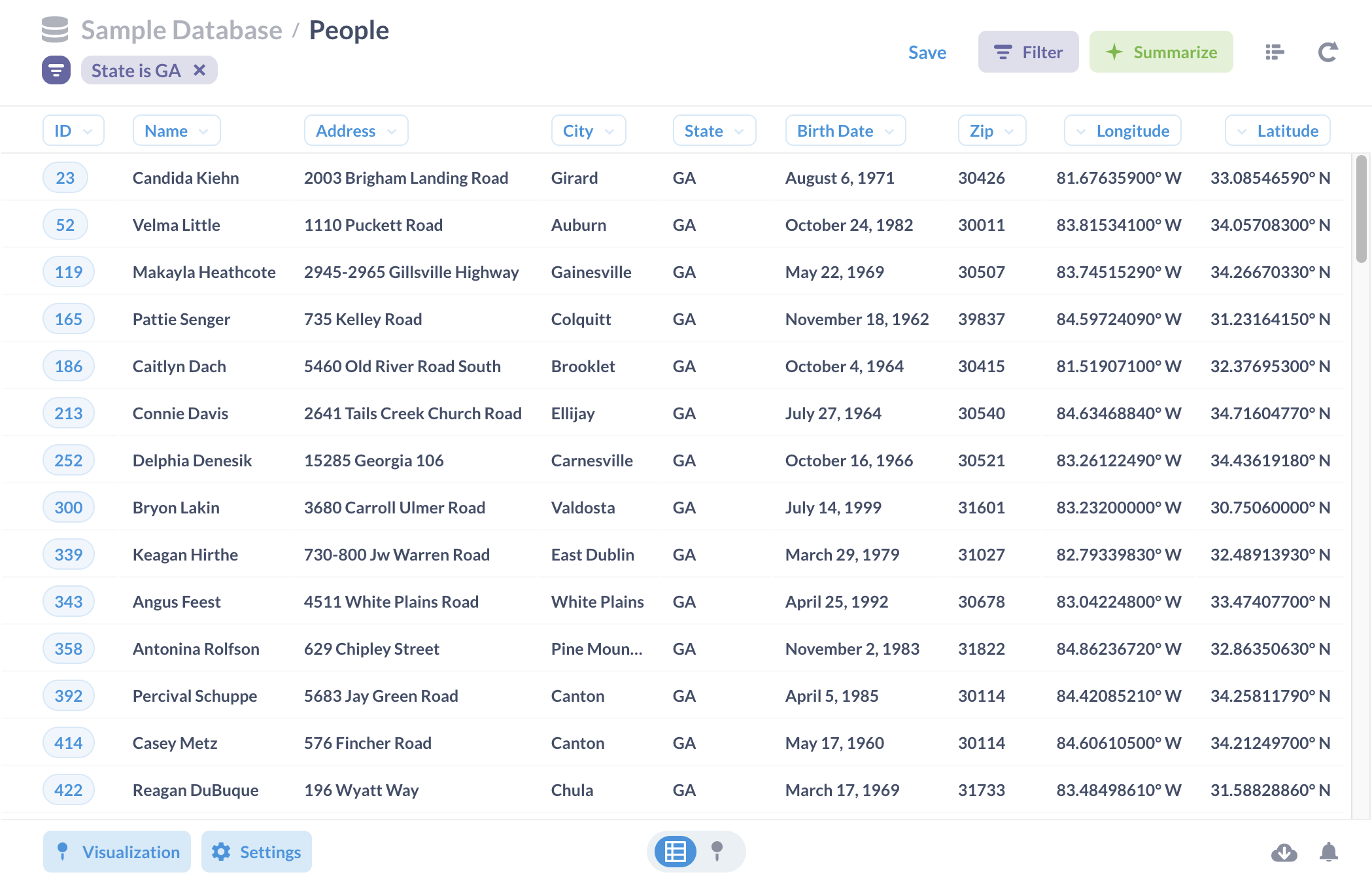
This package will help Data workers get data from Metabase questions more easily and effectively. It only focuses on the Card Query API, Dataset API and does not include other Metabase APIs.
Features
- Get question data in any data format provided by Metabase (JSON, CSV, XLSX).
- Input question URL and Metabase Session. No need to provide parameters payload.
- JSON results have the same column sort order as the browser.
- Automatically check if Metabase session is available.
- Allow retry if an error occurs due to server slowdown.
- Allows entering multiple param values in bulk, suitable for retrieving data for a large number of ids, using
asynciotechnique. - Support both saved questions (card) and unsaved questions (dataset).
Installation
pip install metabase-query-api
Instruction
Import package
from metabase_query_api import export_question
from metabase_query_api import export_question_bulk_filter_values
import asyncio
Get question data
- Copy the question URL in the browser. Note that you must fill in the necessary parameters before copying.
- Use a different API to get the Metabase Session. Or you can use this Chrome extension to get it.
Export question data to a JSON variable
Parameters:
retry_attemptsdefaults to0, use it when your Metabase server is often slow.data_formatdefaults to'json', accepted values are'json','csv','xlsx'.custom_retry_errorsdefaults to[], use it to force retry with errors on you server. There is no need to fill in the full name of the error because the condition is string contains.
session = 'c65f769b-eb4a-4a12-b0be-9596294919fa'

# Saved question URL
url = 'https://your-domain.com/question/123456-example?your_param_slug=SomeThing'
# Unsaved question URL
url = 'https://your-domain.com/question#eW91cl9xdWVyeQ=='

json_data = export_question(url=url, session=session, retry_attempts=5)
Export question data to an Excel file
xlsx_data = export_question(url=url, session=session, data_format='xlsx', retry_attempts=5)
with open('file.xlsx', 'wb') as file:
    file.write(xlsx_data)
Export question data to a CSV file
csv_data = export_question(url=url, session=session, data_format='csv', retry_attempts=5)
with open('file.csv', 'wb') as file:
    file.write(csv_data)
Get question data with bulk param values
This function is suitable for retrieving data with a large number of values that need to be filled in a param, usually an id field.
It will split your list of values into multiple parts, each containing up to 2000 values.
It then sends multiple asynchronous requests to get the data. Once completed, the data pieces will be merged into one.
⚠️ Note: Using this function may slow down your Metabase server.
Parameters:
bulk_filter_slug: Saved question -> parameter slug in URL, unsaved question -> Field Name as field_name.bulk_values_listis a list of values.chunk_sizedefault, and the maximum is2000. If your data has duplicates for each filter value, reduce the chunk size. Because each piece of data only contains 2000 lines.retry_attemptsdefaults to10, use it when your Metabase server is often slow.custom_retry_errorsdefaults to[], use it to force retry with errors on you server. There is no need to fill in the full name of the error because the condition is string contains.
session = 'c65f769b-eb4a-4a12-b0be-9596294919fa'

# Saved question URL
url = 'https://your-domain.com/question/123456-example?your_param_slug=SomeThing'
# Unsaved question URL
url = 'https://your-domain.com/question#eW91cl9xdWVyeQ=='

bulk_filter_slug = 'order_id'
bulk_values_list = ['12345', '...', '98765']

json_data = asyncio.run(export_question_bulk_filter_values(url=url, session=session, bulk_filter_slug=bulk_filter_slug, bulk_values_list=bulk_values_list, chunk_size=2000, retry_attempts=10))

# Save to CSV/Excel file
import pandas as pd

df = pd.DataFrame(json_data)

df.to_csv('file.csv', index=False)
df.to_excel('file.xlsx', index=False)
1 maintainer

Metadata
1 maintainer
Release files for metabase-query-api 1.1.3
For a detailed explanation of source distributions (sdists) and built distributions (wheels), please see the package formats documentation.
Built distribution (wheel)
| File | Interpreter | ABI | Platform | Reset |
|---|---|---|---|---|
| metabase_query_api-1.1.3-py3-none-any.whl | Python 3 | none | any | Details |
Release files / metabase_query_api-1.1.3-py3-none-any.whl
| Download URL | metabase_query_api-1.1.3-py3-none-any.whl |
|---|---|
| Size | 15.6 kB |
| Tags | Python 3 |
|
SHA-256 checksum How to use checksums |
38c0bd0c73c6109c3e11e8bd8eaea29f69757b3725a69d868128aeed6d78467e
|
|
BLAKE2b-256 checksum How to use checksums |
f28f4c452a440d22c434e4879526471c5736edaf715b9bc2ab021d3b77553bc4
|
| Upload date | |
|
Uploaded using Trusted Publishing? What is trusted publishing? |
No |
| Uploaded via |
twine/5.1.0 CPython/3.11.5
|














