




Overview
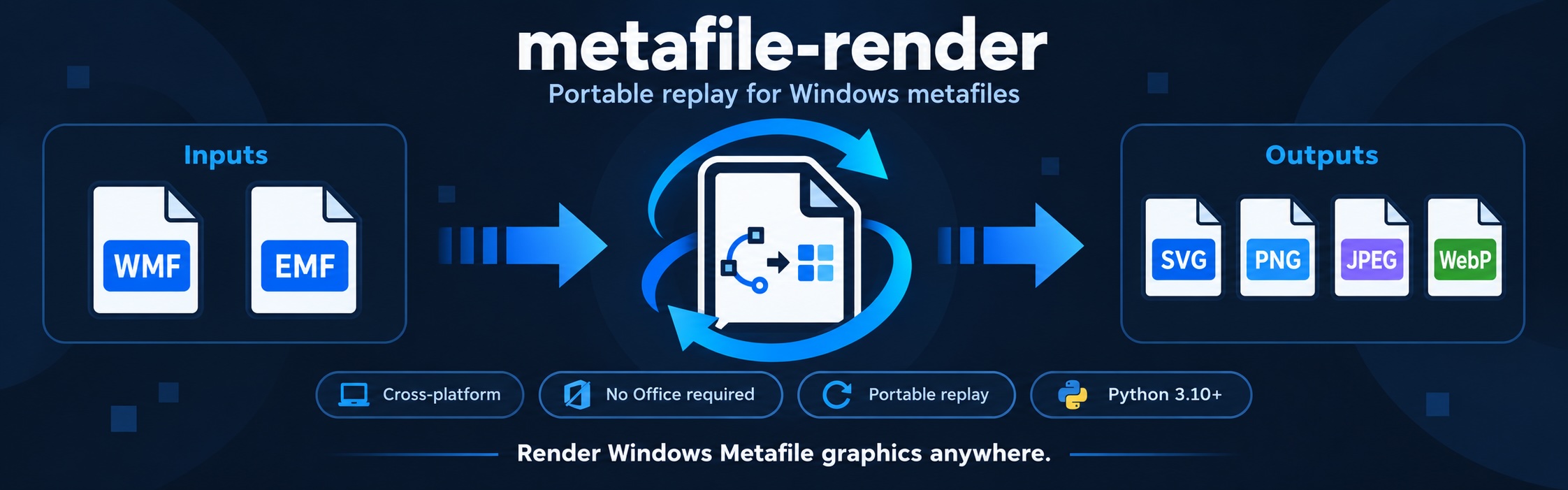
Metafile Render converts Windows Metafile (WMF) and Enhanced Metafile (EMF) graphics into SVG, PNG, JPEG, and WebP. Use it to display legacy graphics in a browser or process metafile images extracted from Office documents.
- Cross-platform — runs on Linux, macOS, and Windows.
- Simple setup — only Pillow and pyclipper; no Office or external converter required.
- Python and CLI — integrate a single function or convert files from your terminal.
- Visible diagnostics — inspect partial rendering, approximations, and skipped content.
Quick start
Requires Python 3.10–3.14.
pip install metafile-render
Convert an existing EMF file to SVG:
metafile-render input.emf -o output.svg
WMF files use the same command. The output extension selects the format.
Usage
Python
from pathlib import Path
from metafile_render import render_metafile

result = render_metafile(
    Path("input.emf").read_bytes(),
    output_format="svg",
)
Path("output.svg").write_bytes(result.data)

print(result.width, result.height, result.media_type)
if result.partial:
    print("Partial rendering.")
for item in result.diagnostics:
    print(item.code, item.message)
render_metafile() takes bytes and returns image bytes, dimensions, format
information, and diagnostics. Its default output is PNG at 200 DPI.
| Python option | Default | Purpose |
|---|---|---|
output_format |
"png" |
svg, png, jpeg, or webp |
dpi |
None → 200 |
Resolution for all outputs, including SVG; integer from 1 to 1200 |
size_hint |
None |
Pixel dimensions (width, height); useful for WMF without physical dimensions |
backend |
"auto" |
Automatic backend selection; "replay" forces the portable engine |
Canvas limits may reduce the requested dimensions. See the API reference for result fields and error handling.
Command line
metafile-render input.emf -o output.png --dpi 300
metafile-render input.emf -o output.webp
metafile-render input.emf -o transparent.png --backend replay
metafile-render input.wmf -o sized.png --size 800 600
python -m metafile_render input.emf -o output.jpg --force
Supported extensions: .svg, .png, .jpg, .jpeg, and .webp.
The output directory must exist. Use --force to replace an existing output;
input and output must be different files. Diagnostics are printed to stderr.
Rendering notes
| Topic | What to expect |
|---|---|
| Backends | SVG always uses portable replay. With auto, eligible raster outputs use Pillow's native GDI renderer on Windows and replay elsewhere; native capability/load failures fall back to replay. |
| Transparency | Replay preserves transparency in PNG and WebP. Native GDI and JPEG use a white background. |
| SVG | Output is self-contained, including embedded images. Some operations use a raster image inside SVG. |
| EMF+ | Common EMF+ Only content is supported. Dual files use their EMF fallback stream. Full GDI+ fidelity is not guaranteed. |
| Fonts | System fonts are used and may be substituted. Install the source document's fonts for closer text fidelity. |
Approximated or skipped content is reported through partial=True and
diagnostics. Font substitution or a backend fallback alone does not mark a
result as partial. Malformed, unsupported, or over-budget inputs can raise
MetafileError; the CLI reports conversion errors with a nonzero exit code.
A completed partial conversion exits with code 0.
Documentation and support
- Agent skill — conversion workflows and diagnostic handling for agents. Copy the
skills/metafile-renderdirectory into your agent's supported skills directory to use it. - Technical reference — full API and CLI contracts, formats, fonts, and resource limits.
- Development guide — local checks, architecture, benchmarks, and publishing.
- Report an issue — include a sample file, conversion options, and diagnostics when possible.
License
MIT · Copyright © 2026 Xiaomeng Zhao (myhloli).
1 maintainer

Metadata
1 maintainer
Release files for metafile-render 0.3.1
For a detailed explanation of source distributions (sdists) and built distributions (wheels), please see the package formats documentation.
Source distribution (sdist)
| File | Size | Uploaded | |
|---|---|---|---|
| metafile_render-0.3.1.tar.gz | 139.6 kB | Details |
Built distribution (wheel)
| File | Interpreter | ABI | Platform | Reset |
|---|---|---|---|---|
| metafile_render-0.3.1-py3-none-any.whl | Python 3 | none | any | Details |
Total release size: 246.1 kB
Release files / metafile_render-0.3.1.tar.gz
| Download URL | metafile_render-0.3.1.tar.gz |
|---|---|
| Size | 139.6 kB |
| Tags | Source |
|
SHA-256 checksum How to use checksums |
ff1998b8cffbc47a4db50f4b4e9001c03488a944330ae9503f9c4712da9db912
|
|
BLAKE2b-256 checksum How to use checksums |
b6b61b2f3ecf6d2c9df9e27ee2c8898b9625c7ffa31210959ee0427070a53005
|
| Upload date | |
|
Uploaded using Trusted Publishing? What is trusted publishing? |
Yes |
| Uploaded via |
twine/7.0.0 CPython/3.13.14
|
Provenance
Provenance describes where a file came from. On PyPI, provenance is shared via attestations, which provide a verifiable record of the build or publishing details. View details, limitations and caveats.


PyPI Publish Attestation
PyPI verified that this artifact, at this checksum, originated from the publisher listed below.
Signed by GitHub Actions, verified by PyPI on Oct 13, 2026.
Transparency logRelease files / metafile_render-0.3.1-py3-none-any.whl
| Download URL | metafile_render-0.3.1-py3-none-any.whl |
|---|---|
| Size | 106.5 kB |
| Tags | Python 3 |
|
SHA-256 checksum How to use checksums |
db0da66b4e155b92e0ecf77c36c88dfe3b1d887d1b3d74d652f88689874a59bf
|
|
BLAKE2b-256 checksum How to use checksums |
1b9a9102f6504d286950e993fb8aeaad8672acb2ff322b0432ab5b11e0db8064
|
| Upload date | |
|
Uploaded using Trusted Publishing? What is trusted publishing? |
Yes |
| Uploaded via |
twine/7.0.0 CPython/3.13.14
|
Provenance
Provenance describes where a file came from. On PyPI, provenance is shared via attestations, which provide a verifiable record of the build or publishing details. View details, limitations and caveats.
PyPI Publish Attestation
PyPI verified that this artifact, at this checksum, originated from the publisher listed below.
Signed by GitHub Actions, verified by PyPI on Oct 13, 2026.
Transparency log













