
Image viewer and tagger

Project description
metapho

An app for viewing, tagging and organizing large numbers of photos efficiently.
Metapho is intended as a lightweight, flexible way of organizing large numbers of photos. It uses text files, not a proprietary database, so you’re not locked down to one app or a proprietary database, and you can view your tags databases at any time, or edit them in a text editor.
This arose out of my Pho image viewer (Pho on GitHub), which was starting to get unwieldy as I added ever more tagging features to what was intended as just a fast, light image viewer. Metapho will replace pho: the new Tk version of metapho includes a pho image viewer script that’s roughly feature-compatible with the old pho.
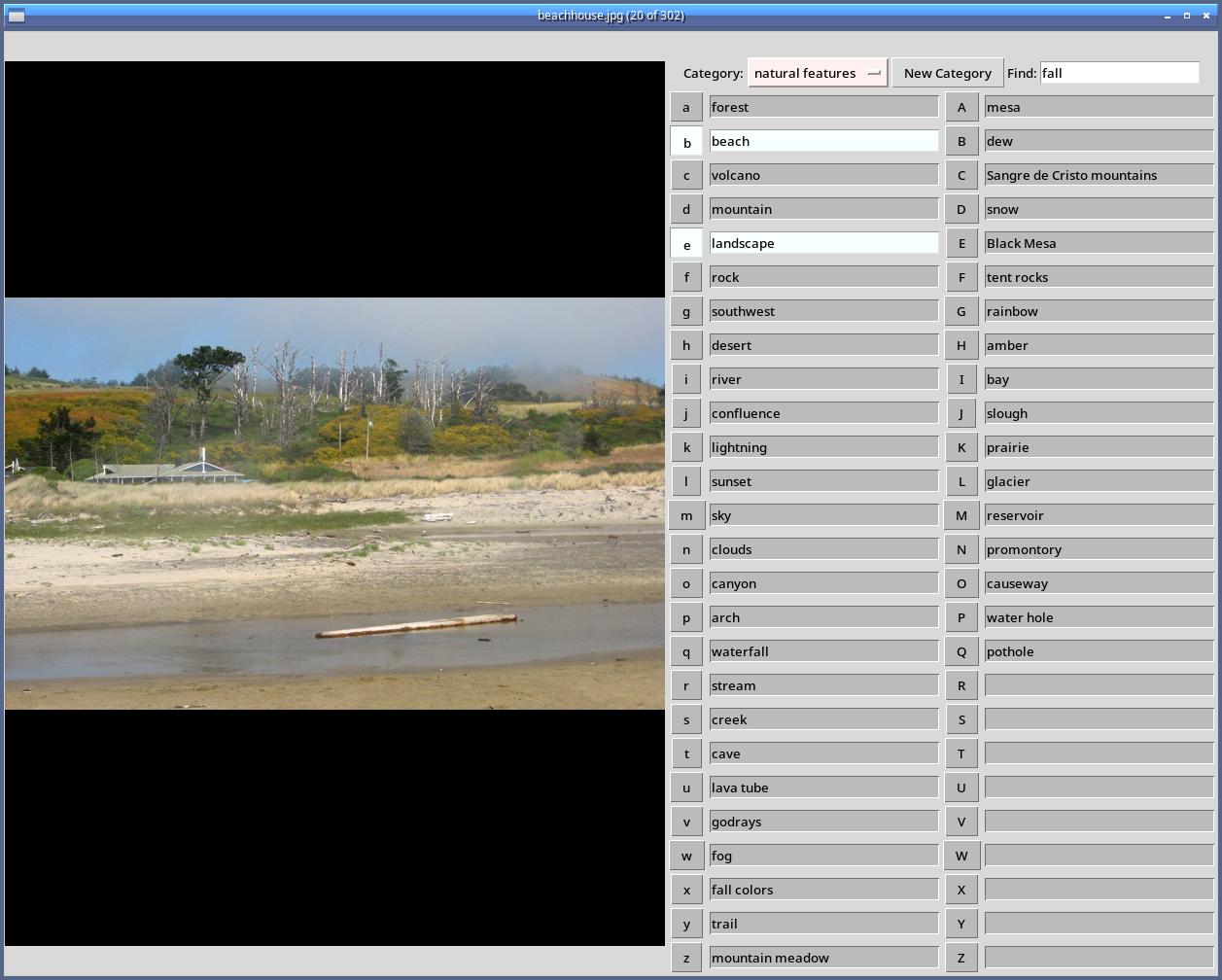
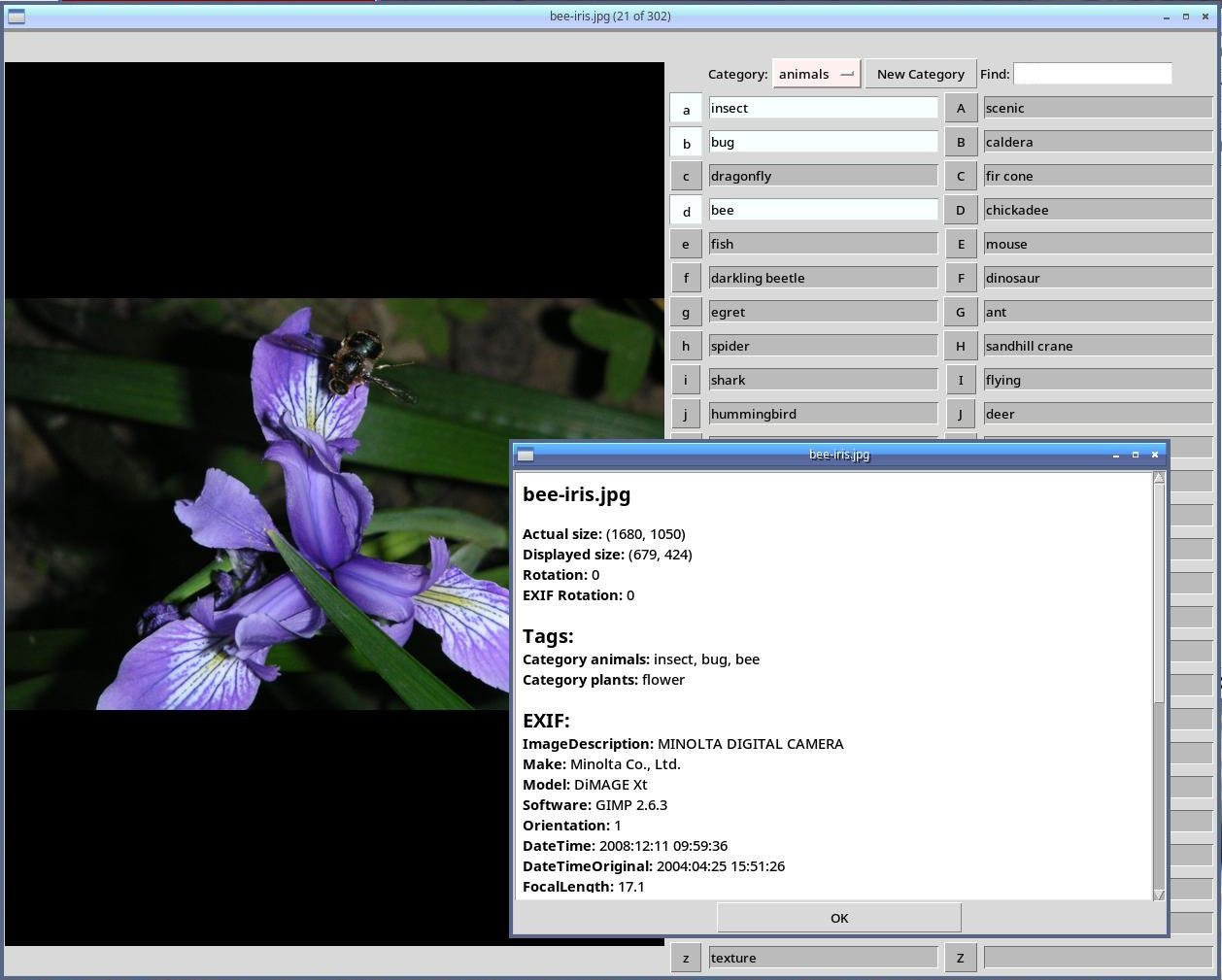
Run metapho on a directory of images you’ve just uploaded:
metapho *.jpg
and enter your tags. When you exit, it creates a file named Tags.
Metapho can be driven entirely from the keyboard: you should be able to do everything you need without moving your hands to the mouse, though you can use the mouse if you find that easier.
pho
Metapho also includes a basic image view called pho. Pho is optimized for viewing a large number of images quickly and making quick numeric tags, like keeping track of which images you want to share right now. It’s also useful for giving photo-based presentations. Like metapho, it’s intended to be keyboard driven.
Command-line Scripts
Installing also gets you three command-line scripts:
- notags:
Examine the current directory recursively and tell you about files and directories that still need to be tagged. Run it at the root of an image directory that might have untagged subdirectories. Documentation.
- fotogr:
Search for files with particular tags. For instance, fotogr flower will print the names of all files you’ve tagged with “flower”. It has lots of options: you can search for combinations of tags, and limit the search to particular directories. See fotogr -h or the man page for details.
- photoshare:
Manage files tagged with “share” or “wallpaper”. See photoshare -h or the man page for more info.
A Note about GTK versus Tk
In the past, metapho was built on GTK (most recently GTK3), though it never needed Gnome or any other desktop services. But after trying to port it to GTK4, I concluded it would be easier to rewrite it in Tk, plus it would be easier for people on non-Linux OSes. So metapho 2.0 will be Tk based, without a GTK dependency.
I’ve been using the Tk versions of pho and tkmetapho since January 2025 and they’ve been working well. I have now made them the default; the GTK versions are now obsolete. Metapho now also includes a Tk-based image viewer called pho, replacing my old GTK-based pho image viewer.
Currently what metapho installs is:
metapho: TkInter-based metapho tagging app
tkmetapho: TkInter-based metapho tagging app
tkpho: TkInter-based pho image viewer
gmetapho: GTK3-based metapho tagging app
gmpiv: GTK MetaPho image viewer
plus several helper scripts.
The default metapho and pho are now the TkInter versions. On Debian, you’ll need packages: python3-tk python3-pil python3-pil.imagetk
If you still want to use gmetapho, you’ll need GTK3 libraries. If you have trouble installing them, this may help: PyGObject: Getting Started
How to Install
Metapho is available on PyPi, so you can install it as pip install metapho (though of course the PyPI version won’t always have the very latest features and bug fixes).
To install from the source directory, use pip install .
Documentation
The Metapho Documentation on ReadTheDocs has more information on both the app and the API of the classes inside it. It was out of date for a while because of a tools issue, but it’s updated now.
There are also man pages that you can install on Linux/Unix. Unfortunately, Python pip doesn’t have a way to install man pages; but you can build them with
make man
in the docs directory, which produces files in build/man that you can install to anywhere you keep section 1 man pages. Or just read them fvia the links above.
Testing
To run the automated tests:
python3 -m unittest discover -s test


Download files
Download the file for your platform. If you're not sure which to choose, learn more about installing packages.
Source Distribution
Built Distribution
Filter files by name, interpreter, ABI, and platform.
If you're not sure about the file name format, learn more about wheel file names.
Copy a direct link to the current filters
File details
Details for the file metapho-1.9.1.tar.gz.
File metadata
- Download URL: metapho-1.9.1.tar.gz
- Upload date:
- Size: 109.8 kB
- Tags: Source
- Uploaded using Trusted Publishing? No
- Uploaded via: twine/6.1.0 CPython/3.13.5
File hashes
| Algorithm | Hash digest | |
|---|---|---|
| SHA256 |
69012d9988740bdca87fff6555923c2e73b4507d2098100396b63acef4c777a0
|
|
| MD5 |
76a1218f966081659137d69f2ce19aae
|
|
| BLAKE2b-256 |
1f5ab52de73ec197173c02f66c76e592f22f7d5d92e525618b9b89f334af1c14
|
File details
Details for the file metapho-1.9.1-py3-none-any.whl.
File metadata
- Download URL: metapho-1.9.1-py3-none-any.whl
- Upload date:
- Size: 105.4 kB
- Tags: Python 3
- Uploaded using Trusted Publishing? No
- Uploaded via: twine/6.1.0 CPython/3.13.5
File hashes
| Algorithm | Hash digest | |
|---|---|---|
| SHA256 |
801e4d6c1f5f75aaf2d88cedc2206ee04869a9f30b2cdb27a24e7ae3b972d6e8
|
|
| MD5 |
dce5c3044fd4ecd4a13393a9cce44c37
|
|
| BLAKE2b-256 |
b451f89769b387e5804e5fb4bdb32ad7db700e2943264acf1b2181a4717d1fb8
|






