This release is a pre-release and may not be stable for production use.
This plugin gives you an “Event” page type for your Mezzanine sites.
Features
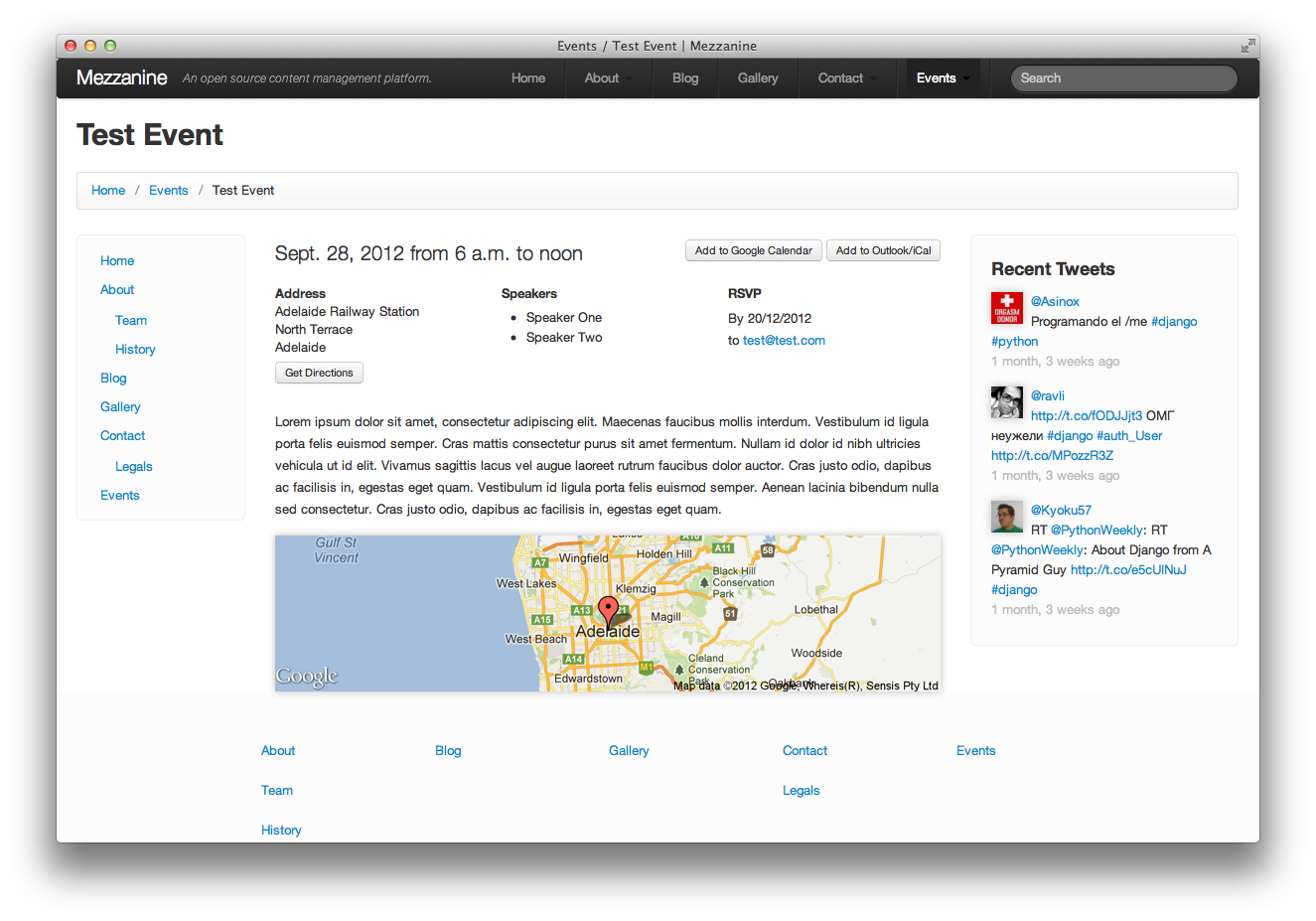
Show your visitors where to go
Embed a map of the location in one line of code with the Google Static Maps template tag
Provide a “Get Directions” link so users can go there in one click
Let your visitors add a single event or subscribe to all future events in Google Calendar, Outlook, iCal and more with Google Calendar and webcal:// URLs and iCalendar files
The usual stuff - dates, times, speakers, rsvp
Screenshots
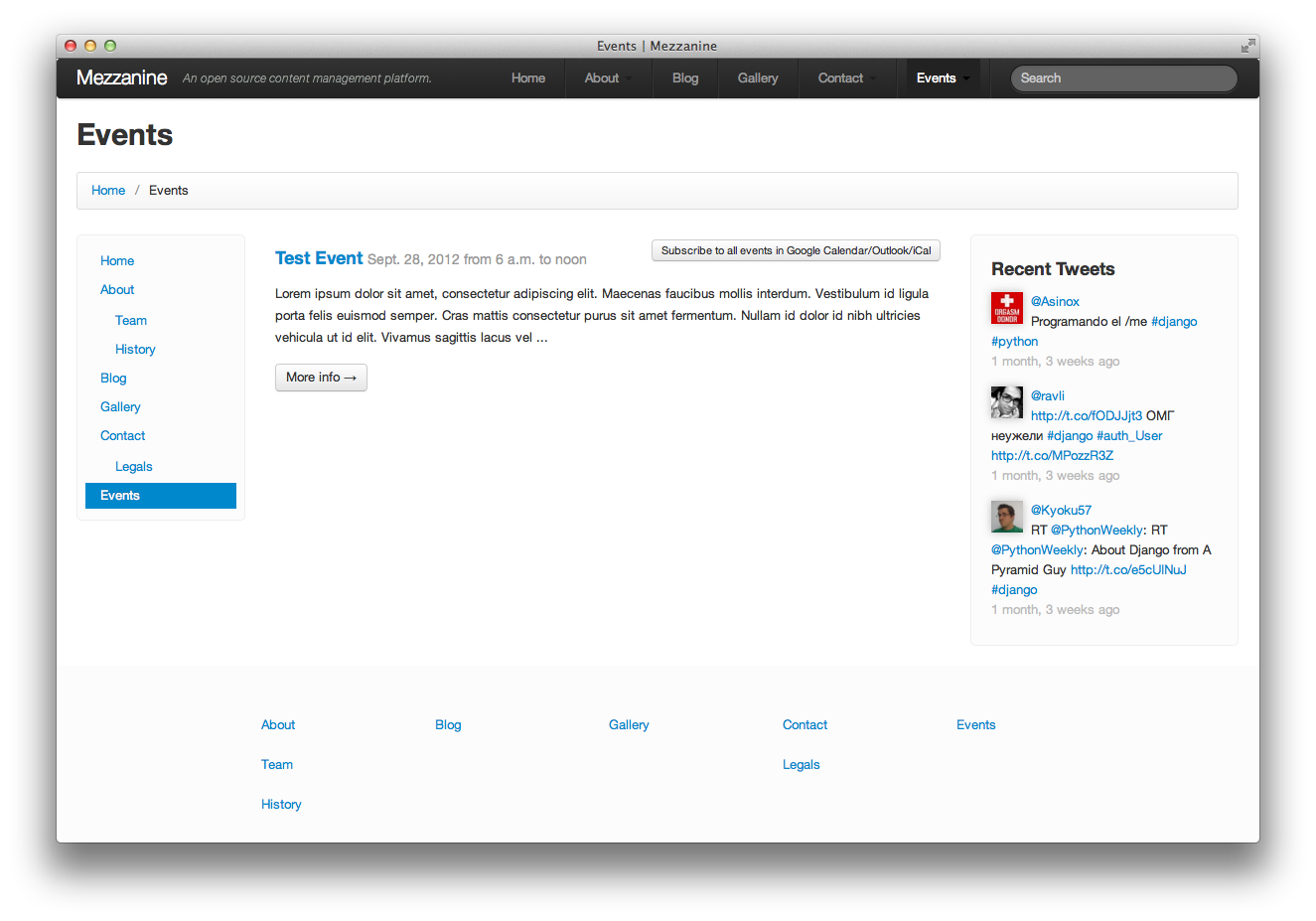
These screenshots show what the plugin looks like with the default templates. To see it in action with custom templates, look at the Events page of the St Barnabas’ website.
Installation
Run pip install mezzanine-events (or, if you want to hack on mezzanine-events, clone it and run pip install -e path/to/repo)
Add "mezzanine_events" to your INSTALLED_APPS
Add ("^", include("mezzanine_events.urls")) to your urls.py (this is so that mezzanine-events can serve up iCalendar files).
Set either the TIME_ZONE or MZEVENTS_TIME_ZONE settings. (If neither of these settings are set, the Google Calendar links will not work as expected.)
Migrate your database
Usage
mezzanine-events provides two page types: “Event Container” and “Event”. The Event Container page type is the ‘Events’ (note plural) page on your website; you’ll probably want it to have a list of events. The Event page type represents a single event.
Create an Event Container page in the Mezzanine admin (naming it something like “Events”), then create your first Event page inside it (naming it with the name of your event).
Creating Templates
Event pages
The template for an Event page is templates/pages/event.html.
The Event object is available at page.event. It has the following properties:
Dates and times: date, start_time, end_time
Location info: location, mappable_location, lat, lon
Text data: speakers, rsvp
speakers_list - the speakers as a list you can iterate over
Generated start and end datetimes at start_datetime and end_datetime
The following template tags and filters can be used:
{{ page.event.rsvp|link_emails }} - Wraps anything that looks like an email in a mailto: link.
{{ page.event|google_calendar_url }} - Returns a Google Calendar template URL. Google Calendar users can click a link to this URL to add the event to their calendar.
{{ page.event|icalendar_url }} - Returns the URL to an iCalendar file containing this event. Upon downloading this file, most calendar software including Outlook and iCal will handle this by adding it to their calendars.
{{ page.event|google_nav_url }} - Returns the URL to a page on Google Maps showing the location .
{{ google_static_map page.event <width> <height> <zoom> }} - Produces a Google static map centred around the event location, zoomed to the specified level. Produces the entire img tag, not just the URL.
Event pages default to being not visible in navigation, unless “show events in navigation” is checked in their parent EventContainer.
Event Container pages
The template for an Event Container page is templates/pages/eventcontainer.html.
Iterate over page.children.all to get at the events inside the container. You can then use all of the properties and template tags listed above on these objects.
The template filter {{ page.eventcontainer|icalendar_url:"webcal" }} can be used to produce a webcal URL. When a link containing this URL is clicked, the user’s default calendaring app will subscribe to events in this eventcontainer.
Notes
The icalendar_url template filter actually takes one optional, arbitrary string argument that specifies the protocol to use in the URL it gives, defaulting to http. This means that you can generate webcal URLs for single events and downloadable .ics files for event containers.
In practice, most clients import downloaded iCalendar files into an existing calendar, and add webcal URLs as a separate calendar, so the behaviour described above is usually the desired one.
Settings
MZEVENTS_GOOGLE_MAPS_DOMAIN - The Google Maps country domain to query for geocoding. Setting this accurately improves results when users forget to enter a country in the mappable address. Default: 'maps.google.com.au'.
MZEVENTS_HIDPI_STATIC_MAPS - Whether the {% google_static_map %} template tag generates a map suitable for high DPI displays such as the MacBook Pro with Retina Display and many newer smartphones. Default: True.
MZEVENTS_TIME_ZONE - The time zone that the event dates and times are in. Either this or the TIME_ZONE setting needs to be set.
License
Copyright (C) 2012 St Barnabas Theological College
Permission is hereby granted, free of charge, to any person obtaining a copy of this software and associated documentation files (the “Software”), to deal in the Software without restriction, including without limitation the rights to use, copy, modify, merge, publish, distribute, sublicense, and/or sell copies of the Software, and to permit persons to whom the Software is furnished to do so, subject to the following conditions:
The above copyright notice and this permission notice shall be included in all copies or substantial portions of the Software.
THE SOFTWARE IS PROVIDED “AS IS”, WITHOUT WARRANTY OF ANY KIND, EXPRESS OR IMPLIED, INCLUDING BUT NOT LIMITED TO THE WARRANTIES OF MERCHANTABILITY, FITNESS FOR A PARTICULAR PURPOSE AND NONINFRINGEMENT. IN NO EVENT SHALL THE AUTHORS OR COPYRIGHT HOLDERS BE LIABLE FOR ANY CLAIM, DAMAGES OR OTHER LIABILITY, WHETHER IN AN ACTION OF CONTRACT, TORT OR OTHERWISE, ARISING FROM, OUT OF OR IN CONNECTION WITH THE SOFTWARE OR THE USE OR OTHER DEALINGS IN THE SOFTWARE.
1 maintainer

Release files for mezzanine-events 0.1beta4
For a detailed explanation of source distributions (sdists) and built distributions (wheels), please see the package formats documentation.
Source distribution (sdist)
| File | Size | Uploaded | |
|---|---|---|---|
| mezzanine-events-0.1beta4.tar.gz | 10.9 kB | Details |
Release files / mezzanine-events-0.1beta4.tar.gz
| Download URL | mezzanine-events-0.1beta4.tar.gz |
|---|---|
| Size | 10.9 kB |
| Tags | Source |
|
SHA-256 checksum How to use checksums |
6afc935fc1d480c01e7bf86751917b456f783b7fcfd554112f095587eb94c41d
|
|
BLAKE2b-256 checksum How to use checksums |
682cd50f7c5da8c05bc9f5fe66de710aa923408c2945d996540a5ac578348dab
|
| Upload date | |
|
Uploaded using Trusted Publishing? What is trusted publishing? |
No |