
MIA, deep learning based Microscopic Image Analyzer

Project description
MIA - Microscopic Image Analyzer
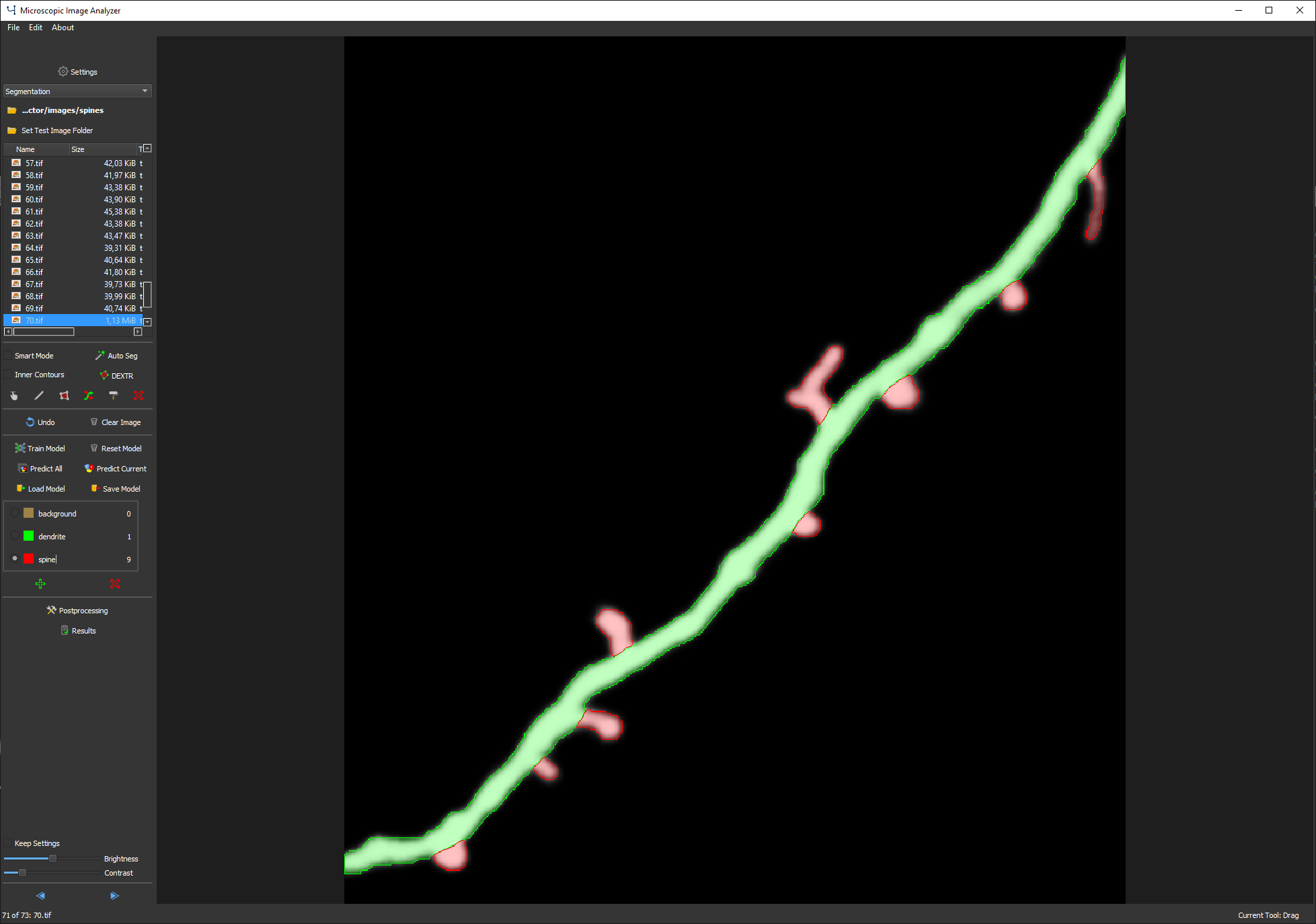
MIA is a software for deep learning based image analysis. It covers image labeling, neural network training and inference. It can be used for image classification, object detection, semantic segmentation and tracking.
Installation
The easiest way to install MIA is via conda (see https://docs.conda.io/en/latest/miniconda.html for installation options).
After installation of conda, download the environment file.
Then, open an anaconda prompt and type:
cd /path/to/mia_environment.yaml(change/path/to/to the path of the folder with the environment file)conda env create -f mia_environment.yaml- wait and follow instructions
to start the software
type in an anaconda prompt:
conda activate mia_environmentmianalyzer
How to get help?
A quickstart guide can be found here and the complete user manual here.
Please use image.sc with the mia-tag for general discussion, questions about how to use the software or feature requests. Bugs can be reported directly in the issues panel on github.
Reference
If you use this code for your research, please cite:
https://www.cell.com/cell-reports-methods/pdf/S2667-2375(23)00146-7.pdf
Körber, MIA is an open-source standalone deep learning application for microscopic image analysis, Cell Reports Methods (2023)
Requirements
In general, MIA should run on any system with Linux or windows. You can use the cpu only, but it is highly recommended to have a system with a cuda-compatible gpu (from NVIDIA) to accelerate neural network training.


Download files
Download the file for your platform. If you're not sure which to choose, learn more about installing packages.
Source Distribution
Built Distribution
Filter files by name, interpreter, ABI, and platform.
If you're not sure about the file name format, learn more about wheel file names.
Copy a direct link to the current filters
File details
Details for the file mianalyzer-0.3.1.tar.gz.
File metadata
- Download URL: mianalyzer-0.3.1.tar.gz
- Upload date:
- Size: 389.4 kB
- Tags: Source
- Uploaded using Trusted Publishing? No
- Uploaded via: twine/4.0.2 CPython/3.11.4
File hashes
| Algorithm | Hash digest | |
|---|---|---|
| SHA256 |
764be31b802c8e3a671b1f6aa2d60be155ee72b44733212576dcd7e26ff80ce7
|
|
| MD5 |
cac47b64ef715dc042e293a5894dcb3d
|
|
| BLAKE2b-256 |
b8f979ed9f9472227281fff741edc6143d2cfe8f93521d994ddf6d21f06928c8
|
File details
Details for the file mianalyzer-0.3.1-py3-none-any.whl.
File metadata
- Download URL: mianalyzer-0.3.1-py3-none-any.whl
- Upload date:
- Size: 667.3 kB
- Tags: Python 3
- Uploaded using Trusted Publishing? No
- Uploaded via: twine/4.0.2 CPython/3.11.4
File hashes
| Algorithm | Hash digest | |
|---|---|---|
| SHA256 |
eab23eccf529ad3610606b92ccdf98f4ff286bb8e5d06ba70c5dd03bdf96ed5d
|
|
| MD5 |
a548ca9ad13eb42c87be93196a5b8513
|
|
| BLAKE2b-256 |
62a6a8f8cf0b76731158a1e8f38e3584b35e1c34985b0cf0c277c30d275c6f93
|






