
Mic Guard
If you're sitting in front of a live microphone, you should know it. Meeting apps show you their mute state, not the microphone's, and those two can disagree. The app says you're muted, and the room hears you anyway.
That matters more than it used to:
- You work from home. The kitchen, the kids, and the dog are one door away from your standup.
- You travel for work. Hotel rooms, airport lounges, and shared offices put other people's conversations and your own side remarks right next to an open mic.
- You take family calls at work. Switching from a work call to a personal one takes a second, and a mic still live from the last call carries the wrong conversation into the wrong room.
- You share a space. Partners, roommates, and coworkers deserve not to be broadcast without knowing it.
- You present or stream. One unmuted aside in front of a customer, a class, or an audience can't be taken back.
- You leave calls running. Long bridges, incident calls, and all-hands where you "just stepped away."
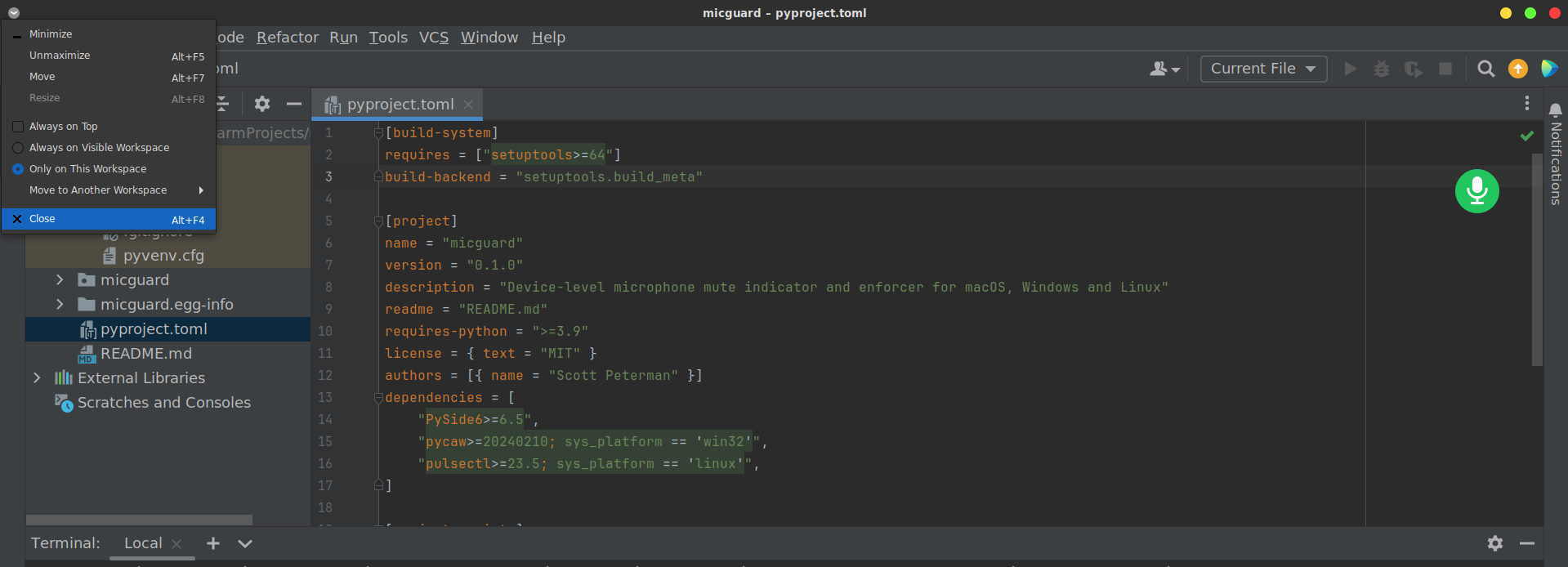
Mic Guard mutes at the device level and keeps a small floating indicator on screen: green when the mic is muted, red when it's hot. If something unmutes the mic behind your back, it sounds an alarm. Knowing whether you're live shouldn't depend on which app you're looking at.
Screenshots
Always-on indicator over your work
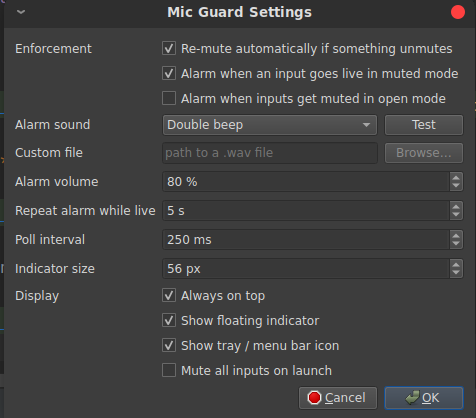
Settings
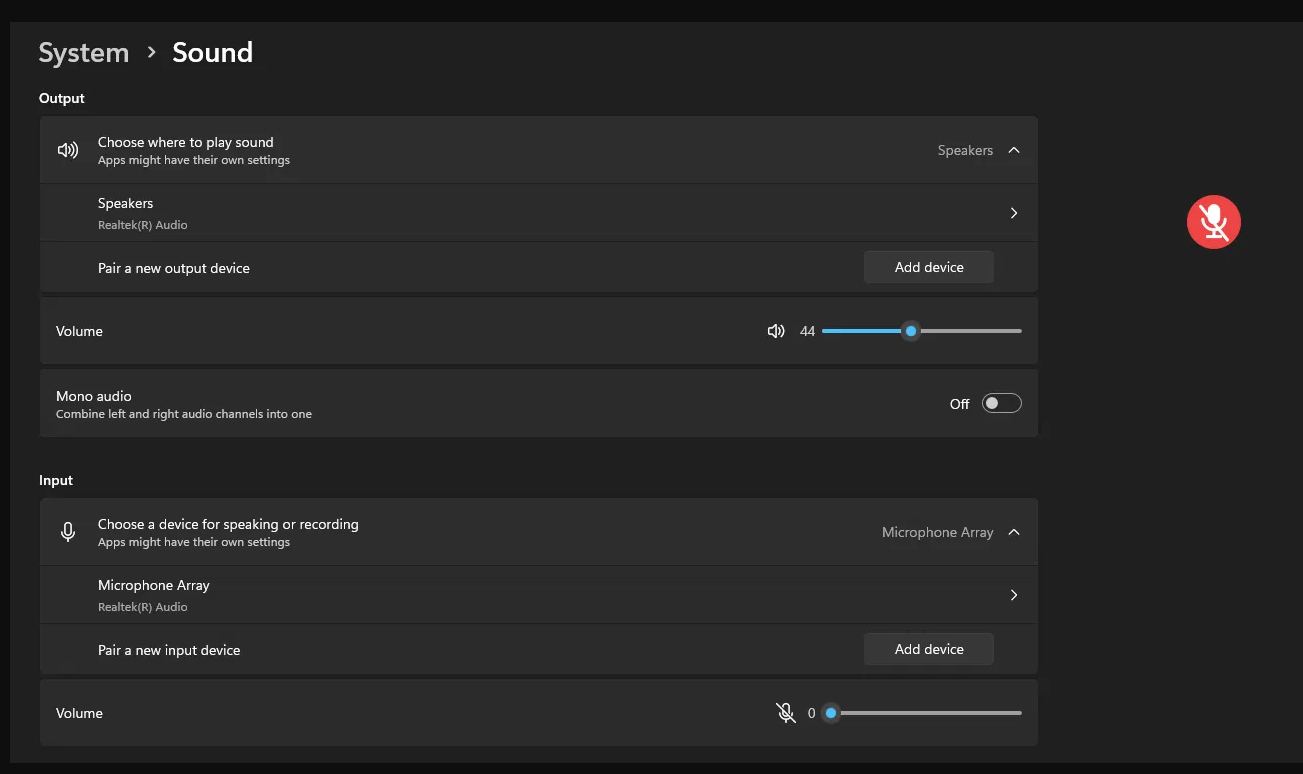
Running on Windows
Hot Mic Protection: A floating red/green mic indicator that mutes every audio input at the device level, so the mute applies to Teams, Zoom, browsers, and every other app. It also enforces the mute: if anything unmutes an input or raises its level while you're muted, Mic Guard sounds an alarm and mutes it again.
| Platform | Backend | API |
|---|---|---|
| macOS | coreaudio |
CoreAudio device mute + input volume (ctypes, no deps) |
| Windows | wasapi |
IAudioEndpointVolume on every active capture endpoint (pycaw) |
| Linux | pulse |
PulseAudio source mute + volume (pulsectl); PipeWire through pipewire-pulse |
Install
pip install .
Platform dependencies (pycaw on Windows, pulsectl on Linux) install automatically.
Run
micguard
Or run it without installing:
python -m micguard
- Red: every input is muted, and the mute is enforced.
- Green: at least one input is live.
- Grey: the audio backend reported an error. Hover over the dot to see it.
- Click the dot to toggle mute. Drag to move it. Right-click the dot, or use the tray/menu bar icon, to open the menu: toggle, a per-device status list, Settings, and Quit.
Quitting leaves every device in its current state.
CLI
micguard-cli status
micguard-cli mute
micguard-cli restore
micguard-cli watch --interval 0.5
status exits with 1 if any input is live. mute exits with 2 if a device has no software control, which means you have to unplug it.
Behavior
- Muting sets both the endpoint mute flag and the input volume to 0. The levels in place before muting are saved per device and put back when you open the mics again. Saved levels are stored in
state-<backend>.jsonunder~/Library/Application Support/micguard,%APPDATA%\micguard, or~/.local/state/micguard. - Opening a device with no saved levels unmutes it and sets its volume to 75% if the volume was 0.
- Alarm tones are WAV files generated on first use. You can also select any WAV file in Settings.
- Settings are stored with QSettings under
scottpeterman/micguard. MICGUARD_BACKEND=dummyruns the app against fake in-memory devices, for UI work.
Platform notes
- Teams "Automatically adjust mic sensitivity" raises input gain on its own, which makes the alarm fire. Turn that setting off, or leave auto re-mute enabled.
- GNOME has no tray without the AppIndicator extension. Mic Guard detects this and always shows the floating dot.
- Wayland doesn't let an app position its own windows. You can still drag the dot, but its position isn't restored on the next launch.
- Windows doesn't show the Tool-window dot on the taskbar. Left-clicking the tray icon toggles mute on Windows and Linux; on macOS, clicking the menu bar icon opens the menu.
1 maintainer

Release files for micguard 0.1.0
For a detailed explanation of source distributions (sdists) and built distributions (wheels), please see the package formats documentation.
Built distribution (wheel)
| File | Interpreter | ABI | Platform | Reset |
|---|---|---|---|---|
| micguard-0.1.0-py3-none-any.whl | Python 3 | none | any | Details |
Release files / micguard-0.1.0-py3-none-any.whl
| Download URL | micguard-0.1.0-py3-none-any.whl |
|---|---|
| Size | 19.6 kB |
| Tags | Python 3 |
|
SHA-256 checksum How to use checksums |
040bf61ee763b9d68a4ce3edb99194ca09f1549b8b6b2c7940102d70747aaaab
|
|
BLAKE2b-256 checksum How to use checksums |
b91dedadd11b35898d7113679f5da88fde1be5b27d419e4b5d582c84049fbab2
|
| Upload date | |
|
Uploaded using Trusted Publishing? What is trusted publishing? |
No |
| Uploaded via |
twine/7.0.0 CPython/3.10.12
|













